

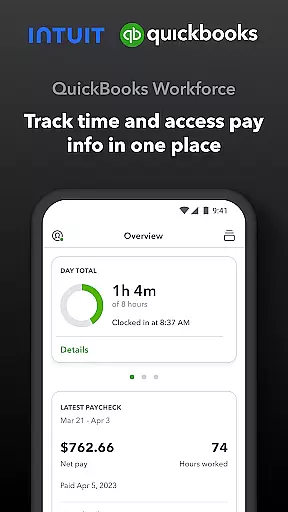
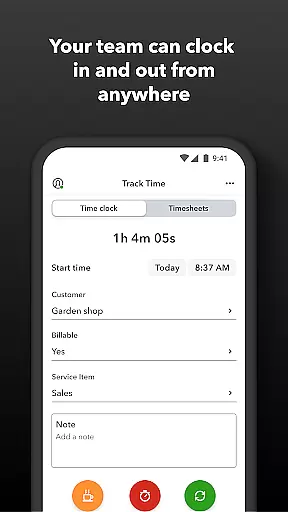
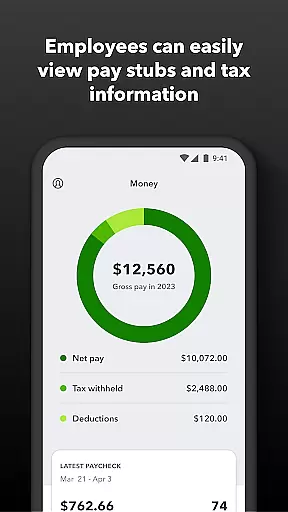
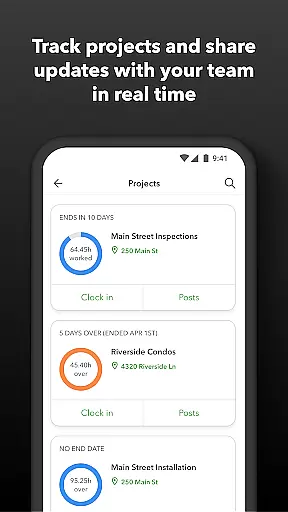
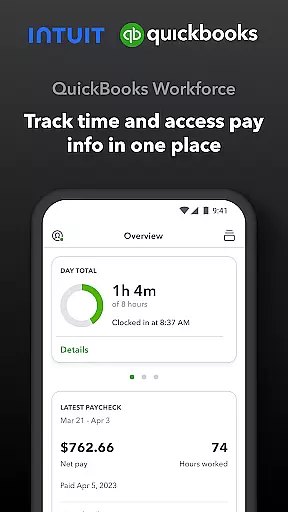
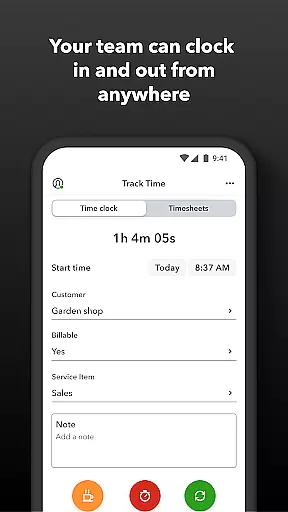
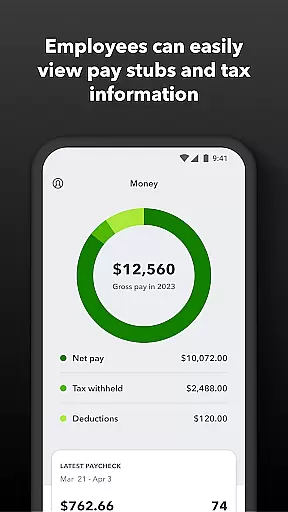
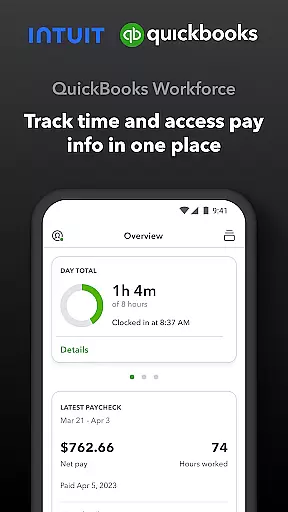
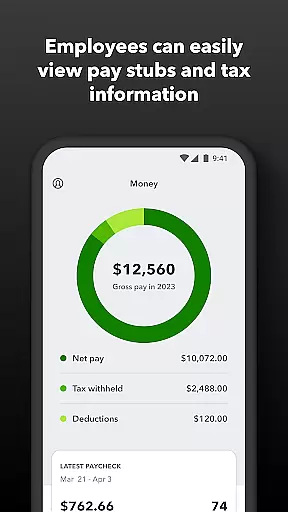
QuickBooks Workforce is a comprehensive productivity app designed for businesses using QuickBooks Payroll and QuickBooks Time. This powerful tool allows teams to conveniently view pay information and track time from a single platform. Employees can access essential documents like pay stubs and W-2s, submit time-off requests, and utilize GPS-based time tracking. The app also supports offline functionality, enabling users to clock in and out even without internet connectivity.
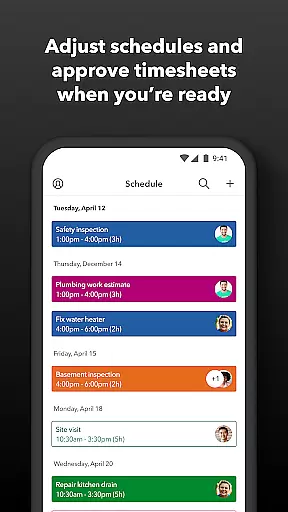
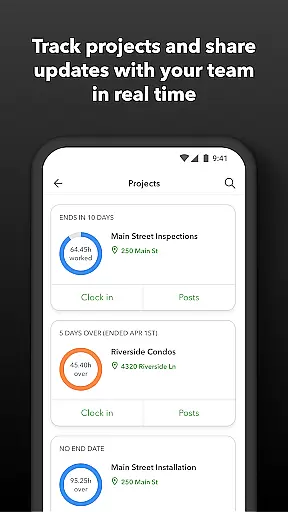
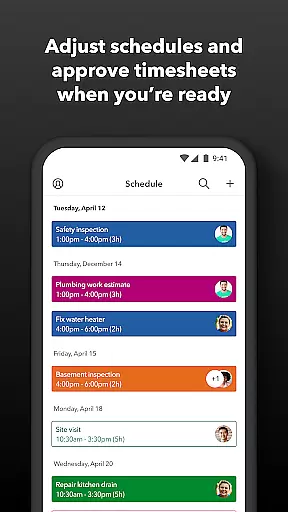
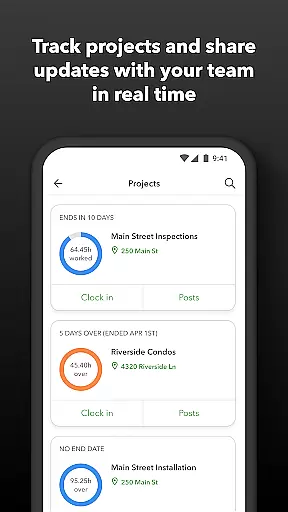
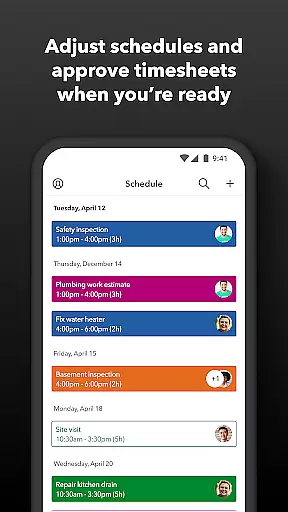
For employers and administrators, QuickBooks Workforce offers advanced management features. They can approve timesheets, schedule shifts, and monitor team productivity in real-time. The app provides detailed reporting tools, helping businesses optimize their payroll processes and resource allocation. With seamless integration into QuickBooks Online and other accounting software, this app eliminates manual data entry and ensures accurate financial records.
This app is particularly beneficial for businesses that require precise time tracking and efficient payroll management. By consolidating multiple functions into one solution, QuickBooks Workforce streamlines operations and enhances overall productivity, making it an invaluable asset for modern workplaces.
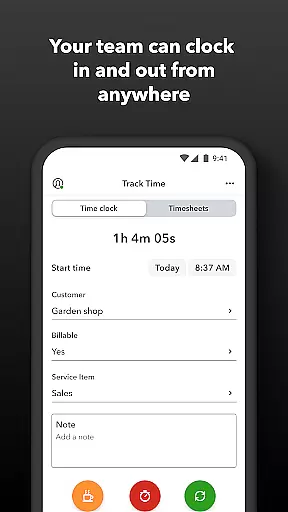
QuickBooks Workforce stands out with its robust feature set tailored for both employees and employers. For team members, the app provides essential tools such as accessing pay stubs and W-2s anytime, anywhere. It supports offline clocking in and out, submission of paid time off, and editing of timesheets. Additionally, the GPS location-based time tracking ensures accurate recording of work hours, which is crucial for payroll accuracy.
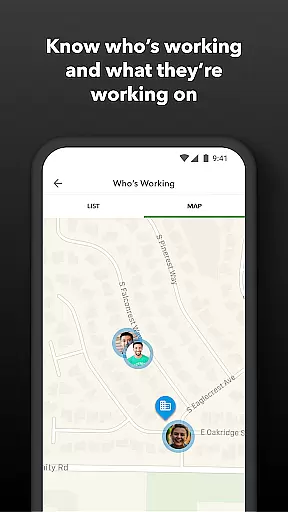
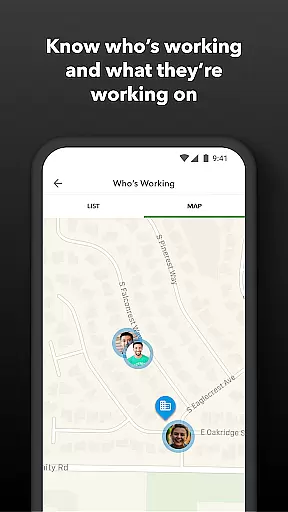
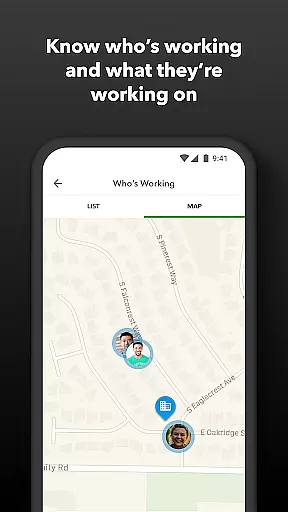
Administrators benefit from advanced functionalities including real-time monitoring of who is working and where. They can manage schedules by job or shift, set up geofences for automatic clock-ins, and receive alerts for unscheduled absences or potential overtime. The app also offers comprehensive reporting features, allowing managers to oversee productivity and adjust budgets accordingly. These capabilities not only save on payroll costs but also enhance operational efficiency.
Integration is another key strength of QuickBooks Workforce. It seamlessly connects with QuickBooks Online and various payroll and accounting systems. This interoperability ensures that data flows smoothly across platforms, reducing errors and saving time. Moreover, the developer API opens possibilities for further customization, making this app adaptable to specific business needs.
Task management is a critical component of productivity applications, enabling users to organize, track, and execute tasks efficiently. QuickBooks Workforce excels in this area by offering comprehensive tools for both employees and employers.
For team members, the app provides essential features such as clocking in and out, even without Wi-Fi, submitting and tracking various types of leave, editing timesheets, and managing job schedules. These capabilities ensure that employees can manage their time effectively while providing necessary flexibility.
Employers and admins benefit from advanced functionalities including approving, editing, or deleting timesheets, scheduling by job or shift, real-time tracking of who's working and where, setting up geofences for automatic clock-ins and clock-outs, creating or modifying schedules, and receiving alerts for unscheduled clock-ins or potential overtime. This suite of features empowers managers to oversee operations seamlessly.
The value derived from these robust task management features includes enhanced productivity, reduced administrative overhead, and improved accuracy in time tracking, ultimately leading to cost savings and better resource allocation.
Cross-device synchronization is vital for ensuring that all users have access to the most current data regardless of the device they use. QuickBooks Workforce addresses this need by providing reliable synchronization across multiple platforms.
The app integrates seamlessly with QuickBooks Online and QuickBooks Desktop Payroll, allowing businesses to save on payroll costs and eliminate manual data entry. Real-time reports are available in various formats (PDF, CSV, online, HTML), ensuring that users can access and share information conveniently.
Moreover, QuickBooks Workforce supports integration with other payroll, accounting, and invoicing software, enhancing its versatility. The developer open API further extends its functionality, enabling custom integrations tailored to specific business needs.
By ensuring accurate and up-to-date information across devices, QuickBooks Workforce helps protect against labor disputes and audits through detailed time logs. This reliability not only streamlines payroll and invoicing processes but also enhances overall operational efficiency.
User-friendly interface
Comprehensive time tracking
Seamless QuickBooks integration
Offline functionality
Real-time reporting
Limited free features
Subscription required
Advanced features costly
Occasional sync issues
Steep learning curve

Native client for Forgejo and Gitea
 5.00
5.00
We're working to become the best machining app on the market! www.cncdirt.com
4.80
Remotely view listen control and record cameras.
3.70
IP Camera Viewer - Android TV : RTSP Surveillance camera viewer for Android TV
4.1
Font maker keyboard with your own handwriting
4.10
All document reader, all in one file viewer read PDF, DOCX, XLS, PPT, TXT files.
4.60
Access, manage and transfer files on Android, PC, Mac, NAS and cloud storages.
4.30
Experience and share your SolidWorks designs on your Android® phone and tablet.
2.50
Browse and view your photos and videos from the phone with photo & video hide.
4.10
The long-awaited modern gallery app for your Nextcloud server
4.70
The Pro Version of Android's tiniest Notepad app. Just 0.3MB but feature-packed!
4.60
PDF scanner & converter for files, photos, lottery, QR codes. One swipe away!
4.50
Send files, sync SMS, notifications & clipboard across devices via local network
4.40
A lightweight JSON & XML files creator, editor and viewer (Premium Version)
4.40
A customizable calendar for your Wear OS watch
4.20
Device's storage information in a simple and clear graphical form (infographics)
4.10
Make apps & sites with natural language prompts
4.10
Access your phone's notifications, calls, apps, photos & texts on your PC
3.90
Smart PDF reader & editor to view, organize and manage PDF documents easily.
3.70


User Reviews