

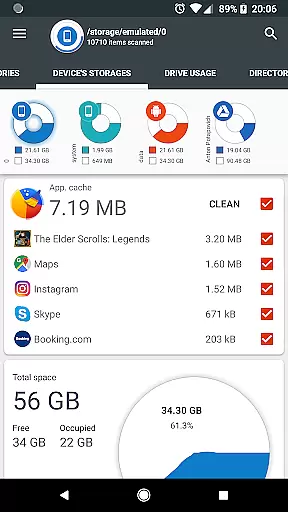
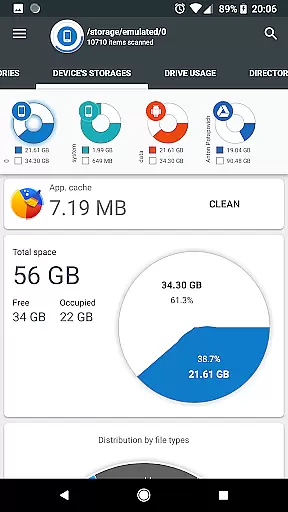
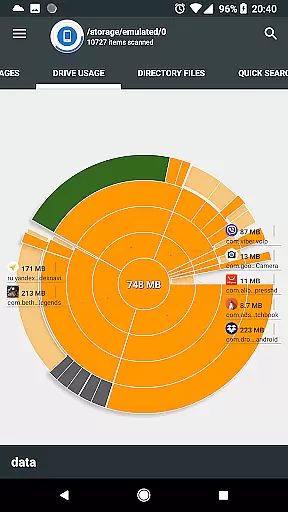
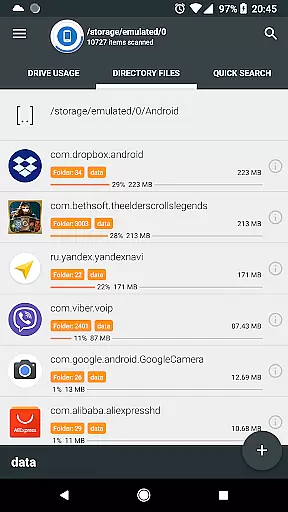
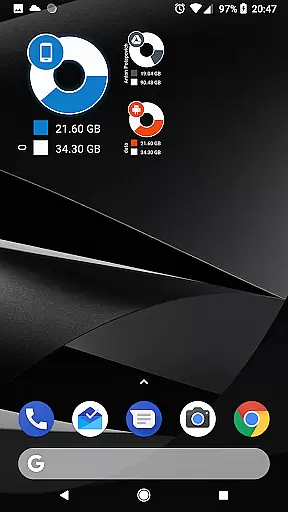
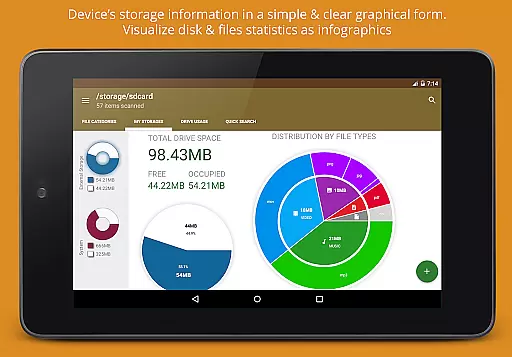
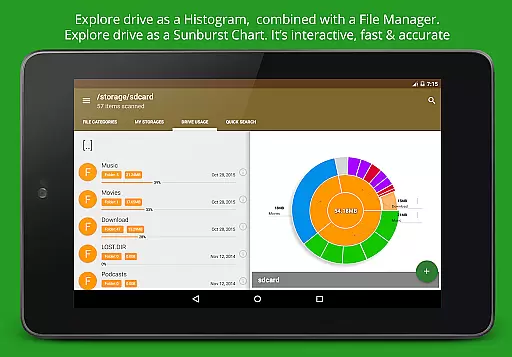
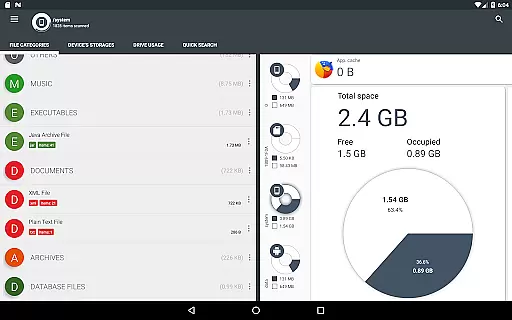
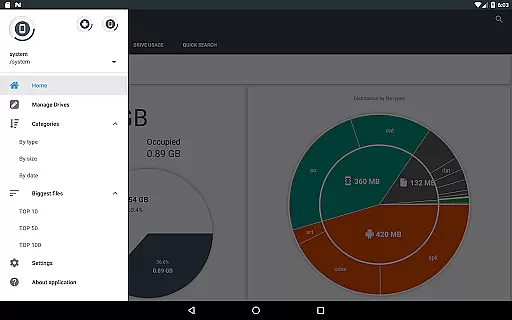
Disk & Storage Analyzer [PRO] is a comprehensive productivity tool designed to help users manage their device's storage efficiently. The app provides detailed insights into internal and external storage, USB devices, and cloud drives through intuitive infographics such as pie charts and sunburst diagrams.
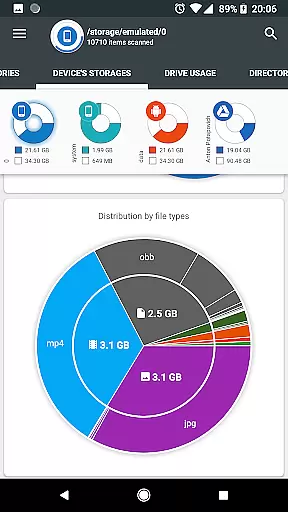
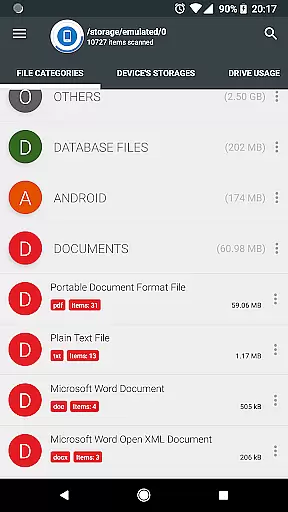
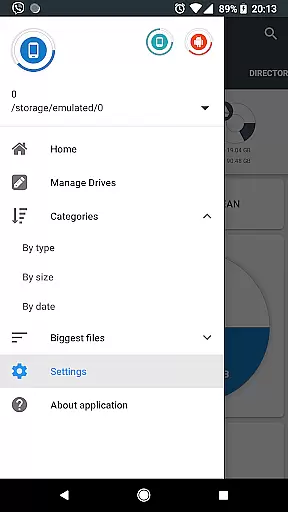
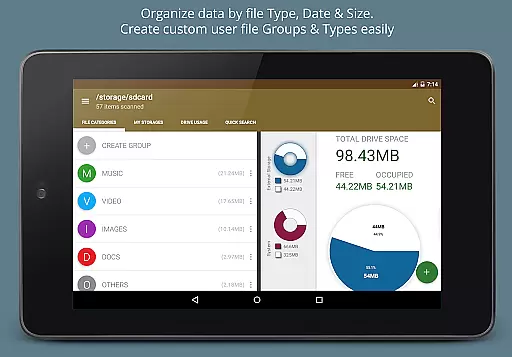
With its advanced file analysis capabilities, the app allows users to visualize file usage by category, size, and date. It also offers features like cache cleaning, app deletion, and global search functionality for quick access to files. Its ability to connect to cloud services like Google Drive and Dropbox makes it an essential tool for organizing digital assets across multiple platforms.
Ideal for users who need to optimize their device's performance, this app is particularly useful for those managing large volumes of data on both personal and professional levels.
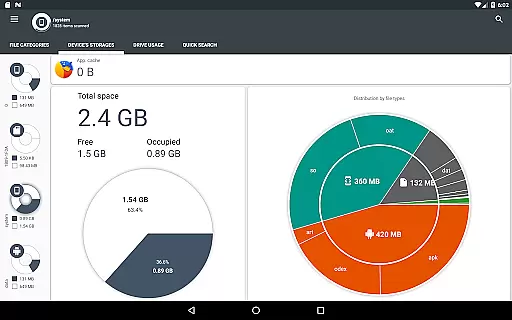
The Disk & Storage Analyzer [PRO] stands out with its robust feature set tailored for efficient storage management. One of its key features is the ability to display storage information in visually appealing infographics, making it easy for users to understand their storage consumption at a glance.
Another notable feature is the app's capability to connect to various cloud drives, allowing users to analyze and manage cloud storage alongside local storage. This integration streamlines the process of managing files across different platforms without needing to switch between multiple apps.
Additionally, the app provides tools for managing installed applications, including cache cleaning and app deletion. These features not only help in freeing up space but also enhance the overall performance of the device. With its comprehensive global search and file categorization options, Disk & Storage Analyzer [PRO] ensures that users can quickly locate and manage their files with ease.
Disk & Storage Analyzer [PRO] excels in core task management by offering users a comprehensive suite of tools to monitor and manage their device's storage effectively. The application provides detailed insights into file usage, categorizing data across various storage mediums such as SD cards, USB devices, and internal storage.
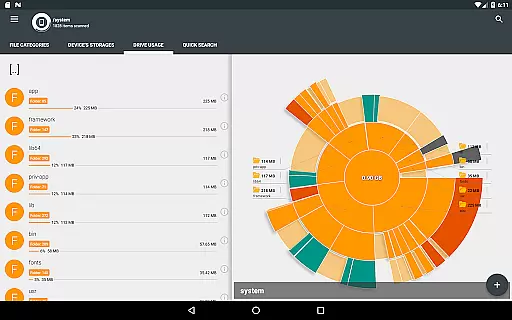
With its ability to display information through intuitive infographics, including pie charts and sunburst diagrams, the app simplifies complex data sets, making it easier for users to understand their storage consumption patterns. This graphical representation is not only visually appealing but also enhances the user's ability to make informed decisions about managing their digital content.
The app goes beyond basic storage analysis by allowing users to connect cloud drives like Google Drive and Dropbox. By integrating these services, Disk & Storage Analyzer [PRO] extends its functionality, enabling users to build statistics and reports on their cloud-stored files, thus providing a holistic view of their digital footprint.
Furthermore, the application empowers users with practical features such as cache cleaning and app deletion, which are essential for maintaining optimal device performance. These capabilities ensure that users can reclaim valuable space and keep their devices running smoothly, highlighting the app's commitment to effective task management.
Cross-device synchronization is a critical feature for users who operate across multiple platforms and devices. Disk & Storage Analyzer [PRO] addresses this need by ensuring reliable synchronization between a user's smartphone and connected cloud storage solutions. This seamless integration allows for real-time updates and access to storage analytics from virtually anywhere.
The application leverages advanced permissions to deliver accurate and up-to-date information on file-specific data across different storage types. Whether users are accessing their Google Drive or Dropbox accounts, they can trust that the displayed statistics reflect the current state of their files, thanks to the app's robust synchronization protocols.
Moreover, the app supports a broad range of permissions, including MANAGE_EXTERNAL_STORAGE and WRITE_EXTERNAL_STORAGE, which are crucial for acquiring all device files. These permissions facilitate a reliable and consistent flow of data between the user's devices and the cloud, enhancing the overall synchronization experience.
By prioritizing synchronization reliability, Disk & Storage Analyzer [PRO] ensures that users have a dependable tool for managing their digital lives. This focus on cross-device functionality underscores the app's dedication to providing a seamless and efficient user experience, regardless of the number of devices in play.
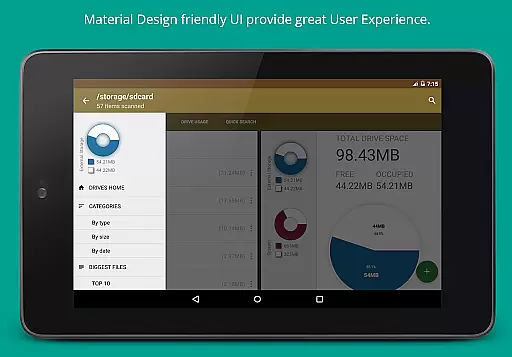
User-friendly interface
Comprehensive storage analysis
Cloud drive integration
Cache cleaning functionality
Global search feature
No real-time updates
Limited customization options
Occasional force closes
Requires multiple permissions
Premium version costs

QuickBooks Workforce lets teams view pay info and track time in one place.
 4.70
4.70
Easily read and manage all your PDF files
4.10
8 custom complications. Custom Time Fonts. Beautiful color schemes. A++ Design.
5.00
Smart PDF reader & editor to view, organize and manage PDF documents easily.
3.70
The Pro Version of Android's tiniest Notepad app. Just 0.3MB but feature-packed!
4.60
Remotely view listen control and record cameras.
3.70
Stay on top of your to-dos with Google Tasks, part of Google Workspace.
4.60
Enjoy classic gameplay with customizable features and retro-style graphics.
4.30
Simple notepad & memo. Take notes, to-do list, shopping list with reminders.
4.80
Understand anything with a personalized AI research assistant
4.80
Secure, fast, open-source, Remote Desktop Client for Windows and Linux with SSH
4.60
To do list widget with a notebook organizer, checklist, simple shopping list
4.60
CalenGoo is a very flexible and feature-rich calendar app
4.40
Docker, Kubernetes management over Portainer Mobile
4.40
Share files & memories safely. Keep your photos and videos secure.
4.40
Pwnagotchi companion app
4.20
Experience real multitasking on your Android!
4.00
Code on-the-go with VScode for Android. Edit,debug and collaborate from mobile!!
3.10
The upgraded version of Name Wheel with AI and the power to add your own wheels.
4.4

User Reviews