

Calendar Pro for Wear OS is a comprehensive calendar solution designed specifically for wearable devices. This productivity app allows users to seamlessly sync all their calendars from phone to watch, providing complete on-the-go access.
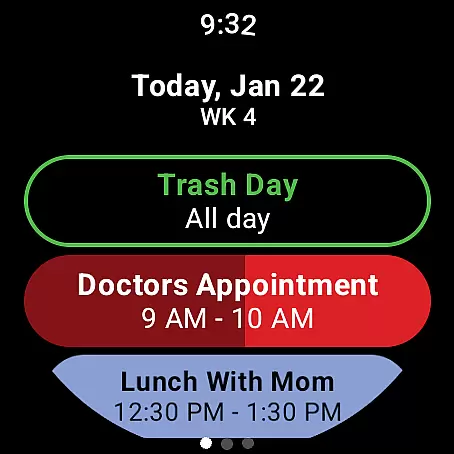
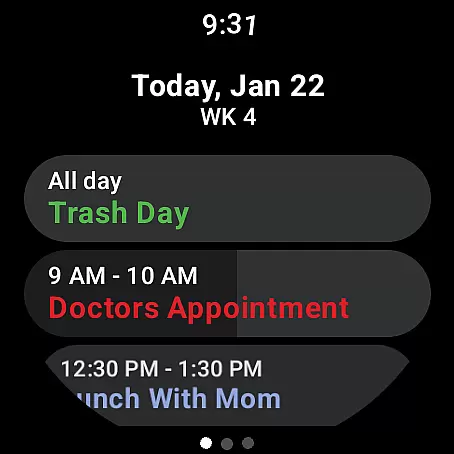
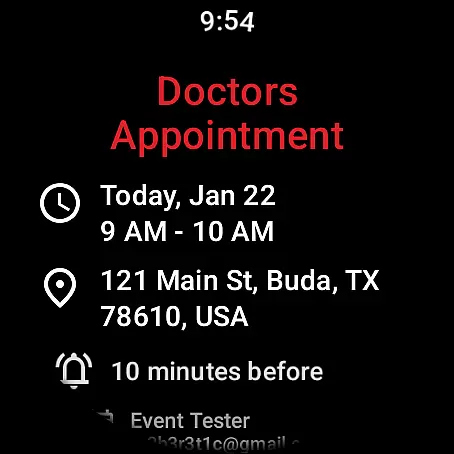
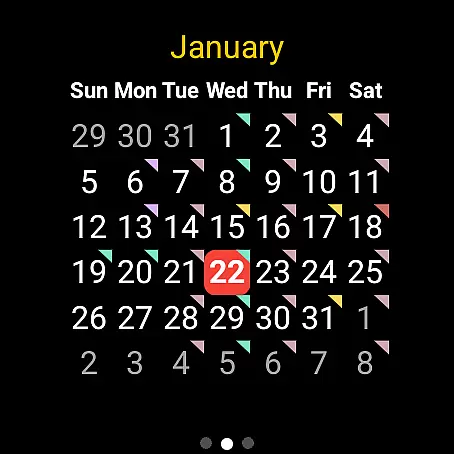
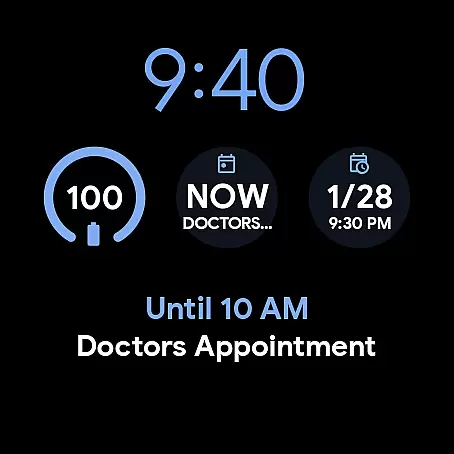
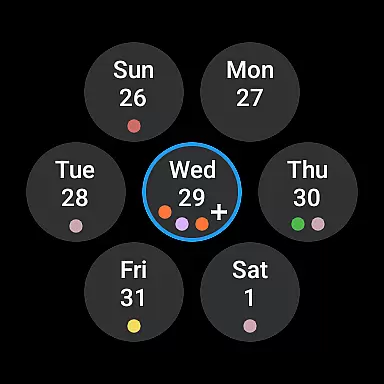
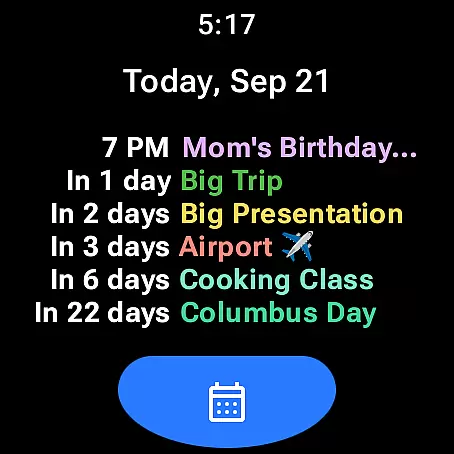
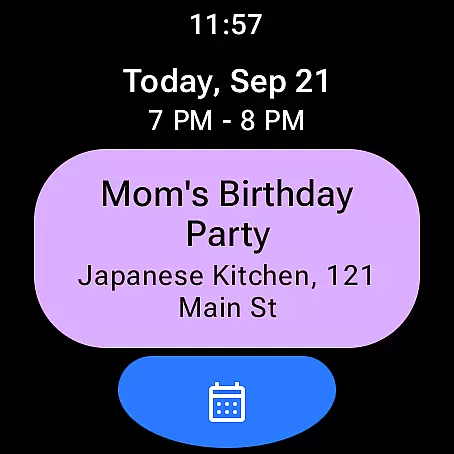
The app's core functionality includes robust event management features such as adding, editing, and deleting events directly from the watch interface. Users can view detailed event information and customize multiple calendar views including month, agenda, and week formats. Its customizable tiles and complications bring essential calendar information to the watch face.
With support for major calendar services like Google Calendar, Outlook, and Samsung Calendar, this app serves professionals who need constant access to their schedules. The one-time purchase model provides excellent value for users seeking an ad-free, full-featured wearable calendar solution.
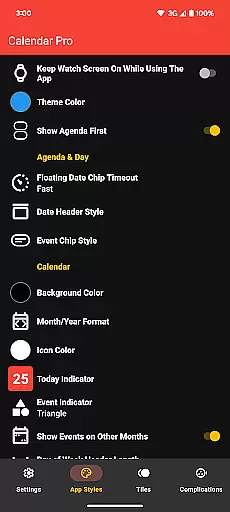
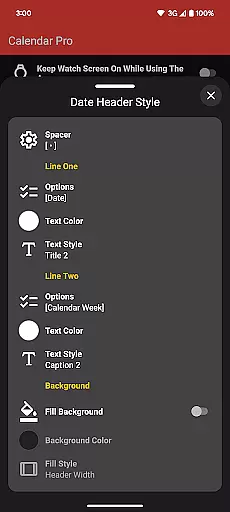
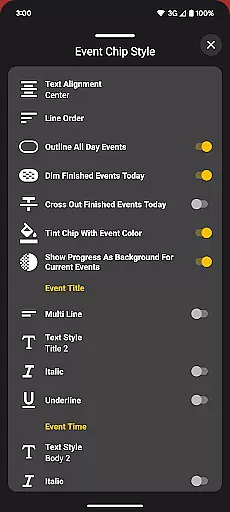
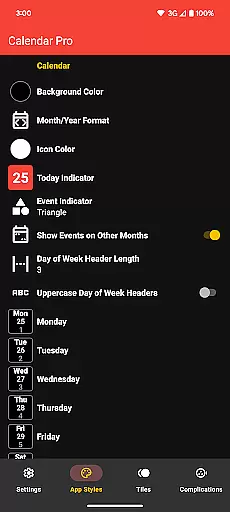
Calendar Pro distinguishes itself through extensive customization options and comprehensive feature set. The app offers multiple theme colors and detailed customization for both month calendar and agenda views, allowing users to tailor the interface to their preferences.
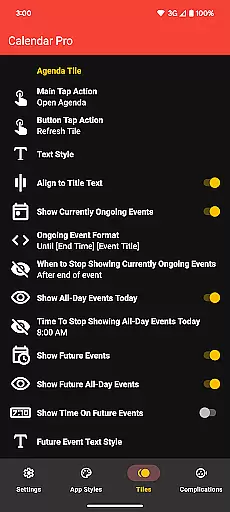
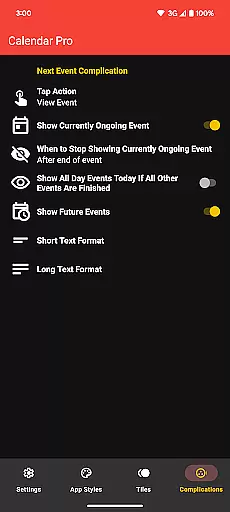
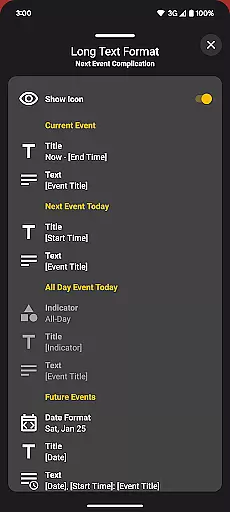
Advanced features include various watch tiles that display upcoming events, current agendas, and weekly overviews. The Next Event complication provides flexible display options and quick access to essential scheduling information. Users can configure what information appears on their watch face and how it's presented.
The app's strength lies in its ability to handle complex calendar management directly from the watch interface. With support for multiple calendar sources and offline access to the next 12 months of events, it ensures users maintain control over their schedules regardless of their location or device connectivity.
Calendar Pro for Wear OS excels in core task management by offering users the ability to add, edit, and delete events directly from their Wear OS watch. This seamless interaction ensures that users can manage their schedules on-the-go without needing to reach for their phones.
The app syncs the next 12 months of events to the watch, providing a comprehensive overview of upcoming commitments. Users can view detailed information about each event, ensuring they are always prepared and informed about their plans.
Customizable features such as the month calendar with event indicators and various agenda views allow users to tailor the app to their specific needs. These customizations enhance usability and ensure that task management is both efficient and visually intuitive.
By integrating with multiple calendar services including Google Calendar, Outlook, and Samsung Calendar, Calendar Pro offers a unified platform for managing all user tasks. This integration simplifies the workflow and enhances productivity by consolidating all event management into one accessible location.
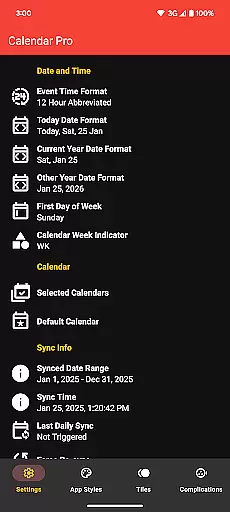
Cross-device synchronization is a cornerstone of Calendar Pro for Wear OS, ensuring that all calendars from the user's phone are reliably synced to their Wear OS watch. This synchronization guarantees that users have access to their most current schedule no matter which device they are using.
The app supports a wide range of calendar services such as Google Calendar, Outlook Calendar, Samsung Calendar, DAVxu2075, and ICSxu2075. This extensive compatibility ensures that regardless of the calendar service a user prefers, their data will be accurately reflected on their wearable device.
Reliability is further enhanced through real-time updates and event notifications. Whether adding new events or modifying existing ones, changes are immediately mirrored across devices, keeping users consistently updated.
With dedicated apps required on both the phone and watch, Calendar Pro ensures a stable and continuous connection. This dual-app requirement reinforces the robustness of the synchronization process, providing users with peace of mind that their schedules are always up-to-date and accurate across all their devices.
Comprehensive calendar sync
Extensive customization
No subscription required
Multiple calendar support
Offline event access
Requires phone app
Complex setup process
Limited free features
Watch battery intensive
Learning curve present

Secure, fast, open-source, VNC and SSH Remote Desktop for Windows, Linux and Mac
 4.70
4.70
Total remote control for your Android device, PC and cloud services (IFTTT)!
4.20
All in one sketching tool. Technical and General drawing. Online Maps support.
3.70
Send files, sync SMS, notifications & clipboard across devices via local network
4.40
We're working to become the best machining app on the market! www.cncdirt.com
4.80
Font maker keyboard with your own handwriting
4.10
This small app MUST BE INSTALLED after purchase, else license won't work
4.40
Scientific calculator for Android - looks and operates like the real thing!
4.90
QuickEdit is a fast, stable and full featured text and code editor.
4.20
Native client for Forgejo and Gitea
5.00
Protect and view your important info on your phone and tablet with eWallet®
4.80
Direct Chat without saving contacts & Dual WA Account on Single Device
4.70
The Pro Version of Android's tiniest Notepad app. Just 0.3MB but feature-packed!
4.60
All document reader, all in one file viewer read PDF, DOCX, XLS, PPT, TXT files.
4.60
Lightweight PDF, Word, Excel reader.
4.60
When you Focus, so will your Bean in this cozy focus timer
4.30
Activate Two Factor Authentication (2FA or Multi OTP), Password manager and more
4.10
Remotely view listen control and record cameras.
3.70
A comprehensive suite of tools designed specifically for Lactation Consultants
4.4

User Reviews