

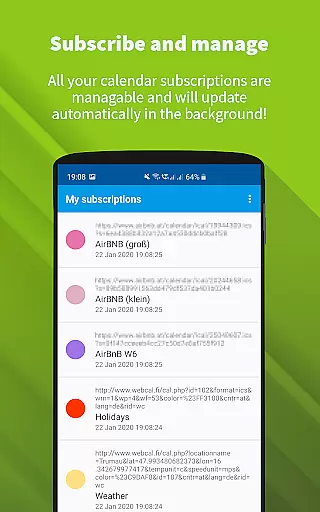
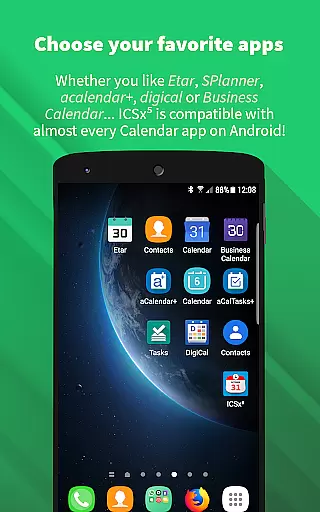
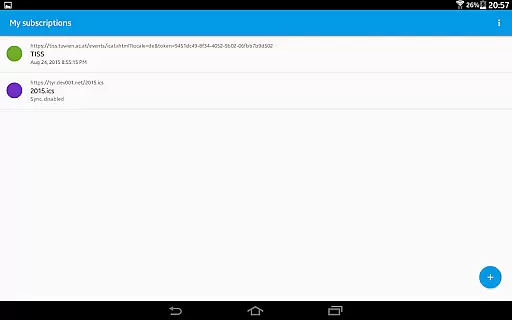
ICSx⁵ is a productivity app designed to help users manage external calendar files on their Android devices. With support for Webcal and iCalendar/.ics formats, the app allows seamless integration of subscribed calendars into your device's native calendar app. Whether you need to add holidays, sports events, or academic schedules, ICSx⁵ ensures that all events are up-to-date through one-way synchronization.
The app stands out with its state-of-the-art synchronization technology, which guarantees that you always have the latest version of any added calendar file. It also supports local .ics file imports, webcal URL handling, and intelligent update checks to save bandwidth. With its open-source nature, ICSx⁵ prioritizes user privacy and security, ensuring no data is transferred to unauthorized servers.
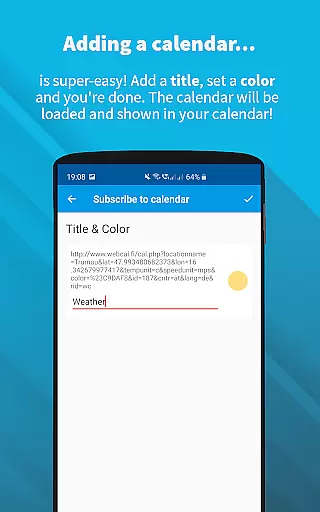
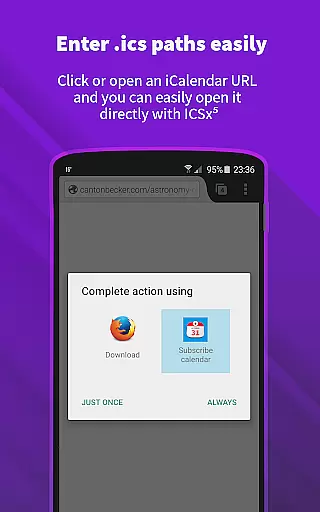
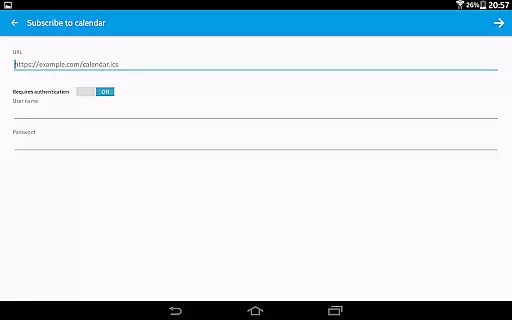
ICSx⁵ offers a comprehensive set of features tailored for efficient calendar management. Users can subscribe to Webcal feeds, such as shared iCloud calendars, and synchronize them at regular intervals. The app also supports importing .ics files from local storage, making it versatile for various calendar sources. Additionally, it allows opening webcal:// and webcals:// URLs directly from an Android web browser.
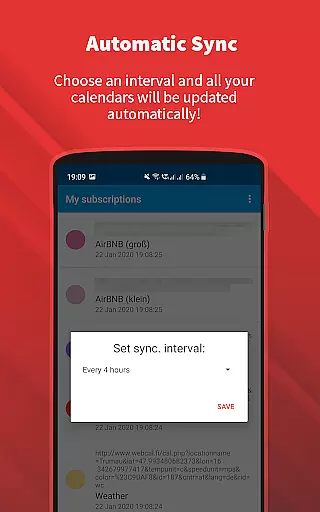
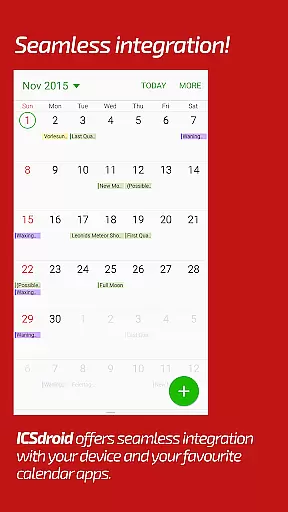
Other notable features include seamless integration with other calendar apps, customizable sync schedules, and support for authentication and HTTPS. Its intelligent update checker minimizes bandwidth usage while ensuring timely updates. As an open-source app, ICSx⁵ provides transparency and control over your data, with no reliance on Google Calendar or accounts.
ICSxu2075 excels in core task management by enabling users to subscribe and manage external iCalendar/.ics files on their Android devices. This functionality allows for the seamless integration of various calendar events into the user's preferred calendar app.
The app supports one-way synchronization, ensuring that all subscribed calendars are up-to-date. Users can add a wide range of events, from holidays and sports team schedules to academic timetables, directly syncing these with their deviceu2019s calendar.
With features like intelligent update checking and support for authentication and HTTPS, ICSxu2075 ensures efficient and secure synchronization. This means users always have access to the latest version of their calendar data without compromising their privacy or security.
By allowing the addition of both Webcal feeds and local .ics files, ICSxu2075 offers flexibility in managing different types of calendar data. This makes it an invaluable tool for users who need to keep track of multiple schedules and events across various platforms.
Cross-device synchronization reliability is a cornerstone of ICSxu2075, providing users with consistent and dependable access to their calendar data across all their devices. The app employs state-of-the-art synchronization technology to ensure that calendar information is always current.
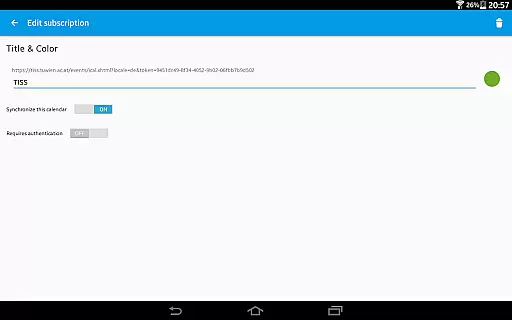
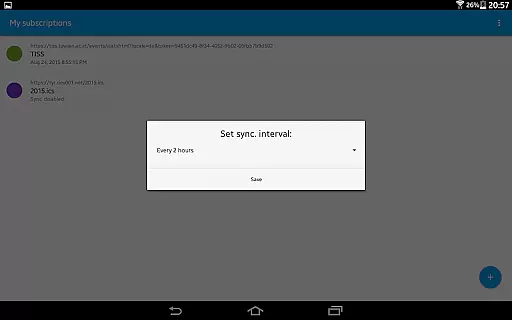
Users can set a sync schedule that suits their needs, ensuring that updates to their subscribed calendars are automatically reflected on their Android device. This feature is particularly useful for those managing dynamic schedules that require frequent updates.
ICSxu2075 also includes an intelligent update checker designed to save bandwidth while maintaining synchronization efficiency. This ensures that users receive timely updates without unnecessary data usage, enhancing the overall reliability of cross-device synchronization.
Furthermore, as an open-source application, ICSxu2075 prioritizes user privacy and security. No data is transferred to external servers beyond what the user specifies, guaranteeing that personal information remains confidential and secure across all synchronized devices.
User-friendly interface
Seamless calendar integration
Regular sync intervals
Bandwidth-saving technology
Strong privacy protection
Limited to Android
No iOS support
One-way sync only
Requires manual setup
Advanced features may overwhelm beginners

Professional calendar app for Google Calendar, MS Outlook & Exchange
 4.20
4.20
A lightweight JSON & XML files creator, editor and viewer (Premium Version)
4.40
Mind Map and brainstorm, note taking and idea collection
4.80
⏰ Finally a timer app which can run multiple timers simultaneously on your watch
3.90
Font maker keyboard with your own handwriting
4.10
To do list widget with a notebook organizer, checklist, simple shopping list
4.60
A Pixel Art watchface inspired by other iconic 90s designs for Wear OS devices!
4.40
Share files & memories safely. Keep your photos and videos secure.
4.40
Note taking, handwriting, record audio, PDF annotation, planner & journal
4.20
Calendar 2023 widget for Android. Appointment scheduler, planner, and reminder
4.60
The Pro Version of Android's tiniest Notepad app. Just 0.3MB but feature-packed!
4.60
Docker, Kubernetes management over Portainer Mobile
4.40
Device's storage information in a simple and clear graphical form (infographics)
4.10
Make apps & sites with natural language prompts
4.10
Activate Two Factor Authentication (2FA or Multi OTP), Password manager and more
4.10
Wake up & get tasks done! Add alarms & reminders on the Clock Launcher.
4.00
A Revolutionary All-in-One Artificial Intelligence Tools
3.80
Smart PDF reader & editor to view, organize and manage PDF documents easily.
3.70
Easiest event planning, volunteer signups & parent teacher conference scheduling
2.20

User Reviews