

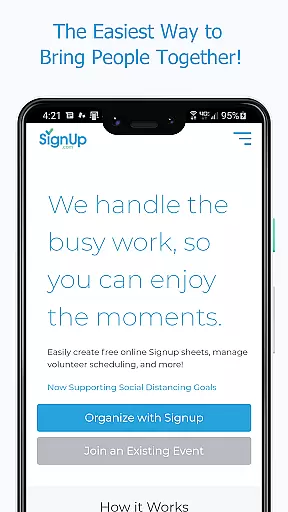
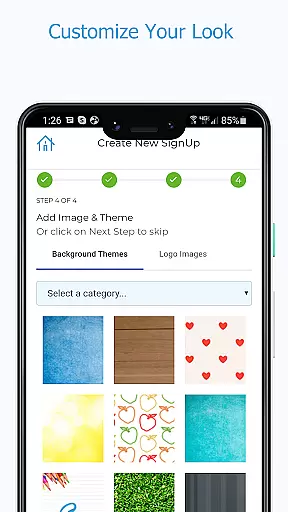
Sign Up by SignUp.com is a powerful productivity tool designed to simplify event and activity organization. This mobile application enables users to effortlessly manage group events, conferences, and various activities in real-time. With its user-friendly interface, organizers can schedule volunteer calendars, parent-teacher conferences, event registrations, and more with ease.
The app stands out by offering features that support safe occupancy management, social distancing, and contact tracing which became crucial during the pandemic. Participants can quickly sign up, pay dues and fees, track volunteer hours, and sync their commitments directly to their phone calendars. Whether you're an organizer or participant, Sign Up by SignUp.com provides comprehensive tools that save time and enhance collaboration.
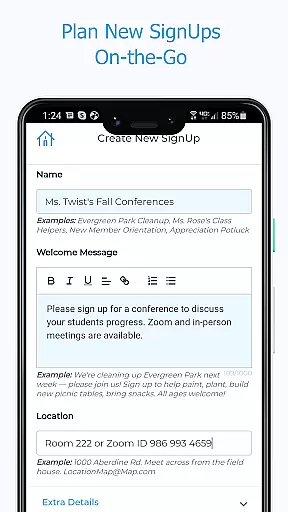
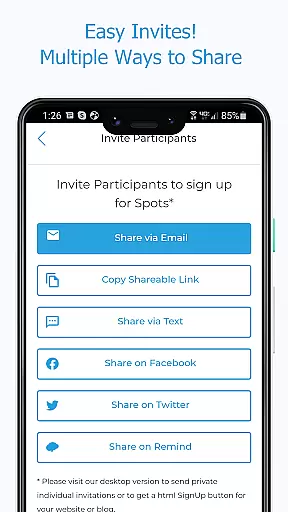
Sign Up by SignUp.com offers a rich set of features tailored for both organizers and participants. Organizers can manage volunteers and events in real-time, plan new sign-ups on-the-go, and set up shifts or conference appointments efficiently. The app supports multiple communication channels like text, email, and social media for sending invitations and reminders.
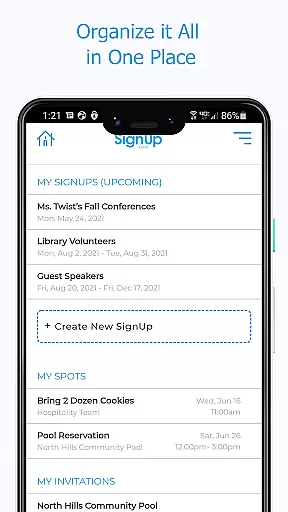
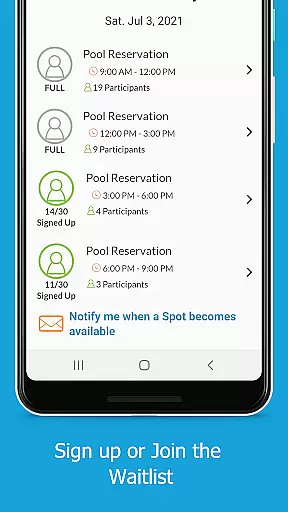
For participants, the app provides an intuitive way to view all their assignments and invitations in one place, make payments, and receive automated confirmations and reminders. Both parties benefit from advanced functionalities such as running reports, checking in participants at events (a premium feature), syncing assignments to personal calendars, and enabling features like accepting waivers and joining waitlists. These capabilities ensure seamless coordination and execution of any group activity.
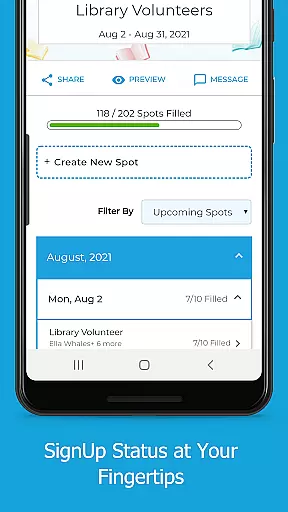
Effective task management is crucial for productivity applications, and Sign Up by SignUp.com excels in this area. The app provides organizers with comprehensive tools to manage volunteers and events in real-time, ensuring that every aspect of planning is covered.
With the ability to set up a series of shifts or conference appointments, invite participants via multiple channels such as text, email, and social media, and view all their sign-ups in one place, users can maintain an overview of their commitments while diving into details when necessary.
The app also allows for making new assignments, removing participants, editing spot details, and running reports which are essential features for maintaining control over event logistics. This functionality ensures that organizers can adapt quickly to changes and keep their events running smoothly.
For participants, they benefit from easy access to their assignments and invitations, options to message the organizer, check activity locations, make payments, and sync assignments to their calendars. These capabilities result in a seamless experience that keeps users engaged and organized.
Cross-device synchronization is a key feature for any productivity tool, allowing users to access their data from different devices without losing progress or updates. Sign Up by SignUp.com offers reliable synchronization that ensures real-time accuracy across all user interactions.
Organizers using the app on-the-go will appreciate how changes made on one device instantly reflect on others, providing peace of mind that they're always working with the most current information. Whether it's checking status updates, searching for participant assignments, or messaging participants through various communication methods, consistency is guaranteed.
Participants also enjoy the benefits of cross-device sync, being able to sign up quickly, view all their assignments & invitations in one place, and receive automated confirmations & reminders regardless of the device used. This reliability enhances user engagement by offering flexibility and convenience.
Moreover, the appu2019s ability to integrate with phone calendars means that once a participant syncs an assignment, it becomes part of their personal schedule, further solidifying the app's role as a central hub for organizing both professional and personal life events.
User-friendly interface
Real-time management
Comprehensive reporting
Multi-channel communication
Advanced participant features
Premium features locked
Limited free version
Requires invitation
Occasional bugs
Learning curve

Secure, fast, open-source, VNC and SSH Remote Desktop for Windows, Linux and Mac
 4.70
4.70
A customizable calendar for your Wear OS watch
4.20
Unlock AutoNotification
4.00
Automates browsing any website and notifies you of important changes or events
4.30
We're working to become the best machining app on the market! www.cncdirt.com
4.80
App Lock with fingerprint, password: Lock apps & hide photos with lock screens
4.60
Font maker keyboard with your own handwriting
4.10
Share files & memories safely. Keep your photos and videos secure.
4.40
Lightweight PDF, Word, Excel reader.
4.60
Use powerful, industry-leading AI tools to generate visual charts from any data
4.80
Understand anything with a personalized AI research assistant
4.80
Secure, fast, open-source, Remote Desktop Client for Windows and Linux with SSH
4.60
CalenGoo is a very flexible and feature-rich calendar app
4.40
Docker, Kubernetes management over Portainer Mobile
4.40
Experience real multitasking on your Android!
4.00
Secure, open-source, SPICE and SSH Remote Desktop for QEMU KVM virtual machines
4.00
⏰ Finally a timer app which can run multiple timers simultaneously on your watch
3.90
Smart PDF reader & editor to view, organize and manage PDF documents easily.
3.70
Ads Free App! Editor, Hide File, Copy, Move, Delete and Rename.. all facility av
1.70


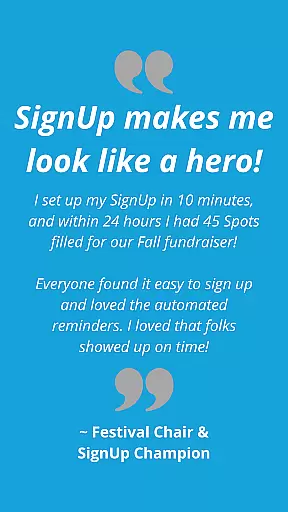
User Reviews