

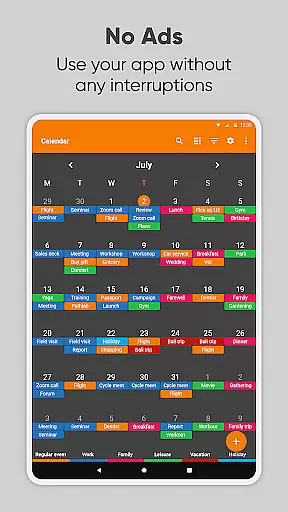
Simple Calendar Pro is a productivity-focused calendar application designed for Android users who value simplicity and customization. This offline calendar app offers a streamlined experience without ads or unnecessary permissions, making it an ideal personal schedule planner. With support for syncing events via Google Calendar or CalDAV protocol, it ensures seamless integration with your existing digital ecosystem.
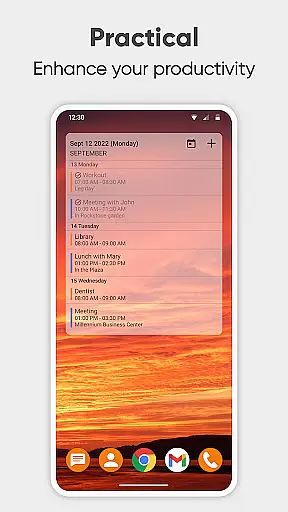
The app's core strength lies in its flexibility and privacy-conscious design. Users can manage their schedules through an intuitive interface that supports event creation, reminders, and powerful repetition rules. Its widget provides extensive customization options, allowing users to tailor the appearance and functionality to suit their preferences. Whether you need a day planner, weekly organizer, or family scheduler, Simple Calendar Pro delivers a comprehensive solution for managing your time effectively.
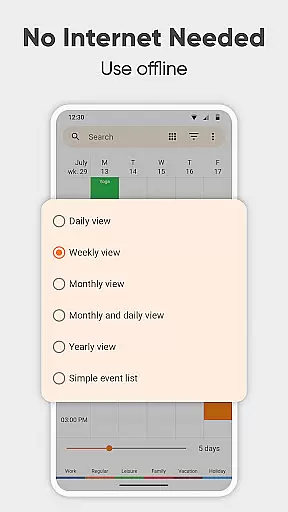
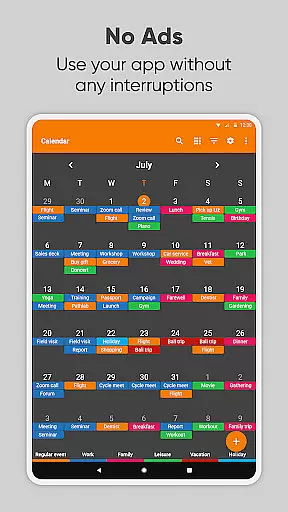
For professionals and individuals alike, this app serves as an essential tool for staying organized. The ability to export settings and events ensures cross-device compatibility, while features like map integration for event locations and quick view toggles between daily, weekly, and monthly schedules enhance its practicality. Simple Calendar Pro represents the perfect blend of functionality and user-centric design, empowering users to take control of their schedules with confidence.
Simple Calendar Pro distinguishes itself through a robust set of features designed to enhance productivity and organization. One of its standout capabilities is the flexible event management system, which allows users to create events with precise timing, duration, and reminder settings. The app supports advanced repetition rules for recurring events and integrates seamlessly with external calendars through CalDAV, including Google Calendar, Microsoft Outlook, and Nextcloud.
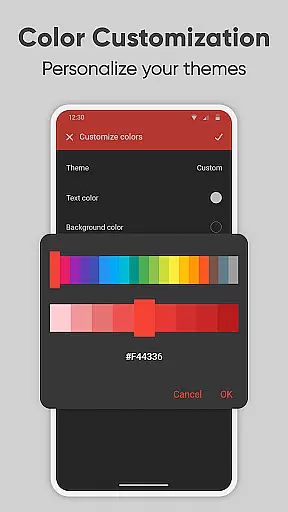
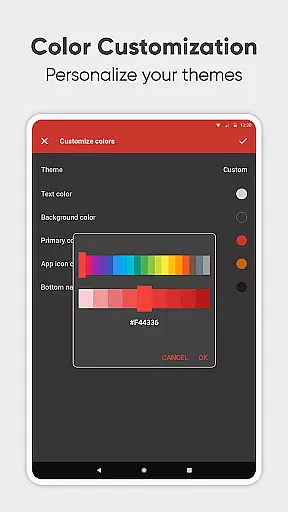
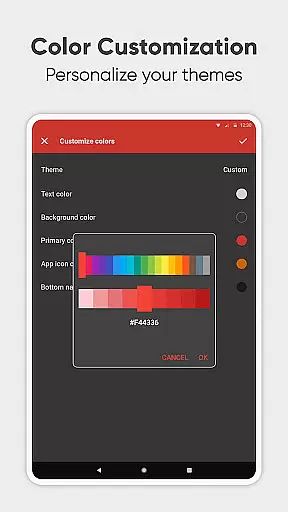
Customization is at the heart of this application's appeal. The calendar widget offers unparalleled personalization options, from color schemes and themes to notification sounds and vibration patterns. Users can tailor every aspect of their scheduling experience, ensuring the app aligns perfectly with their workflow and aesthetic preferences. Additionally, the open-source nature of the app means it's available in over 45 languages, making it accessible to a global audience.
Beyond basic scheduling, Simple Calendar Pro excels in comprehensive time management solutions. It includes specialized tools for different planning needs, such as day planners, weekly organizers, and itinerary managers. The app's ability to import holidays, birthdays, and anniversaries automatically streamlines personal event management. Furthermore, features like map integration for event locations and quick switching between various calendar views demonstrate the app's commitment to providing a versatile and efficient scheduling solution. With its focus on privacy, security, and user experience, Simple Calendar Pro stands out as a premier choice for anyone seeking a reliable, customizable calendar application.
At the heart of Simple Calendar Pro lies its robust core task management system, designed to streamline your daily planning. This feature allows users to effortlessly organize their schedules by creating single or recurring events with customizable reminders. The app supports advanced repetition rules for events, ensuring that users can tailor each task to their specific needs.
The calendar's seamless integration with Google Calendar and other CalDAV-supported platforms enables smooth synchronization of events across devices. This ensures that whether you're managing a work calendar for business meetings or a family organizer for personal events, all information remains up-to-date and accessible from anywhere.
What sets Simple Calendar Pro apart is its offline functionality, providing users with complete control over their data without requiring internet access. This approach not only enhances privacy and security but also guarantees stable performance regardless of network conditions. The ability to export and import events via .ics files further extends its flexibility, making it an ideal choice for those seeking efficient time management solutions.
Simple Calendar Pro excels in cross-device synchronization reliability, offering users peace of mind when managing their schedules across multiple devices. The application achieves this through its support of the CalDAV protocol, which facilitates real-time updates between connected devices. Whether you're using a smartphone, tablet, or computer, your calendar remains consistently updated and accurate.
The app's synchronization capabilities extend beyond just basic event details. Users can expect comprehensive updates including customized reminder settings, notification preferences, and even widget configurations. This level of detail ensures that your personalized calendar experience remains intact regardless of which device you're using.
Furthermore, Simple Calendar Pro's commitment to privacy and security is evident in its synchronization process. Unlike many competitors, it doesn't require constant internet access to function, giving users more control over when and how their data is synced. The ability to export settings to .txt files for easy transfer between devices adds another layer of convenience, making it an excellent choice for professionals who demand reliable and secure cross-device functionality.
User-friendly interface
Offline functionality
Highly customizable
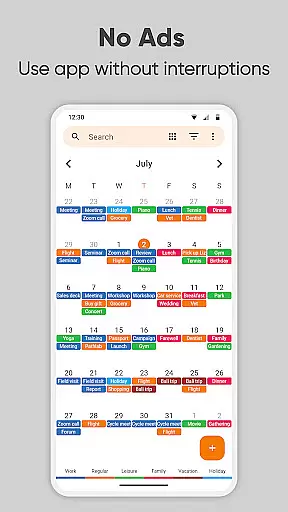
No ads or popups
Cross-platform sync
Limited iOS support
Advanced features require learning
Occasional sync delays
Interface may feel basic
Some features are complex

Mega cloud explorer plugin for Solid Explorer
 3.80
3.80
The Pro Version of Android's tiniest Notepad app. Just 0.3MB but feature-packed!
4.60
Make apps & sites with natural language prompts
4.10
Font maker keyboard with your own handwriting
4.10
PDF scanner & converter for files, photos, lottery, QR codes. One swipe away!
4.50
Quickly and easily keep track of your work shifts
4.70
This small app MUST BE INSTALLED after purchase, else license won't work
4.40
Secure your apps with lock screens, use custom themes and different features.
4.40
Okta MFA
4.70
8 custom complications. Custom Time Fonts. Beautiful color schemes. A++ Design.
5.00
Protect and view your important info on your phone and tablet with eWallet®
4.80
We're working to become the best machining app on the market! www.cncdirt.com
4.80
App Lock with fingerprint, password: Lock apps & hide photos with lock screens
4.60
Stay on top of your to-dos with Google Tasks, part of Google Workspace.
4.60
The AI assistant that thinks with you - write, code, and solve complex tasks
4.60
Planet Free VPN - The best Fast Unlimited and Secure VPN Without Logs
4.50
Send files, sync SMS, notifications & clipboard across devices via local network
4.40
Activate Two Factor Authentication (2FA or Multi OTP), Password manager and more
4.10
ID.me Authenticator is a simple and free Two Factor Authentication solution
3.50

User Reviews