

YouTube is the world's leading video-sharing platform, offering a vast array of content across multiple categories. The app allows users to watch, create, and share videos on Android devices. With personalized recommendations, subscriptions, and trending content discovery, it keeps users engaged with what matters most to them. YouTube also supports live streaming, community interaction, and even offers paid membership options for fans to support their favorite creators.
The platform extends beyond casual viewing by providing tools for creators to build communities through posts, stories, and premieres. It also features family-friendly options like YouTube Kids and supervised experiences. For uninterrupted entertainment, YouTube Premium removes ads and enables offline viewing while bundling additional perks such as access to YouTube Music Premium.
YouTube stands out with its robust set of features designed for both viewers and creators. Users can browse personalized video recommendations, subscribe to channels, and explore trending topics in music, gaming, news, and more. The app provides seamless integration with other devices, allowing users to continue watching videos anywhere.
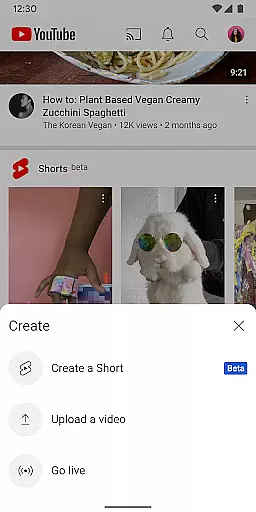
For creators, YouTube offers powerful tools to engage audiences, including live streaming, community posts, and channel memberships that provide exclusive benefits. Advanced features like YouTube Premium enhance user experience by removing ads, enabling background play, and offering offline downloads. Additionally, YouTube fosters a safe environment for families with specialized apps and supervised accounts.
Video format compatibility is a crucial feature for any video player, ensuring that users can enjoy content in various formats without technical barriers. YouTube excels in this area by supporting a wide range of video formats, from common ones like MP4 and AVI to more specialized codecs.
The app's robust compatibility allows creators to upload videos without worrying about format restrictions, while viewers can stream content seamlessly across different devices. This versatility enhances the overall user experience, making YouTube a go-to platform for diverse video needs.
By providing such comprehensive format support, YouTube ensures that its vast library of content is accessible to everyone, regardless of their device or technical expertise. This inclusivity has contributed significantly to the platform's global popularity and usability.
AI-powered editing features are transforming how users create and edit video content on mobile platforms. YouTube incorporates advanced AI tools that simplify the video creation process, allowing users to produce high-quality content directly within the app.
These intelligent features include automatic caption generation, smart video trimming, and enhanced audio processing. The AI algorithms analyze video content to suggest optimal editing points, improve sound quality, and generate accurate subtitles, making professional-grade editing accessible to all users.
By integrating these sophisticated AI capabilities, YouTube empowers creators to focus on their content while the platform handles the technical aspects. This combination of powerful editing tools and user-friendly interface has established YouTube as a leader in mobile video creation and editing.
User-friendly interface
Extensive content library
Personalized recommendations
Offline viewing with Premium
Live streaming capabilities
Ads in free version
Premium subscription cost
High data usage
Limited kids' controls
Regional restrictions





Your media, on your terms.
 4.10
4.10
AirMirror is Receiver for Screen Mirroring and Casting from Apple Devices.
3.60
Turn your phone into a wireless camera!
4.20
AI Video Editor:AI Music, Text to Video,Text to Speech,Auto Caption,Video Effect
4.00
Make your own Animations, Video and Photo Edits, Visual Effects, and more!
4.00
Add date and time watermark to photos and videos
4.50
Web Browser for LG TV to stream webvideos, online movies and livestreams in HD
4.20
AI Video Editor with Music, Filter, Slideshow, Effect, Merge & Trim Video.
4.80
Photo editor & video maker with music and slideshows.
4.10
High-Quality USB Camera Viewer & HDMI Display
4.70
Cast Videos from Web Browser, IPTV to Roku, Chromecast, DLNA, Smart TV +more
4.60
KineMaster, Your Ultimate Video Editor!
4.40
1)AirPlay/DLNA Mirroring/Streaming, up to 4 connections; 2)Samba/NAS/DMS Player.
4.00
Manage your IPTV live channels and VOD playlists (no playlist included)
3.80
Watch full episodes of your favorite Cartoon Network and Cartoonito shows!
3.50
This app is an emulator of some specific IPTV boxes
3.50
You can play SWF format file!
2.50
The essential companion to your Blue Iris PC software
2.50
The smartest M3U IPTV Player your playlists have ever seen.
4.5


User Reviews