

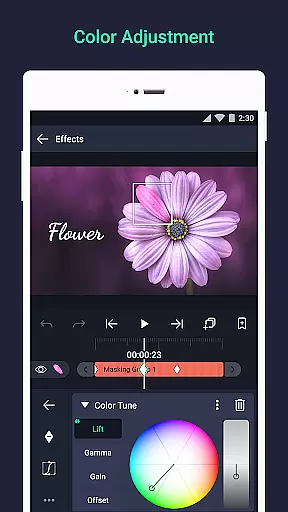
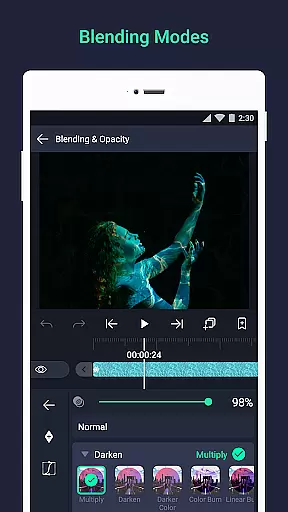
Alight Motion is a pioneering motion design app that brings professional-quality animation and video editing tools to your mobile device. With features like multi-layer support for graphics, video, and audio, users can create sophisticated visual effects and motion graphics directly on their phone. The app supports both vector and bitmap editing, keyframe animations, and advanced color adjustments, making it an ideal choice for designers and content creators.
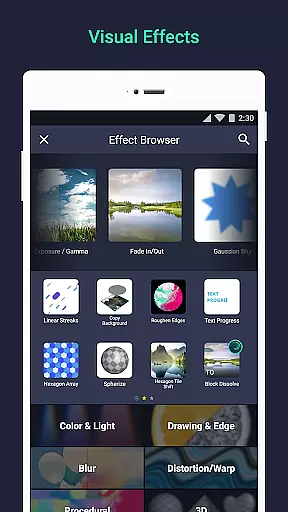
The application's powerful capabilities extend to include 160+ effect building blocks, parent-child layer linking, and camera effects with focus blur and fog. Alight Motion also offers animation easing options, velocity-based motion blur, and various export formats including MP4, GIF, and PNG sequences. Whether you're creating animated social media content or complex motion graphics projects, this app provides the tools needed to produce high-quality results.
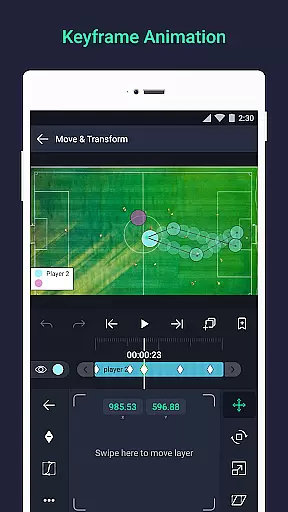
Alight Motion stands out with its comprehensive set of design and animation features tailored for mobile users. The app allows for multi-layer editing with support for vector and bitmap graphics, enabling detailed graphic modifications right on your device. Users can leverage 160+ basic effect building blocks to craft intricate visual effects while enjoying the flexibility of keyframe animation for all settings.
Advanced functionalities such as linking parent and child layers, rigging character joints, and using dynamic cameras with pan, zoom, and focus blur effects provide users with extensive creative control. Additionally, features like animation easing, bookmarks, and reusable favorite elements enhance workflow efficiency. The ability to export in multiple formats and share project packages further solidifies Alight Motion's position as a versatile tool for professional-quality motion design.
Video format compatibility is a crucial feature for any video editing application, ensuring users can work with various file types seamlessly. Alight Motion excels in this area by supporting multiple layers of graphics, video, and audio, which means you can import and export projects in different formats without hassle.
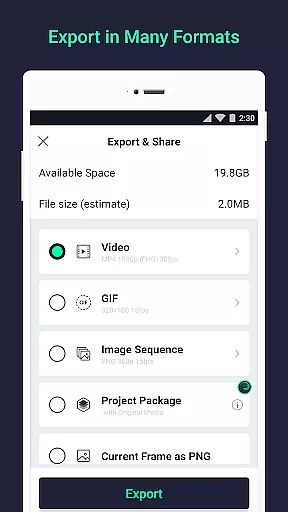
The app allows exporting in MP4 video, GIF animation, PNG sequences, and stills, catering to a wide range of user needs from social media content creators to professional animators. This versatility ensures that no matter the platform or purpose, your videos will be compatible and ready to share.
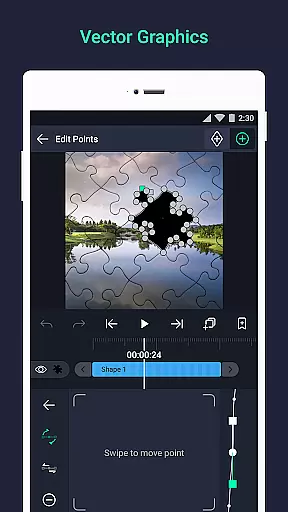
Moreover, Alight Motion's support for both vector and bitmap images enhances its compatibility further. Users can edit vector graphics directly on their devices, providing flexibility and precision in motion design that is not commonly found in mobile applications.
By offering such comprehensive format support, Alight Motion empowers creators to focus on their artistic vision without being limited by technical constraints, making it an invaluable tool for anyone involved in video production.
AI-powered editing features are revolutionizing the way we create and edit videos, automating complex tasks and enhancing creativity. Alight Motion incorporates several AI-driven tools that simplify the editing process while delivering professional-quality results.
One standout feature is the velocity-based motion blur, which creates smooth transitions and realistic movements in animations. This tool mimics real-world physics, adding a layer of authenticity to digital creations that would otherwise require advanced manual adjustments.
Additionally, the app offers animation easing options that allow users to pick from presets or build custom timing curves. These AI-assisted functions ensure fluid motion, elevating the overall quality of animations and visual effects produced within the app.
With these intelligent editing capabilities, Alight Motion not only speeds up workflow but also opens up new creative possibilities, enabling users to produce high-quality content efficiently and effectively.
User-friendly interface
Extensive effect library
Professional-grade tools
Multi-format export options
Regular feature updates
Subscription fees required
High system requirements
Complex for beginners
Limited free version
Occasional performance issues


Auto video maker with music & exclusive filters. Video editing made simple.
 4.50
4.50
Connect 2 UVC devices for recording and broadcast video/audio stream
3.90
Full HD Video mp3 Player, MP4 player play 1080p, File manager, Video Downloader
4.40
Capture images & record videos for USB Camera, Webcam, Microscopes, Endoscopes
3.80
Play and download HD videos from all sources — fast, simple, and all-in-one.
4.4
LumaFusion: The Ultimate Storytelling Experience for Video Editing
4.10
A Simple app to download Video & Music from the Internet.
4.70
Fast private browser with secure, seamless access & supported video downloads!
4.00
convenient, safe and fast at Video Downloader & Player
4.60
Download Hub, easy and private way to download and enjoy your videos offline
4.80
IPTV Loader, loads your own Playlist. DOES NOT CONTAIN ANY LIST OR CHANNELS
4.60
HD video maker with no watermark, no ads & vlog maker with music, PIP, text
4.50
Video player, file manager for all formats, 4K/HD media player supports subtitle
4.30
KMPlayer Plus (Divx Codec) officially support Divx codec.
4.30
Powerful video player with advanced hardware acceleration and subtitle supports
4.20
All format media Player, no need video converter any more!
4.00
Livestream, news, & gaming content. Watch, chat, and upload. Join Rumble today!
3.80
This app is an emulator of some specific IPTV boxes
3.50
The essential companion to your Blue Iris PC software
2.50


User Reviews