

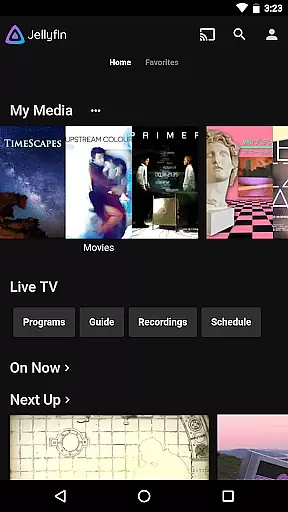
Jellyfin is an open-source media server and player that allows you to manage and stream your personal media collection. This Android app serves as the official companion, enabling users to access their media library from anywhere. With support for live TV, Chromecast streaming, and an intuitive interface, Jellyfin offers a complete solution for enjoying your digital content.
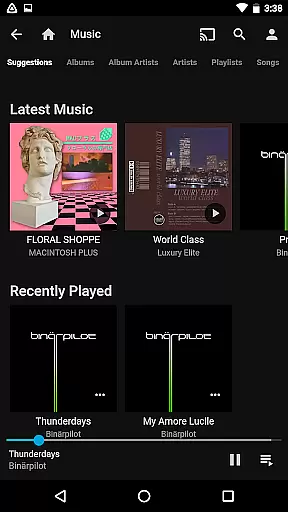
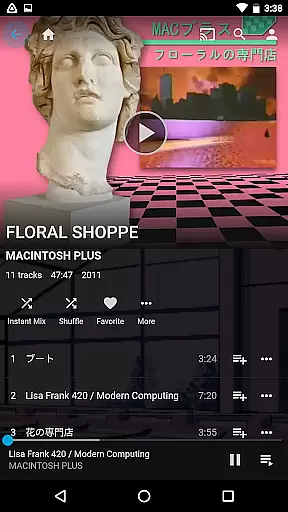
The app's key features include seamless integration with Jellyfin servers, allowing users to stream audio, video, and photos directly to their Android devices. Whether you're looking to watch recorded shows or listen to music using Android Auto, Jellyfin provides a flexible and customizable media experience tailored to your needs.
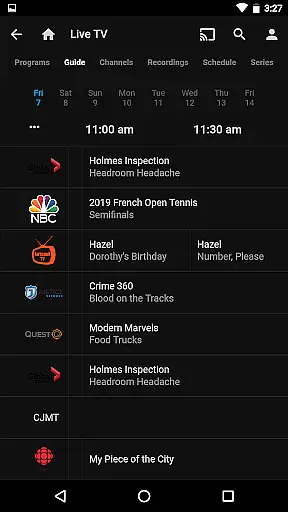
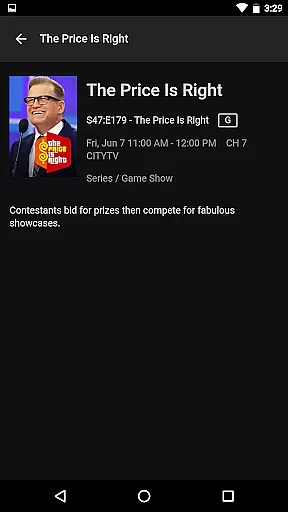
Jellyfin stands out with its robust feature set designed for media enthusiasts. The app supports live TV streaming and DVR functionality, provided you have the necessary hardware configured on your server. Its Chromecast integration enables effortless streaming to any compatible device on your network.
Another notable feature is the app's clean and user-friendly interface, which makes browsing your media collection a pleasant experience. Users can also take advantage of advanced playback options, including offline access and customizable subtitles. With no subscription fees or tracking, Jellyfin puts you in complete control of your media.
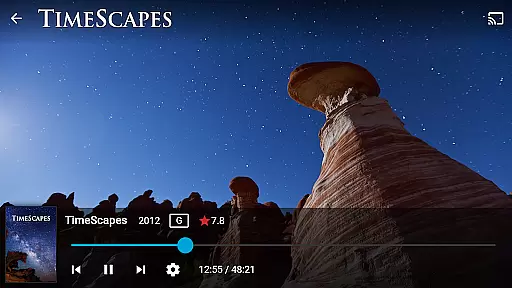
Video format compatibility is a crucial feature for any video player, ensuring that users can enjoy their media without worrying about file type restrictions. Jellyfin excels in this area by supporting a wide range of video formats, from common ones like MP4 and AVI to more specialized codecs such as MKV and OGG.
The app's robust compatibility stems from its open-source nature, which allows it to integrate seamlessly with various multimedia frameworks. This means you can stream your videos directly from your Jellyfin server to your Android device without the need for prior conversion or additional plugins.
For users, this translates into unparalleled convenience. Whether you're watching live TV, recorded shows, or personal media collections, Jellyfin ensures smooth playback across different file types. The platform also supports advanced streaming features like Chromecast, enhancing your viewing experience on larger screens.
Ultimately, Jellyfin's extensive video format support empowers users to manage and enjoy their media libraries on their own terms, providing flexibility and freedom that closed systems often lack.
While Jellyfin positions itself primarily as a media server and player, it incorporates AI-powered editing features that enhance user interaction with their content. These features are designed to automate and simplify tasks that traditionally require manual effort, such as organizing media libraries and generating metadata.
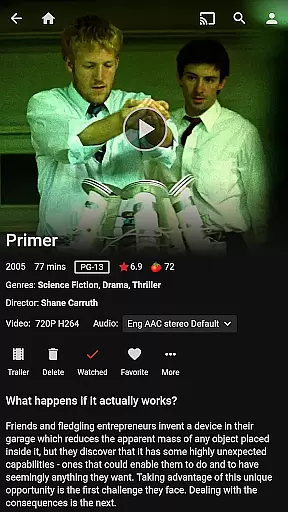
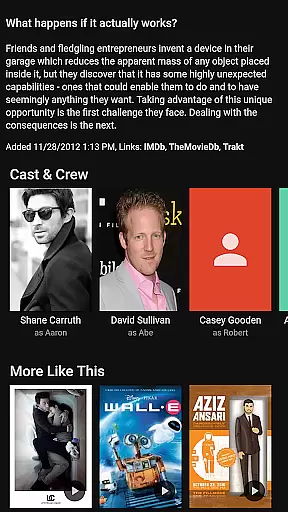
One standout capability is Jellyfin's automatic metadata fetching and image generation. When you add media to your server, Jellyfin uses AI algorithms to scan files, retrieve relevant information, and download cover art or episode thumbnails. This not only saves time but also creates a visually appealing and well-organized library interface.
Additionally, Jellyfin's smart playlists leverage AI to analyze your viewing habits and preferences, curating personalized content recommendations. This feature ensures that users can discover new favorites within their collections without extensive searching.
By integrating these intelligent tools, Jellyfin offers an enriched user experience that goes beyond simple playback, making media management intuitive and engaging while maintaining its commitment to privacy and open-source values.
User-friendly interface
Free and open-source
Live TV and DVR support
Chromecast compatibility
Strong privacy protection
Requires separate server setup
Limited Android Auto features
No built-in media library
Dependent on network quality
Advanced features need extra hardware

Fast, private downloading, video saving, social media
 4.50
4.50
Full HD Video mp3 Player, MP4 player play 1080p, File manager, Video Downloader
4.40
Play ALL formats in 4K & HD. Video downloader, MP3 player, Chromecast & more.
4.80
Stream high quality video from your camera over NDI protocol
4.5
Capture images & record videos for USB Camera, Webcam, Microscopes, Endoscopes
3.80
Live TV, anywhere in your home
3.80
Turn your phone into a wireless camera!
4.20
Download website videos fast&privacy
4.40
Play and download HD videos from all sources — fast, simple, and all-in-one.
4.2
Browser + Remote for Roku to stream webvideos, online movies and livestreams
4.60
Watch a large amount of high-definition short drama content
4.60
Fast & Private HD Video Downloader with Built-in Proxy Browser and Video Player.
4.50
Video Downloader is an utility that can save videos and music from web sites
4.20
1)AirPlay/DLNA Mirroring/Streaming, up to 4 connections; 2)Samba/NAS/DMS Player.
4.00
HD video & music player - All format support with floating & PIP mode!
3.80
All in one multi protocols stream receiver for AirPlay, Cast and DLNA.
3.60
Download videos easily & play them all in one smart, powerful video manager.
3.40
Mix with Virtual DJ directly from your phone or tablet !
3.10
The smartest M3U IPTV Player your playlists have ever seen.
4.5

User Reviews