

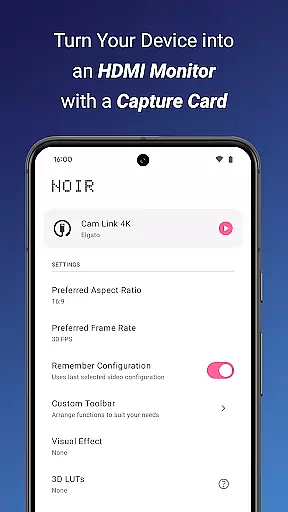
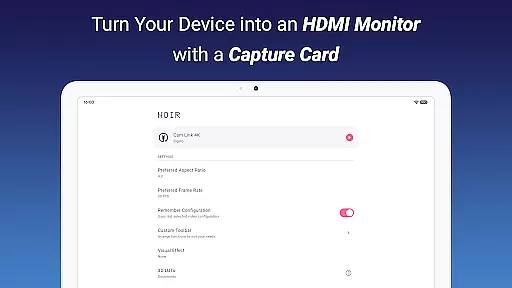
Noir Pro is a professional-grade video player and editor designed for users who require advanced features and high performance. This app transforms your device into a versatile monitor for various HDMI-output devices, including gaming consoles, laptops, and cameras. With support for UVC video streaming and UAC audio streaming, Noir Pro offers a choice between OpenGL ES and Vulkan for the graphics backend, ensuring optimal performance on different devices.
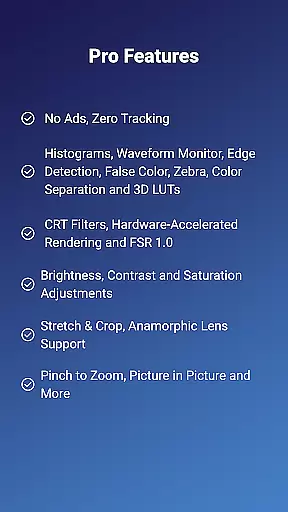
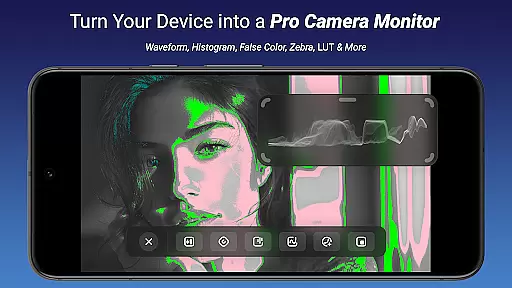
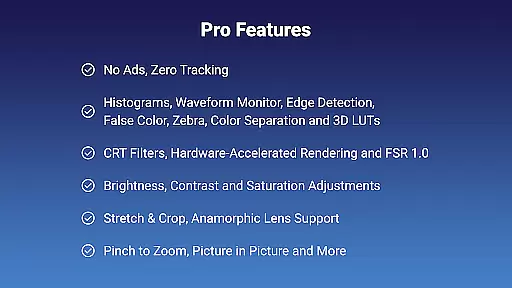
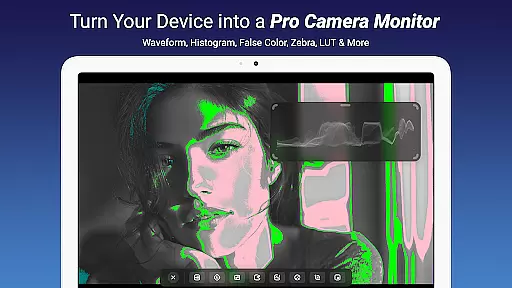
The app includes pro features such as 3D LUTs, Waveform Monitor, Histogram, Edge Detection, and more, catering to professional video editors and enthusiasts. Whether you need to adjust brightness, contrast, and saturation or utilize picture-in-picture mode, Noir Pro provides the tools necessary for an enhanced video experience. Its compatibility with USB-C capture cards makes it an ideal solution for those seeking a portable display solution.
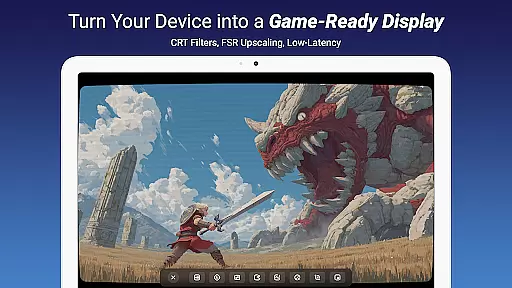
Noir Pro stands out with its comprehensive set of professional features tailored for video editing and monitoring. The app supports advanced functionalities like False Color, Zebra, and Color Separation, which are essential for precise video adjustments. Additionally, the inclusion of CRT Filters and FSR 1.0 enhances the visual quality, providing users with the flexibility to achieve their desired look.
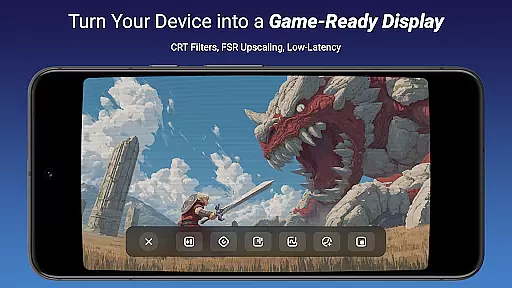
One of the key highlights is its ability to function as a primary or secondary monitor for gaming consoles, PCs, and drones. This versatility is further augmented by its support for camera monitors and compatibility with devices featuring HDMI output or USB streaming. Users can also benefit from app-specific volume control and in-app screenshot capabilities, making it a robust tool for both work and entertainment purposes.
Video format compatibility is a crucial feature for any video player and editor, ensuring that users can work with a wide range of video files without conversion hassles. Noir Pro supports an extensive array of formats thanks to its use of both OpenGL ES and Vulkan graphics backends, which cater to different types of video content.
The application's support for UVC video streaming means it can handle input from various devices like cameras, endoscopes, microscopes, and USB-C capture cards. This versatility allows users to employ their mobile devices as portable monitors for gaming consoles, laptops, or any HDMI-output device.
For those looking to edit or play back videos on the go, Noir Pro's compatibility with multiple formats ensures that projects will not be hindered by file type limitations. Whether you're working with files from a drone or professional camera equipment, this app provides assurance that your footage will be accessible.
Ultimately, the broad video format support in Noir Pro empowers creators and professionals alike to focus on their content rather than technical constraints, making it an invaluable tool for anyone involved in video production or monitoring.
AI-powered editing features are revolutionizing the way we approach video editing by automating complex processes and enhancing efficiency. Noir Pro incorporates advanced AI tools such as 3D LUTs, Waveform Monitor, Histogram, Edge Detection, False Color, Zebra, and Color Separation that assist users in achieving professional-grade results with minimal effort.
These intelligent features allow for precise adjustments to brightness, contrast, and saturation while CRT Filters and FSR 1.0 contribute to creating authentic retro aesthetics or improving image quality respectively. The inclusion of these AI-driven tools simplifies tasks that traditionally required expert knowledge and hours of meticulous work.
Noir Pro's sophisticated algorithms also enable functionalities like Pinch to Zoom, Stretch and Crop, Anamorphic Lens Support, providing editors with creative flexibility without compromising on quality. App-specific volume control and Picture in Picture Mode further enhance the user experience by allowing seamless multimedia presentations within a single interface.
By leveraging AI technology, Noir Pro not only streamlines the editing process but also democratizes access to high-end editing capabilities for both novices and seasoned professionals seeking efficient workflows in their video projects.
Advanced video editing tools
Supports UVC and UAC streaming
Versatile monitor functionality
Choice of graphics backend
Comprehensive pro features
Requires compatible capture card
No built-in HDMI support
Premium price point
Complex for beginners
Limited device compatibility

Connect 2 UVC devices for recording and broadcast video/audio stream
 3.90
3.90
Watch full episodes of your favorite Cartoon Network and Cartoonito shows!
3.50
Cast to Chromecast, Xbox, Fire Stick, Roku, DLNA, Smart TV & No Feature Limited!
4.50
Snaptubè Video Downloader app allows to download videos and music in Snaptube. .
4.60
Fast video downloader & private browser. Save HD clips to watch offline.
4.40
Stream high quality video from your camera over NDI protocol
4.0
Video player with powerful streaming playback and various convenient features.
2.10
Make your own Animations, Video and Photo Edits, Visual Effects, and more!
4.00
Browser for Sony TV to stream web videos, online movies and live tv
3.20
Download Hub, easy and private way to download and enjoy your videos offline
4.80
Download videos and play them offline
4.70
Search & download videos from net with all video downloader, auto-detect & safe.
4.60
Fast & easy HD video downloader for all formats, support 4K playback & download.
4.60
Cast movies, tv shows and live streams to Chromecast, Roku, DLNA, Fire TV & more
4.60
Download website videos fast&privacy
4.40
Viddo: Generate Action Figure, AI Anime, AI kiss, AI hug Video from image & text
4.40
This app was created to edit the metadata of music files.
4.20
Live TV, anywhere in your home
3.80
The essential companion to your Blue Iris PC software
2.50

User Reviews