

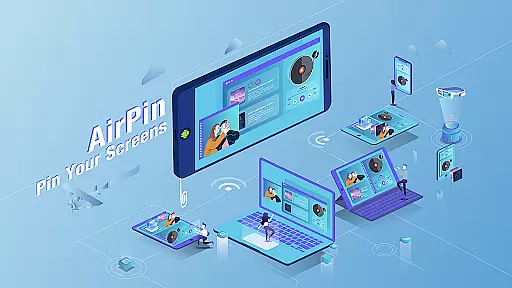
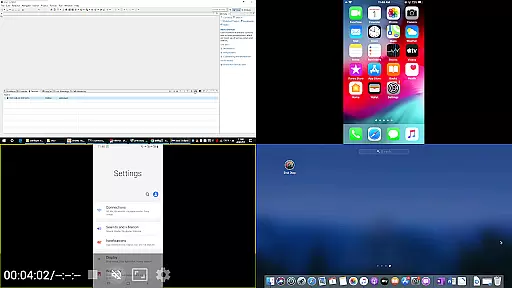
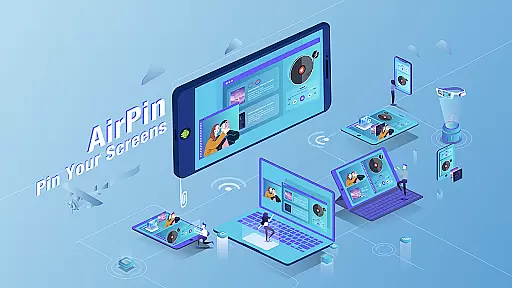
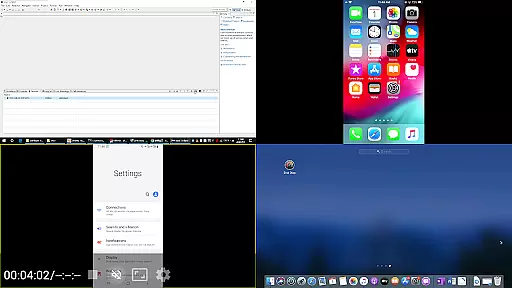
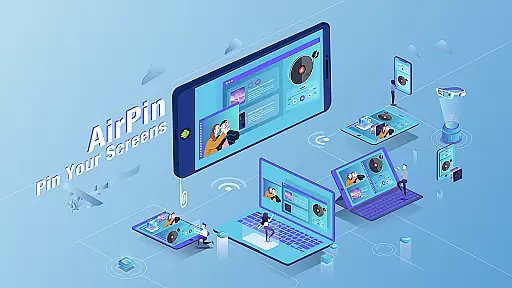
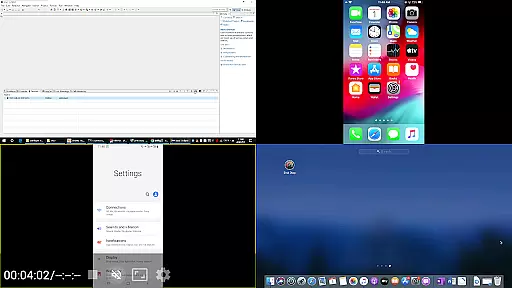
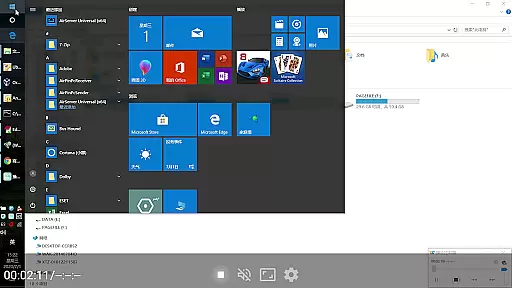
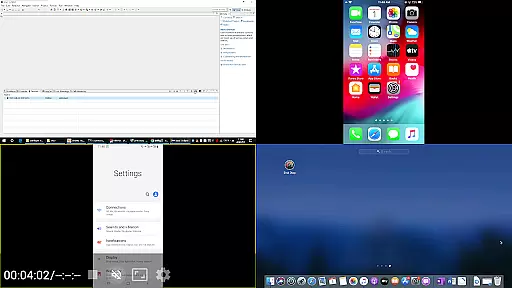
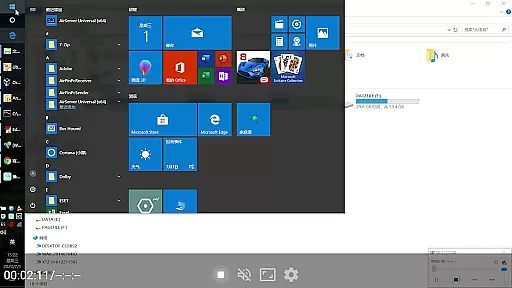
AirPin PRO is a cutting-edge screen mirroring and media streaming receiver app designed for Android phones, tablets, TVs, set-top boxes, and projectors. As the first Android app to support both AirPlay and DLNA, it allows users to share media and screens from Apple, Windows, and Android devices onto a larger display. With the PRO version, you can simultaneously display up to four device screens, making it ideal for collaborative environments or multi-device presentations.
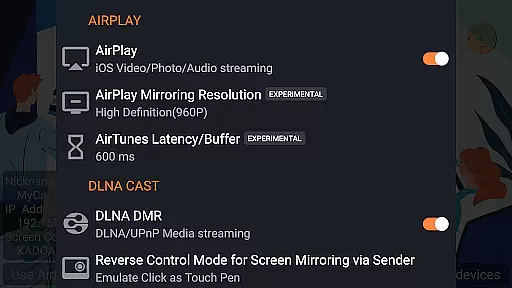
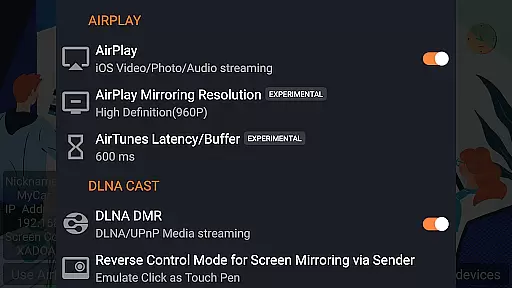
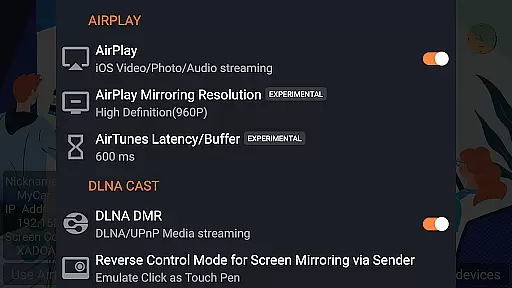
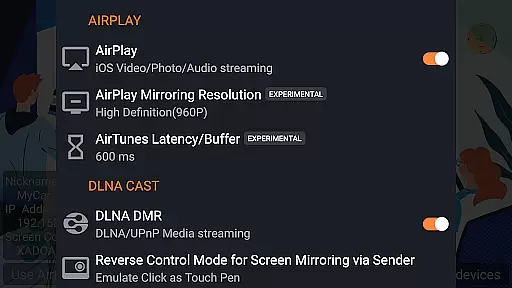
This app supports a wide range of functionalities including AirPlay video/music streaming, screen mirroring on all iOS/MacOS versions, and the latest YouTube AirPlay streaming. It also features password protection, slideshow support for AirPlay photo streaming, and direct media pulling from DLNA/NAS/Samba servers. Whether you're using an iPhone, iPad, MacBook, PC, or Android device, AirPin PRO provides seamless connectivity and high-quality streaming, enhancing your multimedia experience.
AirPin PRO stands out with its ability to display multiple device screens simultaneously, supporting up to four at once. This feature is particularly useful in environments where collaboration and comparison are key, such as business meetings or educational settings. The app supports AirPlay video/music streaming and screen mirroring across all iOS and MacOS versions, ensuring compatibility with a wide range of devices.
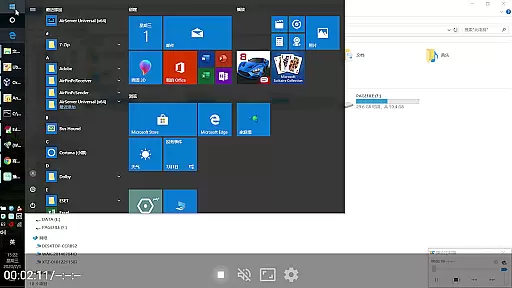
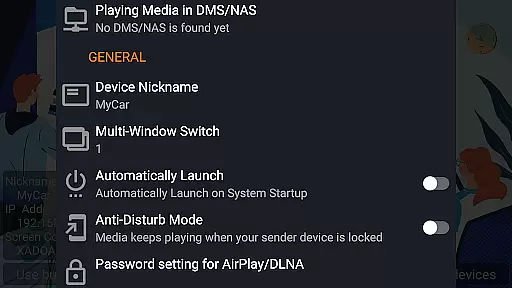
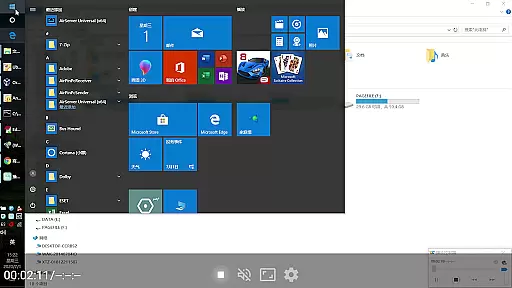
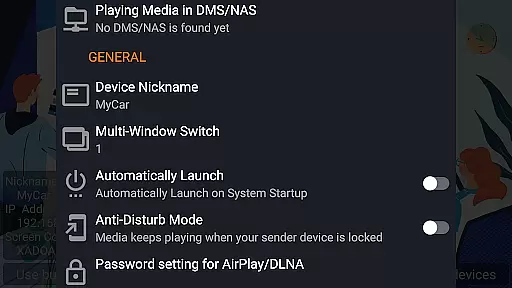
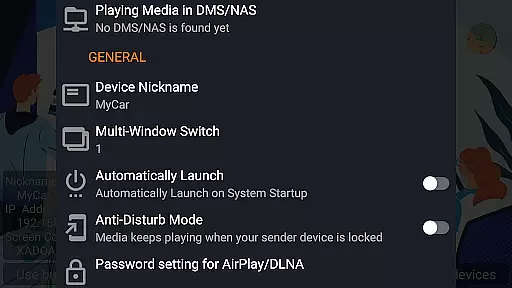
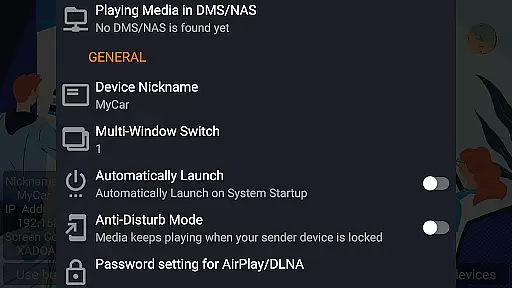
In addition to AirPlay, AirPin PRO is the only app that supports both Renderer and Player modes for Android-based TVs. It allows direct pulling of media from DLNA/NAS/Samba servers, providing users with flexibility in media playback. Other notable features include Windows streaming and mirroring via AirPinPcSender.exe, Android mirroring/streaming through AirPinCast, password protection, automatic startup, configurable service shutdown, and anti-disturb mode. These comprehensive capabilities make AirPin PRO a versatile tool for all your media streaming needs.
AirPin PRO stands out as a versatile screen mirroring and media streaming receiver app, supporting a wide array of video formats. This ensures that users can enjoy content from various devices without worrying about compatibility issues.
With its advanced support for both AirPlay and DLNA protocols, AirPin PRO allows seamless streaming from Apple, Windows, and Android devices. Whether it's an iPhone, iPad, Macbook, or PC, users can share their screen, videos, or music effortlessly to any big screen equipped with AirPin PRO.
The application is designed to work on Android phones, tablets, TVs, set-top boxes, and projectors, making it a comprehensive solution for all screen mirroring needs. Its ability to display up to four device screens simultaneously in the PRO version adds to its appeal for both personal and professional use.
Moreover, AirPin PRO's feature of directly pulling media from DLNA/NAS/Samba servers to play ensures that users have access to their media libraries without any hiccups. This makes it not just compatible but also a powerful tool for enjoying high-quality video content on larger displays.
While AirPin PRO focuses primarily on screen mirroring and media streaming, its AI-powered capabilities subtly enhance user experience through smart features. Although not a traditional video editor, its intelligent functionalities contribute significantly to content management and presentation quality.
The app supports automatic startup and configurable service shutdown, optimizing resource usage and ensuring smooth performance. These smart management features are akin to AI-driven optimizations found in dedicated video editing software, albeit applied differently within AirPin PROu2019s context.
Additionally, AirPin PRO offers anti-disturb modes where videos continue playing even when the controlling side exits. Such features demonstrate an understanding of uninterrupted media consumption needs, paralleling the convenience offered by AI-based editing tools that anticipate user requirements.
Furthermore, AirPin PRO's constant updates and bug fixes reflect a commitment to improving functionality based on user feedbacku2014a principle shared with evolving AI technologies in enhancing digital experiences.
Multi-screen display
Wide device compatibility
Advanced security features
Seamless media integration
Regular updates and bug fixes
Paid PRO version required
Complex setup process
Limited free features
Occasional connectivity issues
High system requirements









Fast, private downloading, video saving, social media
 4.50
4.50
KineMaster, Your Ultimate Video Editor!
4.40
All format media Player, no need video converter any more!
4.00
Stream Web Videos to Chromecast, Samsung, LG, Sony, Roku, Fire TV, DLNA + more
4.00
Download website videos fast&privacy
4.40
IPTV Player - Watch live TV from m3m & m3u8 playlist, stream IPTV on mobile
3.30
Browser + Remote for Roku to stream webvideos, online movies and livestreams
4.60
Livestream, news, & gaming content. Watch, chat, and upload. Join Rumble today!
3.80
convenient, safe and fast at Video Downloader & Player
4.60
An easy-to-use and all-round screen recorder with audio
4.80
Add date and time watermark to photos and videos
4.50
Powerful video player with advanced hardware acceleration and subtitle supports
4.20
IPTV-Smarters Player Pro M3U - Watch Live Stream TV Channels with Chromecast
4.00
Online Videos Player
3.90
Kodi media center, a free and open source cross-platform entertainment hub
3.60
This app is an emulator of some specific IPTV boxes
3.50
Download videos easily & play them all in one smart, powerful video manager.
3.40
You can play SWF format file!
2.50
The smartest M3U IPTV Player your playlists have ever seen.
4.1

User Reviews