

SWF Player Pro is a specialized video player designed for SWF format files, offering users the ability to play Flash content on Android devices. The app supports playback through both Android AIR and Ruffle engines, ensuring compatibility with various SWF files.
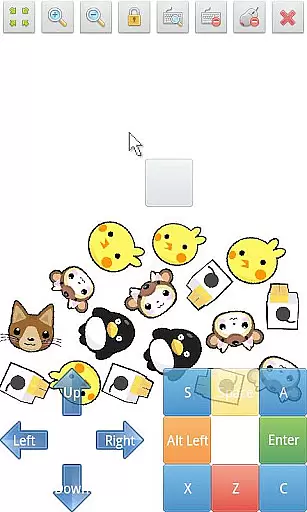
In addition to basic playback, the app provides advanced features such as zoom in/out functionality, play/stop controls, fullscreen mode, and multi-touch virtual keypad support. Users can also utilize the virtual mouse and file browser for easier navigation and management of SWF files. With customizable settings like wmode, background color, and rotation, SWF Player Pro delivers a tailored viewing experience.
This application is particularly useful for individuals who need to view legacy Flash content on modern devices. By supporting essential playback features and advanced customization options, it ensures that users can enjoy their SWF files without compatibility issues.
SWF Player Pro stands out with its comprehensive feature set tailored specifically for SWF file playback. The app supports two distinct SWF engines - Android AIR and Ruffle - providing users with flexibility in choosing the best playback method for their files.
The player includes essential controls such as play/stop buttons, zoom functionality, and fullscreen mode. It goes beyond basic playback by incorporating advanced features like multi-touch virtual keypad support, virtual mouse capabilities, and a built-in file browser. These tools enable seamless navigation and interaction with SWF content.
Users can fine-tune their viewing experience through various advanced settings. Options to adjust wmode, background color, wake-lock, rotation, quality, and scale allow for precise customization of how SWF files are displayed. This level of control ensures optimal performance and visual quality across different devices and content types.
Video Players & Editors like SWF Player Pro excel in their ability to support a wide range of video formats, ensuring users can enjoy their favorite content without limitations. This application stands out by offering compatibility with SWF files, a format not commonly supported by standard video players.
The app leverages advanced engines such as Android AIR and Ruffle to provide seamless playback of SWF content. These engines ensure that animations and interactive elements within SWF files are rendered accurately, preserving the original quality and intent of the creators.
For users, this means the freedom to explore creative projects, educational materials, or entertaining content stored in SWF format without the need for conversion or additional software. The inclusion of features like zoom in/out and multi-touch virtual keypad further enhances the user experience, making it both versatile and convenient.
While SWF Player Pro focuses primarily on video playback, its incorporation of AI-powered editing features adds an extra layer of functionality. Although not a traditional video editor, the app allows users to customize their viewing experience through advanced settings that adapt to individual preferences.
Options such as background color adjustment, rotation, and quality scaling utilize intelligent algorithms to optimize video display based on user inputs. These features ensure that every SWF file is presented in the best possible way, adapting to different screen sizes and orientations automatically.
Additionally, the app's support for virtual mouse controls and multi-touch gestures demonstrates its innovative approach to user interaction. By integrating these smart tools, SWF Player Pro offers a modernized take on video playback that goes beyond simple viewing, providing users with more control over how they engage with SWF content.
User-friendly interface
Comprehensive SWF support
Advanced customization options
Multi-touch functionality
Virtual mouse support
Limited to SWF format
No native iOS support
Premium version required
Occasional compatibility issues
Requires technical knowledge

Auto video maker with music & exclusive filters. Video editing made simple.
 4.50
4.50
Fast, private downloading, video saving, social media
4.50
HD Video player all format, HD Videos, Cast & Subtitle. No annoying ads.
4.60
Cast to Chromecast, Xbox, Fire Stick, Roku, DLNA, Smart TV & No Feature Limited!
4.50
Fast & easy HD video downloader for all formats, support 4K playback & download.
4.60
All in one HD video downloader & player for multiple formats with full privacy
4.70
Connect EasyCap or UVC devices for recording and broadcast video/audio stream
3.60
Photo editor & video maker with music and slideshows.
4.10
convenient, safe and fast at Video Downloader & Player
4.60
Find, download, and play torrents with the official BitTorrent® Pro app
4.70
HD video maker with no watermark, no ads & vlog maker with music, PIP, text
4.50
Fast video downloader & private browser. Save HD clips to watch offline.
4.40
Create & edit videos with AI
4.30
Powerful video player with advanced hardware acceleration and subtitle supports
4.20
Online Videos Player
3.90
Livestream, news, & gaming content. Watch, chat, and upload. Join Rumble today!
3.80
Watch full episodes of your favorite Cartoon Network and Cartoonito shows!
3.50
Download videos easily & play them all in one smart, powerful video manager.
3.40
Powerful HD video player with support for all formats & subtitles.
4.1

User Reviews