

KineMaster is a comprehensive video editing app designed for both amateur and professional creators. It offers an extensive suite of AI-powered tools that simplify complex video production tasks, including auto captions, text-to-speech, and vocal separation. These features enable users to produce high-quality content efficiently.
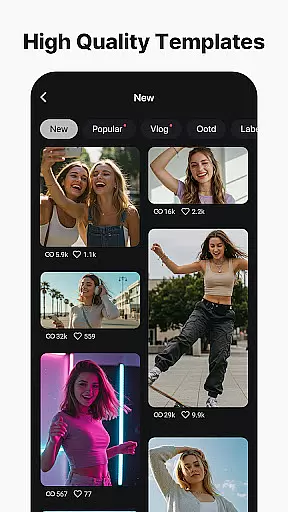
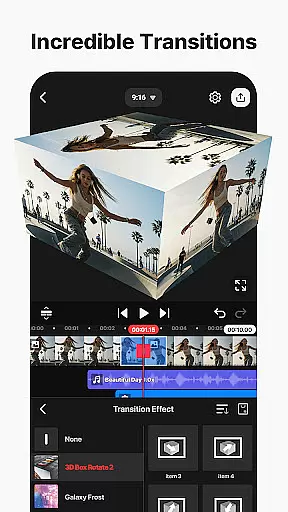
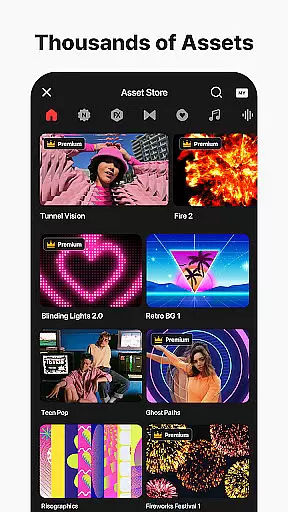
The app provides professional-grade functionalities such as keyframe animation, chroma key, and speed control, making advanced editing accessible to everyone. With thousands of templates, effects, transitions, and assets readily available, KineMaster empowers users to unleash their creativity and craft standout videos tailored for platforms like YouTube, TikTok, and Instagram.
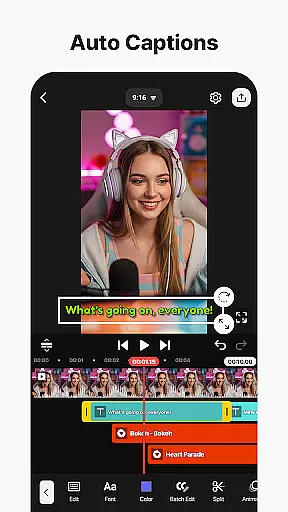
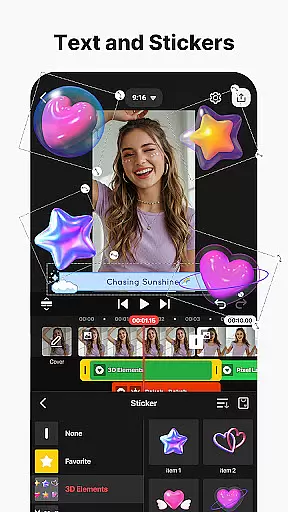
KineMaster stands out with its robust AI toolkit that revolutionizes video editing. The AI Auto Captions feature instantly generates subtitles from audio, while AI Noise Removal eliminates unwanted sounds. Users can also leverage AI Tracking to animate text and stickers dynamically.
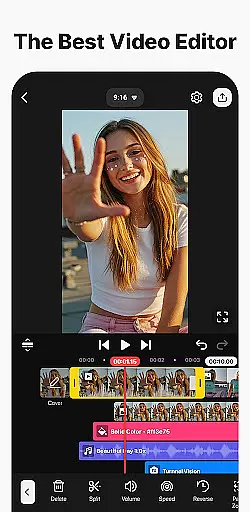
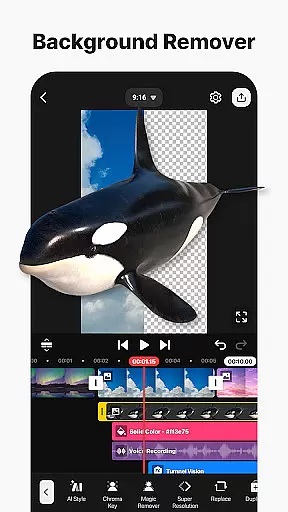
In addition to AI capabilities, the app boasts professional tools like Chroma Key for background removal and Speed Control for creating slow-motion or time-lapse effects. The intuitive interface supports multi-layer editing, allowing users to stack videos, images, and graphics seamlessly. Magnetic Guides and Full-Screen Previews further enhance precision and ease of use, ensuring a smooth editing experience.
Video format compatibility is a crucial feature for any video editing application, ensuring that users can work with a wide range of file types. KineMaster excels in this area by supporting an extensive array of video formats, allowing creators to import and export projects without worrying about conversion issues.
The app's advanced codec support enables seamless integration of various media elements, including high-resolution footage up to 4K at 60 FPS. This versatility empowers content creators to produce professional-quality videos suitable for multiple platforms, from social media to professional presentations.
Moreover, KineMaster offers optimized settings for popular platforms like YouTube, TikTok, and Instagram, ensuring that exported videos maintain their quality while meeting specific upload requirements. The transparent background support further enhances its appeal for professional video compositing needs.
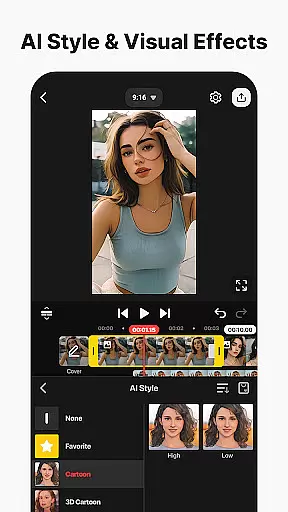
AI-powered editing features have revolutionized the way users approach video creation, making complex tasks accessible to everyone. KineMaster incorporates an impressive suite of AI tools that significantly streamline the editing process while maintaining professional-grade results.
Among these innovative features are AI Auto Captions, which instantly generate subtitles from audio tracks, and AI Vocal Separator, allowing users to split songs into vocals and instrumentals with a single tap. The AI Magic Removal tool simplifies background removal around subjects, while AI Upscaling enhances low-resolution media without compromising quality.
These intelligent features not only save time but also open new creative possibilities for users. From AI Text-to-Speech capabilities to sophisticated noise removal algorithms, KineMaster's AI suite transforms what would typically be complex editing tasks into simple, intuitive operations that anyone can master.
User-friendly interface
Extensive AI features
Professional editing tools
Vast asset library
Cross-platform support
Subscription required for premium
Watermark on free version
High device requirements
Limited offline assets
Occasional bugs

The smartest M3U IPTV Player your playlists have ever seen.
 4.2
4.2
Client application for NextPVR software
3.00
Play ALL formats in 4K & HD. Video downloader, MP3 player, Chromecast & more.
4.80
Stream high quality video from your camera over NDI protocol
4.5
This app was created to edit the metadata of music files.
4.20
Download videos and play them offline
4.70
All in one multi protocols stream receiver for AirPlay, Cast and DLNA.
3.60
LumaFusion: The Ultimate Storytelling Experience for Video Editing
4.10
VLC for Android is the best open source video and music player, fast and easy!
4.10
#1 Torrent App on Android ** No Ads Ever + Battery Saver **
4.80
Pro video editor app for Instagram, edit video with song, AI, effect & slowmo.
4.80
All in one HD video downloader & player for multiple formats with full privacy
4.70
Photo and Music Video Creator into Stunning Videos—Effortlessly
4.40
Full HD Video mp3 Player, MP4 player play 1080p, File manager, Video Downloader
4.40
Download website videos fast&privacy
4.40
Make your own Animations, Video and Photo Edits, Visual Effects, and more!
4.00
Livestream, news, & gaming content. Watch, chat, and upload. Join Rumble today!
3.80
Kodi media center, a free and open source cross-platform entertainment hub
3.60
IPTV Player - Watch live TV from m3m & m3u8 playlist, stream IPTV on mobile
3.30


User Reviews