

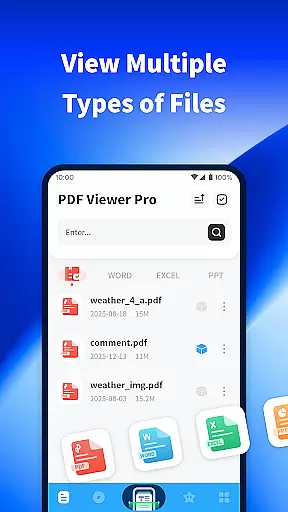
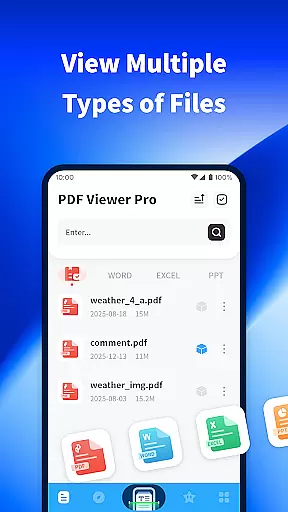
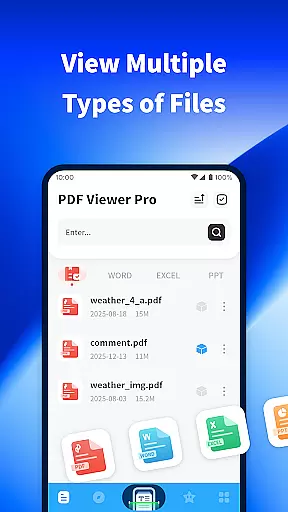
PDF Viewer Pro is a versatile productivity application designed to enhance document management and reading experiences. This app allows users to open files in various formats, making it an essential tool for both study and daily use. With features like file scanning, PDF annotation, and night mode, it offers a comprehensive solution for managing digital documents.
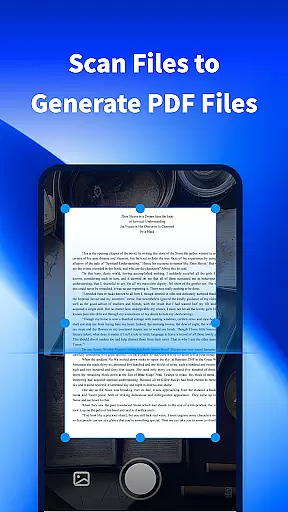
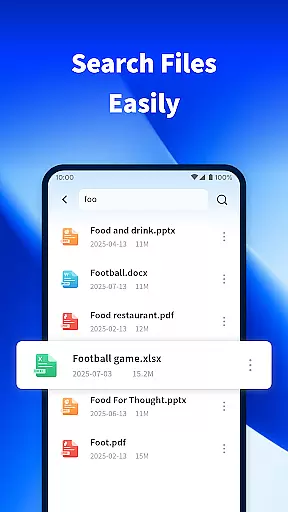
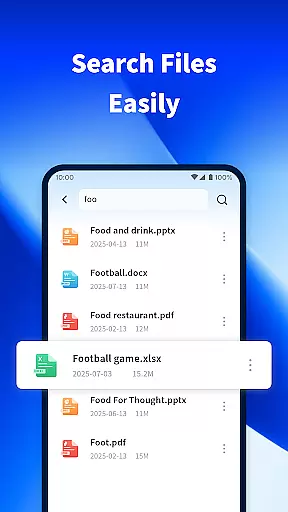
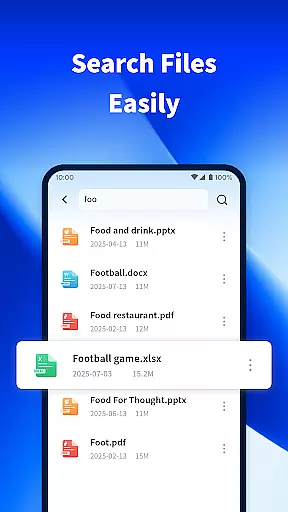
The app's standout functionality includes its ability to scan physical documents and convert them into PDF format. Additionally, the built-in search function helps users quickly locate specific files on their devices. Whether you're a student or a professional, PDF Viewer Pro provides tools that streamline document handling and improve overall efficiency.
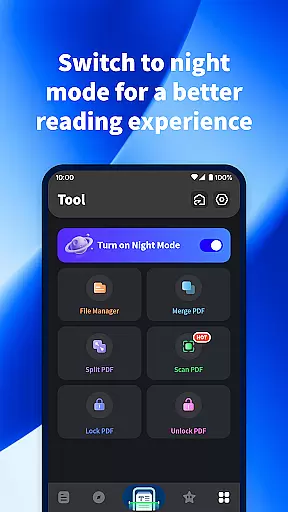
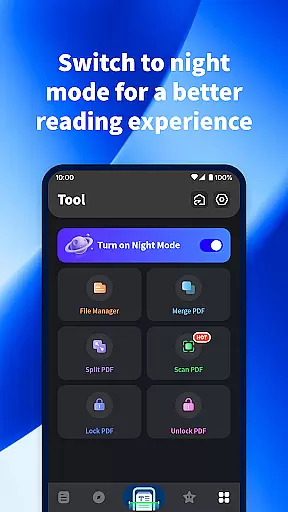
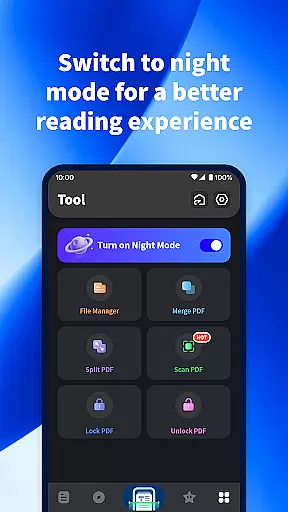
Designed with user comfort in mind, the app also offers a night mode feature that ensures a pleasant reading experience even in low-light conditions. This makes it particularly useful for extended study sessions or late-night document reviews. By combining practical features with user-friendly design, PDF Viewer Pro takes digital reading and document management to the next level.
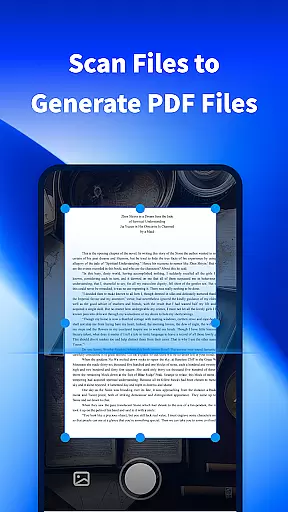
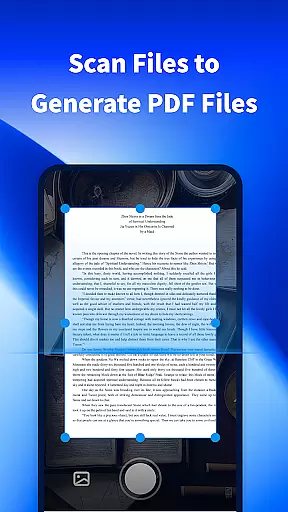
PDF Viewer Pro stands out with its diverse range of features tailored for productivity enthusiasts. One of its key capabilities is the ability to scan physical documents and instantly generate PDF files. This feature is particularly useful for converting paper-based content into digital format, allowing for easier storage and sharing.
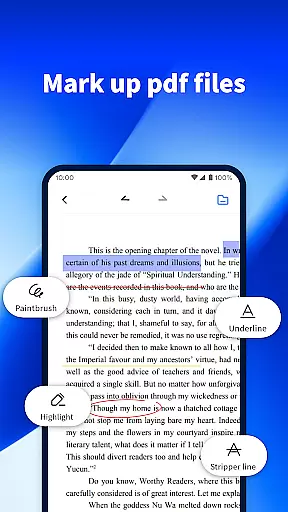
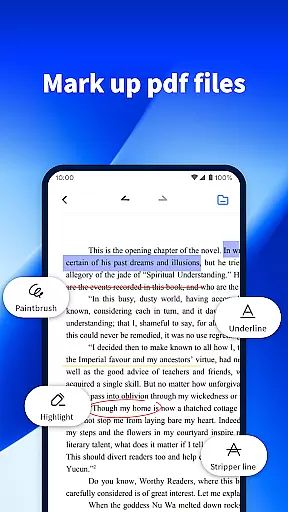
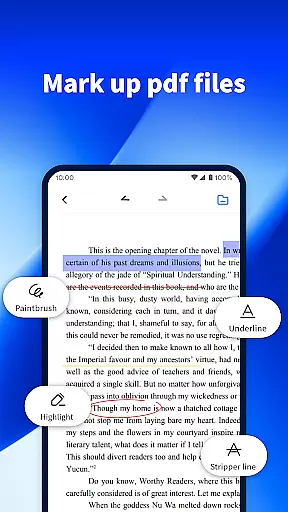
The app also excels in PDF management, providing users with tools to mark and annotate documents effortlessly. This functionality is essential for students and professionals who need to review or collaborate on PDF files regularly. Additionally, the app's powerful search feature enables users to quickly find specific files among their device's contents, saving valuable time.
Another notable feature is the night mode, which significantly enhances readability in dark environments. The soft lighting reduces eye strain, making it ideal for nighttime use. These carefully designed features demonstrate how PDF Viewer Pro combines practicality with user-centric innovation, delivering a superior document management experience.
PDF Viewer Pro excels in core task management by offering a comprehensive suite of tools designed to handle PDF documents efficiently. This functionality is crucial for users who frequently work with PDFs, as it allows them to organize, annotate, and manage their files with ease.
The application enables users to scan physical documents and convert them into digital PDF format effortlessly. By taking photos of printed materials, users can transform these into editable and storable digital assets, streamlining their document management process.
Additionally, the app provides robust features for marking and annotating PDF documents. Users can highlight text, add comments, and draw shapes, making it an ideal tool for reviewing and collaborating on PDF files. These capabilities ensure that users can accomplish their tasks more effectively and with greater precision.
Ultimately, the core task management features of PDF Viewer Pro enhance productivity by simplifying complex workflows and reducing the time spent on document-related activities. Whether for academic or professional purposes, users benefit from a streamlined and efficient approach to managing their PDF documents.
Cross-device synchronization is a pivotal feature of PDF Viewer Pro, ensuring that users can access their documents seamlessly across multiple devices. This reliability is essential for individuals who use different gadgets throughout their day, such as switching between a phone and a tablet.
With this app, users can synchronize their PDF files and annotations in real-time. Any changes made on one device are instantly reflected on others, providing a consistent and up-to-date experience. This ensures that whether at home, in the office, or on the go, users have uninterrupted access to their important documents.
Moreover, the synchronization process is designed to be both fast and secure. PDF Viewer Pro employs advanced encryption methods to protect user data during transfer, safeguarding sensitive information from unauthorized access. This focus on security reassures users that their documents are not only accessible but also safe.
In summary, the reliable cross-device synchronization offered by PDF Viewer Pro significantly enhances user convenience and data security. By maintaining consistency and availability of documents across devices, the app supports a flexible and efficient workflow, catering to the dynamic needs of modern users.
User-friendly interface
Powerful file search
Efficient PDF scanning
Comfortable night mode
Free to use
Limited advanced tools
No cloud integration
Occasional bugs
Ads in free version
Basic annotation options

When you Focus, so will your Bean in this cozy focus timer
 4.30
4.30
The long-awaited modern gallery app for your Nextcloud server
4.70
All in one sketching tool. Technical and General drawing. Online Maps support.
3.70
App lock - lock apps with fingerprint, password, pin or pattern, protect privacy
4.70
Find and delete junk files & block unwanted notifications & manage files
3.70
Functional QR scanner and barcode reader that requires little storage space.
4.60
The AI assistant that thinks with you - write, code, and solve complex tasks
4.60
Subscribe to Webcal & .ics calendars and keep them up-to-date!
4.50
Scan paperwork into PDF/JPG, generate your own e-signature and send fax or email
4.70
8 custom complications. Custom Time Fonts. Beautiful color schemes. A++ Design.
5.00
Absolutely the best CNC machinist speed and feed calculator around. fswizard.com
4.60
CalenGoo is a very flexible and feature-rich calendar app
4.40
Share files & memories safely. Keep your photos and videos secure.
4.40
Activate Two Factor Authentication (2FA or Multi OTP), Password manager and more
4.10
Unlock AutoNotification
4.00
ID.me Authenticator is a simple and free Two Factor Authentication solution
3.50
Simple and reliable communication between inmates, friends and family
3.20
Experience and share your SolidWorks designs on your Android® phone and tablet.
2.50
A simple, portable logger for POTA, SOTA, Field Day, and more
4.2

User Reviews