

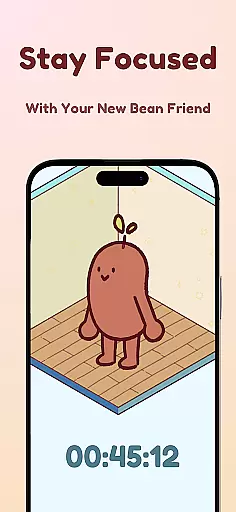
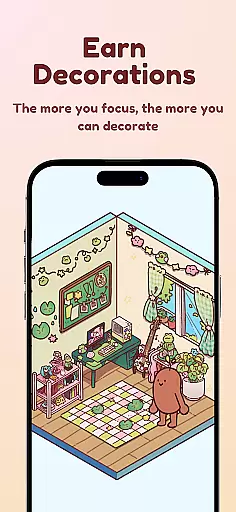
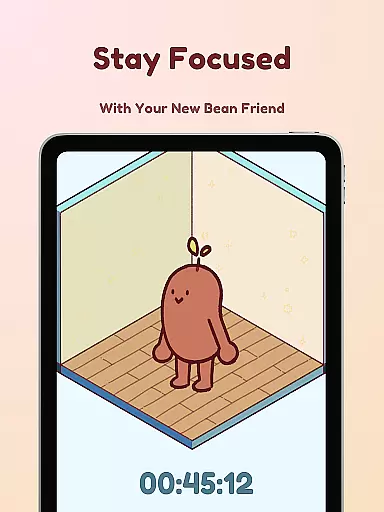
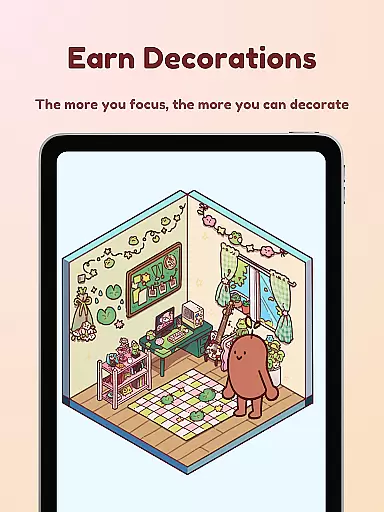
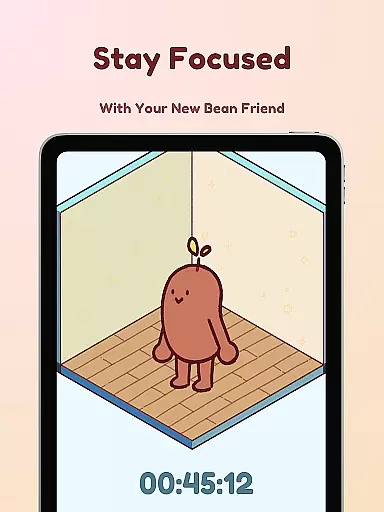
Focus Friend is a productivity app designed to help users maintain focus during work or study sessions through gamification. Developed by online educator Hank Green, this app features a unique Bean Friend character that reacts based on your focus habits. When you complete focus sessions, the Bean rewards you with prizes to decorate its virtual room. The app is particularly beneficial for students and individuals who struggle with maintaining concentration over long periods.
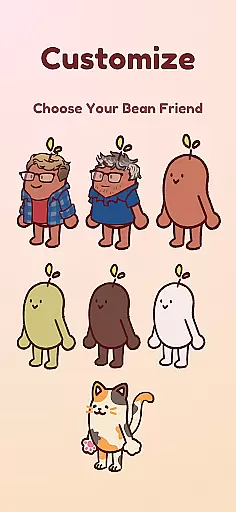
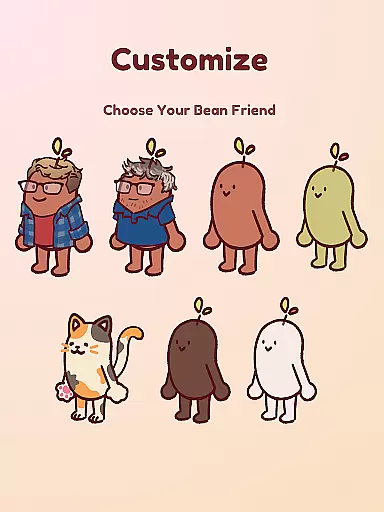
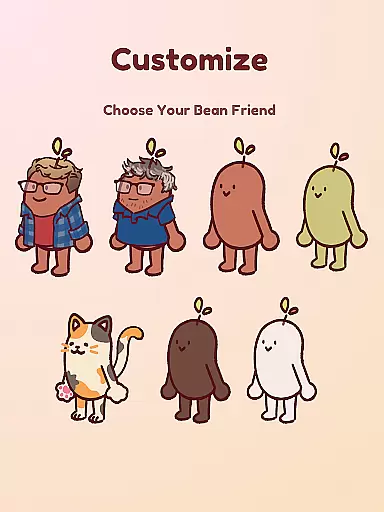
The app offers various productivity-enhancing features such as live activity tracking, deep focus mode to lock distracting apps, break timers using the Pomodoro technique, and hundreds of customization options for the Bean's room. With multiple Bean skins available, including Coffee Bean and Edamame Bean, users can personalize their experience while staying motivated to complete tasks efficiently.
Focus Friend stands out in the productivity category due to its innovative approach to maintaining focus. One of its key features is the Live Activity function, which allows users to track their timer progress even when the phone is locked. This ensures continuous engagement without interruptions.
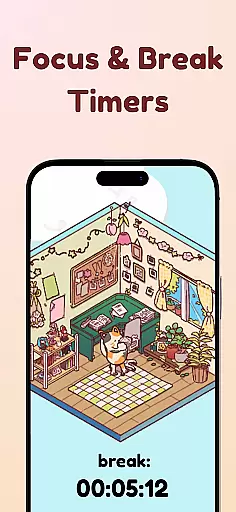
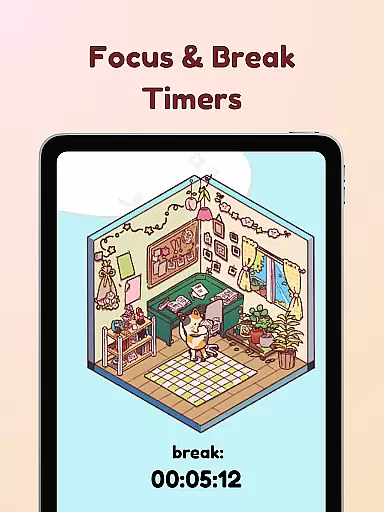
Another notable feature is the Deep Focus Mode, which helps users avoid distractions by locking access to other apps during focus sessions. Combined with break timers that encourage taking regular breaks, following the Pomodoro method, this app promotes a balanced approach to productivity. Additionally, users can choose from hundreds of decorations and various Bean skins to customize their experience, making each focus session enjoyable and personalized.
The gamified elements, such as earning prizes for completing focus sessions, add an extra layer of motivation. These features collectively create an engaging environment that encourages users to stay focused while having fun customizing their Bean Friend's world.
At the heart of Focus Friend lies its robust core task management system, designed to help users structure their work and maintain focus. This productivity app provides a unique approach by integrating gamification elements into task management.
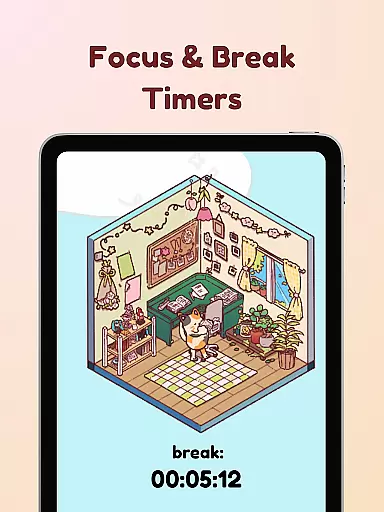
The timer function allows users to allocate specific periods for concentrated work, ensuring that tasks are approached in manageable intervals. With features like Break Timers, it encourages the use of proven productivity methods such as the Pomodoro Technique, which alternates between focused work sessions and short breaks.
Deep Focus Mode enhances this experience by restricting access to distracting applications during work sessions. This feature helps users maintain their attention on the task at hand without digital interruptions, promoting a more effective workflow.
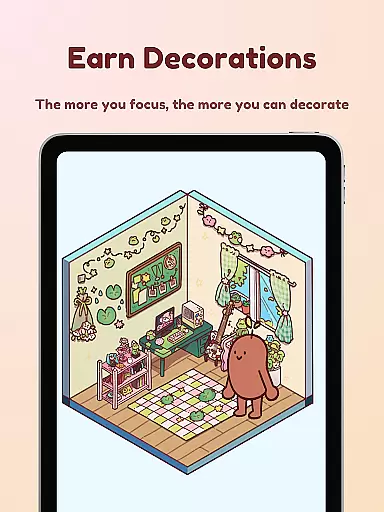
By completing focus sessions, users are rewarded with in-app prizes that can be used to decorate their Bean Friend's room, adding an element of fun and personalization to the task management process. This reward system not only motivates continued use but also makes managing tasks an enjoyable experience.
Focus Friend offers reliable cross-device synchronization, allowing users to seamlessly transition between devices while maintaining their progress and settings. This ensures that whether you're on your phone or tablet, your focus sessions and earned rewards are up-to-date.
Live Activity is a standout feature that lets users view their timer progress even when their phone is locked. This constant availability of information supports users in keeping track of their sessions across different scenarios and devices.
The app's synchronization capabilities extend to its Bean Skins and room decorations, which are preserved and accessible no matter which device you use. This means your personalized Bean Friend and carefully decorated room are always with you, providing a consistent and comforting environment for productivity.
With cloud-based syncing, Focus Friend ensures that all user data, including preferences and customizations, are reliably backed up and restored. This dependable synchronization empowers users to stay focused and organized, regardless of the device they choose to use at any given moment.
User-friendly interface
Engaging gamification
Customizable Bean skins
Effective focus tools
Fun reward system
Limited free content
Premium features costly
Occasional bugs
Notifications intrusive
Steep learning curve

QuickBooks Workforce lets teams view pay info and track time in one place.
 4.70
4.70
Make apps & sites with natural language prompts
4.10
Calendar 2023 widget for Android. Appointment scheduler, planner, and reminder
4.60
Docker, Kubernetes management over Portainer Mobile
4.40
* block pre-roll ads, pop-up and forced redirect ads * Samsung certification app
4.00
Best Tool for the professionals Electrician, Electrical contractors, etc.
4.90
A beautiful digital clock with autostart and many other functions
4.70
To do list widget with a notebook organizer, checklist, simple shopping list
4.60
Secure your apps with lock screens, use custom themes and different features.
4.40
Understand anything with a personalized AI research assistant
4.80
Planet Free VPN - The best Fast Unlimited and Secure VPN Without Logs
4.50
Send files, sync SMS, notifications & clipboard across devices via local network
4.40 4.20
4.20
Activate Two Factor Authentication (2FA or Multi OTP), Password manager and more
4.10
Create and edit presentations with Google Slides, part of Google Workspace.
4.00
Secure, open-source, SPICE and SSH Remote Desktop for QEMU KVM virtual machines
4.00
Ultimate Virtual AI Character for immersive Roleplay Chat. Perfect Companion
3.90
Auto-shutoff Alarm with Sunrise, Sunset & Fixed Options.
3.50
A simple, portable logger for POTA, SOTA, Field Day, and more
4.3


User Reviews