

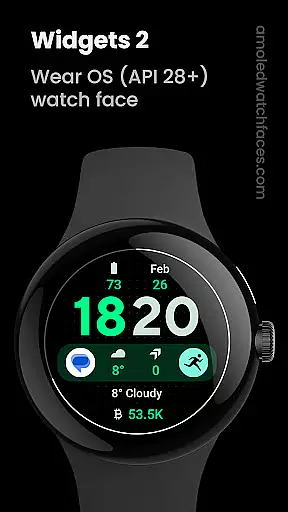
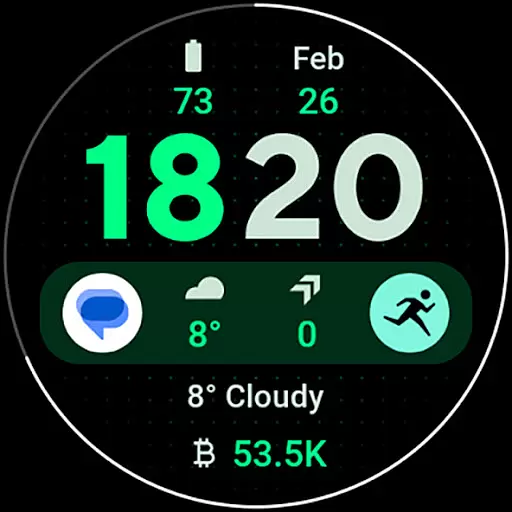
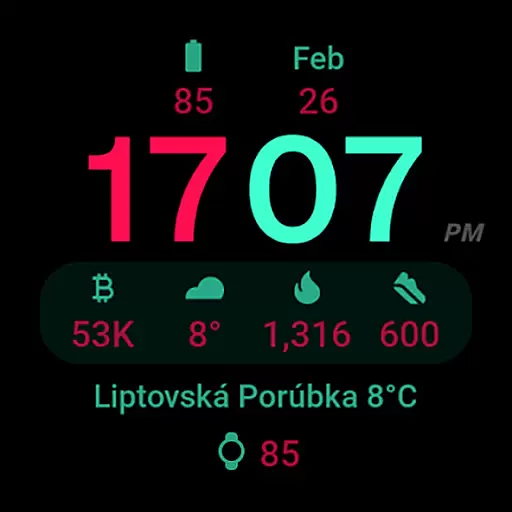
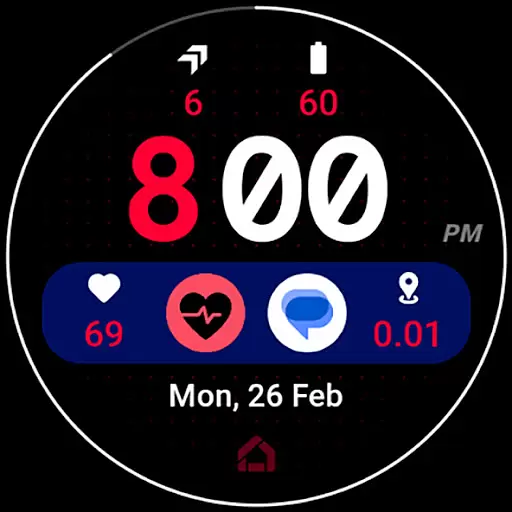
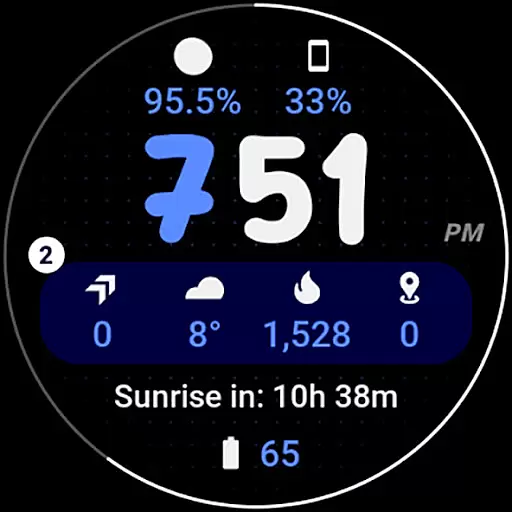
Widgets 2 is a feature-rich productivity app designed exclusively for Wear OS 4+ devices. This innovative application offers advanced watch face customization options, making it an ideal choice for users seeking to personalize their smartwatch experience. With support for true black backgrounds, high resolution displays, and unique color themes, Widgets 2 delivers both aesthetic appeal and functional value.
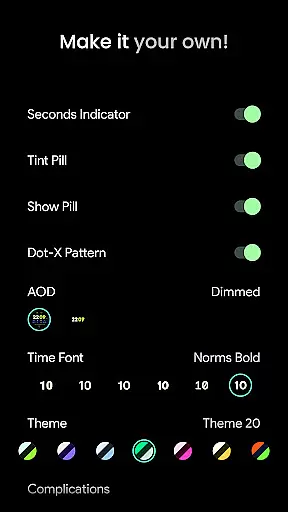
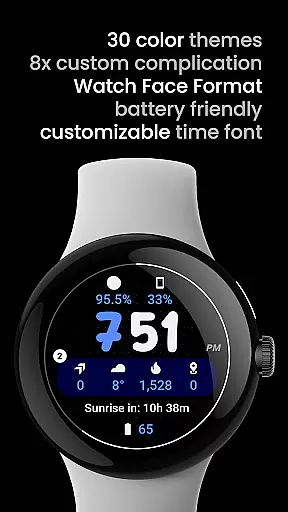
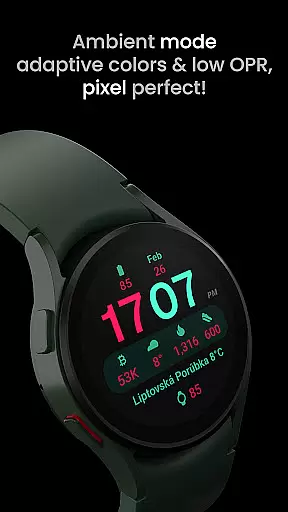
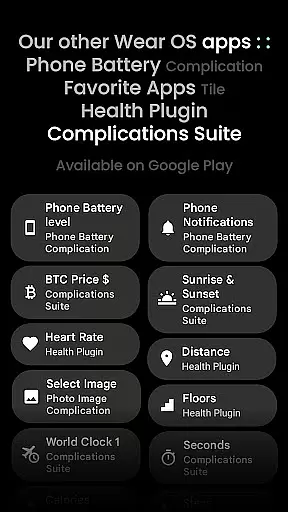
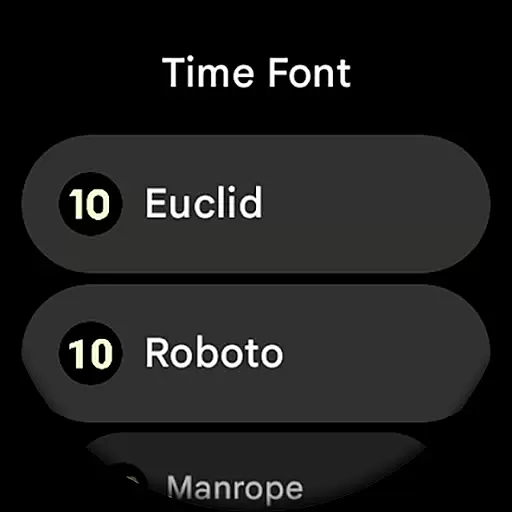
The app includes eight custom complication slots and supports phone notification complications through a separate companion app. Its unique ambient mode features low OPR and adaptive colors, while the burn-in protection and progress bar seconds indicator enhance usability. Users can choose from multiple time fonts, AOD styles, and various display toggles, giving them complete control over their watch face appearance and functionality.
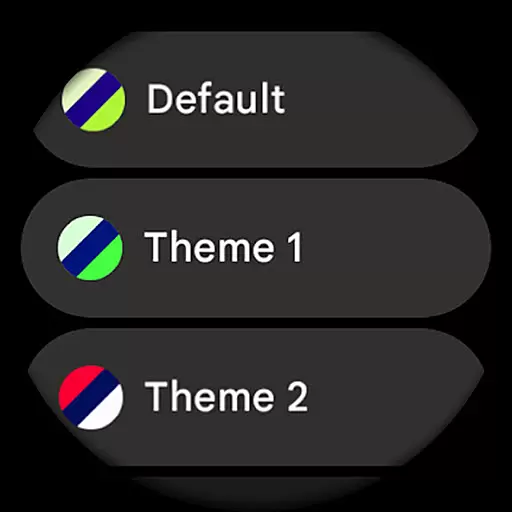
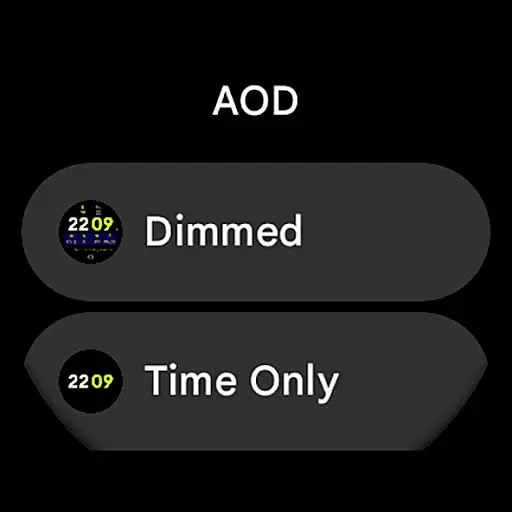
Widgets 2 stands out with its comprehensive set of features tailored for power users. The application implements Watch Face Format 1, ensuring full compatibility with the latest Wear OS devices while maintaining optimal performance. Its sophisticated configuration options include 30 theme choices, seven time font variations, and two AOD styles, allowing for unprecedented personalization.
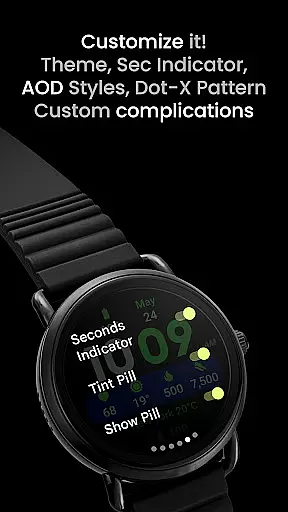
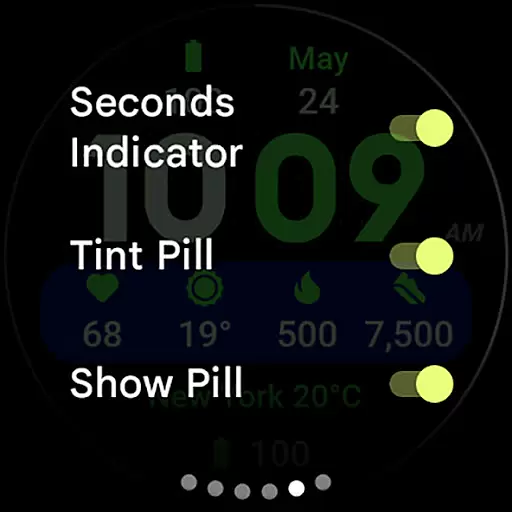
The app's technical capabilities extend to practical functionalities such as customizable complications, tint pill options, and dot-X pattern display settings. Each feature is designed with user experience in mind - from the seconds indicator toggle to the show pill option, every element can be precisely adjusted. The inclusion of burn-in protection and adaptive ambient mode demonstrates the developer's attention to device longevity and visibility optimization.
Furthermore, Widgets 2 provides extensive documentation and support resources. Users can access detailed installation guides, troubleshooting information, and live support through multiple channels including email and Telegram group discussions. This comprehensive support system ensures that users can maximize the app's potential while receiving timely assistance when needed.
Task management is a cornerstone of productivity applications, enabling users to organize and prioritize their work efficiently. Widgets 2 excels in this area by providing a comprehensive suite of tools designed to streamline task handling on Wear OS devices.
The application offers eight customizable complication slots, allowing users to display the most relevant information directly on their watch face. This feature ensures that important tasks and notifications are always visible, enhancing productivity and time management.
With unique color themes and ambient mode options, users can tailor the interface to suit their preferences while maintaining readability and accessibility. The inclusion of a progress bar seconds indicator and customizable time font further enhances the user experience, making task tracking both intuitive and visually appealing.
Widgets 2 also supports phone notification complications, ensuring that users remain informed about their tasks and other critical updates without needing to check their phones constantly. This seamless integration fosters an efficient workflow, empowering users to manage their responsibilities effectively.
Cross-device synchronization is vital for maintaining consistency and reliability across different platforms. Widgets 2 addresses this need by ensuring that all data and settings are accurately synchronized between the user's Wear OS device and their smartphone.
The application leverages the latest advancements in Wear OS technology to provide true black backgrounds and high-resolution displays, which not only enhance visual clarity but also contribute to reliable performance. These features ensure that users receive consistent and accurate information regardless of the device they are using.
Widgets 2 includes extensive user configuration options, such as theme selection, time font customization, and ambient display settings. These configurations are reliably synced across devices, allowing users to maintain a uniform experience and reducing the need for repetitive setup processes.
Furthermore, the app provides thorough installation and troubleshooting guides, along with dedicated support channels. This commitment to user assistance ensures that any synchronization issues are promptly addressed, maintaining the integrity and reliability of the cross-device experience.
Extensive customization
Advanced ambient mode
High-resolution support
Burn-in protection
Multiple themes
Wear OS 4+ only
Separate app required
No rectangular support
Complex setup
Premium pricing

 4.20
4.20
Send files, sync SMS, notifications & clipboard across devices via local network
4.40
Automates browsing any website and notifies you of important changes or events
4.30
Remotely view listen control and record cameras.
3.70
App lock - lock apps with fingerprint, password, pin or pattern, protect privacy
4.70
Multilingual translator for text, voice, and image translation!
4.90
Great calculator for Android named one of USA TODAY's "25 Essential Apps".
4.90
A simple Whisper AI keyboard for reliable speech transcription and rewording
4.60
This small app MUST BE INSTALLED after purchase, else license won't work
4.40
We're working to become the best machining app on the market! www.cncdirt.com
4.80
Simple notepad & memo. Take notes, to-do list, shopping list with reminders.
4.80
A beautiful digital clock with autostart and many other functions
4.70
The Pro Version of Android's tiniest Notepad app. Just 0.3MB but feature-packed!
4.60
Fill, sign & send docs, forms, agreements & contracts via electronic signature.
4.50
Experience Reading - Night Mode for Documents
4.40
A Pixel Art watchface inspired by other iconic 90s designs for Wear OS devices!
4.40
Access, manage and transfer files on Android, PC, Mac, NAS and cloud storages.
4.30
Total remote control for your Android device, PC and cloud services (IFTTT)!
4.20
Experience and share your SolidWorks designs on your Android® phone and tablet.
2.50

User Reviews