

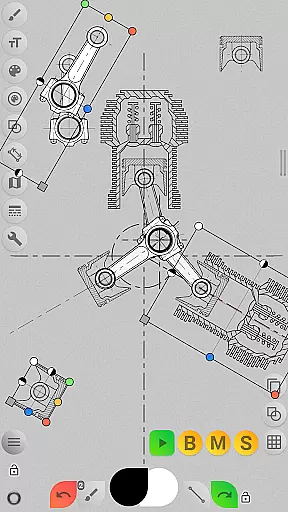
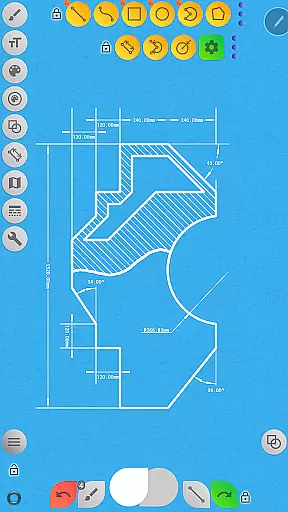
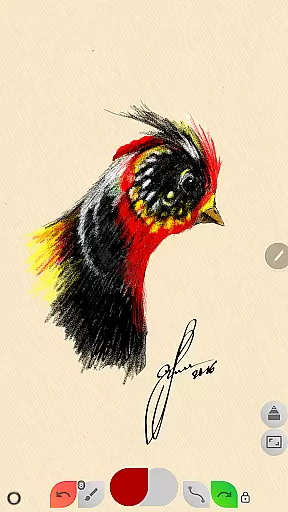
Sketch Box Pro is a versatile sketching and drawing application designed to meet various requirements, from technical drawings to general sketching. It serves as an alternative to vector CAD systems while maintaining the simplicity of traditional drawing tools. The app uniquely combines the precision of CAD systems with the flexibility of freehand drawing, making it suitable for both professional engineers and casual artists.
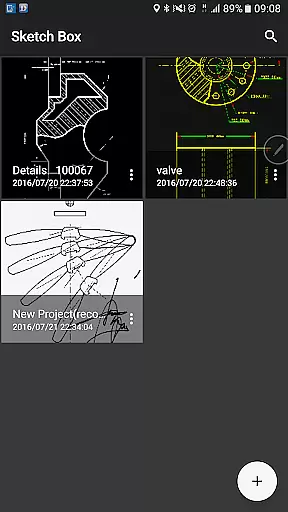
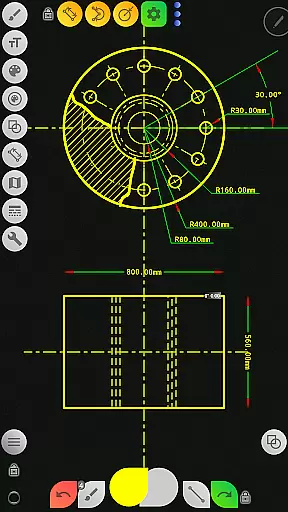
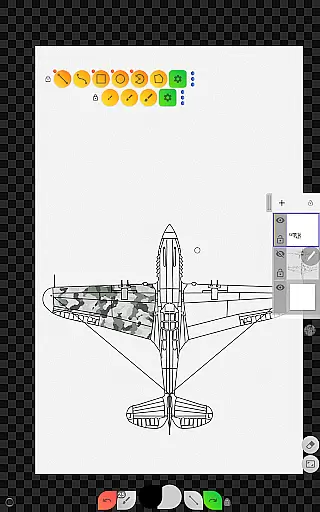
The application offers project-based workflows, allowing users to create projects from scratch, online map snapshots, or images from the device gallery. With support for up to six layers in the Pro version, users can manage their drawings with advanced features like layer opacity control, merging, and duplication. Sketch Box Pro also includes a comprehensive set of drawing tools such as basic shapes, predefined brushes, grid tools, and dimensioning tools, all optimized for precise technical sketching.
One notable feature is the Online Maps Support, which enables users to utilize Google Maps as a background for their projects. This functionality is particularly useful for location-based sketches, allowing users to measure distances and areas directly on the map. Whether capturing spontaneous ideas or working on detailed technical drawings, Sketch Box Pro provides a powerful yet lightweight solution that fits seamlessly into any creative workflow.
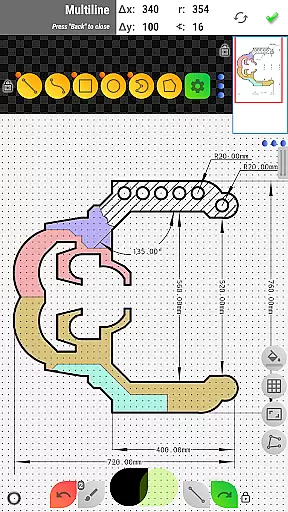
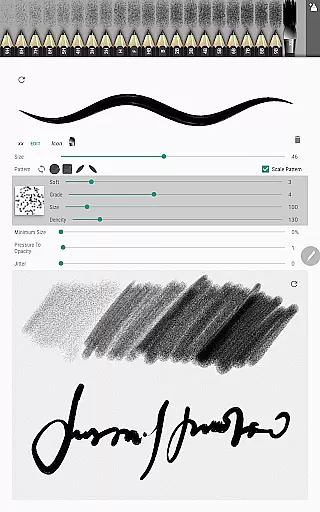
Sketch Box Pro stands out with its innovative combination of traditional drawing tools and CAD system functionalities. The app introduces a Pencils Set, where each pencil can be customized using the powerful Pencil Redactor, allowing users to adjust characteristics to suit their specific needs. Additionally, the Multiline tool has been optimized for continuous line creation with manual point positioning, offering both scalar and radial coordinates for precision.
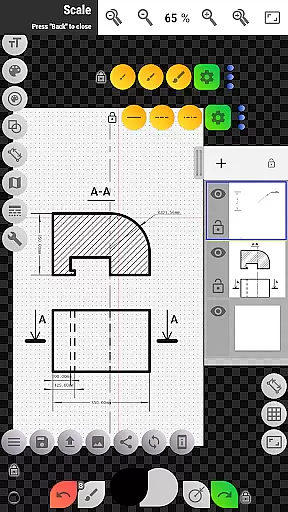
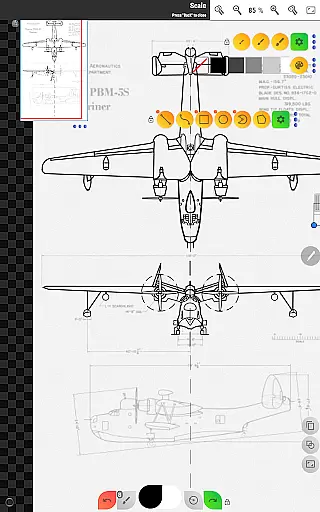
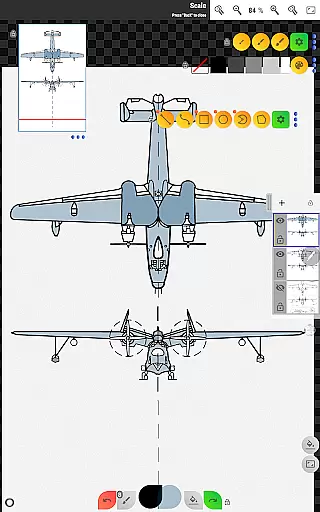
Layer management is another key feature, with support for up to six layers in the Pro version. Users can lock layers, control opacity, duplicate, clear, delete, and merge layers either downward or across all layers. This flexibility enhances complex drawing tasks, enabling users to organize their work efficiently. The app also includes a wide range of basic shapes, predefined brushes, and specialized tools like the Grid tool, Dimension tool, and Scale tool, all designed to facilitate accurate and detailed sketches.
Furthermore, Sketch Box Pro offers extensive customization options through flexible button panels that users can rearrange according to their preferences. The Export feature allows users to save their drawings to the gallery or share them directly. With additional functionalities like the Flood Filling Tool, Hatching Tool, and Text Tool, Sketch Box Pro ensures that users have everything they need to create comprehensive and professional-quality sketches.
Core task management is essential for productivity applications, ensuring users can efficiently organize and execute their work. Sketch Box Pro excels in this area by offering a project-based approach that caters to various drawing needs.
The app allows users to create projects from scratch, with predefined themes, or from online maps and device galleries, providing flexibility and ease of use. This ensures that whether you're sketching ideas, creating technical drawings, or working on creative projects, the app adapts to your workflow.
Sketch Box Pro supports layers, enabling users to manage complex drawings with up to six layers in the Pro version. Features like locking layers, controlling opacity, duplicating, clearing, merging, and deleting layers give users granular control over their projects.
With tools for basic shapes, freehand drawing, precise technical sketching, dimensioning, scaling, flood filling, hatching, text, color control, copying, rotation, image insertion, and exporting, Sketch Box Pro equips users with everything needed to manage tasks effectively and produce high-quality work.
Cross-device synchronization reliability is crucial for users who need consistent access to their projects across multiple devices. Sketch Box Pro addresses this by allowing users to create, duplicate, and share projects seamlessly.
Users can start a project on one device and continue working on another, thanks to the app's support for importing projects from online maps snapshots and device galleries. This feature ensures that all your work is accessible wherever you are, enhancing productivity and convenience.
Additionally, the app offers flexible workspace customization, letting users set up their working space according to their needs. With movable panels and pinning options, users can optimize their interface for different devices and workflows.
Exporting and sharing capabilities further enhance synchronization reliability. Users can export current drawings to the gallery or share them directly, ensuring that their work is always available and up-to-date across all devices.
User-friendly interface
Powerful customization options
Comprehensive drawing tools
Efficient layer management
Innovative Online Maps Support
Limited free version features
Steep learning curve
Occasional performance issues
Subscription cost for Pro
Complex UI for beginners


AI Video AI Image Private LLM AI Browser Llama Gemma Ollama Connect LLM Studio
 4.1
4.1
Auto-shutoff Alarm with Sunrise, Sunset & Fixed Options.
3.50
Total remote control for your Android device, PC and cloud services (IFTTT)!
4.20
Direct Chat without saving contacts & Dual WA Account on Single Device
4.70
Smart PDF reader & editor to view, organize and manage PDF documents easily.
3.70
Pwnagotchi companion app
4.20
ID.me Authenticator is a simple and free Two Factor Authentication solution
3.50
Simple notepad & memo. Take notes, to-do list, shopping list with reminders.
4.80
Seamlessly read, manage, and organize all your PDF files solution in one place
4.40
Multilingual translator for text, voice, and image translation!
4.90
aCalendar+ makes your day, week and month
4.70
The Pro Version of Android's tiniest Notepad app. Just 0.3MB but feature-packed!
4.60
Planet Free VPN - The best Fast Unlimited and Secure VPN Without Logs
4.50
Tally and goal counter for Wear OS & mobile
4.50 4.20
4.20
All in One PDF Reader: Manage, Read and Edit your Documents
4.20
Font maker keyboard with your own handwriting
4.10
* block pre-roll ads, pop-up and forced redirect ads * Samsung certification app
4.00
A comprehensive suite of tools designed specifically for Lactation Consultants
4.0

User Reviews