

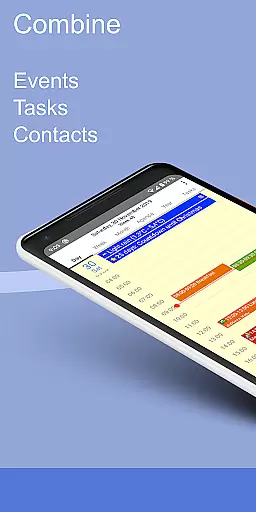
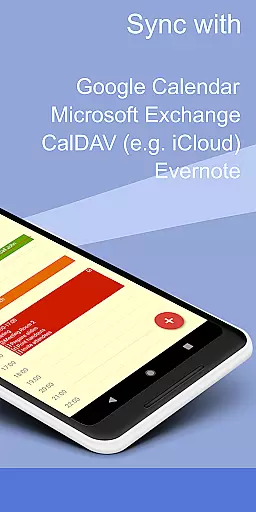
CalenGoo is a comprehensive productivity app designed to help users efficiently manage their events and tasks. With seamless integration capabilities, it syncs with multiple calendar services such as Google Calendar, Exchange, CalDAV, and iCloud, either directly or via the Android calendar. This ensures that all your past and future events are accessible in one place.
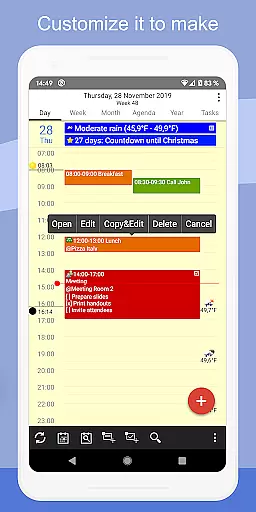
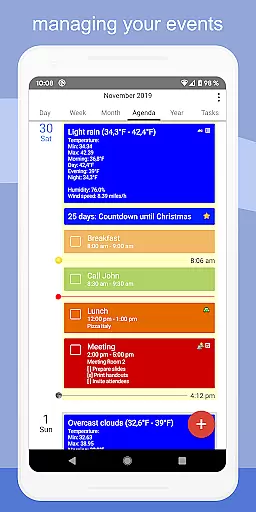
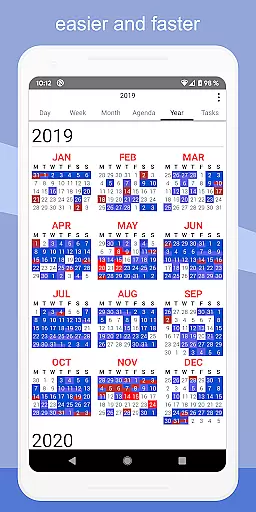
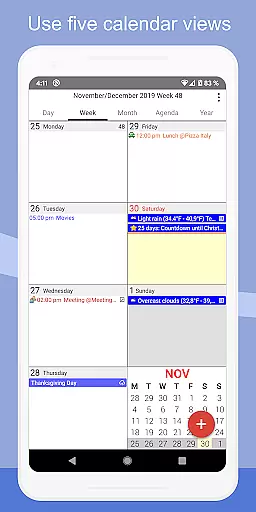
The app offers extensive customization options, allowing users to personalize its appearance and functionality according to their preferences. From attaching photos and files to events, linking Evernote notes, to adding weather forecasts, CalenGoo provides tools that enhance planning and organization. Its five types of calendar views (day, week, month, agenda, and year) along with four styles of agenda views cater to diverse scheduling needs.
CalenGoo's practical features like drag-and-drop event management, widgets for home screen access, and support for Exchange categories make it an indispensable tool for personal and professional use. Whether you need reminders, task lists within events, or wish to print schedules to PDF, this app delivers a robust solution for staying organized and productive.
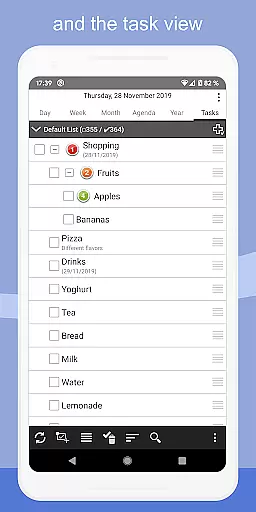
CalenGoo stands out with its rich feature set tailored for productivity enthusiasts. One of its key strengths is the ability to sync not only calendars but also tasks with major services like Google Calendar, Exchange, CalDAV, and iCloud. This dual synchronization ensures that both your schedule and to-do lists are always up-to-date across devices.
The app provides innovative functionalities such as attaching photos, files, and even Evernote notes to events, enhancing the detail and context of each entry. Users can benefit from visual cues by adding icons to Google events and using keywords to change event colors or icons. The availability of various reminder functions—including notifications, pop-up windows, and spoken reminders—ensures you never miss an important appointment.
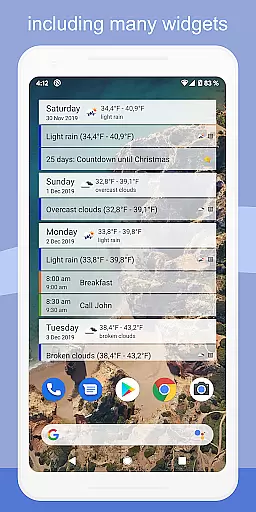
With dedicated widgets for day, week, month, agenda, year, and task views, CalenGoo brings your schedule to your fingertips right on the home screen. Additional features like floating events, completable events, templates for recurring events, and contact linking further streamline event management. Moreover, the app supports dark and light themes, making it adaptable to different user preferences and environments.
CalenGoo offers robust core task management features that allow users to efficiently organize and track their events and tasks. The app provides seamless synchronization with multiple platforms including Google Calendar, Exchange, CalDAV, and iCloud, ensuring all your past and future events are always up-to-date.
One of the standout functionalities is the ability to attach photos, files, and even Evernoteu00ae notes to your events, enhancing the detail and context you can add to each entry. This makes it not only a tool for scheduling but also a comprehensive resource for managing event-related information.
The app supports various types of calendar views such as day, week, month, agenda, and year, allowing users to choose the format that best suits their needs. Additionally, the four styles of agenda views offer further customization options, making sure that users can tailor the interface to match their preferences.
With features like drag-and-drop support for moving and copying events, along with widgets that display your schedule directly on your home screen, CalenGoo ensures that task management is both intuitive and accessible. These capabilities collectively enhance productivity by streamlining how users interact with their schedules and tasks.
Cross-device synchronization is a critical feature for any productivity app, and CalenGoo excels in this area by providing reliable and consistent updates across all your devices. By syncing directly with services like Google Calendar, Exchange, CalDAV, and iCloud, CalenGoo ensures that every change you make is immediately reflected everywhere you access your calendar.
This synchronization extends beyond just events; tasks too are updated in real-time, giving you a unified view of your responsibilities no matter where you are or what device you're using. The ability to sync calendars and tasks directly with these services eliminates discrepancies and delays, offering a seamless experience.
CalenGoo also includes advanced features like support for Exchange categories when syncing directly with Exchange using EWS, adding another layer of detail and organization to your synced data. Furthermore, sharing calendars with others via Google Calendar becomes effortless, promoting collaboration and coordination among teams or family members.
In addition to its synchronization prowess, CalenGoo offers various reminder functions including notifications, pop-up windows, spoken reminders, and different sounds. These reminders ensure that you never miss an important event or task, regardless of which device you're using at the moment. Such reliability and versatility make CalenGoo a top choice for anyone seeking dependable cross-device synchronization.
User-friendly interface
Extensive customization options
Multi-platform synchronization
Variety of useful widgets
Comprehensive task management
Paid application
Complex setup process
Occasional sync issues
Limited free trial period
Advanced features may overwhelm new users

A customizable calendar for your Wear OS watch
 4.20
4.20
QuickBooks Workforce lets teams view pay info and track time in one place.
4.70
Seamlessly integrate data and reports to build your presentation to impress
4.80
Auto-shutoff Alarm with Sunrise, Sunset & Fixed Options.
3.50
Easily read and manage all your PDF files
4.10
Secure, fast, open-source, Remote Desktop Client for Windows and Linux with SSH
4.60
Todo reminder
4.10
App lock - lock apps with fingerprint, password, pin or pattern, protect privacy
4.70
Access, manage and transfer files on Android, PC, Mac, NAS and cloud storages.
4.30
Great calculator for Android named one of USA TODAY's "25 Essential Apps".
4.90
Scientific calculator for Android - looks and operates like the real thing!
4.90
All document reader, all in one file viewer read PDF, DOCX, XLS, PPT, TXT files.
4.60
The Pro Version of Android's tiniest Notepad app. Just 0.3MB but feature-packed!
4.60
Translate text/voice/photos in 150+ languages. Offline & fast translator app.
4.50
Automates browsing any website and notifies you of important changes or events
4.30
Professional calendar app for Google Calendar, MS Outlook & Exchange
4.20
Experience real multitasking on your Android!
4.00
Customizable calendar widget for seamless event sync, planning & scheduling.
4.00
Smart PDF reader & editor to view, organize and manage PDF documents easily.
3.70


User Reviews