

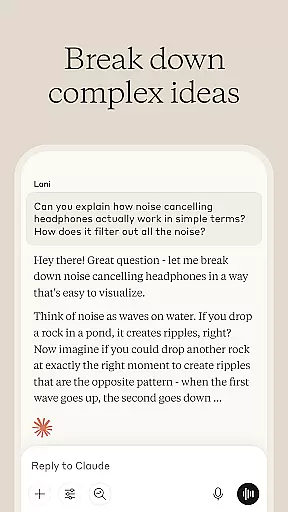
Claude by Anthropic is a cutting-edge AI productivity tool designed to enhance your problem-solving capabilities. This versatile application serves as both an AI writing assistant and a collaborative thinking partner, helping users tackle complex challenges across various domains. With its advanced reasoning and creative capabilities, Claude empowers professionals, researchers, and creatives to push beyond their limits.
The app's comprehensive feature set includes AI-powered writing assistance, research support with accurate citations, coding help for multiple programming languages, and visual analysis tools for PDFs and screenshots. Whether you're developing polished content, analyzing data, or exploring new technical skills, Claude adapts to your needs. Its voice dictation functionality enables hands-free brainstorming, making it perfect for on-the-go professionals.
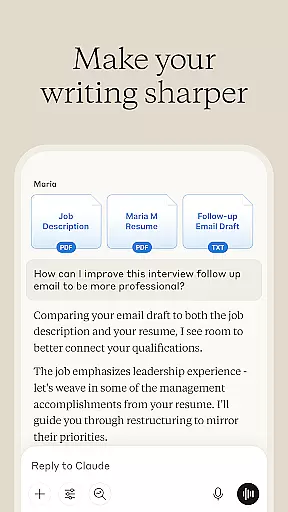
Claude distinguishes itself through its sophisticated integration of multiple productivity-enhancing features. The AI writing assistant goes beyond basic grammar checks, offering collaborative refinement of content structure, tone, and clarity. Users can develop professional documents while maintaining their unique voice, with Claude providing thoughtful suggestions throughout the process.
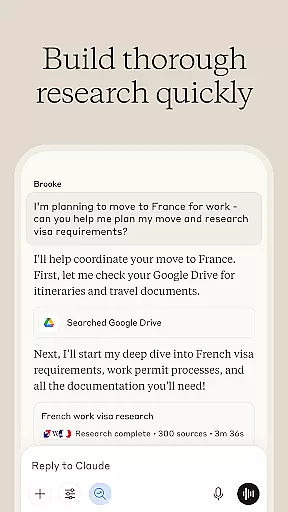
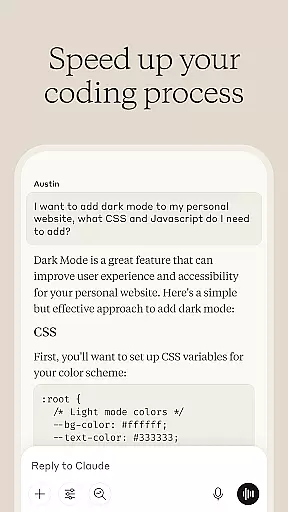
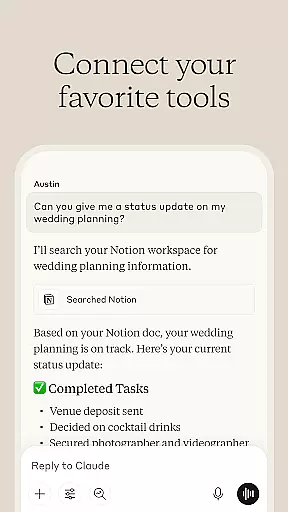
The application's research capabilities are particularly robust, allowing seamless integration with Google Drive, Gmail, and Calendar while providing accurate citations. For developers, Claude functions as an intelligent coding companion that doesn't just debug but explains the reasoning behind solutions. The visual analysis tools support practical applications like UI evaluation and SVG code generation, while the multilingual voice dictation feature enables natural brainstorming sessions.
What sets Claude apart is its ability to handle complex tasks with contextual understanding. The app maintains consistency across long conversations, remembers context, and applies advanced reasoning to diverse problems. These features collectively create a powerful productivity ecosystem that adapts to various professional needs.
Effective task management is essential for productivity applications, serving as the backbone for organizing and executing work efficiently. Claude by Anthropic excels in this area by offering a comprehensive suite of tools designed to manage and streamline tasks across various domains.
The app provides AI-driven assistance for writing, research, coding, and complex problem-solving, enabling users to tackle projects beyond their current expertise. Whether it's developing content, analyzing data, or programming in multiple languages, Claude supports a wide array of tasks with depth and precision.
Users benefit from collaborative refinement features that turn rough ideas into polished outcomes. The application iterates with the user, ensuring that every piece of content or code aligns with their vision and meets high standards of quality.
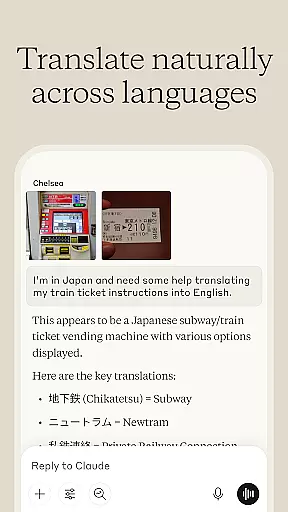
Furthermore, Claude enhances personal capabilities by helping users plan projects, structure ideas, and even translate between over 100 languages. This ensures that no matter how diverse or complex the task at hand, Claude equips users with the necessary tools to achieve success efficiently and effectively.
In today's interconnected world, reliable cross-device synchronization is crucial for maintaining workflow continuity and ensuring that all team members have access to the latest information. Claude by Anthropic addresses this need by providing seamless integration across multiple platforms and devices.
The app allows users to upload various file types such as photos, PDFs, and screenshots for visual analysis, making it easy to extract text, interpret charts, and evaluate technical diagrams on any device. This flexibility ensures that whether you're working from your phone, tablet, or computer, you can collaborate effectively without missing a beat.
Claude also supports voice dictation in multiple languages, allowing hands-free interaction which is perfect for brainstorming sessions or when you're on the go. This feature enhances accessibility and convenience, enabling users to think out loud and capture ideas instantly.
With real-time updates and cloud-based storage, Claude guarantees that all your work is saved and synchronized across devices, providing peace of mind and uninterrupted productivity. This robust synchronization capability makes Claude a trusted companion for anyone looking to expand their capabilities and reach new heights in their professional endeavors.
Advanced AI reasoning
Multimodal capabilities
Contextual awareness
Voice dictation support
Comprehensive toolset
Premium features locked
Occasional slowdowns
Limited offline use
Steep learning curve
Subscription costs



A lightweight JSON & XML files creator, editor and viewer (Premium Version)
 4.40
4.40
Device's storage information in a simple and clear graphical form (infographics)
4.10
Pwnagotchi companion app
4.20
Cloud storage, automatic phone backup, and more.
4.10
ID.me Authenticator is a simple and free Two Factor Authentication solution
3.50
A simple Whisper AI keyboard for reliable speech transcription and rewording
4.60
Quickly and easily keep track of your work shifts
4.70
Understand anything with a personalized AI research assistant
4.80
Put a lock on your cloud: Take the security of your data into your own hands
3.70
Multilingual translator for text, voice, and image translation!
4.90
The long-awaited modern gallery app for your Nextcloud server
4.70
PDF scanner & converter for files, photos, lottery, QR codes. One swipe away!
4.50
Experience Reading - Night Mode for Documents
4.40
A Pixel Art watchface inspired by other iconic 90s designs for Wear OS devices!
4.40
Enjoy classic gameplay with customizable features and retro-style graphics.
4.30
Font maker keyboard with your own handwriting
4.10
Smart PDF reader & editor to view, organize and manage PDF documents easily.
3.70
Remotely view listen control and record cameras.
3.70
Create study competitions, track your hours, and stay consistent with friends
4.5


User Reviews