

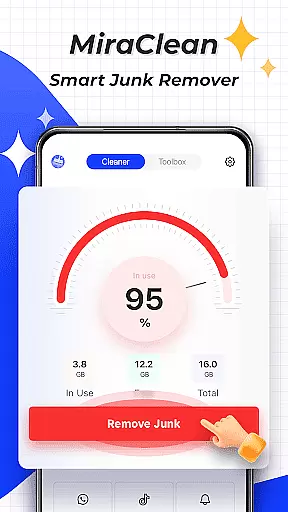
MiraClean is a productivity-focused app designed to help Android users manage their device storage and optimize performance. The app provides tools for scanning and deleting unnecessary files, such as temporary files, app caches, and residual data that can clutter your device. Additionally, it offers features like notification clearing, file management by type and size, and network data usage tracking.
One of the standout capabilities of MiraClean is its ability to measure network speed, providing real-time download and upload statistics. This lightweight app ensures privacy while delivering essential utilities for maintaining your phone's efficiency. Whether you're looking to free up space or monitor your data consumption, MiraClean serves as a simple yet effective solution for managing your Android device.
MiraClean stands out with its comprehensive set of features tailored for device optimization. First, the app scans your device for junk files, identifying temporary files, app caches, and leftover data from uninstalled apps. By removing these unnecessary files, users can reclaim valuable storage space and improve system performance.
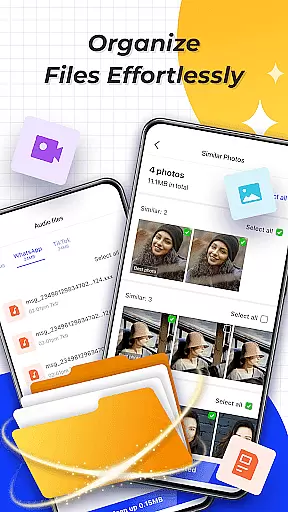
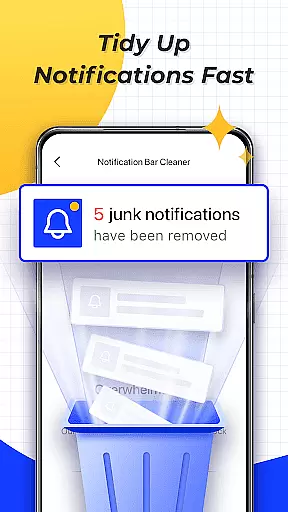
In addition to file management, MiraClean allows users to clear unwanted notifications from the notification bar, helping maintain a clutter-free interface. The app also categorizes files by type and size, making it easier to locate and manage large or unnecessary files. Furthermore, MiraClean provides detailed insights into mobile and Wi-Fi data usage, empowering users to monitor and control their network consumption. With its built-in network speed test, the app ensures you know exactly how fast your internet connection is at any given time.
Task management is a cornerstone of productivity applications, and MiraClean excels in this area by offering users the ability to handle multiple essential tasks efficiently. The app provides tools for scanning and deleting unnecessary files, clearing unwanted notifications, and organizing files based on type and size.
MiraClean's implementation of task management allows users to maintain their Android devices with minimal effort. By identifying temporary files, app caches, and residual data, it ensures that your device remains uncluttered and performs optimally. This systematic approach helps in enhancing the overall speed and responsiveness of your device.
The benefit to users is significant; they can recover valuable storage space and enjoy a cleaner, more organized digital environment. With features like network data usage statistics and a network speed test, MiraClean empowers users to monitor and manage their device's resources effectively.
This functionality underscores MiraClean's value as a comprehensive tool for anyone looking to optimize their Android device's performance while maintaining privacy and simplicity.
Cross-device synchronization is vital for users who operate multiple devices and require seamless updates across their digital ecosystem. While MiraClean focuses primarily on single-device optimization, its reliable performance ensures that any maintenance task conducted has immediate and lasting effects without necessitating cross-device sync.
Although MiraClean does not explicitly advertise cross-device synchronization, its efficient handling of storage and settings means that users experience consistent performance improvements. This consistency indirectly supports multi-device users by ensuring that each device managed with MiraClean maintains optimal functionality independently.
Users benefit from knowing that their device's optimizations are reliable and persistent, reducing the need for frequent adjustments or checks. This reliability translates into peace of mind, particularly for those juggling various gadgets in their daily routines.
While direct synchronization features might not be present, MiraClean's steadfast focus on optimizing individual device performance makes it an invaluable tool for maintaining productivity and efficiency across different platforms.
Lightweight design
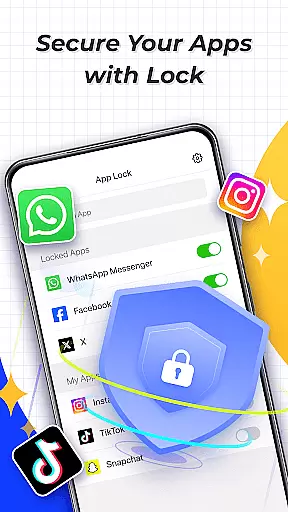
Privacy-focused
Easy-to-use interface
Comprehensive file management
Network speed testing
Limited advanced tools
No cloud backup option
Basic UI design
Occasional bugs
Ads in free version


QuickBooks Workforce lets teams view pay info and track time in one place.
 4.70
4.70
Experience Reading - Night Mode for Documents
4.40
Create study competitions, track your hours, and stay consistent with friends
4.3
Professional calendar app for Google Calendar, MS Outlook & Exchange
4.20
Pwnagotchi companion app
4.20
aCalendar+ makes your day, week and month
4.70
Simple and reliable communication between inmates, friends and family
3.20
ID.me Authenticator is a simple and free Two Factor Authentication solution
3.50
A comprehensive suite of tools designed specifically for Lactation Consultants
4.2
Seamlessly integrate data and reports to build your presentation to impress
4.80
Mind Map and brainstorm, note taking and idea collection
4.80
Client for Nextcloud Deck
4.60
PDF scanner & converter for files, photos, lottery, QR codes. One swipe away!
4.50
Translate text/voice/photos in 150+ languages. Offline & fast translator app.
4.50
Send files, sync SMS, notifications & clipboard across devices via local network
4.40
CalenGoo is a very flexible and feature-rich calendar app
4.40
Share files & memories safely. Keep your photos and videos secure.
4.40
A customizable calendar for your Wear OS watch
4.20
Customizable calendar widget for seamless event sync, planning & scheduling.
4.00

User Reviews