

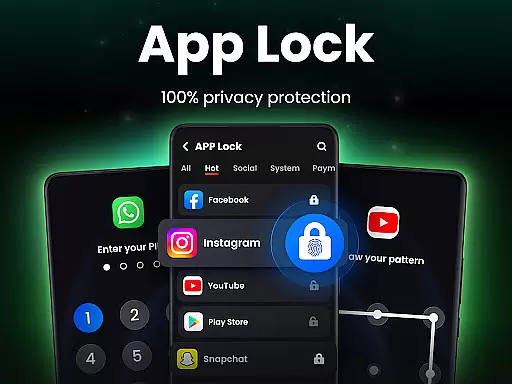
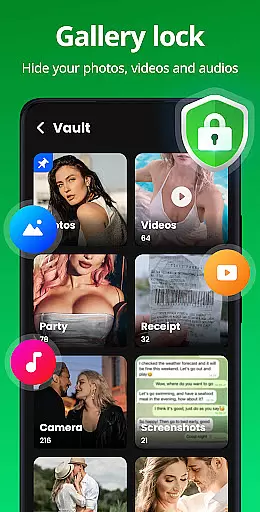
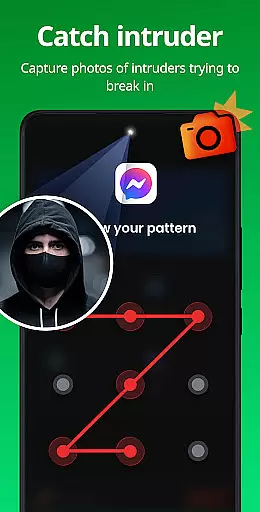
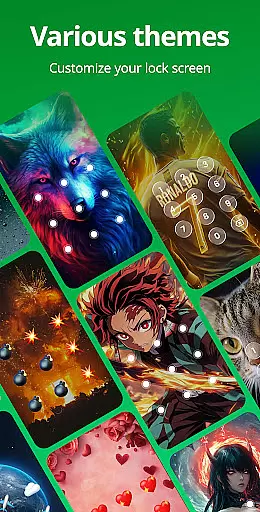
App Lock is a powerful productivity tool designed to safeguard your digital privacy with minimal effort. This app allows users to lock sensitive applications using PIN, pattern, or fingerprint authentication, ensuring that personal data remains secure from unauthorized access. With features like Safe Vault for hiding private photos and videos, Intruder Selfie to capture unauthorized access attempts, and customizable lock screen themes, App Lock offers comprehensive protection tailored to individual preferences.
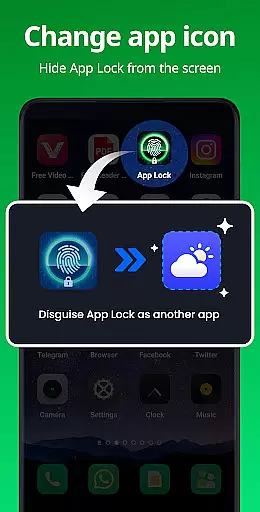
The application extends its utility beyond just locking apps. It includes functionalities such as Disguise App, which masks the app's presence by altering its icon, and Uninstall Protection to prevent accidental removal of the app. These features collectively provide a robust security framework that not only protects user data but also ensures peace of mind in various usage scenarios, making it an essential tool for anyone concerned about their digital privacy.
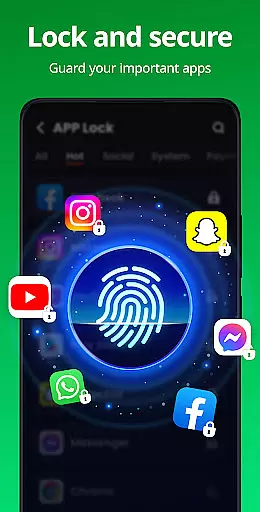
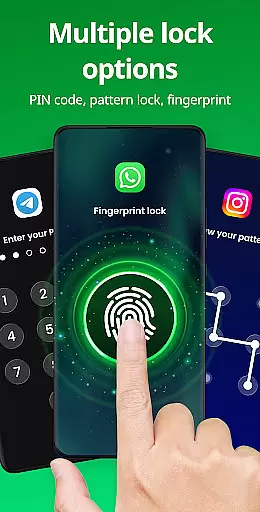
App Lock stands out with its diverse range of features crafted to enhance user security and convenience. One of its primary functions is the ability to lock apps using multiple methods including PIN, pattern, or fingerprint. This versatility ensures that users can choose the most comfortable and secure method for protecting their private data across social media platforms, financial apps, and more.
Beyond basic locking capabilities, App Lock incorporates advanced features such as Safe Vault for discreetly storing sensitive media files, Intruder Selfie to capture images of unauthorized access attempts, and Disguise App functionality to conceal its presence on the device. Additionally, users can customize their experience with various themes and settings like Random Keyboard and Hide Pattern Draw Path, which add layers of obscurity to the locking mechanism. These thoughtful additions not only bolster security but also offer a personalized touch that enhances overall usability.
Task management is a critical aspect of productivity applications, ensuring users can efficiently organize and prioritize their daily activities. App Lock excels in this area by providing robust features that go beyond basic app locking. The application allows users to manage access to various apps, protect sensitive data, and customize security settings according to their preferences.
The app's ability to lock social media platforms like WhatsApp, Instagram, and Facebook with a single click ensures that personal conversations and posts remain private. Additionally, it extends protection to essential components such as the Gallery, Contacts, and Messages, preventing unauthorized access to photos, videos, and personal information. This comprehensive approach to task management empowers users to safeguard their digital lives effortlessly.
App Lock also offers multiple locking methods, including PIN, pattern, or fingerprint authentication, giving users flexibility in how they secure their devices. By allowing the locking of payment apps like Google Pay and PayPal, it helps prevent accidental transactions and unauthorized purchases, making it an invaluable tool for managing financial security on mobile devices.
Cross-device synchronization is vital for users who operate multiple devices and need consistent access to their security settings and protected data. App Lock addresses this requirement by ensuring reliable synchronization across different platforms, thus maintaining a seamless user experience regardless of the device in use.
While the current feature set of App Lock focuses primarily on individual device protection, its potential for cross-device functionality is evident. Users can expect forthcoming updates to enhance synchronization capabilities, enabling them to maintain uniform security protocols whether they are on their smartphone, tablet, or other connected devices.
In anticipation of these advancements, App Lock is poised to integrate cloud backup solutions, which will further reinforce data integrity and accessibility. This means that users will not only be able to lock apps and protect their private information but also have peace of mind knowing that their settings and protections are consistently applied and backed up across all their devices.
Easy to use
Multiple lock options
Safe Vault feature
Intruder Selfie
Customizable themes
Requires permissions
May drain battery
Occasional bugs
Limited free features
Ads in free version

QuickBooks Workforce lets teams view pay info and track time in one place.
 4.70
4.70
Experience real multitasking on your Android!
4.00
Native client for Forgejo and Gitea
5.00
Professional calendar app for Google Calendar, MS Outlook & Exchange
4.20
Remotely view listen control and record cameras.
3.70
Secure, fast, open-source, Remote Desktop Client for Windows and Linux with SSH
4.60
Font maker keyboard with your own handwriting
4.10
A comprehensive suite of tools designed specifically for Lactation Consultants
4.5
AT&T Internet customers can use this app to personalize their Wi-Fi network.
4.40
Great calculator for Android named one of USA TODAY's "25 Essential Apps".
4.90
aCalendar+ makes your day, week and month
4.70
Secure, fast, open-source, VNC and SSH Remote Desktop for Windows, Linux and Mac
4.70
Client for Nextcloud Deck
4.60
Pwnagotchi companion app
4.20
Easily read and manage all your PDF files
4.10
Take control of your clipboard with Clipper!
3.90
Smart PDF reader & editor to view, organize and manage PDF documents easily.
3.70
Code on-the-go with VScode for Android. Edit,debug and collaborate from mobile!!
3.10
Easiest event planning, volunteer signups & parent teacher conference scheduling
2.20

User Reviews