

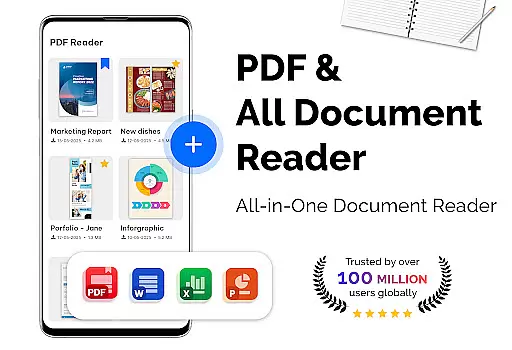
PDF Reader - PDF Viewer is a versatile productivity app designed to handle all your document reading needs. This lightweight office solution allows you to read PDF files stored locally on your device, supporting even password-protected documents. The app's advanced technology ensures quick loading of large PDF files, providing multiple display modes including single page, two-page, book mode, and full-screen options.
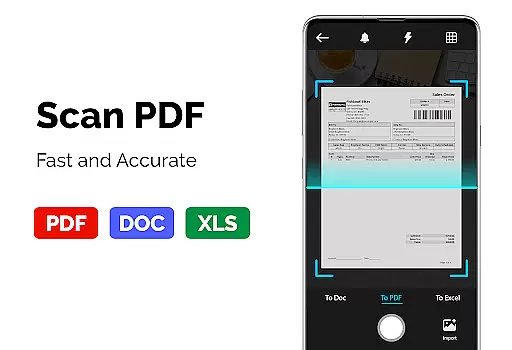
The app offers intuitive navigation features such as bookmarks, quick page moving, and customizable themes with both dark and light modes. Additionally, it functions as a PDF converter and scanner, enabling users to transform images, receipts, and notes into PDF format while also converting PDFs to images for easier sharing. Its capability to open large PDF files (over 300MB) swiftly makes it an essential tool for managing extensive documents efficiently.
PDF Reader - PDF Viewer stands out with its comprehensive feature set tailored for document management. The app utilizes cutting-edge technology for rapid PDF file loading and display, regardless of file size. Users can choose from various viewing modes including vertical and horizontal orientations, enhancing their reading experience. The inclusion of bookmarks and quick page navigation ensures seamless movement through lengthy documents.
As a productivity tool, it goes beyond basic viewing capabilities by offering PDF conversion features. Users can convert images to PDF, transform PDFs into JPG format, and create PDF files from multiple image types including PNG, JPG, TIFF, and GIF. The customizable theme options with dark and light modes provide optimal viewing comfort. These features collectively make the app an all-in-one solution for professionals and students who regularly work with PDF documents.
PDF Reader - PDF Viewer excels in core task management by offering a comprehensive suite of tools tailored for efficient document handling. The app supports all PDF files, including those with password protection, ensuring that users can access their secured documents without hassle.
With advanced technology, the app provides quick display capabilities, enabling even large PDF files to load swiftly. This is crucial for users who need immediate access to information without delays. Additionally, the app offers various display modes such as single page, two-page, book mode, or full-screen reading, catering to different preferences and enhancing the overall reading experience.
The inclusion of features like bookmarks, quick page moving, and customizable theme colors empowers users to navigate through PDF files intuitively and personalize their viewing settings. These functionalities streamline task management by allowing users to organize and access their documents efficiently, ultimately boosting productivity.
Cross-device synchronization is a vital feature for users who work across multiple devices. PDF Reader - PDF Viewer ensures reliable synchronization, allowing users to seamlessly transition between their devices without losing any data or progress.
The app's ability to handle large PDF files, sometimes exceeding 300MB, faster than ever, speaks volumes about its robust synchronization capabilities. Users can open and manage substantial documents on one device and continue their work on another with confidence that the app will maintain data integrity and consistency.
Moreover, the app's support for converting images to PDFs and vice versa adds another layer of flexibility. Whether you're scanning receipts or creating PDFs from images, the app maintains high-quality output across devices. This reliability in cross-device functionality ensures that users have a consistent and dependable experience, regardless of the device they choose to use.
User-friendly interface
Advanced PDF support
Fast loading speed
Comprehensive viewing modes
Integrated conversion tools
Limited cloud integration
No collaboration features
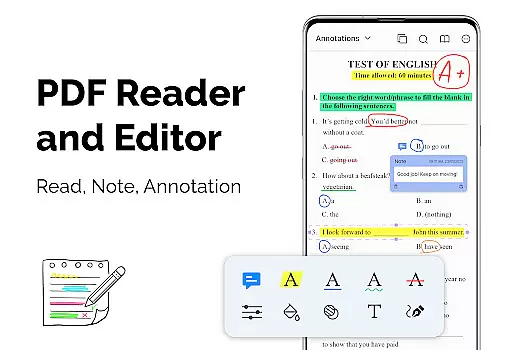
Basic annotation tools
Occasional performance issues
Ads in free version

 4.20
4.20
Native client for Forgejo and Gitea
5.00
Wake up & get tasks done! Add alarms & reminders on the Clock Launcher.
4.00
Multilingual translator for text, voice, and image translation!
4.90
Code on-the-go with VScode for Android. Edit,debug and collaborate from mobile!!
3.10
Docker, Kubernetes management over Portainer Mobile
4.40
Access your phone's notifications, calls, apps, photos & texts on your PC
3.90
Daily processing of PDF documents.
4.40
Seamlessly read, manage, and organize all your PDF files solution in one place
4.40
8 custom complications. Custom Time Fonts. Beautiful color schemes. A++ Design.
5.00
QuickBooks Workforce lets teams view pay info and track time in one place.
4.70
App Lock with fingerprint, password: Lock apps & hide photos with lock screens
4.60
The AI assistant that thinks with you - write, code, and solve complex tasks
4.60
All document reader, all in one file viewer read PDF, DOCX, XLS, PPT, TXT files.
4.60
Fill, sign & send docs, forms, agreements & contracts via electronic signature.
4.50
Secure your apps with lock screens, use custom themes and different features.
4.40
A customizable calendar for your Wear OS watch
4.20
Make your handwriting beautiful, even more than pen on paper.
3.60
Auto-shutoff Alarm with Sunrise, Sunset & Fixed Options.
3.50

User Reviews