

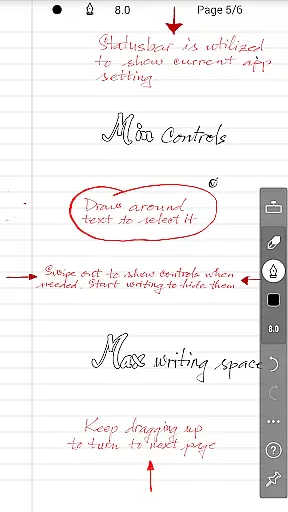
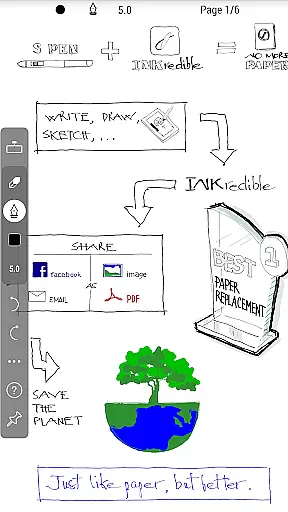
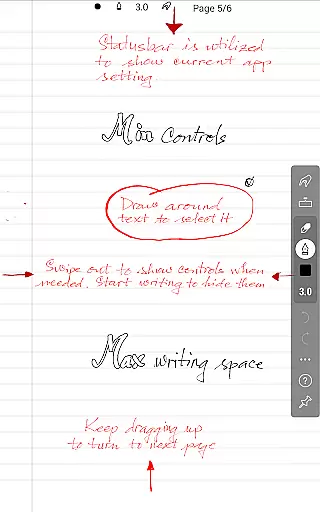
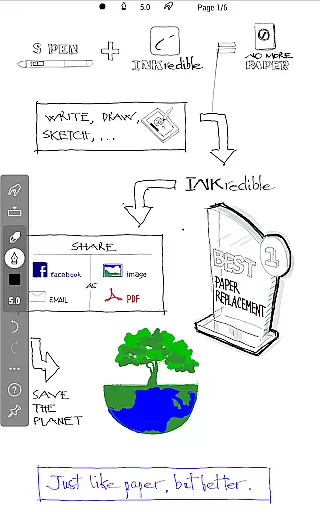
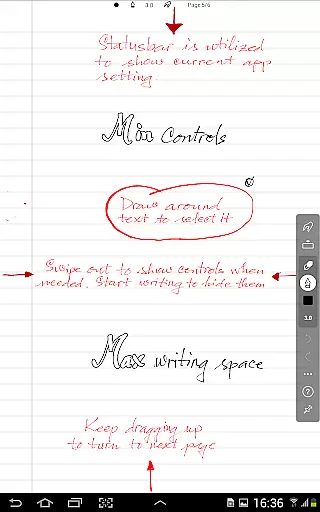
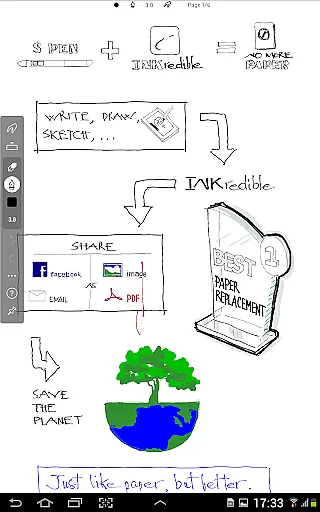
INKredible PRO is a premium handwriting app designed to deliver an exceptional writing experience on tablets. By incorporating advanced inking technology from the popular Notes Plus app, it offers automatic palm and wrist rejection, making digital writing feel as natural as using pen and paper. The app focuses on simplicity, providing a clean, distraction-free interface with no visible UI controls, just a blank canvas for your ideas.
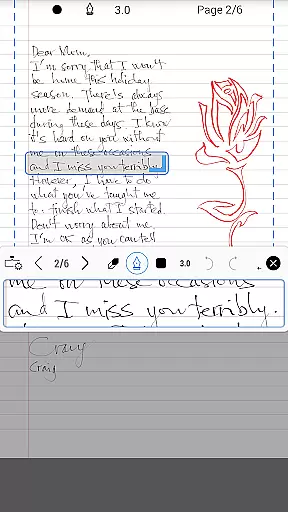
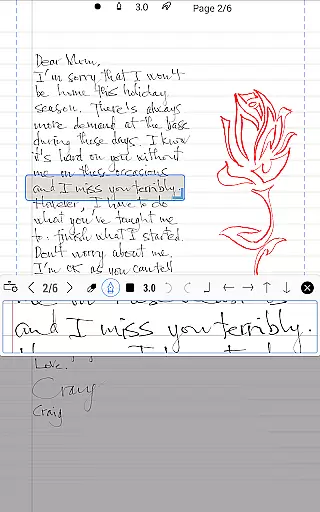
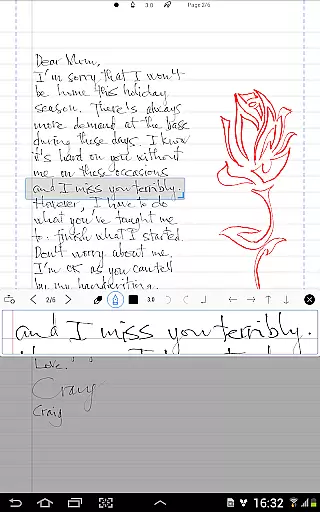
One of INKredible PRO's standout features is its vector-graphics inking technology, developed over three years of research. This ensures beautifully rendered handwriting that looks better than on paper and scales perfectly for printing or display purposes. Whether you're taking notes, sketching, or drafting documents, INKredible PRO provides a near-perfect writing experience that users must try to fully appreciate.
INKredible PRO stands out with its advanced vector-graphics inking technology, which uses sophisticated Bezier curve manipulation to make handwriting appear more elegant and refined than traditional pen and paper. This feature ensures that your notes look crisp and clear at any resolution, whether you're viewing them on a small tablet screen or printing them for professional use.
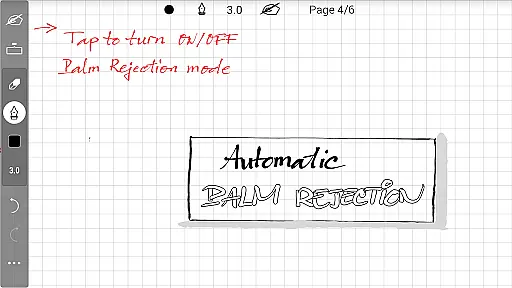
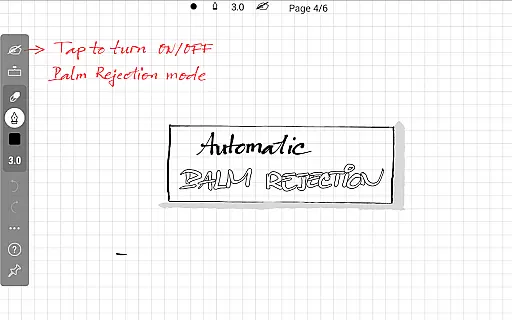
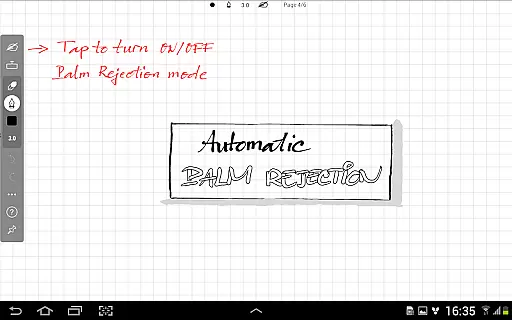
The app also includes automatic palm and wrist rejection, allowing for uninterrupted writing without accidental touches. Its minimalist design removes all distractions, offering a clean slate for creativity. Additionally, INKredible PRO bundles all premium features, including future updates, into a one-time purchase, providing excellent value for users seeking a seamless and high-quality writing tool.
INKredible PRO excels in core task management by focusing on delivering an unparalleled writing experience. The app strips away unnecessary distractions, presenting users with a clean slate that mimics the natural feel of pen and paper. This singular focus ensures that users can concentrate fully on their tasks without the interference of complex UI elements or superfluous features.
The app's dedication to simplicity is evident in its design philosophy. Most of the time, you won't find any intrusive buttons or controlsu2014just a blank canvas ready for your thoughts and ideas. This approach not only enhances concentration but also streamlines task management, making it intuitive and efficient.
For those who appreciate a seamless blend of technology and tradition, INKredible PRO offers an experience that feels as good as, if not better than, writing with a pen on paper. Its automatic palm and wrist rejection feature further refines this experience, ensuring that your interaction with the tablet remains as natural as possible.
While INKredible PRO emphasizes a superior writing experience, it also understands the importance of reliable cross-device synchronization. Users can expect their work to be consistently updated across all devices, ensuring that they have access to their notes wherever they go. This reliability is crucial for individuals who rely on multiple devices throughout their day.
The app leverages advanced cloud technologies to maintain synchronization integrity. Whether you're transitioning from a tablet to a smartphone or accessing your notes on a computer, INKredible PRO ensures that your content is always up-to-date and accurate. This seamless integration allows for a fluid workflow, enhancing productivity and convenience.
Moreover, the app's commitment to perfection extends to its synchronization capabilities. By prioritizing data consistency and accessibility, INKredible PRO provides users with peace of mind, knowing that their valuable information is securely stored and readily available. This reliability underscores the app's dedication to delivering a truly exceptional user experience.
Advanced inking technology
Automatic palm rejection
Distraction-free interface
High-resolution scaling
Future updates included
Higher cost than free apps
Limited additional features
No collaboration tools
Requires learning curve
Premium-only availability

Secure, fast, open-source, VNC and SSH Remote Desktop for Windows, Linux and Mac
 4.70
4.70
Auto-shutoff Alarm with Sunrise, Sunset & Fixed Options.
3.50
Easily read and manage all your PDF files
4.10
A lightweight JSON & XML files creator, editor and viewer (Premium Version)
4.40
Protect and view your important info on your phone and tablet with eWallet®
4.80
Remotely view listen control and record cameras.
3.70
Pwnagotchi companion app
4.20
* block pre-roll ads, pop-up and forced redirect ads * Samsung certification app
4.00
Okta MFA
4.70
Mind Map and brainstorm, note taking and idea collection
4.80
Scan paperwork into PDF/JPG, generate your own e-signature and send fax or email
4.70
Stay on top of your to-dos with Google Tasks, part of Google Workspace.
4.60
The AI assistant that thinks with you - write, code, and solve complex tasks
4.60
Tally and goal counter for Wear OS & mobile
4.50
Secure your apps with lock screens, use custom themes and different features.
4.40
When you Focus, so will your Bean in this cozy focus timer
4.30
Todo reminder
4.10
The ultimate file manager for rooted devices. The original and still the best.
4.00
Find and delete junk files & block unwanted notifications & manage files
3.70

User Reviews