

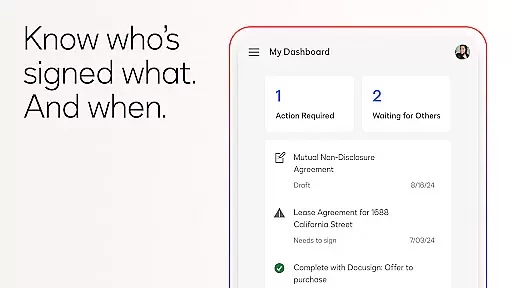
Docusign is the world's leading eSignature solution, enabling businesses and individuals to securely send and sign agreements from anywhere, at any time. The app simplifies the entire agreement process by offering a streamlined experience for document management, including uploading, signing, and tracking documents.
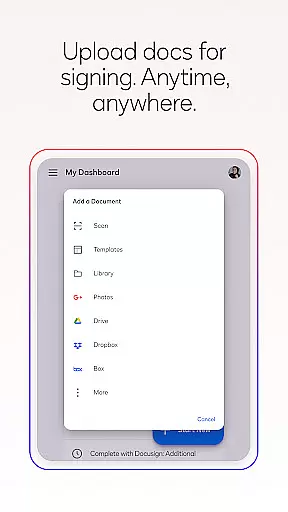
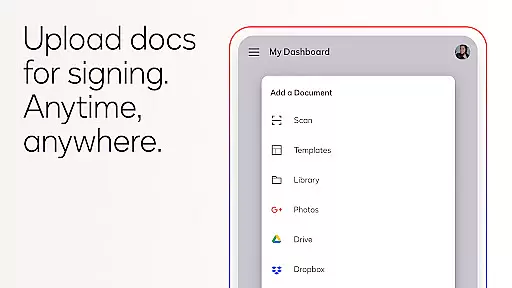
With Docusign, users can create customized digital signatures, upload documents via multiple sources such as email or cloud storage, and manage workflows with ease. Its responsive signing functionality ensures that documents are optimized for mobile devices, providing a seamless user experience. Trusted by millions worldwide, Docusign ensures legal compliance and document security through encryption and audit trails.
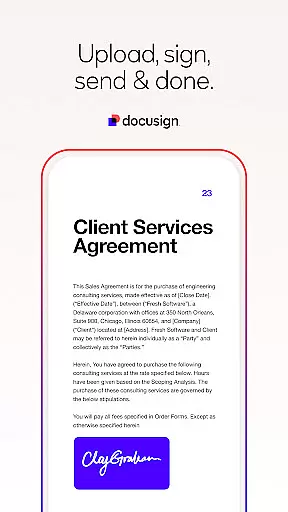
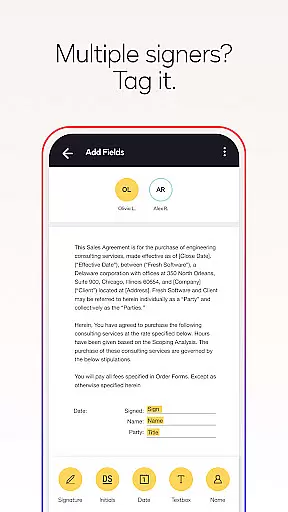
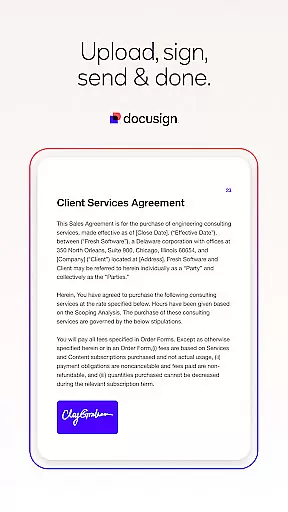
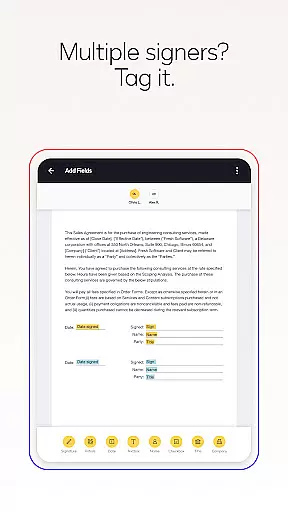
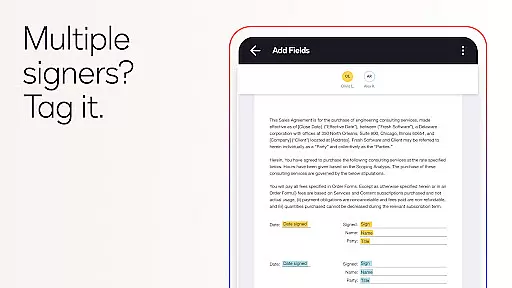
Docusign offers a comprehensive set of features designed to simplify agreement processes. Users can upload various document types, including PDFs, Word files, and images, and prepare them for signature with intuitive 'Sign Here' tags. The app supports both in-person and remote signing, allowing users to set signing orders and workflows for multiple signers.
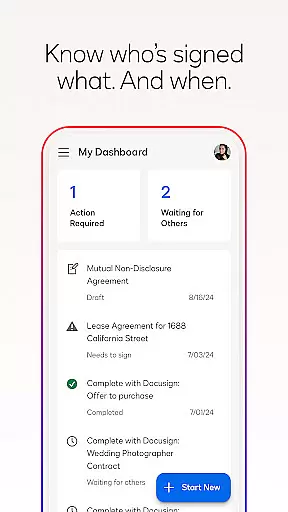
In addition to free signing, Docusign provides advanced functionalities through subscription plans. These include reusable templates, reminders, and voiding options. Real-time push notifications keep users informed about document statuses, while premium plans offer enhanced capabilities like zipForm Plus integration for real estate professionals and access to essential fields for personal use.
In the realm of productivity, core task management is pivotal for organizing and executing work efficiently. DocuSign revolutionizes this area by streamlining how agreements are handled from creation to completion.
DocuSign's platform allows users to create customized digital signatures directly on their devices, upload documents easily via various services, and e-sign documents without any monthly limit. This seamless integration simplifies document preparation and management, making it accessible for users to handle tasks on-the-go.
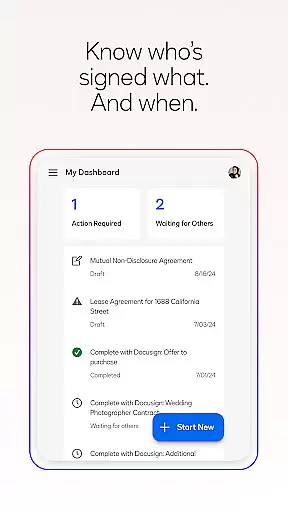
The app further enhances task management by enabling users to send files out for signature, prepare documents with specific tags indicating where to sign or add information, and set workflows for multiple signers. With real-time push notifications, users stay informed about the status of their documents, ensuring timely follow-ups and completions.
This comprehensive approach not only boosts productivity but also ensures that all stages of agreement processes are managed effectively, providing users with a reliable tool for handling their essential documentation needs.
Cross-device synchronization is crucial for maintaining consistency and accessibility across different platforms. DocuSign excels in this area by ensuring that all actions taken on one device are reliably mirrored across others.
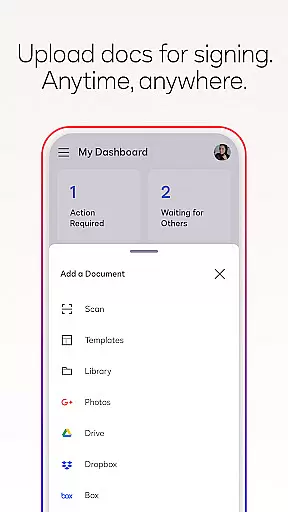
With DocuSign, users can upload documents via email, cloud services like Google Drive and Dropbox, or even photo scanning. Once uploaded, these documents are synchronized across devices, allowing users to access and manage them from practically anywhere, at any time.
The app supports both in-person and remote signing, adapting documents for mobile viewing according to the signeru2019s device specifications. Users can also send reminders or void documents with a single tap, receiving real-time updates when documents are signed. This synchronization ensures that no matter which device a user accesses, they have the most current version of their documents.
By prioritizing synchronization reliability, DocuSign provides a dependable solution for individuals and businesses needing consistent access to their agreements, enhancing overall productivity and peace of mind.
Easy-to-use interface
Secure document handling
Unlimited free signing
Real-time notifications
Wide format support
Limited free sending
Premium features costly
No offline functionality
Subscription required
Complex setup needed




Client for Nextcloud Deck
 4.60
4.60
Seamlessly integrate data and reports to build your presentation to impress
4.80
Easiest event planning, volunteer signups & parent teacher conference scheduling
2.20
Find and delete junk files & block unwanted notifications & manage files
3.70
Calendar 2023 widget for Android. Appointment scheduler, planner, and reminder
4.60
Experience and share your SolidWorks designs on your Android® phone and tablet.
2.50
Secure your apps with lock screens, use custom themes and different features.
4.40
Daily processing of PDF documents.
4.40
Browse and view your photos and videos from the phone with photo & video hide.
4.10
Best Tool for the professionals Electrician, Electrical contractors, etc.
4.90
Stay on top of your to-dos with Google Tasks, part of Google Workspace.
4.60
Functional QR scanner and barcode reader that requires little storage space.
4.60
The AI assistant that thinks with you - write, code, and solve complex tasks
4.60
This small app MUST BE INSTALLED after purchase, else license won't work
4.40
Intelligent AI Assistant
4.10
Unlock AutoNotification
4.00
Mega cloud explorer plugin for Solid Explorer
3.80
Code on-the-go with VScode for Android. Edit,debug and collaborate from mobile!!
3.10
Ads Free App! Editor, Hide File, Copy, Move, Delete and Rename.. all facility av
1.70


User Reviews