

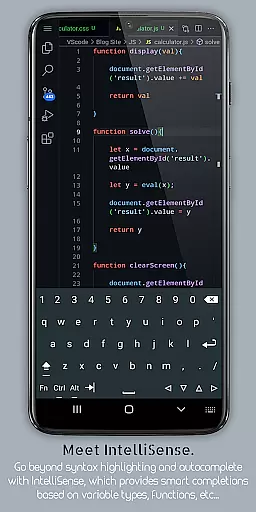
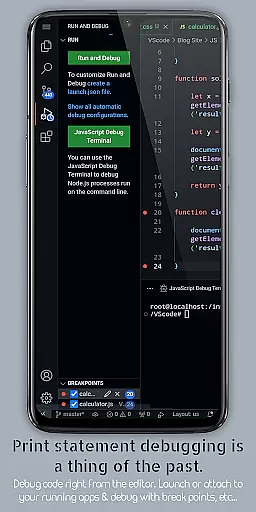
VScode for Android is a powerful code editor that brings the full functionality of desktop Visual Studio Code to mobile devices. With support for debugging, syntax highlighting, and IntelliSense, it enables developers to write, edit, and debug code on-the-go.
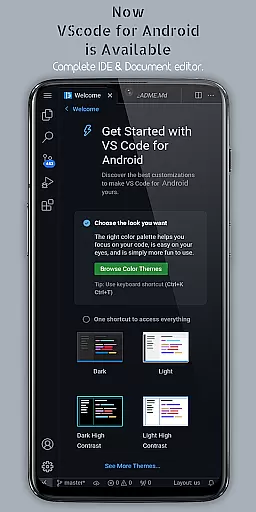
The app supports multiple programming languages and offers features like customizable themes, extensions, Git integration, and fullscreen mode for uninterrupted coding sessions. Its remote access capability allows users to connect via a web browser using their phone's IP address and port 8080.
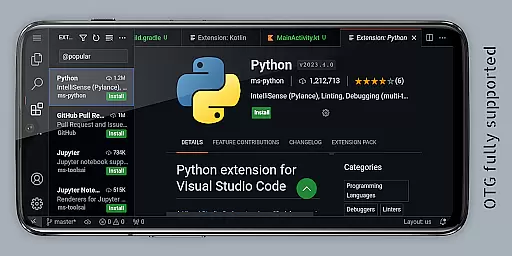
Whether you're working on HTML, Python, or Java projects, VScode for Android provides an efficient coding environment with multi-cursor editing, split view, and integrated terminal. This makes it ideal for developers who need a flexible and capable coding tool while traveling or away from their main workstation.
VScode for Android stands out with its comprehensive feature set tailored for developers. The app includes built-in debugging tools, syntax highlighting for various programming languages, and IntelliSense for intelligent code completion, which collectively streamline the coding process.
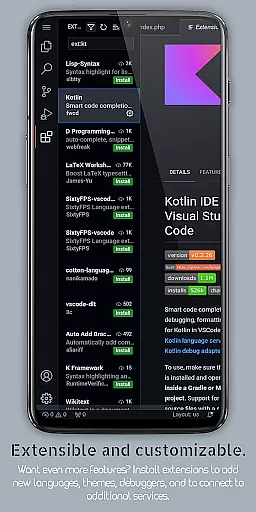
One of the key highlights is its support for extensions and customizable keyboard shortcuts, allowing users to tailor the editor to their specific needs. Additionally, features like embedded Git, multi-cursor editing, and split view enable efficient project management and multitasking.
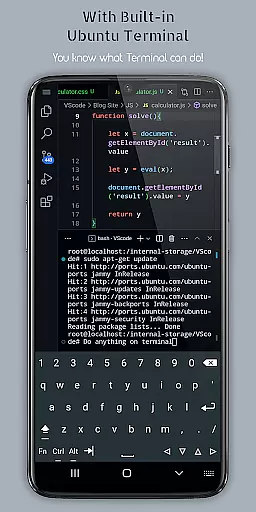
The app also offers a built-in terminal and language-specific settings, empowering developers to optimize their workflow. Remote access via a web browser adds another layer of convenience, making it possible to code from anywhere in the world as long as there's an internet connection.
VScode for Android excels in core task management by providing a comprehensive suite of features that streamline the coding process. The app supports debugging, syntax highlighting, and intelligent code completion through IntelliSense, enabling users to write and edit code efficiently.
One of the standout functionalities is its integrated task runner, which automates repetitive tasks, allowing developers to focus on more complex coding challenges. Additionally, the built-in terminal offers direct command-line access, enhancing productivity by reducing the need to switch between different applications.
For users who work across multiple projects, VScode for Android offers workspace management tools. These tools allow seamless organization and switching between various projects and workspaces directly within the app, ensuring that task management remains intuitive and efficient.
The ability to perform code refactoring operations such as renaming variables or extracting methods further enhances the task management capabilities. This ensures that developers can maintain clean and optimized codebases, ultimately leading to better project outcomes.
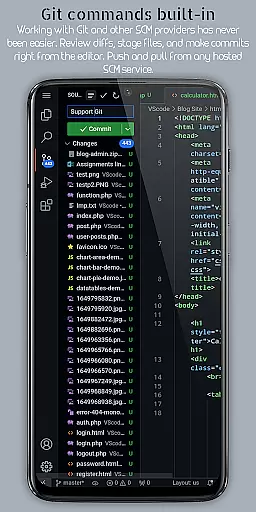
Cross-device synchronization is a critical feature for modern development environments, and VScode for Android delivers reliable performance in this area. By supporting Git and other version control systems directly within the editor, it ensures that code changes are consistently tracked and managed across devices.
Another significant advantage is the remote access capability, which allows users to connect to VScode running on their mobile device from any web browser using the phone's IP address and port 8080. This feature facilitates real-time collaboration and access, regardless of location.
Furthermore, the app provides multi-cursor editing and split view editing, which are synchronized across devices. These features enable simultaneous edits on multiple sections of code, promoting efficiency and consistency in collaborative projects.
Language-specific settings also contribute to synchronization reliability, as they allow developers to customize their environment based on the specific requirements of each programming language. This tailored approach ensures optimal performance and compatibility across different devices and platforms.
Powerful code editor
Wide language support
Remote access feature
Customizable interface
Efficient multitasking
Complex for beginners
Requires stable internet
Limited mobile optimization
Potential performance issues
No official Microsoft support

A Revolutionary All-in-One Artificial Intelligence Tools
 3.80
3.80
Client for Nextcloud Deck
4.60
Easily read and manage all your PDF files
4.10
We're working to become the best machining app on the market! www.cncdirt.com
4.80
Calendar 2023 widget for Android. Appointment scheduler, planner, and reminder
4.60
* block pre-roll ads, pop-up and forced redirect ads * Samsung certification app
4.00
A simple Whisper AI keyboard for reliable speech transcription and rewording
4.60
Access your phone's notifications, calls, apps, photos & texts on your PC
3.90
Share files & memories safely. Keep your photos and videos secure.
4.40
Android Wallet Password Manager
4.80
QuickBooks Workforce lets teams view pay info and track time in one place.
4.70
All document reader, all in one file viewer read PDF, DOCX, XLS, PPT, TXT files.
4.60
Subscribe to Webcal & .ics calendars and keep them up-to-date!
4.50
CalenGoo is a very flexible and feature-rich calendar app
4.40
Cloud storage, automatic phone backup, and more.
4.10
Mega cloud explorer plugin for Solid Explorer
3.80
Smart PDF reader & editor to view, organize and manage PDF documents easily.
3.70
Simple and reliable communication between inmates, friends and family
3.20
The upgraded version of Name Wheel with AI and the power to add your own wheels.
4.1

User Reviews