

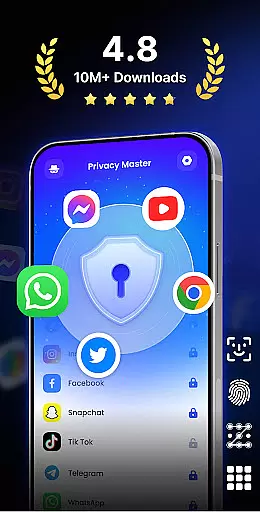
App Lock - Fingerprint Lock is a comprehensive security solution designed to protect your digital privacy. This productivity app allows users to lock sensitive applications such as WhatsApp, Messenger, and Facebook with multiple authentication methods including password, pattern, or fingerprint.
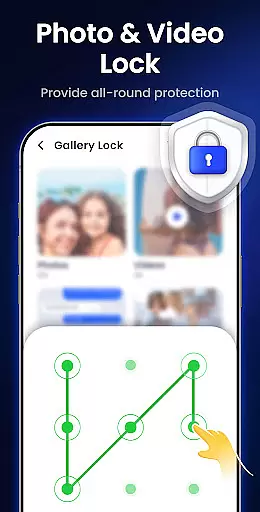
Beyond basic locking features, the app offers advanced functionalities like intruder selfies that capture unauthorized access attempts, hiding private files in a secure gallery, and blocking sensitive notifications. With over 50 million users trusting its robust protection, App Lock ensures peace of mind by securing personal data across various platforms.
The app's versatility extends to custom lock themes, auto re-lock timers, and icon disguise options that let users mask the app's presence. These features make it an essential tool for anyone looking to maintain strict privacy controls while optimizing their device's performance through junk file removal.
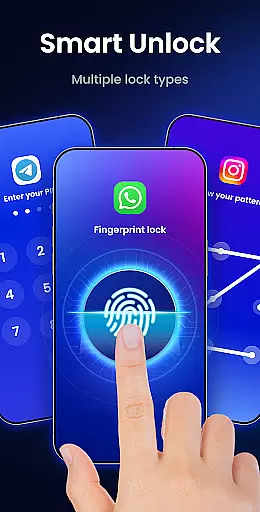
App Lock - Fingerprint Lock distinguishes itself through innovative security features tailored for productivity-minded users. The multiple lock types including PIN, pattern, and fingerprint provide flexible authentication options while maintaining top-level security.
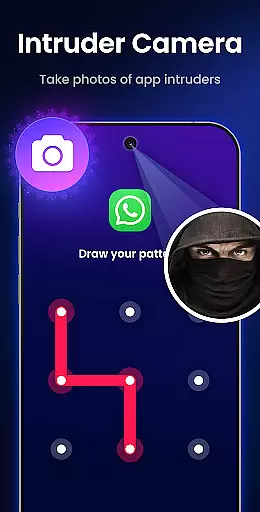
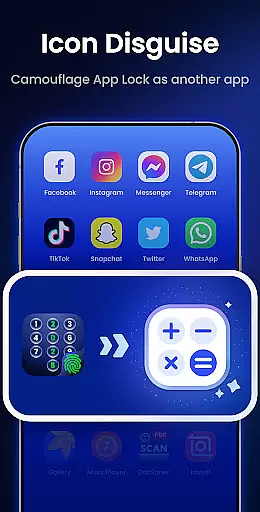
Unique capabilities such as intruder camera functionality and notification hiding demonstrate the app's commitment to comprehensive protection. The icon disguise feature adds an extra layer of stealth by masking the app as a calculator or weather app, ensuring privacy even when someone else uses your device.
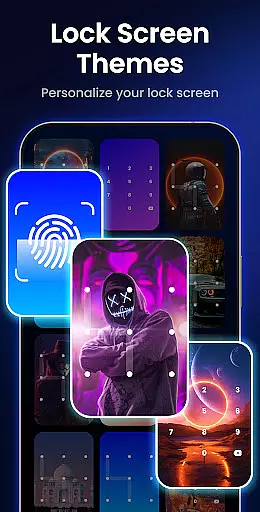
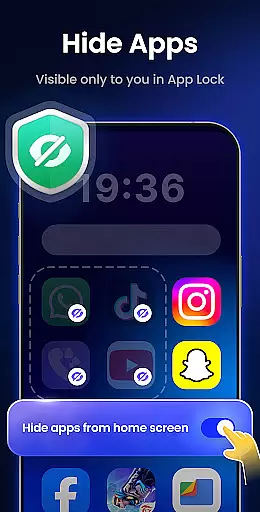
Customization options abound with various lock screen themes and the ability to hide apps completely. Additional features like uninstall protection, random keyboard layouts, and private web browsing create a robust security ecosystem that adapts to different user needs while maintaining optimal performance.
App Lock - Fingerprint Lock offers robust core task management features that ensure users can efficiently secure their digital world. The app allows you to lock all your essential applications such as WhatsApp, Messenger, and Facebook with a password, pattern, or fingerprint.
This functionality is crucial for maintaining privacy and protecting sensitive information from unauthorized access. With over 50 million users trusting this app for powerful privacy protection, it provides peace of mind by keeping private chats and data safe.
Additionally, the app includes smart features like intruder selfies, which take photos of anyone who enters the wrong password, and icon disguise, allowing you to hide the app behind a calculator or weather icon. These features enhance security while offering convenience and ease of use.
By using App Lock, users benefit from an intuitive interface that makes managing app locks straightforward and reliable, ensuring comprehensive protection without compromising on usability.
Cross-device synchronization reliability is another standout feature of App Lock - Fingerprint Lock. This ensures that your settings and locked apps remain consistent across multiple devices, providing seamless protection no matter where you are.
The app supports various lock types including PIN, pattern, and fingerprint, making it versatile and adaptable to different user preferences. Whether you're at home or on the go, you can trust that your data will be consistently protected.
Moreover, App Lock offers auto re-lock functionality, enabling custom lock timers that automatically re-lock your apps after a set period. This feature enhances security by minimizing the risk of unauthorized access when you forget to lock your device manually.
With reliable cross-device synchronization, users enjoy enhanced flexibility and control over their digital privacy, ensuring that their personal information remains secure across all their devices.
Comprehensive security features
User-friendly interface
Multiple authentication methods
Innovative icon disguise
Regular updates and improvements
May impact device performance
Some features require premium
Occasional false positives
Limited cloud backup
Interface can feel cluttered

A Revolutionary All-in-One Artificial Intelligence Tools
 3.80
3.80
The Pro Version of Android's tiniest Notepad app. Just 0.3MB but feature-packed!
4.60
A lightweight JSON & XML files creator, editor and viewer (Premium Version)
4.40
Protect and view your important info on your phone and tablet with eWallet®
4.80
IP Camera Viewer - Android TV : RTSP Surveillance camera viewer for Android TV
4.2
Multilingual translator for text, voice, and image translation!
4.90
The AI assistant that thinks with you - write, code, and solve complex tasks
4.60
Create and edit presentations with Google Slides, part of Google Workspace.
4.00
Calendar 2023 widget for Android. Appointment scheduler, planner, and reminder
4.60
Quickly and easily keep track of your work shifts
4.70
Client for Nextcloud Deck
4.60
Absolutely the best CNC machinist speed and feed calculator around. fswizard.com
4.60
Translate text/voice/photos in 150+ languages. Offline & fast translator app.
4.50
This small app MUST BE INSTALLED after purchase, else license won't work
4.40
Pwnagotchi companion app
4.20
Todo reminder
4.10
Smart PDF reader & editor to view, organize and manage PDF documents easily.
3.70
Easiest event planning, volunteer signups & parent teacher conference scheduling
2.20
AI Video AI Image Private LLM AI Browser Llama Gemma Ollama Connect LLM Studio
4.4

User Reviews