

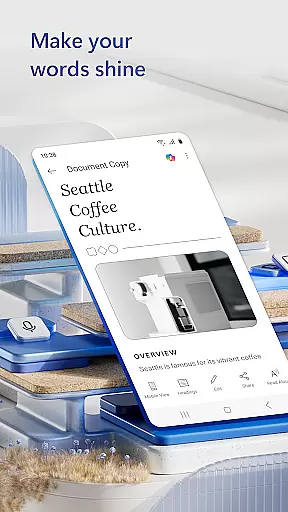
Microsoft Word is the quintessential mobile document editor designed for productivity on the go. This app allows users to create, edit, and share documents seamlessly across devices, maintaining the same functionality as its desktop counterpart. With features like PDF conversion, rich formatting tools, and an extensive template gallery, it caters to a variety of writing needs from resumes to newsletters.
The app shines in collaborative environments, enabling teams to work together efficiently by tracking changes and leaving contextual comments. Its compatibility with various file formats and easy file-sharing options make it an indispensable tool for professionals such as bloggers, writers, and project managers who require flexibility and mobility in their workflow.
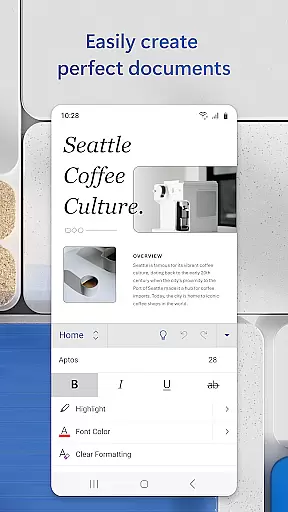
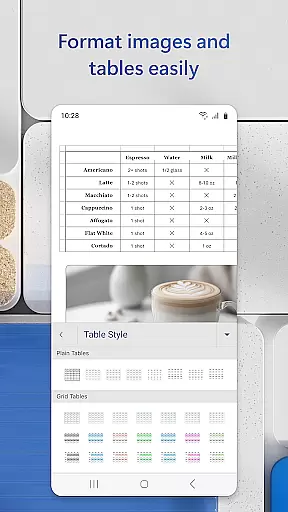
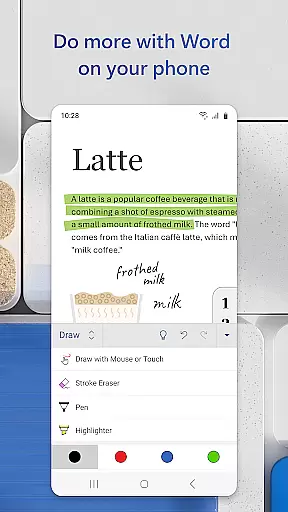
Microsoft Word offers a robust set of features that enhance document creation and editing. Users can leverage beautiful templates for crafting cover letters, resumes, and more, ensuring professional-quality outputs every time. The app's advanced editing tools allow for rich formatting and layout adjustments, preserving the original design intent across different platforms.
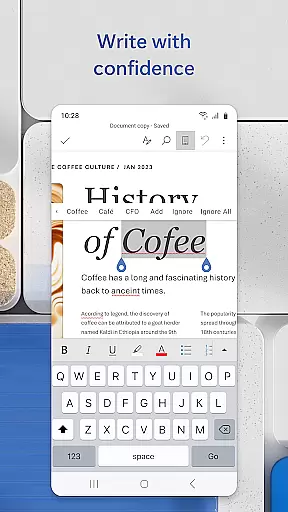
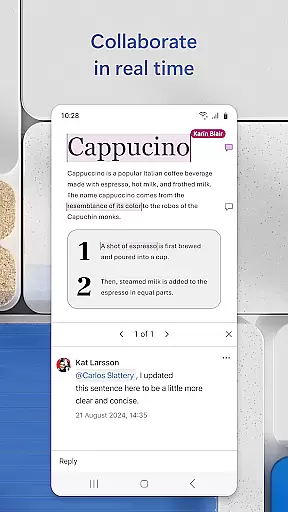
Collaboration is made simple with real-time document commenting and revision history tracking. Whether you're converting documents to and from PDFs or proofreading text with integrated spelling checks, Microsoft Word provides the necessary tools to streamline your workflow. Additionally, its seamless integration with cloud services ensures that your documents are always up-to-date and accessible from any device.
Microsoft Word's core task management capabilities allow users to seamlessly handle document creation, editing, and collaboration with ease. The app ensures that tasks such as formatting, layout adjustments, and content proofreading are executed efficiently.
With features like real-time collaboration, users can work together on documents, leave comments next to specific text sections, and track changes made by team members. This functionality is crucial for maintaining productivity in both personal and professional settings.
The app also supports converting documents to and from PDF formats, enabling users to share files in their preferred format without losing quality or structure. This flexibility enhances the overall document management experience.
By integrating advanced tools for tasks like spell-checking, template usage, and file sharing, Microsoft Word empowers users to manage their writing projects effectively, regardless of location or device.
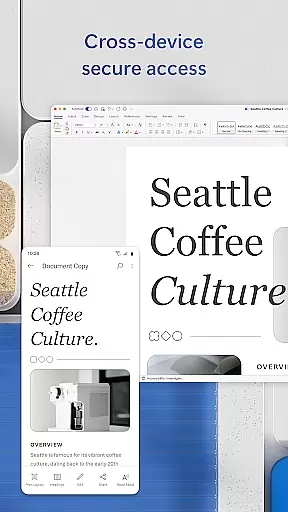
Microsoft Word offers reliable cross-device synchronization, ensuring that documents are consistently updated across all user devices. This feature allows users to start a document on one device and continue editing it on another without any loss of formatting or content.
The synchronization process is seamless and automatic, providing users with peace of mind knowing that their latest changes are always saved and accessible. Whether working on a smartphone, tablet, or PC, users can expect uniformity in their document's appearance and structure.
In addition to document syncing, Microsoft Word provides cloud storage integration, which further enhances data security and accessibility. Users can access their files from anywhere, at any time, as long as they have an internet connection.
This level of synchronization reliability not only boosts productivity but also facilitates better teamwork, as multiple users can collaborate on the same document simultaneously, seeing each other's updates in real-time.
User-friendly interface
Extensive template library
Real-time collaboration
Cross-device compatibility
Integrated spell check
Requires Microsoft account
Limited offline functionality
Heavier on system resources
Occasional sync issues
Premium features behind paywall

Send files, sync SMS, notifications & clipboard across devices via local network
 4.40
4.40
Device's storage information in a simple and clear graphical form (infographics)
4.10
ID.me Authenticator is a simple and free Two Factor Authentication solution
3.50
All document reader, all in one file viewer read PDF, DOCX, XLS, PPT, TXT files.
4.60
Access, manage and transfer files on Android, PC, Mac, NAS and cloud storages.
4.30
Best Tool for the professionals Electrician, Electrical contractors, etc.
4.90
The ultimate file manager for rooted devices. The original and still the best.
4.00
Simple notepad & memo. Take notes, to-do list, shopping list with reminders.
4.80
Browse and view your photos and videos from the phone with photo & video hide.
4.10
Scientific calculator for Android - looks and operates like the real thing!
4.90
Absolutely the best CNC machinist speed and feed calculator around. fswizard.com
4.60
Secure, fast, open-source, Remote Desktop Client for Windows and Linux with SSH
4.60 4.20
4.20
A customizable calendar for your Wear OS watch
4.20
Professional calendar app for Google Calendar, MS Outlook & Exchange
4.20
Make apps & sites with natural language prompts
4.10
Customizable calendar widget for seamless event sync, planning & scheduling.
4.00
A Revolutionary All-in-One Artificial Intelligence Tools
3.80
Easiest event planning, volunteer signups & parent teacher conference scheduling
2.20


User Reviews