

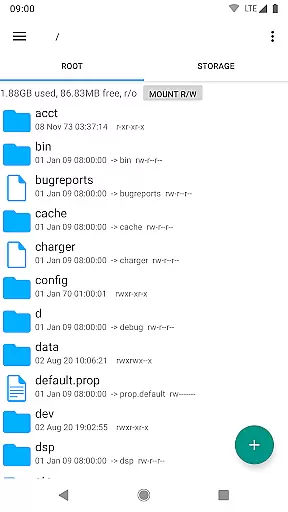
Root Explorer stands as a premier file management solution tailored for root users, providing unparalleled access across Android's entire file system. Notably, it grants entry to the typically restricted data folder, empowering advanced users with comprehensive control over their device's internal structures.
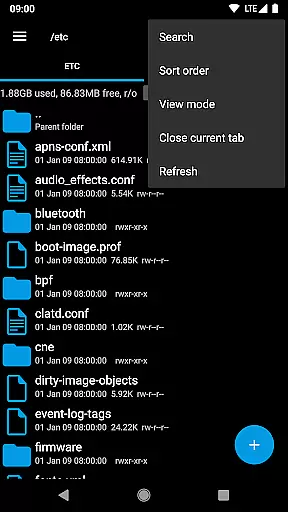
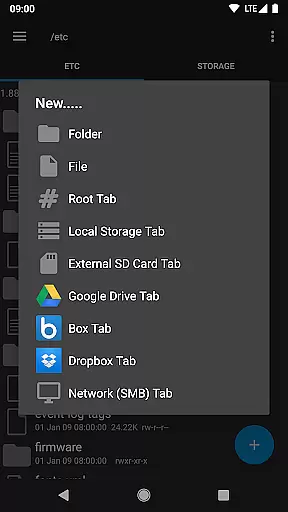
The app is laden with productivity-enhancing features such as multiple tabs and support for cloud services like Google Drive, Box, and Dropbox. It also facilitates network (SMB) support, an SQLite database viewer, and a Text Editor among others. These capabilities make it indispensable for users seeking efficient file handling and system management.
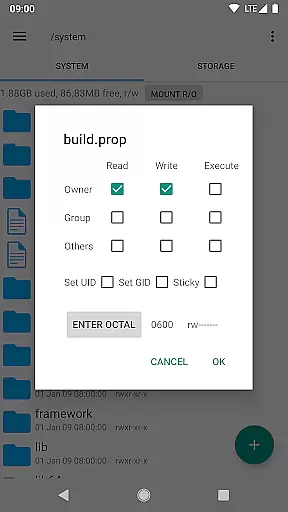
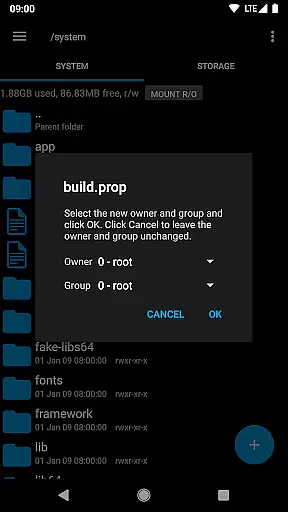
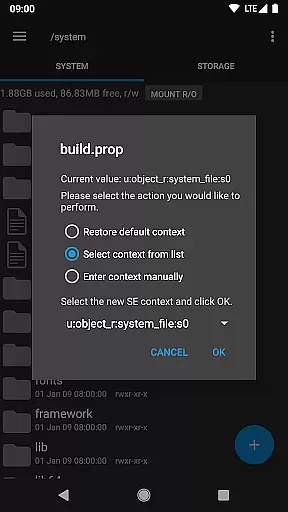
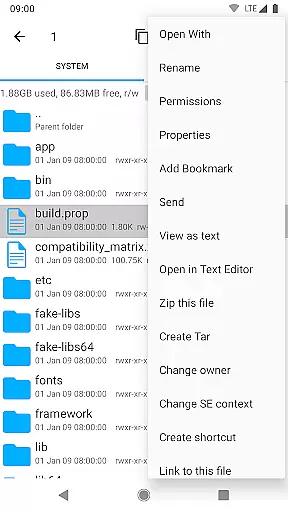
Ideal for developers and power users, Root Explorer enables complex operations including script execution, remounting, permission changes, and even APK binary XML viewing. Its robust functionality ensures that users can perform virtually any file-related task with precision and ease.
Root Explorer boasts an impressive array of features designed to cater to the needs of tech-savvy individuals. The inclusion of multiple tabs mirrors the functionality of desktop-grade file explorers, enhancing multitasking capabilities within the app.
One of its standout features is the extensive cloud service integration, supporting Google Drive, Box, and Dropbox. This allows seamless file transfers between local storage and cloud repositories. Moreover, the app supports network (SMB) connections, broadening its utility in both personal and professional environments.
Additionally, Root Explorer offers specialized tools such as an SQLite database viewer, a Text Editor, and the ability to create and extract various archive formats. With these features, users can execute scripts, modify system permissions, and manage files with advanced precision, making it an essential tool for intricate system management tasks.
Root Explorer excels in core task management by offering users a comprehensive suite of tools to efficiently handle their file management needs.
This includes multi-tab browsing, support for cloud services like Google Drive and Dropbox, and network (SMB) support, which collectively ensure that users can manage and access their files across different platforms without hassle.
The app also provides advanced features such as the ability to execute scripts, remount partitions, and change file permissions, making it an indispensable tool for power users who require granular control over their Android device's file system.
With these capabilities, Root Explorer empowers users to perform complex file operations with ease and confidence, significantly enhancing productivity.
Cross-device synchronization is a critical feature for users who operate in multi-platform environments, and Root Explorer rises to the occasion with its reliable synchronization options.
By supporting various cloud storage services including Google Drive, Box, and Dropbox, the app ensures that your files are consistently synchronized across all your devices, providing seamless access to your data wherever you are.
In addition to cloud support, Root Explorer's network (SMB) functionality allows for efficient file sharing over local networks, ensuring that teams and individuals can collaborate effectively without worrying about version control or data loss.
This robust synchronization capability means that whether you're working from your desktop, tablet, or smartphone, your files remain up-to-date and accessible, thus maintaining workflow continuity and boosting overall efficiency.
Unrestricted file access
Multiple cloud integrations
Advanced system tools
Efficient multitasking
Comprehensive user control
Complex for beginners
Requires root access
Premium price point
Occasional stability issues
Limited official support

A customizable calendar for your Wear OS watch
 4.20
4.20
Auto-shutoff Alarm with Sunrise, Sunset & Fixed Options.
3.50
We're working to become the best machining app on the market! www.cncdirt.com
4.80
IP Camera Viewer - Android TV : RTSP Surveillance camera viewer for Android TV
4.5
App lock - lock apps with fingerprint, password, pin or pattern, protect privacy
4.70
ID.me Authenticator is a simple and free Two Factor Authentication solution
3.50
All document reader, all in one file viewer read PDF, DOCX, XLS, PPT, TXT files.
4.60
Great calculator for Android named one of USA TODAY's "25 Essential Apps".
4.90
Ultimate Virtual AI Character for immersive Roleplay Chat. Perfect Companion
3.90
Native client for Forgejo and Gitea
5.00
A simple Whisper AI keyboard for reliable speech transcription and rewording
4.60
To do list widget with a notebook organizer, checklist, simple shopping list
4.60
Fill, sign & send docs, forms, agreements & contracts via electronic signature.
4.50
Docker, Kubernetes management over Portainer Mobile
4.40
When you Focus, so will your Bean in this cozy focus timer
4.30
Access, manage and transfer files on Android, PC, Mac, NAS and cloud storages.
4.30
Wake up & get tasks done! Add alarms & reminders on the Clock Launcher.
4.00
Take control of your clipboard with Clipper!
3.90
⏰ Finally a timer app which can run multiple timers simultaneously on your watch
3.90

User Reviews