

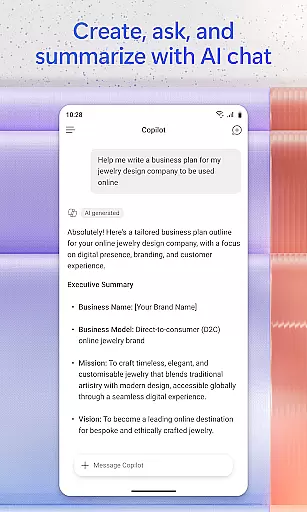
Microsoft 365 Copilot is an AI-powered productivity application designed to streamline both professional and personal tasks. The app consolidates essential tools for content creation, document management, and project organization in one place. With capabilities ranging from AI chat assistance to mobile document scanning, it enables users to work efficiently across Word, Excel, PowerPoint, and PDF files.
The application's AI assistant allows natural language interactions, making it easy to summarize documents, draft emails, or analyze spreadsheets. It also supports voice commands, hands-free brainstorming, and quick file searches. Whether you're managing projects with Copilot Notebooks or creating polished multimedia content, the app ensures seamless productivity on the go. Its cross-platform functionality and integration with Microsoft accounts make it a versatile tool for modern workflows.
Microsoft 365 Copilot stands out with its robust AI-driven features tailored for productivity. One of its core functionalities is the AI assistant, which supports natural language queries to summarize documents, generate emails, and analyze data effortlessly. This feature bridges the gap between complex tasks and user-friendly interactions, empowering users to focus on high-value activities.
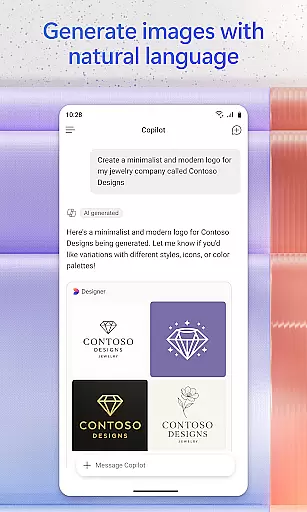
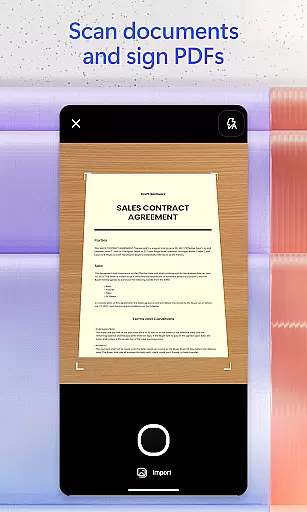
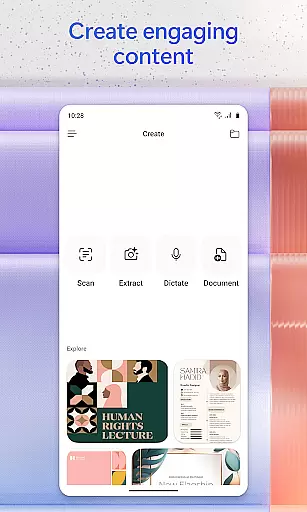
In addition to text-based assistance, the app offers voice interaction, enabling hands-free operations like daily planning and idea generation. The document scanning feature allows users to digitize notes, photos, and other physical materials directly via their mobile devices. Furthermore, the app provides creative tools for designing images, posters, and videos using intuitive templates, ensuring professional-quality outputs without requiring advanced design skills.
Another notable feature is Copilot Notebooks, which helps organize ideas, documents, and links while providing summaries and contextual connections. These capabilities, combined with seamless cloud integration and support for multiple file formats, position Microsoft 365 Copilot as a comprehensive solution for enhancing productivity through artificial intelligence.
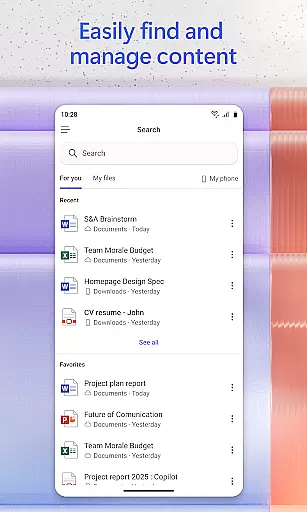
Task management is a cornerstone of productivity, and Microsoft 365 Copilot excels in this area by offering users an integrated platform to manage their tasks efficiently. The app consolidates various productivity tools such as Word, Excel, PowerPoint, and PDF handling into one place, streamlining the workflow.
With Microsoft 365 Copilot, you can easily upload and save documents from your mobile device's storage, allowing for quick access and editing on the go. This feature ensures that whether you're working on a document, spreadsheet, or presentation, you have the flexibility to make changes whenever necessary.
The application also provides project management capabilities through Copilot Notebooks, which enable users to bring together ideas, documents, and links. By summarizing and connecting these elements, it helps maintain organization and coherence across different projects.
Ultimately, the core task management features of Microsoft 365 Copilot empower users to be more productive by providing them with the tools needed to handle their work efficiently, no matter where they are. This results in improved time management and increased focus on critical tasks.
Cross-device synchronization is vital for users who operate across multiple devices and need reliable access to their data at all times. Microsoft 365 Copilot addresses this need by ensuring that files and projects are consistently updated and accessible, regardless of the device being used.
By signing in with a work, school, or personal Microsoft account, users can start using the app and benefit from seamless synchronization. Any changes made to documents, spreadsheets, or presentations are saved automatically to the cloud, which means that the latest version is always available.
Moreover, the ability to save Copilot-created files directly to your phone guarantees that your work is not only synchronized but also portable. This cross-device reliability supports a modern work style where switching between devices is common without losing momentum or data integrity.
In summary, Microsoft 365 Copilot's robust cross-device synchronization ensures that users can rely on having up-to-date information at their fingertips, enhancing both individual and collaborative productivity efforts.
AI-powered efficiency
Voice command support
Cross-platform access
Document scanning
Integrated tools
Limited free features
Requires subscription
Dependent on cloud
Occasional bugs
Learning curve



Native client for Forgejo and Gitea
 5.00
5.00
Mega cloud explorer plugin for Solid Explorer
3.80
Protect and view your important info on your phone and tablet with eWallet®
4.80
aCalendar+ makes your day, week and month
4.70
CalenGoo is a very flexible and feature-rich calendar app
4.40
Stay on top of your to-dos with Google Tasks, part of Google Workspace.
4.60
All document reader, all in one file viewer read PDF, DOCX, XLS, PPT, TXT files.
4.60
Secure, open-source, SPICE and SSH Remote Desktop for QEMU KVM virtual machines
4.00
Intelligent AI Assistant
4.10
App lock - lock apps with fingerprint, password, pin or pattern, protect privacy
4.70
A customizable calendar for your Wear OS watch
4.20
Pwnagotchi companion app
4.20
Wake up & get tasks done! Add alarms & reminders on the Clock Launcher.
4.00
Remotely view listen control and record cameras.
3.70
Find and delete junk files & block unwanted notifications & manage files
3.70
Code on-the-go with VScode for Android. Edit,debug and collaborate from mobile!!
3.10
Easiest event planning, volunteer signups & parent teacher conference scheduling
2.20
AI Video AI Image Private LLM AI Browser Llama Gemma Ollama Connect LLM Studio
4.0
The upgraded version of Name Wheel with AI and the power to add your own wheels.
4.5


User Reviews