

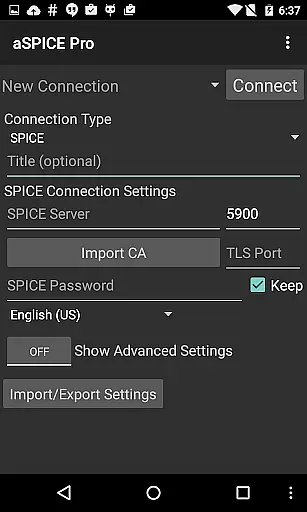
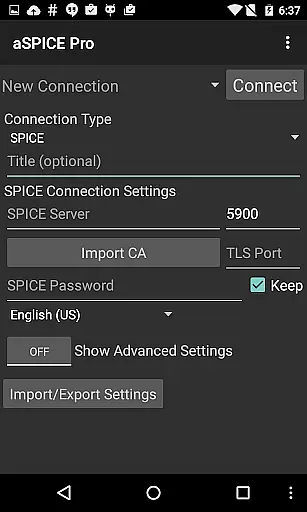
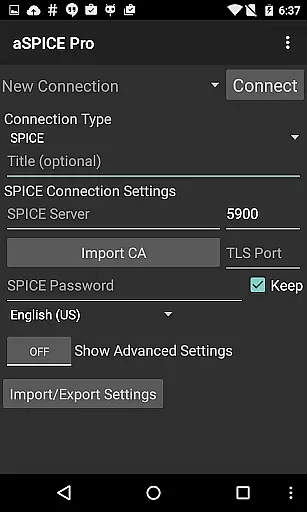
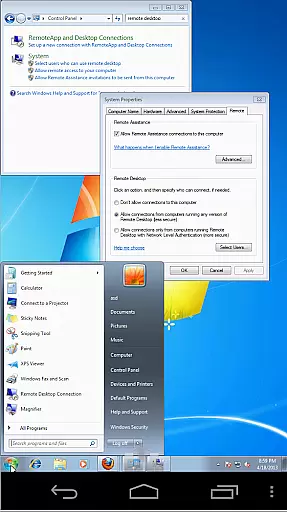
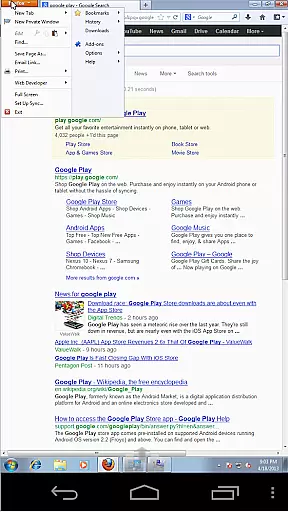
aSPICE Pro Secure SPICE Client is a powerful productivity tool designed for users who need secure and versatile remote desktop access. This application supports the SPICE protocol, enabling control of any SPICE-enabled virtual machine regardless of the guest operating system. With features like Master password support, MFA/2FA SSH authentication, and USB redirection, it ensures both security and functionality.
The app offers advanced capabilities such as multi-touch control over the remote mouse, sound support, dynamic resolution changes, and full rotation support. It also includes UI optimizations for different screen sizes, making it suitable for both tablets and smartphones. Whether you're managing virtual machines from BIOS to OS or require SSH tunneling for added security, aSPICE Pro provides comprehensive tools to enhance your remote desktop experience.
aSPICE Pro stands out with its robust feature set tailored for productivity enthusiasts. The app supports various input modes including multi-touch gestures, simulated touchpad, and single-handed input modes. These options allow users to perform complex actions like pinch-zooming, scrolling with two-finger drag, and long-tap selections for diverse click and drag operations.
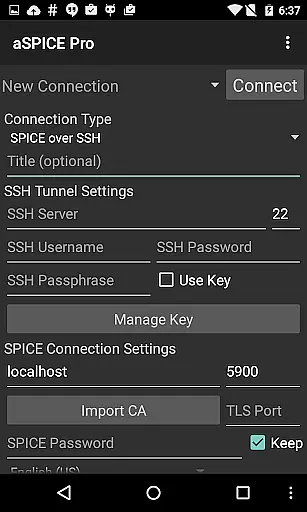
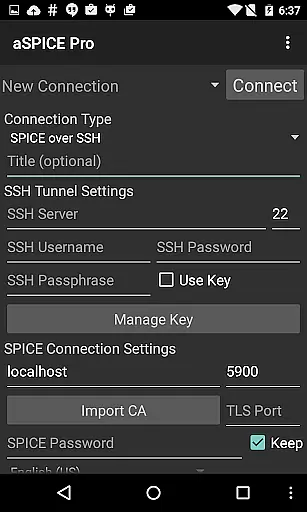
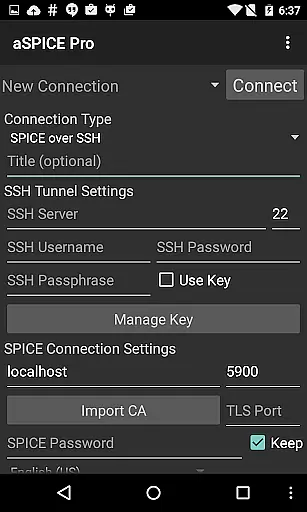
Security is a top priority, with functionalities like SSH tunneling, master password support, and MFA/2FA SSH authentication. Additionally, the app facilitates automatic connection session saving, import/export of settings, and stowable on-screen keys for Ctrl/Alt/Tab/Super and arrow keys. These features ensure that users can efficiently manage their remote desktops while maintaining high-security standards.
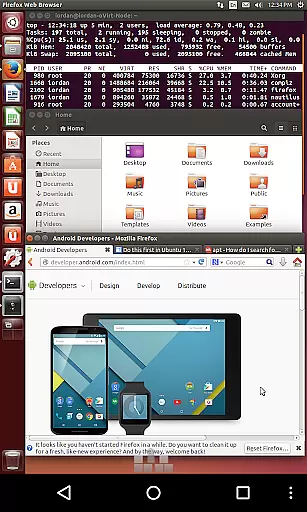
For enhanced usability, aSPICE Pro includes Samsung multi-window support, FlexT9 and hardware keyboard compatibility, and tested integration with Hackerskeyboard. Users benefit from zoomable scaling modes, fit-to-screen options, and one-to-one scaling, ensuring optimal visibility and control. Overall, these features make aSPICE Pro an indispensable tool for anyone seeking reliable and secure remote desktop access.
In the realm of productivity, aSPICE Pro Secure SPICE Client excels in core task management by providing users with robust tools to control SPICE-enabled virtual machines. This application allows for seamless interaction with any guest OS, making it an indispensable asset for IT professionals and tech enthusiasts alike.
The app's master password support and MFA/2FA SSH authentication ensure that your virtual environments are secure while you manage them remotely. With features like USB redirection and audio support, users can maintain full functionality of their virtual desktops without being physically present at the machine.
Additionally, aSPICE offers dynamic resolution changes and full rotation support, which means you can reconfigure your desktop on-the-fly and use the app comfortably whether you're holding your device vertically or horizontally. These capabilities make certain that no matter where you are, you have complete control over your virtual workspaces.
By integrating advanced security measures such as SSH tunneling, aSPICE not only facilitates efficient task management but also protects sensitive data from unauthorized access. This ensures peace of mind when reaching machines behind firewalls or handling confidential information within a secure connection.
aSPICE Pro Secure SPICE Client stands out in cross-device synchronization reliability, allowing users to transition smoothly between different devices without losing productivity. Whether you're switching from an iOS device to a Mac or vice versa, this app maintains consistent performance and accessibility.
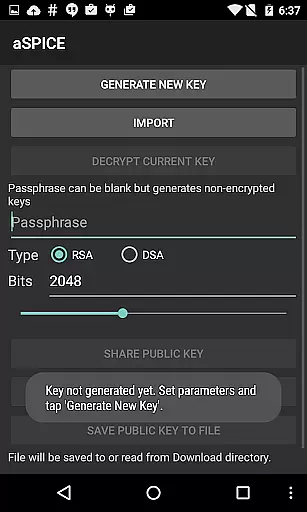
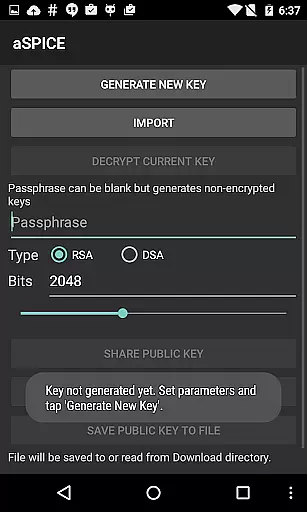
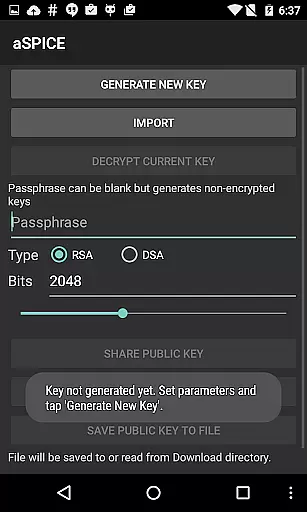
With automatic connection session saving, users can pick up right where they left off, regardless of the device they were using last. The ability to import encrypted/unencrypted RSA keys in PEM format and unencrypted DSA keys in PKCS#8 format further enhances the convenience of moving across platforms while keeping credentials safe.
The UI optimizations for various screen sizes mean that whether you're on a tablet or smartphone, the experience remains intuitive and user-friendly. Samsung multi-window support is another feature that contributes to the fluidity of multitasking, ensuring that productivity doesn't suffer when you switch contexts or devices.
Moreover, aSPICE's commitment to open-source software and its active community forum provide a reliable platform for troubleshooting and feedback. Users can trust that their experience will be consistently optimized through community-driven improvements and timely updates, reinforcing the app's role as a dependable tool for managing tasks across multiple devices.
Secure SSH connections
Multi-touch support
Dynamic resolution
Master password
USB redirection
Complex setup required
Advanced technical knowledge
No clipboard integration
Limited language support
High resource usage

Wake up & get tasks done! Add alarms & reminders on the Clock Launcher.
 4.00
4.00
Device's storage information in a simple and clear graphical form (infographics)
4.10
Remotely view listen control and record cameras.
3.70
Find and delete junk files & block unwanted notifications & manage files
3.70
The AI assistant that thinks with you - write, code, and solve complex tasks
4.60
A simple Whisper AI keyboard for reliable speech transcription and rewording
4.60
Lightweight PDF, Word, Excel reader.
4.60
Scan paperwork into PDF/JPG, generate your own e-signature and send fax or email
4.70
QuickEdit is a fast, stable and full featured text and code editor.
4.20
Simple notepad & memo. Take notes, to-do list, shopping list with reminders.
4.80
QuickBooks Workforce lets teams view pay info and track time in one place.
4.70
The long-awaited modern gallery app for your Nextcloud server
4.70
PDF scanner & converter for files, photos, lottery, QR codes. One swipe away!
4.50
Translate text/voice/photos in 150+ languages. Offline & fast translator app.
4.50
Experience Reading - Night Mode for Documents
4.40
Docker, Kubernetes management over Portainer Mobile
4.40
Intelligent AI Assistant
4.10
* block pre-roll ads, pop-up and forced redirect ads * Samsung certification app
4.00
Ads Free App! Editor, Hide File, Copy, Move, Delete and Rename.. all facility av
1.70


User Reviews