

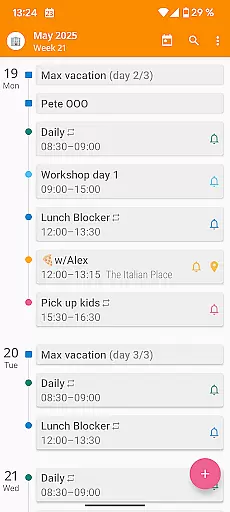
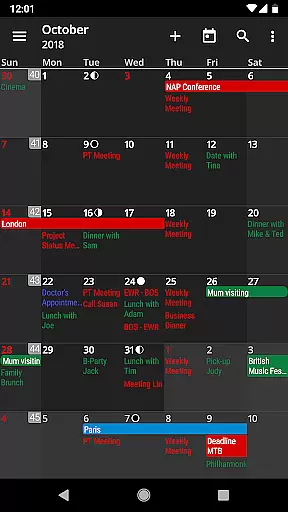
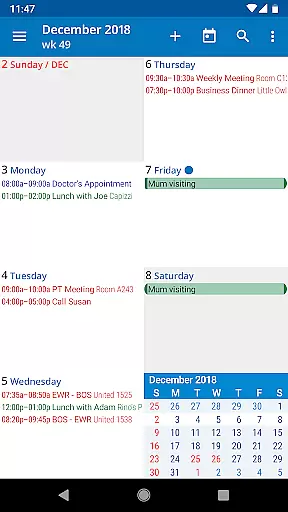
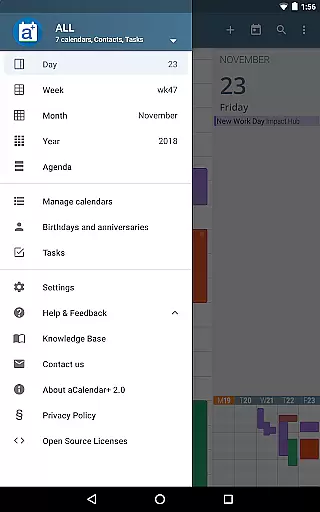
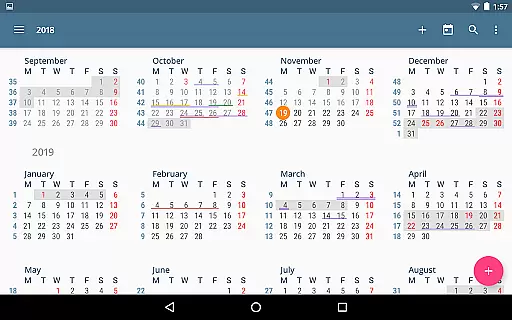
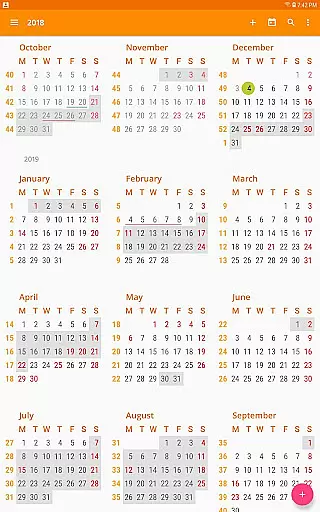
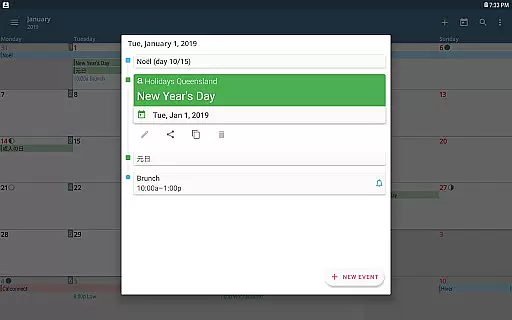
aCalendar+ is a premium productivity app designed to enhance your scheduling and task management experience. It offers an intuitive interface with smooth navigation across day, week, month, and year views, ensuring you stay organized effortlessly.
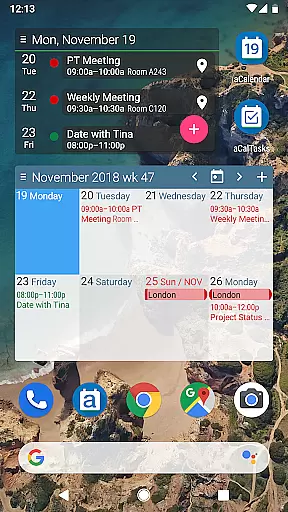
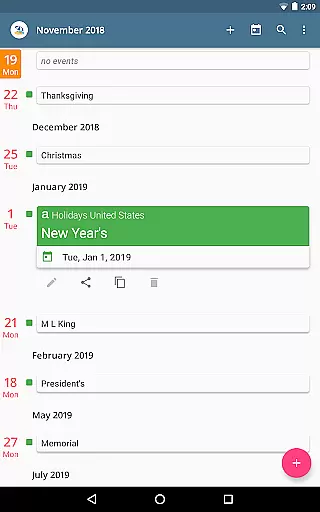
With advanced features like public holidays configuration, business tools for managing attendees, and integration with Google Tasks, aCalendar+ stands out as a comprehensive solution for both personal and professional use. Its customizable color schemes and fullscreen widgets further enrich user experience while supporting Android's native calendar backend.
Whether you need to manage complex recurrences or simply want a visually appealing calendar, aCalendar+ provides the tools to make your day-to-day planning more efficient and enjoyable.
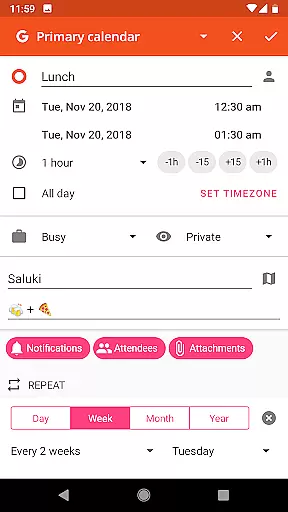
aCalendar+ boasts a rich feature set tailored for productivity enthusiasts. The app supports flexible recurrence options, allowing events every 3 weeks, 17 days, or custom patterns like Mon, Wed, Fri. With over 100 color choices, users can personalize their calendars extensively.
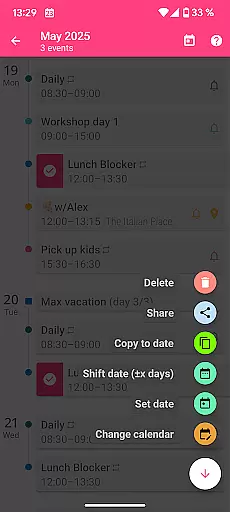
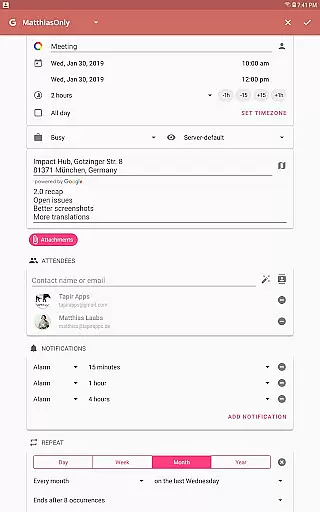
Additional functionalities include per-event colors, custom font sizes, and birthday management with photos from your address book. Business users benefit from features like attendee invitations, contact linking, and ICS sharing. The app also integrates seamlessly with Android’s native calendar system, ensuring reliable synchronization.
Unique extras such as configurable actions on gestures and volume buttons, along with privacy-focused permissions, make aCalendar+ a versatile and secure choice for managing your schedule efficiently.
Task management is a cornerstone of productivity applications, and aCalendar+ excels in this area by offering users comprehensive tools to manage their schedules effectively. The app provides multiple views including day, week, month, and year, allowing users to plan and track their tasks with precision.
aCalendar+ goes beyond basic scheduling by incorporating flexible recurrence options for events. Users can set recurring events at intervals such as every three weeks or every 17 days, ensuring that even the most unique scheduling needs are met with accuracy and ease.
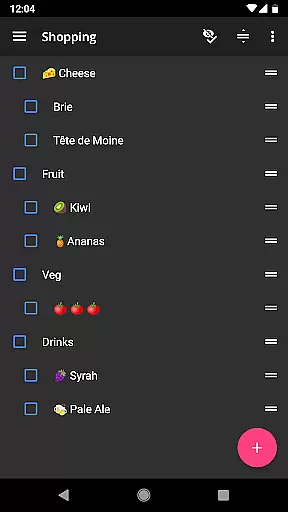
In addition to versatile planning options, aCalendar+ integrates seamlessly with external task management systems like Google Tasks and CalDAV/OpenTasks. This compatibility ensures that all user tasks are centralized within the app, providing a unified and efficient approach to managing personal and professional responsibilities.
Cross-device synchronization is vital for users who operate on multiple platforms throughout their day. aCalendar+ leverages Android's native calendar backend and synchronization capabilities to ensure that all entries are consistently updated across devices.
The application supports real-time updates, meaning any changes made on one device will be immediately reflected on all others linked to the same account. This feature is crucial for maintaining up-to-date information whether you're switching from your phone to a tablet or sharing details with colleagues.
Moreover, aCalendar+ offers full control over synchronization settings, empowering users to configure how and when their data syncs. With these robust synchronization features, aCalendar+ guarantees reliable access to your schedule no matter where you are or which device you use.
User-friendly interface
Extensive customization
Advanced task management
Privacy-focused design
Regular updates
Premium price point
Complex for beginners
Limited free version
Occasional sync issues
Heavy on resources


 4.20
4.20
Client for Nextcloud Deck
4.60
Seamlessly integrate data and reports to build your presentation to impress
4.80
⏰ Finally a timer app which can run multiple timers simultaneously on your watch
3.90
Pwnagotchi companion app
4.20
Stay on top of your to-dos with Google Tasks, part of Google Workspace.
4.60
Functional QR scanner and barcode reader that requires little storage space.
4.60
Create and edit presentations with Google Slides, part of Google Workspace.
4.00
Access, manage and transfer files on Android, PC, Mac, NAS and cloud storages.
4.30
QuickBooks Workforce lets teams view pay info and track time in one place.
4.70
The long-awaited modern gallery app for your Nextcloud server
4.70
The Pro Version of Android's tiniest Notepad app. Just 0.3MB but feature-packed!
4.60
Secure, fast, open-source, Remote Desktop Client for Windows and Linux with SSH
4.60
Planet Free VPN - The best Fast Unlimited and Secure VPN Without Logs
4.50
CalenGoo is a very flexible and feature-rich calendar app
4.40
This small app MUST BE INSTALLED after purchase, else license won't work
4.40
Enjoy classic gameplay with customizable features and retro-style graphics.
4.30
Unlock AutoNotification
4.00
The ultimate file manager for rooted devices. The original and still the best.
4.00

User Reviews