

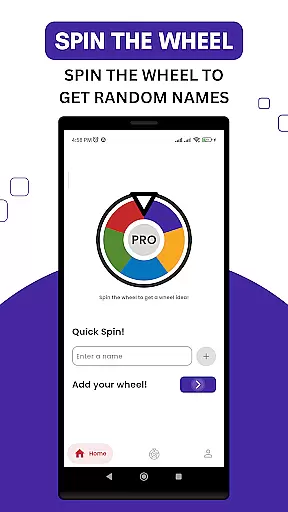
Name Wheel Pro is a productivity app designed to enhance creativity and decision-making through an engaging spin-the-wheel experience. This upgraded version offers users a quick and easy way to generate random names across various categories, including baby names, pet names, and character names.
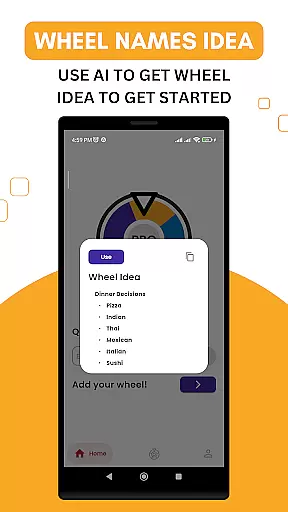
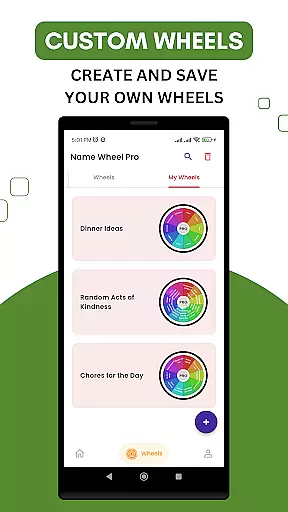
With advanced customization options, users can personalize their wheels by adding unique name choices or utilizing AI-powered suggestions for endless possibilities. The app allows saving custom wheels locally or online, ensuring accessibility whenever needed. Whether you're brainstorming ideas or seeking fun, Name Wheel Pro delivers both utility and entertainment.
Name Wheel Pro stands out with its versatile features tailored for creative professionals and casual users alike. The app includes a quick name generator that provides instant results with just a tap, alongside multiple name categories catering to different needs.
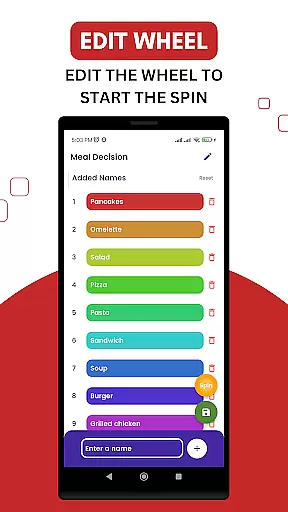
One of the key highlights is the ability to customize wheels by incorporating personal name options, making each wheel unique to the user. Additionally, the AI-powered name suggestions offer innovative ideas that inspire creativity. Users can create, save, and share their custom wheels, while the roulette-style picker adds excitement to the selection process.
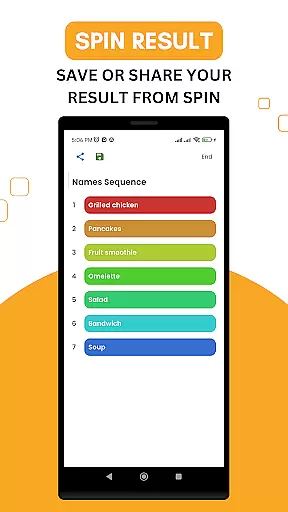
The app's sharing functionality allows users to collaborate with friends or save generated names for future reference, enhancing both productivity and enjoyment.
Task management is a crucial aspect of productivity applications, and Name Wheel Pro excels in this area by offering users an innovative way to generate and manage names for various purposes. The app's primary function as a name generator allows users to quickly create lists of names tailored to their specific needs, whether it be for projects, pets, or characters.
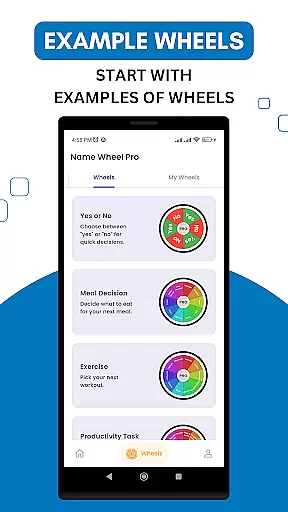
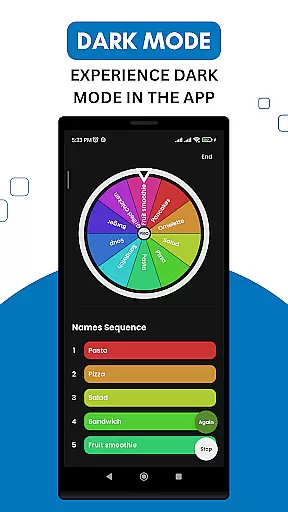
The versatility of Name Wheel Pro lies in its ability to categorize names into different groups, making it easier for users to find exactly what they're looking for. By spinning the wheel, users can instantly generate random names from selected categories, streamlining the decision-making process and enhancing creativity. This feature ensures that users are not overwhelmed by irrelevant options and can focus on the task at hand.
Moreover, the app provides customization options that empower users to tailor their experience. Users can add personal name choices to the wheel, ensuring that the generated results align with their preferences. This level of personalization not only improves user engagement but also increases the likelihood of finding the perfect name, thus boosting overall productivity.
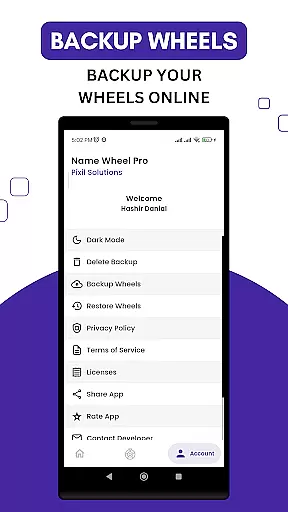
In addition to its core functionalities, Name Wheel Pro supports saving custom wheels locally or online, which means users can return to their creations anytime. This seamless integration of task management features ensures that users can efficiently organize and access their naming tasks, ultimately leading to a more productive workflow.
Cross-device synchronization is essential for users who require consistent access to their data across multiple platforms. Name Wheel Pro addresses this need by enabling users to save their custom name wheels both locally and on the internet. This dual-saving option ensures that users can access their personalized wheels from any device, providing flexibility and convenience in managing their naming tasks.
The reliability of synchronization in Name Wheel Pro is further enhanced by its straightforward sharing capabilities. Users can easily share generated names with friends or collaborators, ensuring that everyone involved in a project has access to the same information. This feature is particularly beneficial for team environments where multiple stakeholders need to agree on names, such as branding or character development.
Another advantage of the app's synchronization feature is the peace of mind it offers. Knowing that their custom wheels and name selections are securely stored online, users can confidently use the app without fear of losing valuable data. This assurance encourages users to experiment more freely with different name combinations, fostering creativity and innovation.
Finally, the app's synchronization functionality contributes to a seamless user experience. By allowing users to switch between devices without losing progress or access to their saved wheels, Name Wheel Pro ensures that productivity remains high. Whether at home, in the office, or on the go, users can rely on the app to deliver a consistent and dependable performance, making it an indispensable tool for anyone involved in naming tasks.
User-friendly interface
Customizable name options
AI-powered suggestions
Versatile name categories
Fun and engaging experience
Limited offline functionality
Premium features require payment
Occasional ads in free version
Learning curve for new users
Dependent on internet for some features

Protect and view your important info on your phone and tablet with eWallet®
 4.80
4.80
CalenGoo is a very flexible and feature-rich calendar app
4.40
Make apps & sites with natural language prompts
4.10
PDF scanner & converter for files, photos, lottery, QR codes. One swipe away!
4.50
Functional QR scanner and barcode reader that requires little storage space.
4.60
Enjoy classic gameplay with customizable features and retro-style graphics.
4.30
Ultimate Virtual AI Character for immersive Roleplay Chat. Perfect Companion
3.90
Understand anything with a personalized AI research assistant
4.80
AI Chatbot and AI writing assistant powered by ChatGPT.
4.60
Mind Map and brainstorm, note taking and idea collection
4.80
The Pro Version of Android's tiniest Notepad app. Just 0.3MB but feature-packed!
4.60
Translate text/voice/photos in 150+ languages. Offline & fast translator app.
4.50
Secure your apps with lock screens, use custom themes and different features.
4.40
Automates browsing any website and notifies you of important changes or events
4.30 4.20
4.20
Device's storage information in a simple and clear graphical form (infographics)
4.10
Wake up & get tasks done! Add alarms & reminders on the Clock Launcher.
4.00
The ultimate file manager for rooted devices. The original and still the best.
4.00
Find and delete junk files & block unwanted notifications & manage files
3.70

User Reviews