

Google Tasks is a productivity app designed to help users manage their daily tasks efficiently. The app allows you to capture, organize, and prioritize your to-do lists from any location and at any time. With seamless synchronization across all devices, Google Tasks ensures that your lists are always up-to-date whether you're using a phone, tablet, or computer.
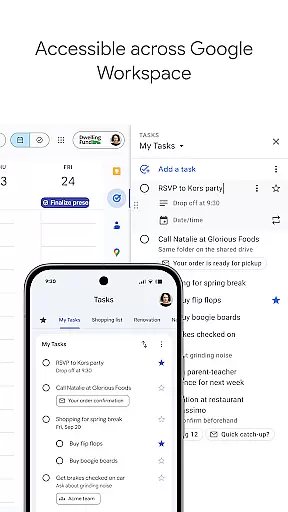
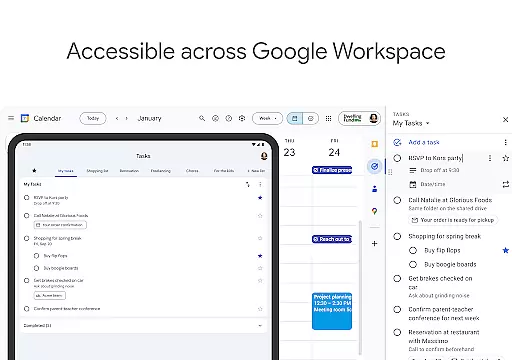
One of the standout features of Google Tasks is its deep integration with Gmail and Google Workspace, allowing users to create tasks directly from emails and access them within their workflow. This makes it easier to track multi-step projects and set deadlines with reminders. Whether you're handling work-related projects or personal errands, Google Tasks provides an intuitive interface that helps streamline task management.
The app's drag-and-drop functionality and subtask creation allow for granular organization, breaking down larger tasks into manageable steps. This feature is particularly useful for professionals who need to stay on top of multiple responsibilities. By keeping tasks organized and ensuring timely completion through notifications, Google Tasks delivers real value to those looking to enhance their productivity.
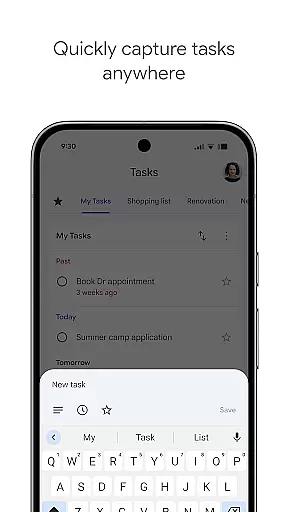
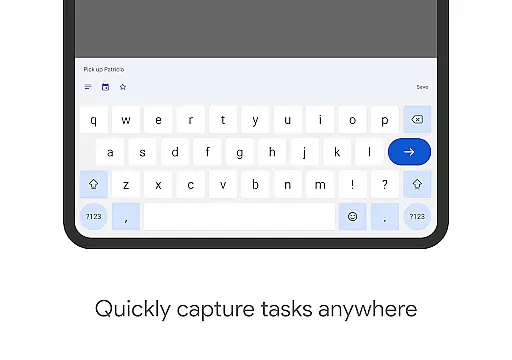
Google Tasks offers a variety of features that cater to both personal and professional task management needs. One of its key functionalities is the ability to create and edit tasks while on the go. Users can easily add new tasks, reorder them by priority using drag-and-drop, or mark important items with a star for quick identification.
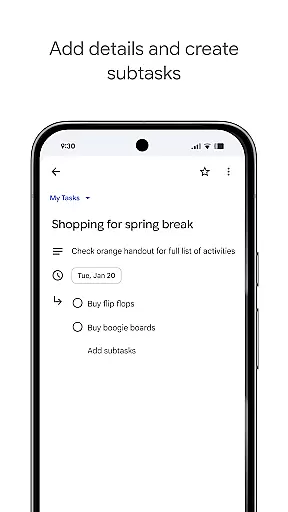
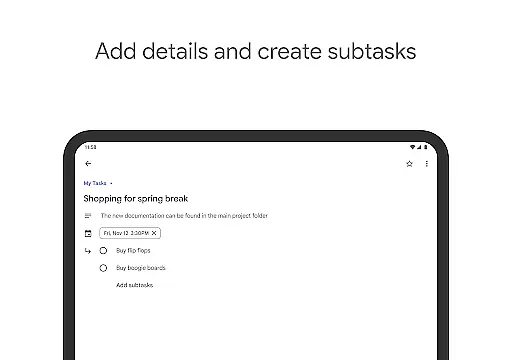
Another notable feature is the ability to break down complex tasks into subtasks. This allows users to tackle larger projects in smaller, more manageable steps, improving overall efficiency. Additionally, the app supports setting due dates and reminders, ensuring that deadlines are met without fail. These reminders can be customized based on user preferences, providing flexibility in managing time-sensitive activities.
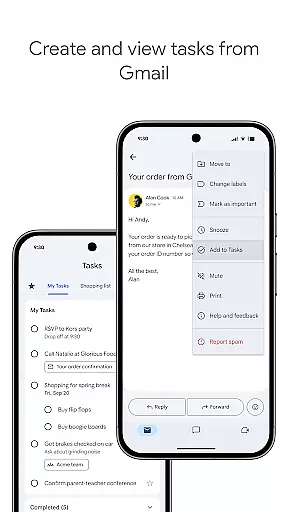
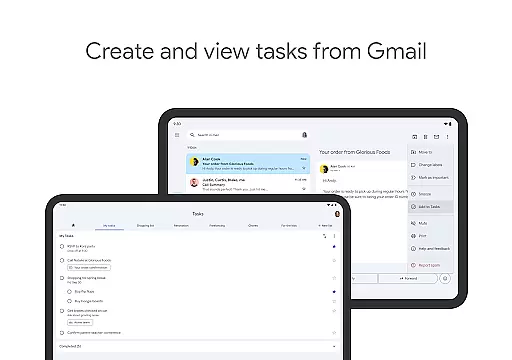
Integration with Gmail is another major advantage of Google Tasks. Users can convert emails into tasks without leaving their inbox, with each task linking back to the original email for easy reference. This seamless connection between communication and task management streamlines workflows, making it especially valuable for busy professionals who rely on email for project coordination.
Task management is at the heart of productivity applications, and Google Tasks excels in this area by providing users with a comprehensive suite of tools to handle their daily responsibilities. The app allows you to view, create, edit, and manage tasks from your mobile device, ensuring that you can stay organized no matter where you are.
The application offers advanced features such as drag-and-drop reordering, which enables users to easily prioritize their tasks based on urgency or importance. Additionally, users can mark their most critical tasks with a star, making it simple to identify high-priority items at a glance. This level of customization ensures that each user's task list is tailored to their specific needs.
For complex projects, Google Tasks supports subtasks, allowing users to break down larger objectives into manageable steps. This feature not only helps in organizing multifaceted assignments but also provides a clear roadmap for completion. With these capabilities, users can approach their work with confidence, knowing they have a structured plan in place.
In today's fast-paced world, having reliable cross-device synchronization is crucial for maintaining productivity. Google Tasks addresses this need by ensuring that all your to-dos sync seamlessly across all your devices. Whether you're using a smartphone, tablet, or computer, your tasks are always up-to-date and accessible wherever you go.
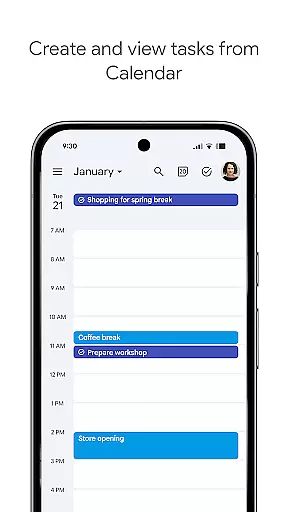
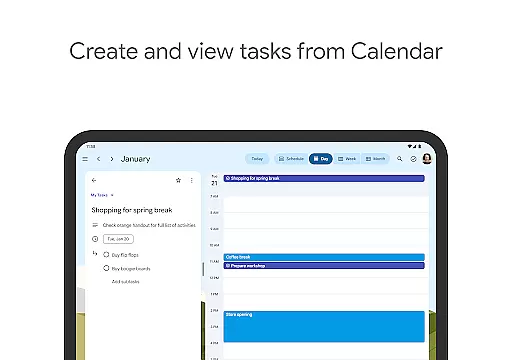
This synchronization extends to integrations with other Google services like Gmail and Google Calendar, creating a cohesive ecosystem that helps you stay on top of your commitments. When you create a task from an email in Gmail, for instance, it includes a convenient link back to the original message, streamlining your workflow and enhancing context retention.
By leveraging Google's robust infrastructure, the app guarantees real-time updates, so any changes made on one device are immediately reflected on all others. This reliability means you can trust that your task list is current, allowing you to focus on completing tasks rather than managing your to-do list.
User-friendly interface
Seamless cross-device sync
Deep Gmail integration
Flexible task prioritization
Free to use
Limited advanced features
No built-in calendar view
Basic collaboration tools
Occasional sync delays
Few customization options

 4.20
4.20
Take control of your clipboard with Clipper!
3.90
The Pro Version of Android's tiniest Notepad app. Just 0.3MB but feature-packed!
4.60
ID.me Authenticator is a simple and free Two Factor Authentication solution
3.50
Secure, open-source, SPICE and SSH Remote Desktop for QEMU KVM virtual machines
4.00
A comprehensive suite of tools designed specifically for Lactation Consultants
4.5
Best Tool for the professionals Electrician, Electrical contractors, etc.
4.90
AI Chatbot and AI writing assistant powered by ChatGPT.
4.60
Browse and view your photos and videos from the phone with photo & video hide.
4.10
Understand anything with a personalized AI research assistant
4.80
All document reader, all in one file viewer read PDF, DOCX, XLS, PPT, TXT files.
4.60
Absolutely the best CNC machinist speed and feed calculator around. fswizard.com
4.60
Calendar 2023 widget for Android. Appointment scheduler, planner, and reminder
4.60
Send files, sync SMS, notifications & clipboard across devices via local network
4.40
A lightweight JSON & XML files creator, editor and viewer (Premium Version)
4.40
This small app MUST BE INSTALLED after purchase, else license won't work
4.40
When you Focus, so will your Bean in this cozy focus timer
4.30
Automates browsing any website and notifies you of important changes or events
4.30
IP Camera Viewer - Android TV : RTSP Surveillance camera viewer for Android TV
4.4

User Reviews