

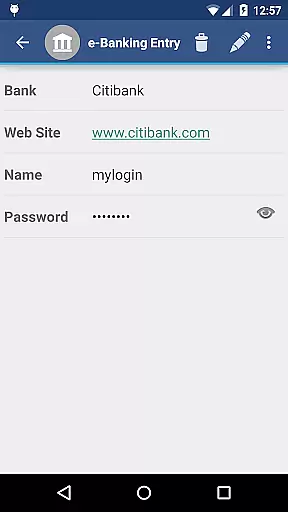
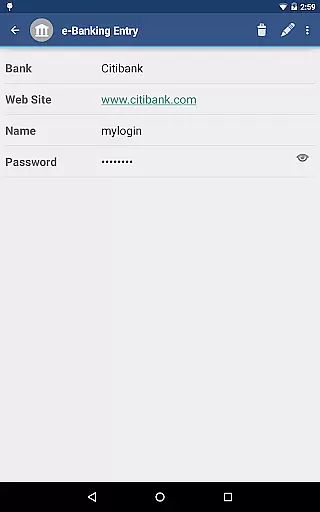
aWallet Cloud Password Manager is a robust productivity application designed to securely store sensitive information such as passwords, credit card details, and e-banking credentials. The app ensures top-notch security by encrypting all stored data using advanced algorithms like AES or Blowfish with key sizes up to 256 bits.
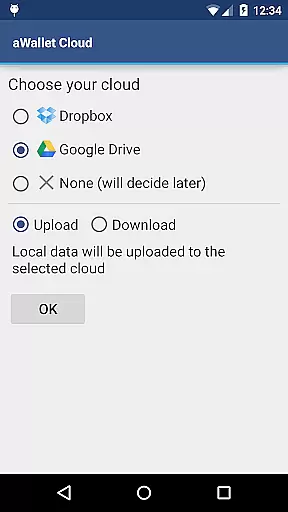
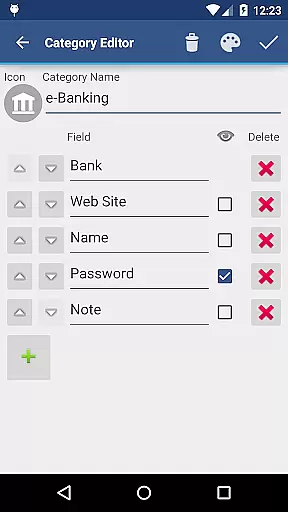
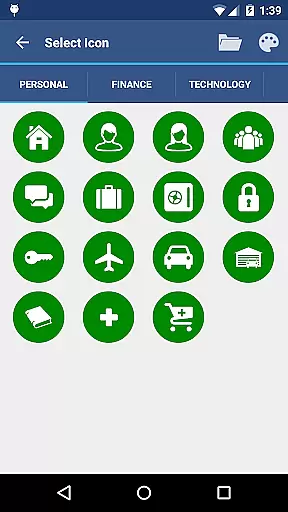
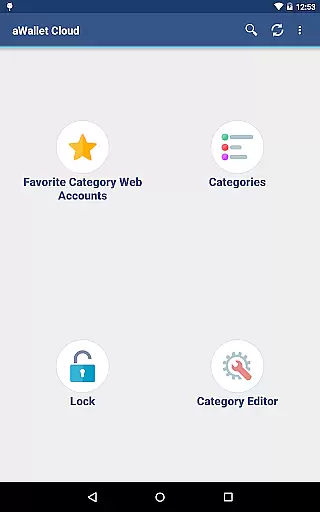
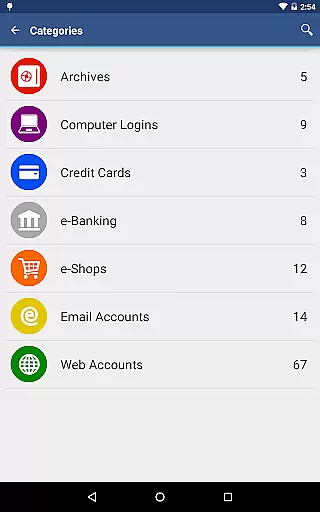
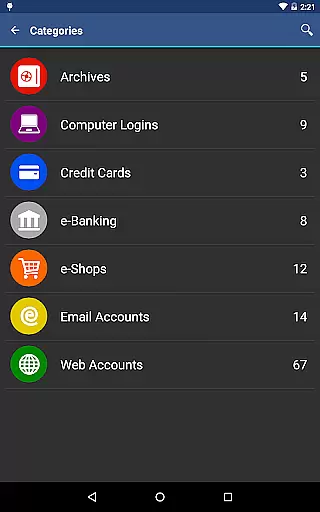
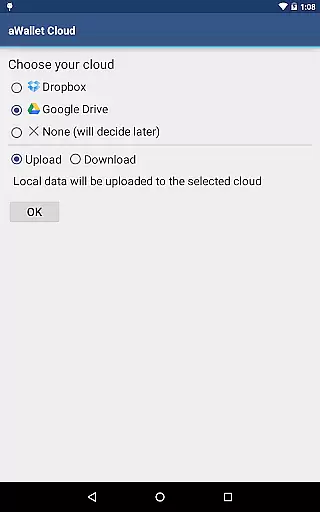
One of the standout features is its ability to synchronize encrypted data with your personal cloud accounts, including Dropbox and Google Drive. This functionality allows users to access their critical information across multiple devices seamlessly. Additionally, the app offers a built-in editor for customizing data categories and icons, enhancing user experience through personalization.
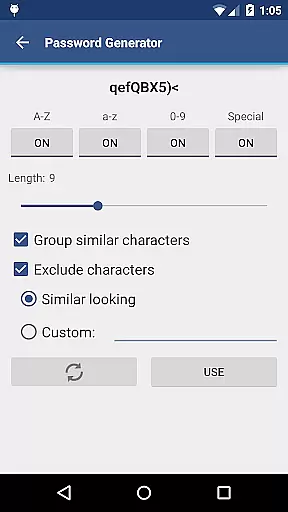
The app also includes practical features such as auto-lock and password generation, ensuring that your data remains protected even if your device is left unattended. With no advertisements and support for backup and restore functions, aWallet Cloud Password Manager provides a comprehensive solution for managing digital credentials efficiently and safely.
aWallet Cloud Password Manager boasts an array of features tailored to enhance both security and usability. One of its primary functionalities is the synchronization of encrypted data with cloud services like Dropbox and Google Drive, ensuring that users can access their information from any device without compromising security.
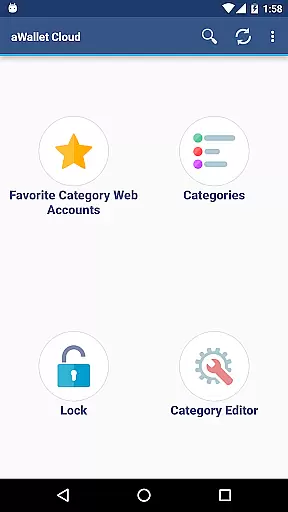
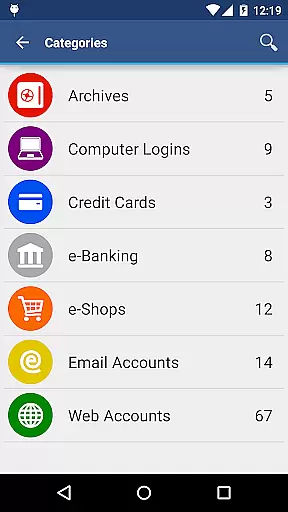
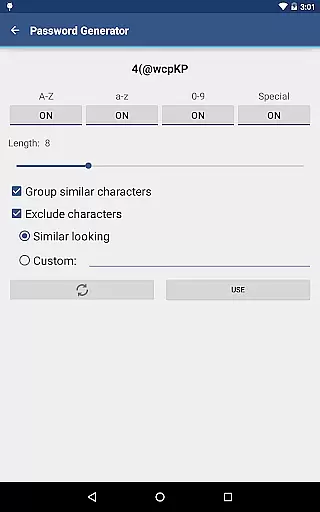
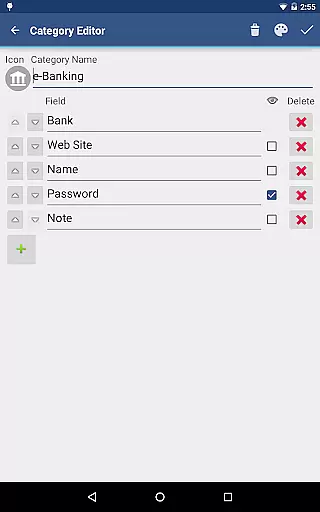
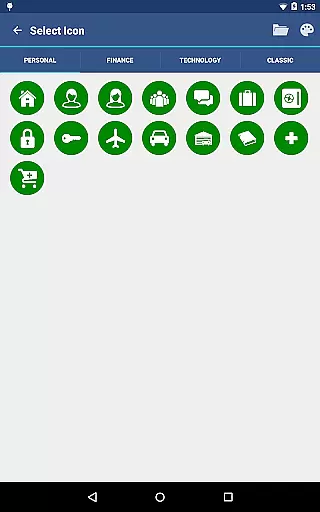
The app includes a powerful built-in editor that allows users to modify existing data categories or create new ones with custom icons. This flexibility enables personalized organization of various types of sensitive information. Furthermore, features such as field search, auto-lock, and password generation contribute to a seamless and secure user experience.
For users seeking additional convenience, the app offers biometric unlocking options, including fingerprint and facial recognition on compatible devices. These pro features, combined with CSV import/export capabilities and robust security measures like brute force attack prevention, make aWallet Cloud Password Manager a versatile tool for safeguarding digital identities.
aWallet Cloud Password Manager excels in core task management by offering a comprehensive suite of features designed to securely handle sensitive information. The app allows users to store various types of data, including passwords, credit card details, and e-banking credentials, all within a secure environment.
One of the standout features is its synchronization capability with cloud services like Dropbox or Google Drive, ensuring that your encrypted data is always up-to-date across devices. This seamless integration enhances productivity by allowing instant access to critical information whenever needed.
In addition to storing data, the app provides tools for efficient management. Users can take advantage of the built-in editor to customize categories and icons, making data organization intuitive and straightforward. With functionalities such as search within fields and auto-lock settings, managing tasks related to personal information has never been easier or more secure.
Cross-device synchronization is a pivotal feature of aWallet Cloud Password Manager, ensuring that users have reliable access to their encrypted data from any compatible device. By leveraging popular cloud services like Dropbox and Google Drive, the app guarantees that your information remains current and accessible wherever you go.
This synchronization process is not only convenient but also maintains top-notch security standards. All data is encrypted using robust algorithms such as AES or Blowfish with key sizes up to 256 bits, ensuring that your information stays protected during transfer and storage on cloud servers.
Moreover, the app's ability to try all combinations of encryption algorithms and key sizes with the master password adds an extra layer of security against brute force attacks. This ensures that even if data is intercepted, it remains unreadable without the correct credentials, providing peace of mind for users who rely on cross-device functionality for their daily operations.
High-level encryption
Cloud synchronization
Customizable categories
Biometric login options
No advertisements
Complex setup process
Limited free features
Requires cloud account
Occasional sync issues
Advanced settings only

Auto-shutoff Alarm with Sunrise, Sunset & Fixed Options.
 3.50
3.50
PDF scanner & converter for files, photos, lottery, QR codes. One swipe away!
4.50
Simple and reliable communication between inmates, friends and family
3.20
The AI assistant that thinks with you - write, code, and solve complex tasks
4.60
Code on-the-go with VScode for Android. Edit,debug and collaborate from mobile!!
3.10
Secure your apps with lock screens, use custom themes and different features.
4.40
Lightweight PDF, Word, Excel reader.
4.60
AI Chatbot and AI writing assistant powered by ChatGPT.
4.60
Seamlessly read, manage, and organize all your PDF files solution in one place
4.40
8 custom complications. Custom Time Fonts. Beautiful color schemes. A++ Design.
5.00
Multilingual translator for text, voice, and image translation!
4.90
We're working to become the best machining app on the market! www.cncdirt.com
4.80
Quickly and easily keep track of your work shifts
4.70
Absolutely the best CNC machinist speed and feed calculator around. fswizard.com
4.60
Fill, sign & send docs, forms, agreements & contracts via electronic signature.
4.50 4.20
4.20
All in One PDF Reader: Manage, Read and Edit your Documents
4.20
Intelligent AI Assistant
4.10
IP Camera Viewer - Android TV : RTSP Surveillance camera viewer for Android TV
4.0


User Reviews