

Nextcloud Deck is a productivity-focused application designed to streamline task management and collaboration. This app allows users to create, organize, and manage cards, lists, and boards efficiently, making it an ideal tool for both personal task tracking and team-based projects. With support for multiple accounts and offline functionality, users can access their data anytime, anywhere.
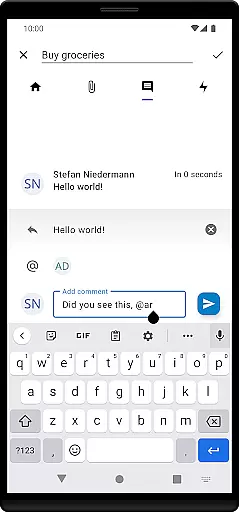
The app also offers advanced features such as tag management, attachment support, activity tracking, and comment functionalities, ensuring comprehensive project oversight. Additionally, Nextcloud Deck provides a dark mode and supports multiple languages, catering to a diverse user base. Whether you're managing simple to-do lists or complex workflows, Nextcloud Deck delivers a seamless experience across devices.
Nextcloud Deck stands out with its robust feature set tailored for efficient productivity. The app supports multiple accounts, enabling users to manage different workspaces without hassle. Its offline capabilities ensure that users can continue working even without an internet connection, syncing data once connectivity is restored.
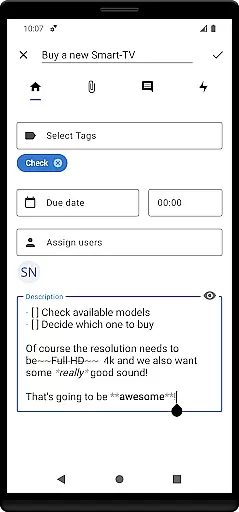
One of the core strengths of Nextcloud Deck is its ability to handle cards, lists, and boards with ease. Users can assign tags, attach files, track activities, and add comments to cards, providing a detailed overview of tasks and projects. The inclusion of a dark mode enhances usability in low-light environments, while multilingual support makes it accessible to a global audience. These features collectively make Nextcloud Deck a versatile tool for enhancing productivity.
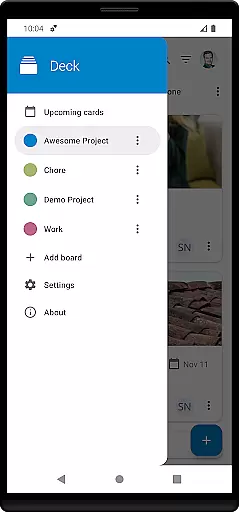
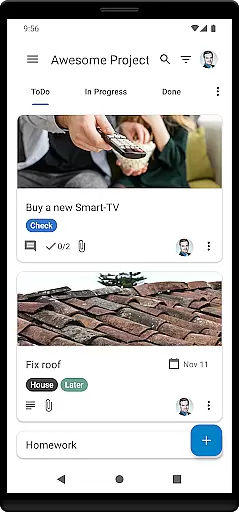
Nextcloud Deck offers a robust system for managing tasks through its card, list, and board structure. This feature is essential for users who need to organize their projects efficiently.
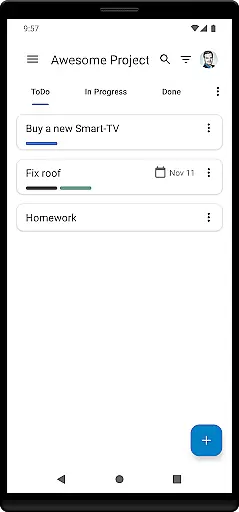
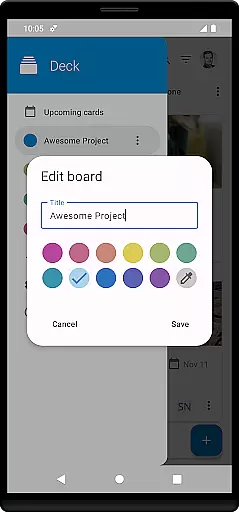
The app allows you to create and manage multiple boards, each representing a different project or workflow. Within these boards, lists help categorize tasks into different stages of completion, while cards represent individual tasks. This hierarchy ensures that all tasks are systematically organized.
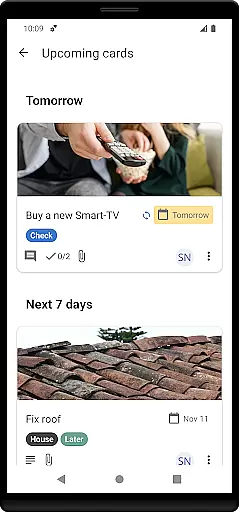
Users can benefit from features such as tagging, attachments, and activity tracking, which enhance the task management experience. These tools ensure that every detail related to a task is captured and easily accessible.
By integrating with Nextcloud, Deck ensures that all your task management data is securely stored and easily accessible across devices. This seamless integration enhances productivity by keeping all your information synchronized and up-to-date.
Cross-device synchronization is a critical feature of Nextcloud Deck, ensuring that your data is consistently updated across all your devices. This reliability is vital for users who work on multiple devices throughout the day.
Deck integrates seamlessly with the Nextcloud ecosystem, providing real-time updates and synchronization. Whether you're using a smartphone, tablet, or desktop, your tasks and boards will always be up-to-date.
This synchronization extends to offline capabilities, allowing users to manage their tasks even without an internet connection. Once connectivity is restored, all changes are synced automatically, ensuring data integrity and consistency.
With support for multiple accounts, users can maintain separate workspaces for different projects or clients, each synchronized independently. This flexibility makes Nextcloud Deck a powerful tool for enhancing productivity across various aspects of your life.
User-friendly interface
Offline functionality
Multiple account support
Comprehensive task management
Dark mode available
Requires Nextcloud setup
Limited standalone use
No built-in calendar
Advanced features need expertise
Dependent on third-party apps


Secure, fast, open-source, VNC and SSH Remote Desktop for Windows, Linux and Mac
 4.70
4.70
Total remote control for your Android device, PC and cloud services (IFTTT)!
4.20
Make your handwriting beautiful, even more than pen on paper.
3.60
Easiest event planning, volunteer signups & parent teacher conference scheduling
2.20
Find and delete junk files & block unwanted notifications & manage files
3.70
Translate text/voice/photos in 150+ languages. Offline & fast translator app.
4.50
Subscribe to Webcal & .ics calendars and keep them up-to-date!
4.50
Docker, Kubernetes management over Portainer Mobile
4.40
Secure your apps with lock screens, use custom themes and different features.
4.40
Stay on top of your to-dos with Google Tasks, part of Google Workspace.
4.60
Functional QR scanner and barcode reader that requires little storage space.
4.60
To do list widget with a notebook organizer, checklist, simple shopping list
4.60
Tally and goal counter for Wear OS & mobile
4.50
A lightweight JSON & XML files creator, editor and viewer (Premium Version)
4.40
Automates browsing any website and notifies you of important changes or events
4.30
Secure, open-source, SPICE and SSH Remote Desktop for QEMU KVM virtual machines
4.00
The ultimate file manager for rooted devices. The original and still the best.
4.00
Smart PDF reader & editor to view, organize and manage PDF documents easily.
3.70
IP Camera Viewer - Android TV : RTSP Surveillance camera viewer for Android TV
4.4

User Reviews