

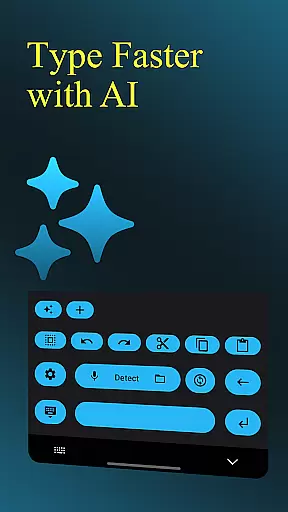
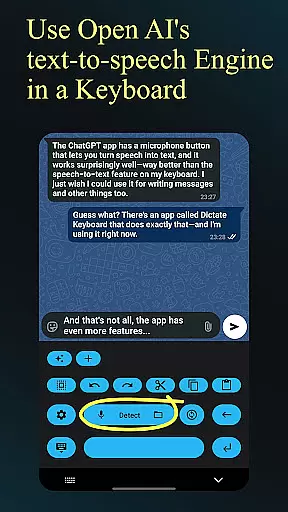
Dictate Keyboard is a cutting-edge productivity tool designed to streamline text input through advanced speech recognition technology. This innovative keyboard app converts spoken language into accurate text, supporting all common national languages. Its AI-powered engine not only transcribes words but also intelligently adds punctuation and recognizes even sung phrases.
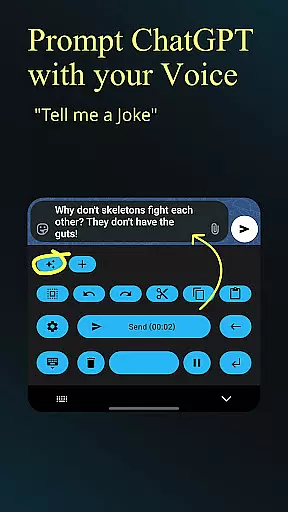
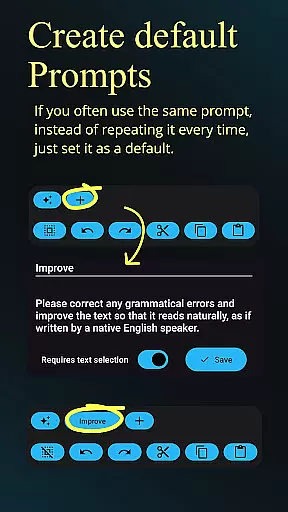
Beyond basic transcription, Dictate offers professional-grade features including custom rewording using GPT-5, automatic formatting of spoken commands, and seamless switching between different transcription models. Users can choose from multiple providers like OpenAI or Groq, or connect to their own transcription server. The app's comprehensive functionality extends to file transcription, microphone recording, and customizable system prompts that guide the style of recognition.
Ideal for content creators, professionals, and anyone seeking efficient text input, Dictate Keyboard revolutionizes how we interact with digital devices. Its open-source nature and extensive customization options make it an invaluable tool for enhancing productivity while maintaining complete control over your data and workflow.
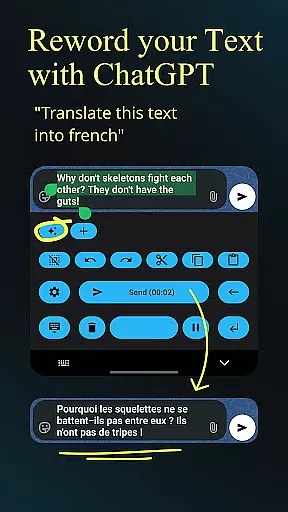
Dictate Keyboard distinguishes itself through its sophisticated feature set that caters to diverse productivity needs. At its core, the app employs state-of-the-art Whisper technology alongside other transcription models, ensuring unparalleled accuracy in speech-to-text conversion. The integration with GPT-5 and alternative models enables powerful rewording capabilities, allowing users to translate, summarize, or change writing styles effortlessly.
The application provides exceptional flexibility in its configuration options. Users can switch between different transcription providers, including OpenAI and Groq, or connect to personal transcription servers. Advanced formatting commands such as 'new paragraph' and 'first, second' are automatically interpreted, while custom API server support and proxy configurations ensure secure operations. Professional users will appreciate the ability to set system prompts that influence the recognition and rewording style.
Additional productivity-enhancing features include comprehensive theme customization with dark-mode and light-mode options, direct input without typing animation, and quick keyboard switching. The app maintains user convenience through simple setup processes, haptic feedback, and easy insertion of emojis and numbers. These features collectively create a robust platform for efficient and customizable text input across various professional and personal use cases.
Dictate Keyboard revolutionizes core task management by integrating advanced speech recognition technology into a user-friendly keyboard interface. This innovative approach allows users to convert spoken language into text with remarkable accuracy.
The app supports all common national languages, making it an ideal tool for managing tasks across different linguistic contexts. Its AI-powered system automatically adds punctuation, freeing users from the need to dictate every detail.
What sets Dictate apart is its ability to handle complex task management features through voice commands. Users can create custom rewording instructions, apply formatting rules, and even switch between different transcription models seamlessly.
This powerful functionality extends to task-related document creation, where users can dictate entire paragraphs, insert specific formatting elements, and maintain consistent writing styles through system prompts.
Cross-device synchronization is where Dictate Keyboard truly shines in the productivity space. The app maintains reliable connections across multiple devices through its support of various API servers and custom proxy configurations.
Users can seamlessly transition between their phone, tablet, and computer while maintaining consistent access to their personalized settings and transcription preferences. This reliability is enhanced by the app's support for both OpenAI and Groq API keys.
The synchronization extends beyond basic settings to include complex configurations such as custom rewording instructions, preferred transcription models, and individualized system prompts. These elements remain consistent regardless of which device the user chooses to work on.
Furthermore, Dictate's open-source nature ensures that any synchronization issues can be quickly identified and resolved by the developer community, maintaining high reliability standards across all connected devices.
Advanced speech recognition
Multi-language support
Customizable rewording
Provider flexibility
Open-source transparency
Requires API setup
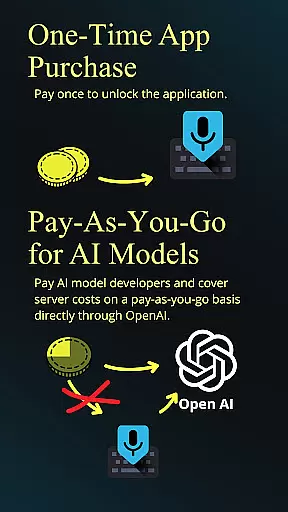
Incurs usage fees
Complex for beginners
Internet connection needed
Limited offline functionality

QuickBooks Workforce lets teams view pay info and track time in one place.
 4.70
4.70
Take control of your clipboard with Clipper!
3.90
Experience real multitasking on your Android!
4.00
Native client for Forgejo and Gitea
5.00
Create study competitions, track your hours, and stay consistent with friends
4.0
Make your handwriting beautiful, even more than pen on paper.
3.60
Docker, Kubernetes management over Portainer Mobile
4.40
A comprehensive suite of tools designed specifically for Lactation Consultants
4.4
Intelligent AI Assistant
4.10
Android Wallet Password Manager
4.80
The Pro Version of Android's tiniest Notepad app. Just 0.3MB but feature-packed!
4.60
All document reader, all in one file viewer read PDF, DOCX, XLS, PPT, TXT files.
4.60
Fill, sign & send docs, forms, agreements & contracts via electronic signature.
4.50
Experience Reading - Night Mode for Documents
4.40
A Pixel Art watchface inspired by other iconic 90s designs for Wear OS devices!
4.40
Unlock AutoNotification
4.00
Secure, open-source, SPICE and SSH Remote Desktop for QEMU KVM virtual machines
4.00
Ultimate Virtual AI Character for immersive Roleplay Chat. Perfect Companion
3.90
A Revolutionary All-in-One Artificial Intelligence Tools
3.80

User Reviews