

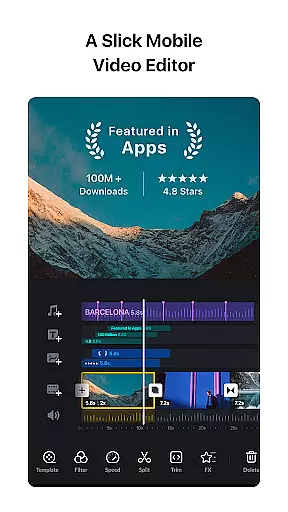
VN is a versatile video editing app designed for both professional and amateur creators. It offers an intuitive interface with no prior knowledge required, making video editing accessible to everyone. The app includes advanced features such as multi-track timeline editing, keyframe animation, and color grading filters.
With VN, users can create high-quality videos without watermarks. Its precise editing tools allow for detailed adjustments down to 0.05 seconds, while the non-destructive editing feature ensures original data remains intact. The app also supports creative elements like music beats, transitions, and rich cinematic filters.
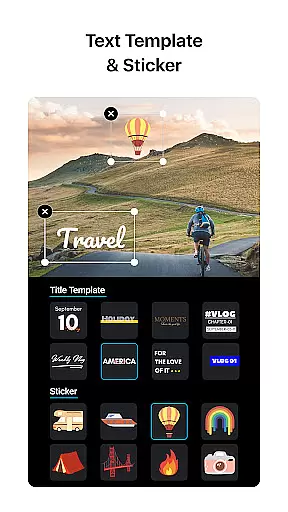
Whether you're looking to produce professional-grade content or simply enhance your personal videos, VN provides all the necessary tools in one place. From customizable text templates to seamless collaboration options, this app caters to various video editing needs across different platforms.
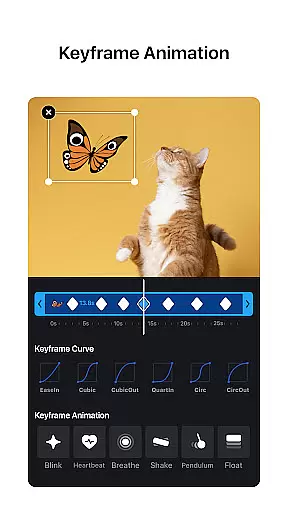
VN stands out with its comprehensive set of video editing features tailored for efficiency and creativity. One notable aspect is its multi-track timeline that allows users to add picture-in-picture videos, photos, stickers, and texts easily. The Keyframe Animation feature lets you customize effects with precision.
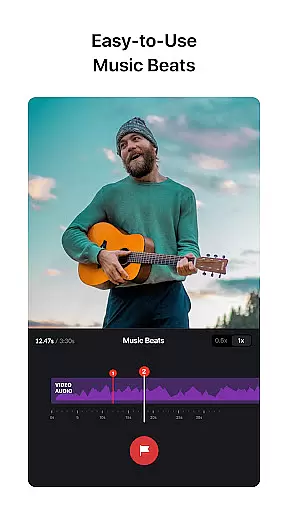
The app excels in audio enhancements too, offering Music Beats and convenient voice-over recording options. Users can leverage Speed Curve for dynamic playback speeds and utilize Transitions & Effects to make their videos more engaging. Additionally, importing LUT files enhances cinematic quality through rich filters.
Advanced functionalities include Reverse & Zoom effects, Freeze Frame creation, and flexible material imports via Wi-Fi or messaging apps. With robust text editing capabilities and secure sharing options, VN ensures a productive yet enjoyable editing experience on both mobile and desktop devices.
Video format compatibility is a crucial aspect of any video editing application, ensuring that users can work with a wide range of video files without the need for prior conversion. VN addresses this need by supporting an extensive array of video formats, allowing creators to import and edit their footage seamlessly.
The app's intuitive multi-track video editor enhances the format compatibility feature by enabling users to manipulate various video clips with precision. Whether it's making quick rough cuts or adjusting keyframes down to 0.05 seconds, VN provides the tools necessary for detailed video editing across different formats.
Moreover, VN's non-destructive editing approach ensures that original video data remains intact, regardless of the format. This means users can experiment with their edits, secure in the knowledge that they can always revert to the original file. Such flexibility empowers both amateur and professional editors to create high-quality videos without worrying about format limitations.
AI-powered editing features are revolutionizing the way we create videos, automating complex processes and enhancing creativity. VN incorporates intelligent tools that simplify video production, such as Music Beats, which allows users to add markers and sync video clips to the rhythm of their chosen music effortlessly.
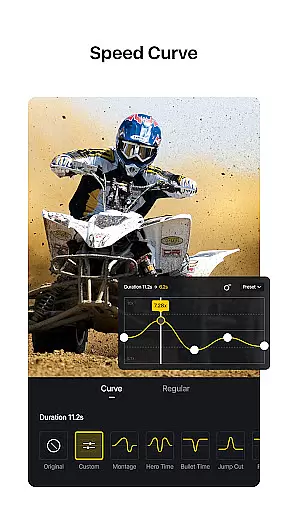
In addition to musical synchronization, VN offers advanced AI features like Speed Curve, which goes beyond basic speed adjustments. Users can employ preset curves akin to Time Remapping found in professional software like Adobe Premiere Pro, giving their videos dynamic pacing that heightens viewer engagement.
Furthermore, VN's AI capabilities extend to rich cinematic filters and transitions, elevating the visual storytelling experience. By importing LUT files, editors can apply sophisticated color grading that gives their projects a professional touch. These smart features ensure that even those new to video editing can produce polished and visually captivating content.
User-friendly interface
High-quality output
Extensive feature set
Secure collaboration
Customizable export settings
Limited advanced tutorials
Occasional performance lags
Ads in free version
Complex for beginners
Frequent updates needed

Connect 2 UVC devices for recording and broadcast video/audio stream
 3.90
3.90
Download website videos fast&privacy
4.40
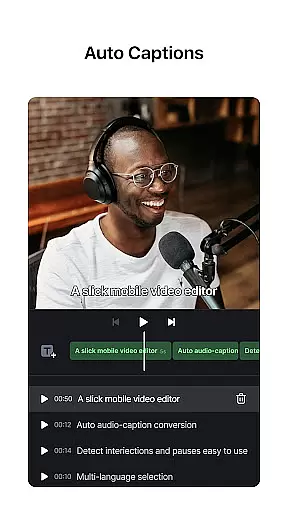
AI Video Editor:AI Music, Text to Video,Text to Speech,Auto Caption,Video Effect
4.00
Mix with Virtual DJ directly from your phone or tablet !
3.10
Manage your IPTV live channels and VOD playlists (no playlist included)
3.80
Watch IPTV on your Android device
4.60
Browser + Remote for Roku to stream webvideos, online movies and livestreams
4.60
Photo editor & video maker with music and slideshows.
4.10
Manage your YouTube channel on the go
4.40
AI Video Editor with Music, Filter, Slideshow, Effect, Merge & Trim Video.
4.80
High-Quality USB Camera Viewer & HDMI Display
4.70
Cast to Chromecast, Xbox, Fire Stick, Roku, DLNA, Smart TV & No Feature Limited!
4.50
HD video maker with no watermark, no ads & vlog maker with music, PIP, text
4.50
Powerful Video Editor & Photo Editing App —— Quick Edits & Stunning Effects!
4.30
This app was created to edit the metadata of music files.
4.20
All format media Player, no need video converter any more!
4.00
Cast to Smart TV, Fire TV. Cast video, photo - Fast & Stable!
3.90
AirMirror is Receiver for Screen Mirroring and Casting from Apple Devices.
3.60
All in one multi protocols stream receiver for AirPlay, Cast and DLNA.
3.60


User Reviews