

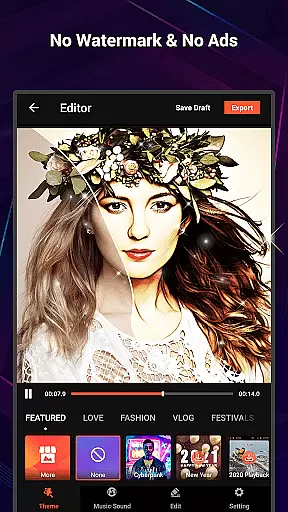
VideoShow Pro is a premium video editing application designed for both amateur and professional content creators. This app offers advanced features such as no watermark, ad-free experience, 1080p and 4K video export support, and access to exclusive materials. With its intuitive interface, users can easily create stunning videos by integrating photos, music, filters, transitions, and sound effects.
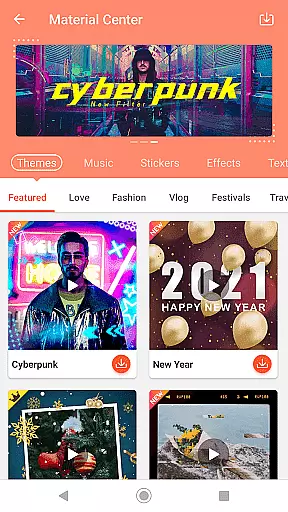
The app stands out with its powerful editing tools that allow zooming, rotating, and mixing of video and photos without pre-transcoding. It also includes a fantastic Materials Store offering themes, music, text styles, stickers, sound effects, and fonts. Whether you're creating a love story or birthday tribute, VideoShow Pro provides elaborate themes and square modes tailored to various user needs.
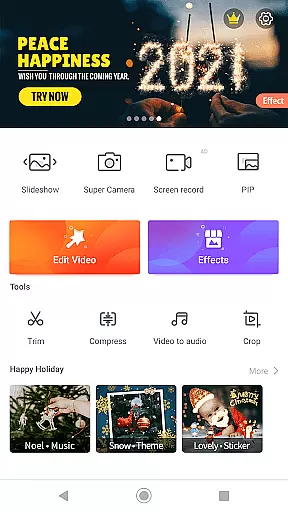
VideoShow Pro is perfect for those who want to produce high-quality videos with minimal effort. Its comprehensive toolbox enables ultra cuts, fast trims, video compression, and even conversion of video soundtracks into MP3 files. The app's versatility makes it an essential tool for anyone looking to enhance their video storytelling capabilities.
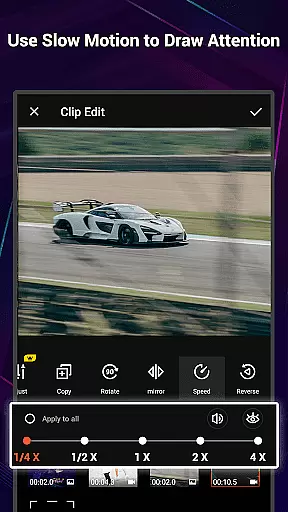
VideoShow Pro boasts an impressive array of features that cater to diverse video editing needs. One standout feature is the ability to apply up to 20 FX effects in a single video, allowing for creative expression and unique visual storytelling. The app supports online and local music integration, multi-music tracks, and live dubbing, giving users complete control over their audio landscape.
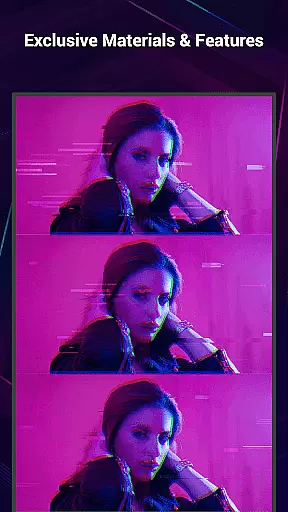
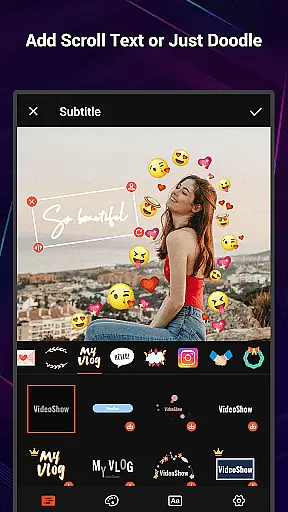
The Materials Store within VideoShow Pro is a treasure trove of resources, including exclusive themes, music tracks, text styles, stickers, sound effects, and fonts. These elements enable users to craft distinctive videos that convey specific moods and messages. Additionally, the app offers stunning one-step filters, such as beauty and sketch effects, which instantly enhance video quality.
For users seeking efficiency, VideoShow Pro's toolbox features are invaluable. The Ultra Cut function allows precise cutting and merging of video segments, while Fast Trim enables quick video trimming. The app also provides video compression and MP3 conversion tools, ensuring that users can optimize their content for various platforms and devices.
VideoShow Pro stands out with its exceptional video format compatibility, ensuring users can work seamlessly across various file types. The application supports a wide range of formats, including but not limited to MP4, AVI, MOV, and MKV, making it versatile for both amateur and professional video editing needs.
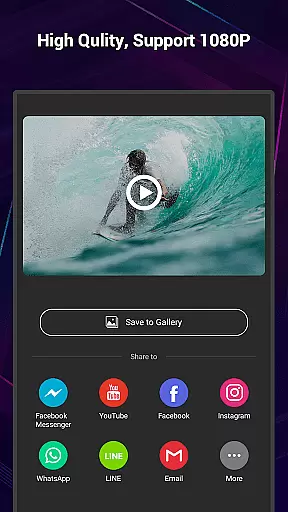
The app's ability to export videos in 1080p and even 4K resolution showcases its dedication to high-quality output. This feature is crucial for users who require crisp, clear visuals without the compression artifacts that often come with lower resolution exports.
By eliminating watermarks and ads, VideoShow Pro enhances the user experience, allowing creators to focus on their content without distractions. This clean, unobstructed final product is essential for maintaining professionalism and brand integrity in video projects.
Moreover, the inclusion of plentiful exclusive materials such as themes, music, text styles, stickers, sound effects, and fonts enriches the creative process. These resources empower users to produce unique, engaging videos that stand out on social media platforms or in professional portfolios.
VideoShow Pro incorporates advanced AI-powered editing features that streamline the video creation process. With tools like Ultra Cut, Fast Trim, and Video to MP3, users can efficiently cut, merge, trim, and convert their videos, saving valuable time during post-production.
The app's AI capabilities extend to beautification filters, which enhance video quality in just one step. Whether applying beauty effects to subjects or transforming footage into artistic sketches, these filters ensure that every frame meets the creator's aesthetic standards.
Additionally, the AI-driven live dubbing and sound effect options allow for dynamic audio manipulation. Users can record their own voiceovers or choose from a library of sound effects to create immersive auditory experiences that complement their visual storytelling.
These intelligent features not only simplify complex editing tasks but also democratize video production by making professional-grade tools accessible to everyone. As a result, VideoShow Pro empowers creators to produce polished, captivating content regardless of their technical expertise.
High-quality 4K export
Extensive material library
User-friendly interface
Advanced editing tools
No ads or watermarks
Premium version cost
Occasional performance lag
Limited free materials
Steep learning curve
Large file size

Client application for NextPVR software
 3.00
3.00
IPTV-Smarters Player Pro M3U - Watch Live Stream TV Channels with Chromecast
4.00
Video Downloader is an utility that can save videos and music from web sites
4.20
Powerful HD video player with support for all formats & subtitles.
4.1
Pro video editor app for Instagram, edit video with song, AI, effect & slowmo.
4.80
Cast to Smart TV, Fire TV. Cast video, photo - Fast & Stable!
3.90
Browser + Remote for Roku to stream webvideos, online movies and livestreams
4.60
Cast movies, tv shows and live streams to Chromecast, Roku, DLNA, Fire TV & more
4.60
Download Hub, easy and private way to download and enjoy your videos offline
4.80
AI Video Editor with Music, Filter, Slideshow, Effect, Merge & Trim Video.
4.80
A Simple app to download Video & Music from the Internet.
4.70
High-Quality USB Camera Viewer & HDMI Display
4.70
Add date and time watermark to photos and videos
4.50
KMPlayer Plus (Divx Codec) officially support Divx codec.
4.30
This app was created to edit the metadata of music files.
4.20
Video player with 4K & 1080P support, popup play, background play and subtitle.
4.20
VLC for Android is the best open source video and music player, fast and easy!
4.10
Capture images & record videos for USB Camera, Webcam, Microscopes, Endoscopes
3.80
Manage your IPTV live channels and VOD playlists (no playlist included)
3.80

User Reviews