

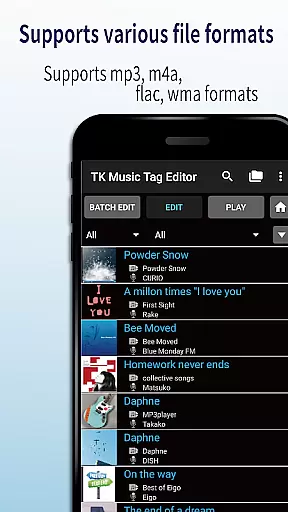
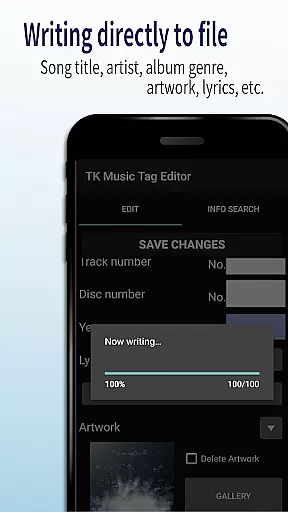
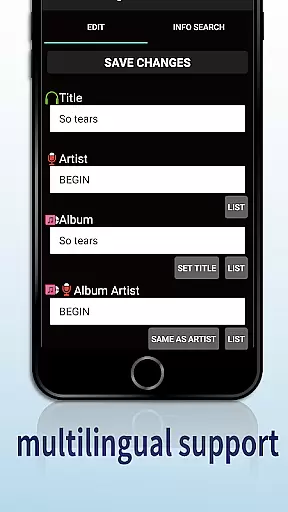
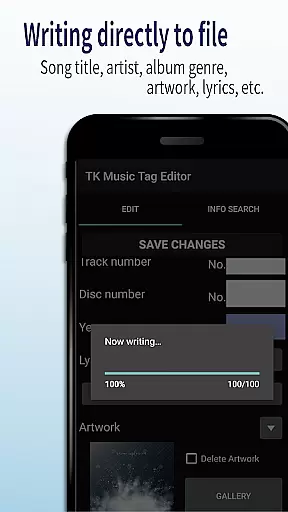
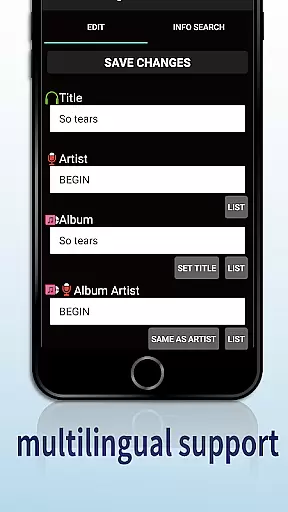
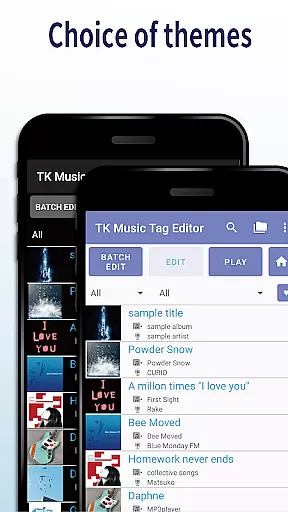
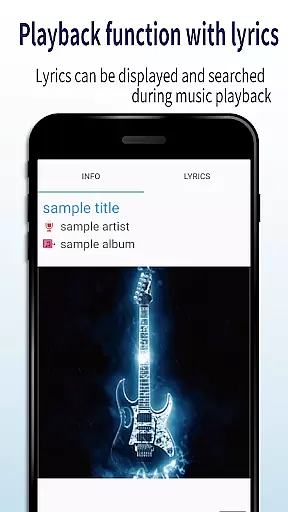
TK Music Tag Editor -Complete- is a comprehensive metadata editing tool designed specifically for music enthusiasts who need to manage their audio files with precision. This app allows users to edit essential metadata fields such as artist, album, cover art, and lyrics directly within mp3, m4a, flac, and wma files. The changes are written directly into the music files, ensuring that the metadata remains intact across different devices, including PCs.
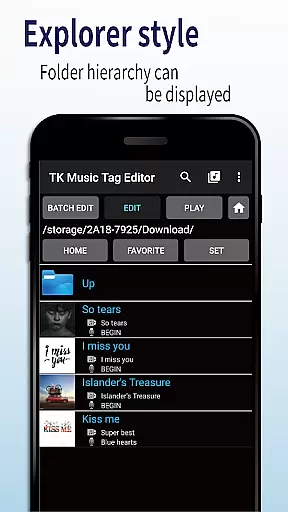
In addition to basic tag editing, TK Music Tag Editor offers advanced features like simultaneous filename editing, playlist creation, and support for multiple file formats. Whether you're organizing a large music library or preparing tracks for professional use, this app provides the tools necessary to maintain accurate and consistent metadata. Its ability to handle various file types and ensure cross-device compatibility makes it an invaluable asset for anyone serious about their music collection.
One of the standout features of TK Music Tag Editor -Complete- is its ability to write tags directly into music files, preserving metadata integrity across all devices. Users can edit crucial information such as title, artist, album, cover art, and lyrics, ensuring that their music files are always correctly labeled and easy to identify. This direct writing capability eliminates the risk of losing metadata when transferring files between devices.
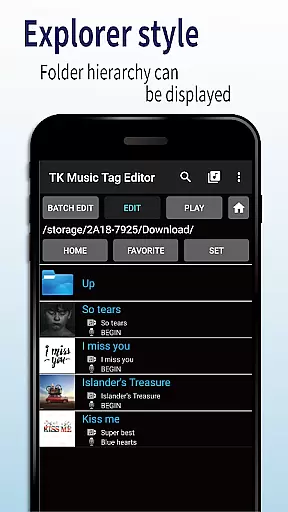
The app also supports simultaneous editing of music filenames, allowing users to standardize their file naming conventions effortlessly. With customizable filename formats like 'Song Title (Artist)', organizing large music libraries becomes a breeze. Furthermore, TK Music Tag Editor includes robust playlist creation tools, enabling users to curate personalized playlists quickly and easily. Support for multiple file formats, including mp3, m4a, flac, and wma, ensures that users can manage all their audio files within a single platform.
For those dealing with less common file types, the app's ability to detect mp3 files mislabeled with m4a extensions and correct them is particularly useful. This feature guarantees that metadata remains accessible regardless of the original file format. Future updates promise even more editable metadata fields, making TK Music Tag Editor -Complete- an ever-evolving solution for comprehensive music file management.
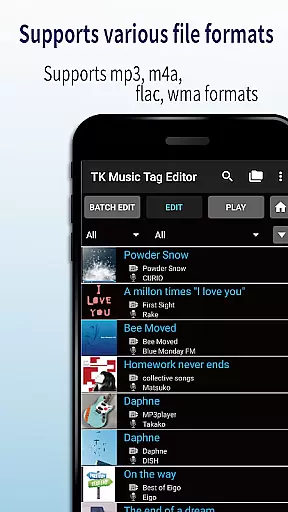
Video Players & Editors like TK Music Tag Editor -Complete- excel in their ability to handle a variety of file formats, ensuring that users can manage metadata across different types of audio files. This app supports mp3, m4a, flac, and wma formats, providing a comprehensive solution for tagging needs.
The importance of video format compatibility lies in its ability to offer flexibility and accessibility. Users are not limited by specific file types, which means they can easily switch between devices without losing valuable metadata information. The direct writing of tags into music files ensures that the data remains intact regardless of where the file is accessed from.
TK Music Tag Editor implements this feature by allowing users to edit essential metadata such as artist, album, cover art, and lyrics directly within these various formats. This guarantees that whether you're on a PC or another device, your enriched media library stays consistent and informative.
For users, this translates into a seamless experience when organizing and managing their digital music collections. They benefit from having all necessary details readily available, enhancing both playback enjoyment and cataloging efficiency.
In today's digital age, AI-powered editing features are revolutionizing how we interact with media files. For applications like TK Music Tag Editor -Complete-, incorporating intelligent tools enhances user capability by automating complex tasks involved in metadata management.
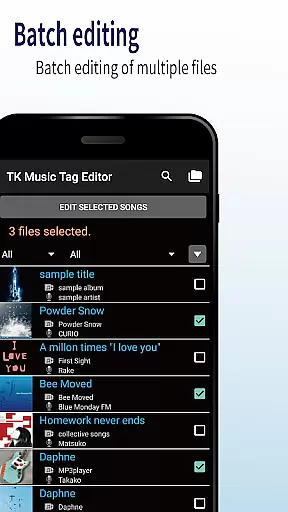
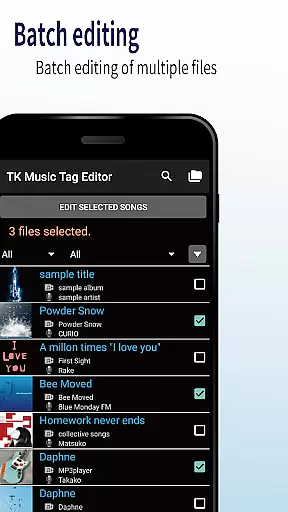
The significance of AI-powered editing is rooted in its capacity to streamline workflows and reduce manual effort. By leveraging advanced algorithms, the app can suggest accurate metadata updates, identify discrepancies, and even batch process multiple files simultaneouslyu2014tasks that traditionally required meticulous attention.
TK Music Tag Editor integrates these smart functionalities by enabling simultaneous editing of music filenames alongside core metadata fields. It also facilitates playlist creation and offers support for an extensive range of audio formats including mp3, m4a, flac, and wmau2014each editable through intuitive interfaces powered by AI insights.
Ultimately, users gain unprecedented control over their multimedia libraries with enhanced precision and speed. These capabilities not only save time but also elevate the overall quality of personal media archives, making them more organized and enjoyable.
User-friendly interface
Direct tag writing
Multi-format support
Playlist creation
Filename editing
No batch editing
Limited advanced options
Occasional bugs
Basic UI design
Requires caution

Video player, file manager for all formats, 4K/HD media player supports subtitle
 4.30
4.30
Save photos and videos from social apps in one tap.
3.60
Video Downloader is an utility that can save videos and music from web sites
4.20
Powerful HD video player with support for all formats & subtitles.
4.0
AirMirror is Receiver for Screen Mirroring and Casting from Apple Devices.
3.60
KMPlayer Plus (Divx Codec) officially support Divx codec.
4.30
Browser for Samsung TV to stream webvideos, online movies and livestreams in HD
4.10
AI Video Editor with Music, Filter, Slideshow, Effect, Merge & Trim Video.
4.80
convenient, safe and fast at Video Downloader & Player
4.60
Play ALL formats in 4K & HD. Video downloader, MP3 player, Chromecast & more.
4.80
GENRAL PRO - General Pro is the best video player that fully supports all formats.
4.70
Find, download, and play torrents with the official BitTorrent® Pro app
4.70
Screen recorder with audio to take live videos & Screenshot in high quality!
4.70
HD video maker with no watermark, no ads & vlog maker with music, PIP, text
4.50
Create & edit videos with AI
4.30
Movie maker & video editing app with AI effects and green screen
4.30
1)AirPlay/DLNA Mirroring/Streaming, up to 4 connections; 2)Samba/NAS/DMS Player.
4.00
Kodi media center, a free and open source cross-platform entertainment hub
3.60
IPTV Player - Watch live TV from m3m & m3u8 playlist, stream IPTV on mobile
3.30

User Reviews