

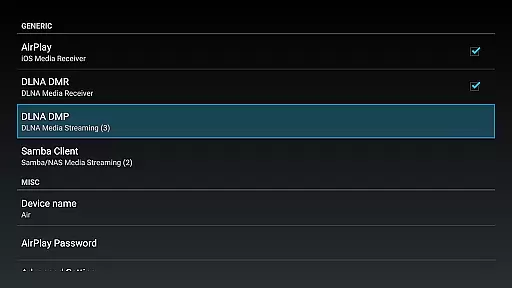
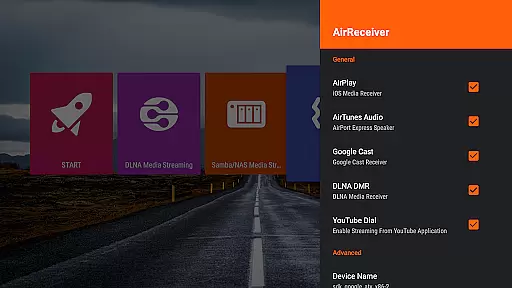
AirReceiver is a versatile streaming solution that supports multiple protocols including AirPlay, Cast, Wireless Display, and DLNA. This application allows users to stream screens, photos, music, and videos from their phones or laptops directly to their TV screens.
Designed for seamless integration with Android devices, it operates efficiently in the background, making it particularly suitable for Android TV/Box setups. With compatibility across various devices and support for features like Youtube video streaming and IOS16, AirReceiver enhances multimedia sharing experiences.
Whether you're looking to mirror your PC screen using AirParrot or stream content from popular media clients, AirReceiver provides a comprehensive toolset for an enriched viewing experience on larger displays.
AirReceiver boasts an array of features tailored for diverse multimedia needs. It supports high-quality streaming of audio, video, and photos from a range of AirPlay and DLNA clients, ensuring broad compatibility with devices such as iTunes, iOS gadgets, WMP12, and AirShare.
Advanced functionalities include support for Youtube videos, audio sync with other AirExpress devices, and the AirMirror feature which offers top-tier performance among third-party AirPlay applications. Additionally, its slideshow feature and configurable network name provide users with customization options to enhance their streaming setup.
The app runs efficiently in the background as a service and can be configured to start on boot, offering convenience and uninterrupted streaming. For Windows users, AirSender tools enable easy screen mirroring to devices running AirReceiver, completing a robust package for all streaming requirements.
Video format compatibility is a crucial feature for any video player and editor, ensuring that users can play or edit videos in various formats without the need for conversion. AirReceiver AirPlay Cast DLNA supports multiple protocols including AirPlay, Cast, Wireless Display, and DLNA, making it versatile for streaming content from different devices.
This application allows you to stream screen, photos, music, and videos from your phones and laptops directly to your TV. It works seamlessly in the background, providing an uninterrupted streaming experience to Android devices, especially suitable for Android TV/Box setups.
The app's support extends to popular formats and services such as YouTube videos, AirMirror for screen mirroring, and full compatibility with IOS16. This ensures that no matter what device or content you have, AirReceiver is likely to support it, offering a hassle-free user experience.
AI-powered editing features are revolutionizing the way we edit videos by automating complex processes and enhancing efficiency. Although AirReceiver AirPlay Cast DLNA focuses primarily on streaming capabilities, its advanced functionalities offer unique advantages akin to AI-driven tools.
One standout feature is its support for audio sync with other AirExpress devices, which simplifies the synchronization process during video edits. Additionally, the slideshow feature provides users with creative flexibility when presenting photo compilations, mimicking intelligent editing often found in dedicated video editors.
Moreover, the appu2019s compatibility with third-party applications like AirParrot enhances its utility, allowing users to mirror their PC screens effortlessly onto Android tablets. Such integrations not only expand but also enrich the editing toolkit available within AirReceiver, catering to both casual streamers and more demanding editors.
Multi-protocol support
Seamless Android TV integration
High-quality streaming
Customizable settings
Comprehensive device compatibility
Resource-intensive on older devices
Limited free version functionality
Requires careful port management
Potential conflicts with similar apps
Subscription costs may apply


Powerful, professional, versatile teleprompter. Developed by an active film crew
 4.00
4.00
Your media, on your terms.
4.10
AirMirror is Receiver for Screen Mirroring and Casting from Apple Devices.
3.60
Fast & easy HD video downloader for all formats, support 4K playback & download.
4.60
The essential companion to your Blue Iris PC software
2.50
Connect EasyCap or UVC devices for recording and broadcast video/audio stream
3.60
Video&Drama Player All Format is a HD video player, music player
3.00
Photo editor & video maker with music and slideshows.
4.10
Manage your YouTube channel on the go
4.40
Download Hub, easy and private way to download and enjoy your videos offline
4.80
Video Player - Unlimited features, 30 days money back guarantee.
4.60
IPTV Loader, loads your own Playlist. DOES NOT CONTAIN ANY LIST OR CHANNELS
4.60
HD video maker with no watermark, no ads & vlog maker with music, PIP, text
4.50
Fast & Private HD Video Downloader with Built-in Proxy Browser and Video Player.
4.50
AirMirror Receiver - Screen mirroring/cast web videos to Android TV by AirPlay.
4.40
Viddo: Generate Action Figure, AI Anime, AI kiss, AI hug Video from image & text
4.40
Video player, file manager for all formats, 4K/HD media player supports subtitle
4.30
Browser for Samsung TV to stream webvideos, online movies and livestreams in HD
4.10
Stream Web Videos to Chromecast, Samsung, LG, Sony, Roku, Fire TV, DLNA + more
4.00

User Reviews