

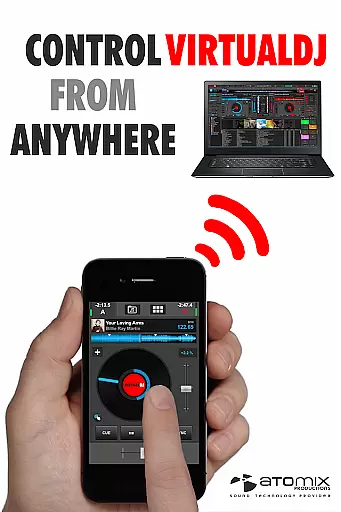
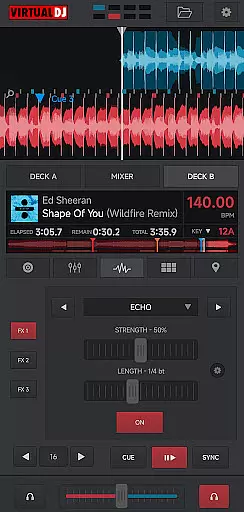
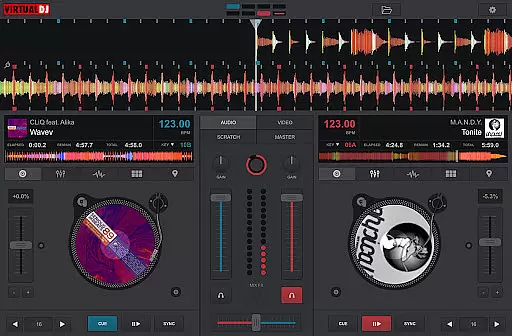
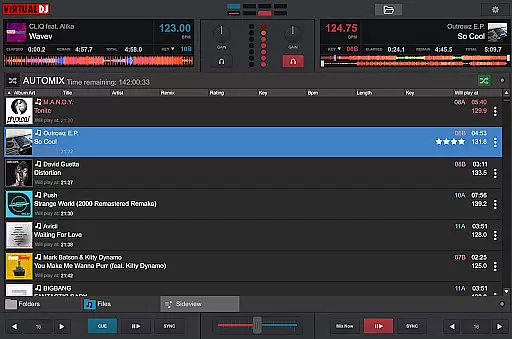
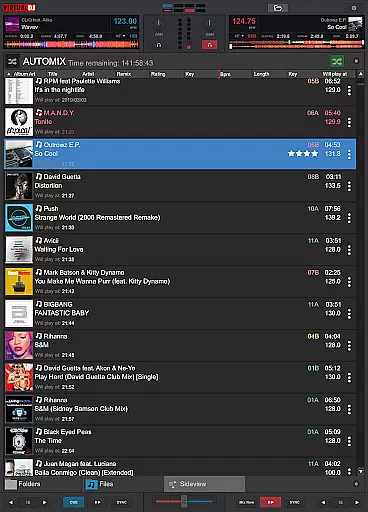
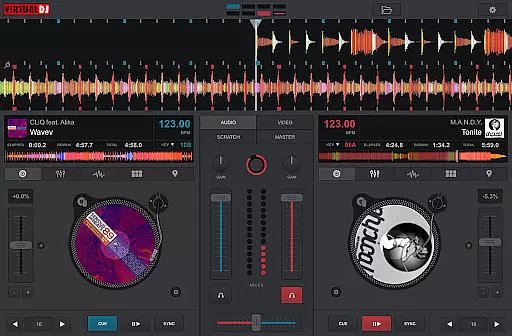
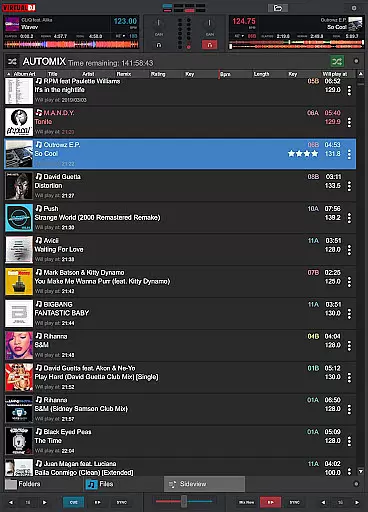
VirtualDJ Remote is a powerful application that allows DJs to control VirtualDJ software directly from their mobile devices. Designed for both professional and amateur DJs, this app enables seamless wireless control over VirtualDJ running on a PC or Mac through a simple WiFi connection. Whether you want to use your tablet as a virtual scratch turntable or manage your mix remotely while the computer handles audio output, VirtualDJ Remote offers maximum versatility.
The app supports the full range of VirtualDJ features, including beat mixing, effects, samplers, video mixing, and more. With customizable skins, users can tailor the interface to fit their specific needs, whether it's creating an effect table, sampler pad, or even a complete controller. This flexibility makes it ideal for live performances, studio sessions, or casual mixing.
By connecting your phone or tablet to the VirtualDJ software, you can enjoy freedom of movement without compromising control. The app also eliminates the need for additional audio wiring since the computer manages all audio outputs. Suitable for venues with projectors, internet radio broadcasts, or multi-deck setups, VirtualDJ Remote empowers DJs to push creative boundaries.
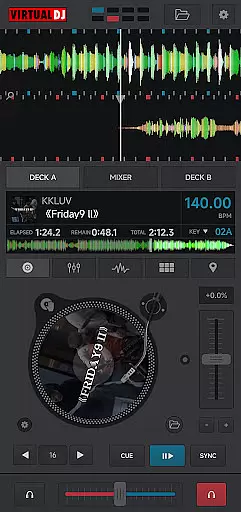
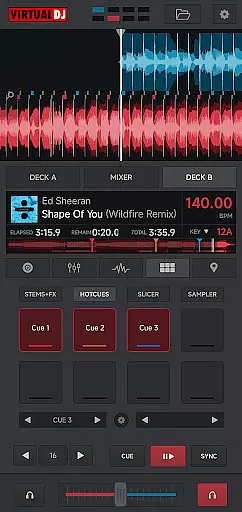
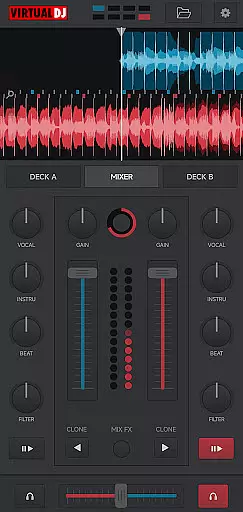
VirtualDJ Remote stands out with its extensive feature set tailored for modern DJs. One of its key capabilities is the ability to connect wirelessly to VirtualDJ software via WiFi, enabling users to control their mixes from anywhere within range. This includes managing playlists, applying effects, triggering samples, and even scratching tracks using the touchscreen interface.
The app supports advanced functionalities such as video mixing, allowing DJs to mix music videos and display them on external screens or projectors. It also integrates with VirtualDJ’s LiveFeedback system, providing personalized advice on what to play next based on audience reactions. Additionally, users can broadcast their mixes live on internet radio platforms or record sessions directly onto their computers.
Customization is another major highlight, thanks to the skin SDK compatibility. Users can download pre-made skins or design their own to suit different workflows, whether they need a turntable emulator, sampler interface, or multi-deck controller layout. This adaptability ensures that VirtualDJ Remote caters to a wide variety of DJing styles and preferences.
VirtualDJ Remote supports a wide range of video formats, ensuring that DJs can mix and play virtually any video file they encounter. This flexibility is crucial in professional settings where video content can come from various sources and in different formats.
The application leverages the power of the VirtualDJ software running on a connected PC or Mac, which decodes and processes the video streams. This means users can seamlessly mix music videos, visual effects, and even live footage without worrying about format compatibility issues.
By supporting popular formats like MP4, AVI, MOV, and more, VirtualDJ Remote provides users with the confidence that their video content will play smoothly. This comprehensive format support allows DJs to focus on their performance rather than technical limitations.
Additionally, the ability to output video to external devices such as projectors enhances the versatility of VirtualDJ Remote. DJs can create immersive experiences by syncing visuals with their audio mixes, elevating their performances to new heights.
While VirtualDJ Remote may not offer traditional AI-powered editing features found in dedicated video editing applications, it provides intelligent tools that enhance the DJ's workflow. These tools help automate complex tasks, allowing DJs to focus on their creative expression.
One standout feature is the automated beat matching and synchronization. The software intelligently analyzes audio tracks and automatically adjusts their tempo and beat positions, making it easier for DJs to create seamless transitions between songs. This function operates similarly to AI-powered editing by reducing manual effort and enhancing precision.
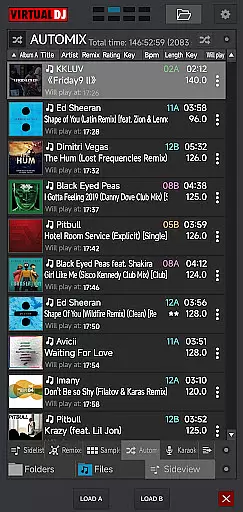
Another intelligent feature is the song suggestion system, which uses advanced algorithms to recommend tracks based on the current mix. While not strictly artificial intelligence, this system learns from user preferences and mixing patterns to provide increasingly relevant suggestions over time.
Furthermore, the application's customizable interface demonstrates its adaptability. Users can tailor the layout and functionality through skins, effectively creating personalized workspaces that suit their specific needs. This level of customization ensures that each DJ can optimize their setup for maximum efficiency and comfort.
User-friendly interface
Wide feature compatibility
Wireless convenience
Customizable skins
Professional-grade tools
Requires separate software
WiFi dependency
Limited standalone use
Complex setup for beginners
Device compatibility issues

Snaptubè Video Downloader app allows to download videos and music in Snaptube. .
 4.60
4.60
Create & edit videos with AI
4.30
Powerful HD video player with support for all formats & subtitles.
4.3
Live TV, anywhere in your home
3.80
AirMirror Receiver - Screen mirroring/cast web videos to Android TV by AirPlay.
4.40
An easy-to-use and all-round screen recorder with audio
4.80
Seamlessly connect and control your smart devices, anytime, anywhere with ease.
4.60
AI Video Editor with Music, Filter, Slideshow, Effect, Merge & Trim Video.
4.80
convenient, safe and fast at Video Downloader & Player
4.60
Video Trimmer, Video to MP3 Converter. Extract music from video, Easy & Fast.
4.80
Play ALL formats in 4K & HD. Video downloader, MP3 player, Chromecast & more.
4.80
Pro video editor app for Instagram, edit video with song, AI, effect & slowmo.
4.80
Video Downloader, Multiple Resolution Options, Video Player
4.50
Add date and time watermark to photos and videos
4.50
Fast private browser with secure, seamless access & supported video downloads!
4.00
Capture images & record videos for USB Camera, Webcam, Microscopes, Endoscopes
3.80
AirMirror is Receiver for Screen Mirroring and Casting from Apple Devices.
3.60
Connect EasyCap or UVC devices for recording and broadcast video/audio stream
3.60
The essential companion to your Blue Iris PC software
2.50


User Reviews