

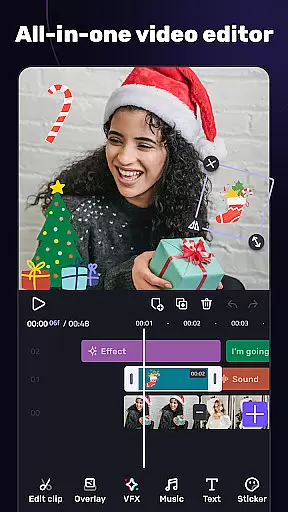
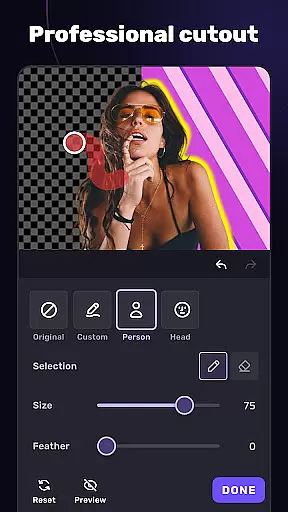
VivaCut is a versatile video editor and maker that caters to both casual users and professionals. It offers an intuitive multi-layer timeline interface with precise frame-by-frame editing capabilities, making it easy to create high-quality videos. The app includes basic features like trimming, splitting, and combining clips, as well as advanced options such as green screen effects and keyframe animations.
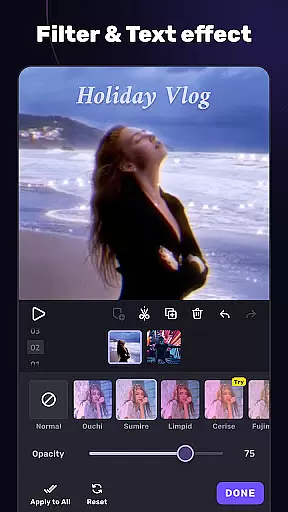
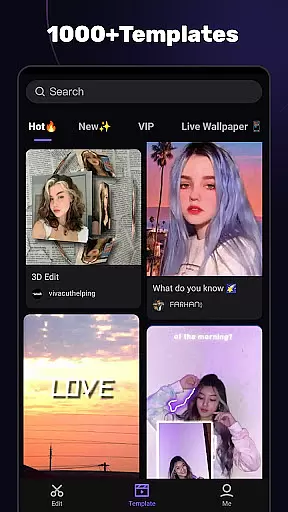
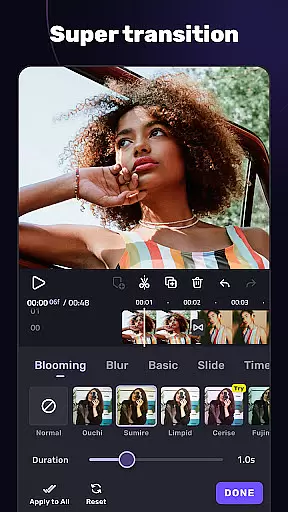
With VivaCut, users can apply various filters, transitions, and effects to enhance their videos. The app supports trendy music integration, allowing creators to mark tracks and sync effects with music rhythms. Whether you're looking to produce content for YouTube, Instagram, or TikTok, VivaCut provides the tools necessary to craft engaging and visually appealing videos. Its professional-grade features ensure that even complex editing tasks are accessible to everyone.
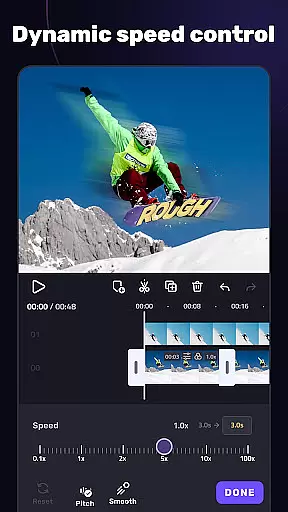
VivaCut stands out with its comprehensive suite of video editing tools. The app's multi-layer timeline allows for detailed editing, including text customization, speed control, and chroma key effects. These features enable users to create Hollywood-style movies right on their mobile devices. Additionally, the picture-in-picture functionality lets you combine multiple clips into one seamless video, perfect for creating dynamic content.
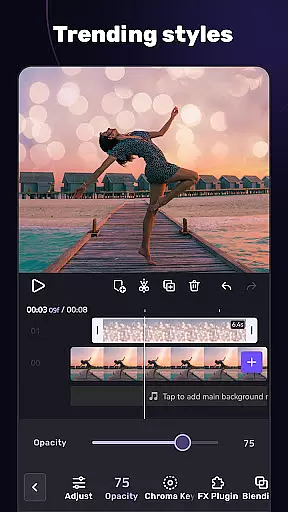
Beyond basic editing, VivaCut offers advanced features like keyframe animation and mask effects, which add a professional touch to any project. Users can also blend videos using different modes such as Color Burn and Screen, giving their creations unique visual styles. With customizable resolutions up to 4K, VivaCut ensures that your final product meets the highest quality standards. This combination of powerful tools makes VivaCut an indispensable app for anyone serious about video production.
Video format compatibility is a crucial feature for any video editing application, ensuring that users can work with a wide range of video files without conversion hassles. AI Video Editor supports an extensive array of formats, allowing creators to import and export videos in resolutions up to 4K. This versatility ensures that whether you're editing footage from a professional camera or a smartphone, the app maintains the original quality while offering flexibility in project settings.
The app's dedication to comprehensive format support extends to its rendering options. Users can customize video resolution settings, choosing between standard HD, Full HD, or Ultra HD outputs. This means your final product can be tailored for various platforms, from mobile-optimized social media clips to high-definition YouTube uploads. The ability to adjust these settings before exporting makes the editing process seamless and efficient.
Moreover, AI Video Editor's adaptive rendering technology optimizes export times without compromising quality. By intelligently analyzing the source material and selected output settings, the app calculates the most efficient processing path. This feature saves valuable time while maintaining professional-grade results across all supported formats, making it an indispensable tool for both amateur videographers and seasoned professionals.
AI-powered editing features represent a significant advancement in video editing technology, bringing professional-level tools to casual users. AI Video Editor incorporates intelligent algorithms that automate complex editing tasks, enabling creators to produce polished videos with minimal effort. From smart scene detection that automatically splits clips at optimal points to AI-driven color correction that enhances visual quality, these features democratize access to sophisticated editing techniques that were once reserved for experts.
One standout capability is the app's AI-assisted audio synchronization, which perfectly aligns soundtracks with video content. The software analyzes audio waveforms and visual cues to create precise lip-sync effects, making it ideal for music video production or dialogue-heavy content. Additionally, the AI-powered stabilization feature smooths out shaky footage, producing cinematic-quality results even from handheld recordings. These automated enhancements significantly reduce post-production time while maintaining creative control.
The application also features AI-generated effect suggestions based on content analysis. When importing footage, the system evaluates elements such as motion patterns, lighting conditions, and subject matter to recommend appropriate transitions, filters, and effects. This intelligent assistance helps users make informed creative decisions while learning professional editing techniques through practical examples. The combination of automation and user control creates an intuitive editing experience that adapts to different skill levels.
User-friendly interface
Advanced editing features
High-quality export options
Wide range of effects
Professional tools available
Subscription required
Some features locked behind paywall
Occasional bugs reported
Learning curve for beginners
Limited free version

Fast, private downloading, video saving, social media
 4.50
4.50
Save photos and videos from social apps in one tap.
3.60
Cast to Chromecast, Xbox, Fire Stick, Roku, DLNA, Smart TV & No Feature Limited!
4.50
Create & edit videos with AI
4.30
Fast & easy HD video downloader for all formats, support 4K playback & download.
4.60
AI Video Editor:AI Music, Text to Video,Text to Speech,Auto Caption,Video Effect
4.00
Viddo: Generate Action Figure, AI Anime, AI kiss, AI hug Video from image & text
4.40
Video player with 4K & 1080P support, popup play, background play and subtitle.
4.20
Create, Publish & Maximize
4.70
Play ALL formats in 4K & HD. Video downloader, MP3 player, Chromecast & more.
4.80
Download Hub, easy and private way to download and enjoy your videos offline
4.80
HD Video player all format, HD Videos, Cast & Subtitle. No annoying ads.
4.60
Cast Videos from Web Browser, IPTV to Roku, Chromecast, DLNA, Smart TV +more
4.60
Watch a large amount of high-definition short drama content
4.60
Fast video downloader & private browser. Save HD clips to watch offline.
4.40
Powerful video player with advanced hardware acceleration and subtitle supports
4.20
All format media Player, no need video converter any more!
4.00
Capture images & record videos for USB Camera, Webcam, Microscopes, Endoscopes
3.80
Connect EasyCap or UVC devices for recording and broadcast video/audio stream
3.60

User Reviews