

IPTV Pro is the premium version of IPTV app, offering an ad-free experience and advanced features for seamless TV streaming. It supports M3U and XSPF playlists, multicast streams with UDP proxy, EPG in XMLTV and JTV formats, and both internal/external video players.
Designed for users who require uninterrupted streaming and enhanced customization, it allows auto-play of the last channel, extended playlist history, and parental controls. Ideal for set-top boxes and those needing a robust solution to stream their own IPTV content from various sources.
IPTV Pro stands out with its comprehensive feature set tailored for diverse user needs. The app supports multiple playlist formats including M3U and XSPF, ensuring compatibility with various IPTV services. Its ability to play multicast streams via UDP proxy makes it suitable for complex network environments.
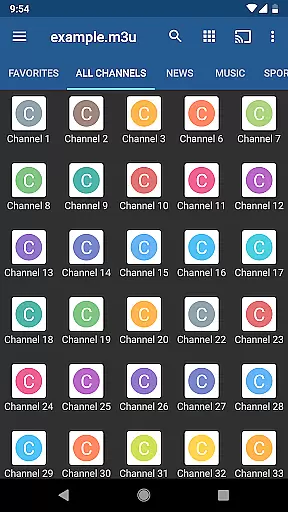
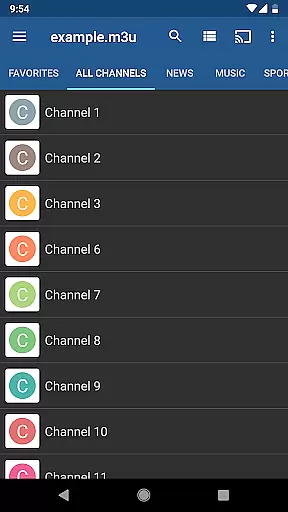
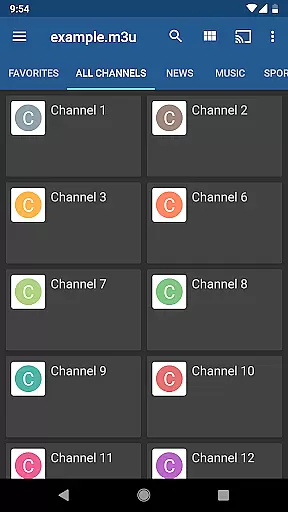
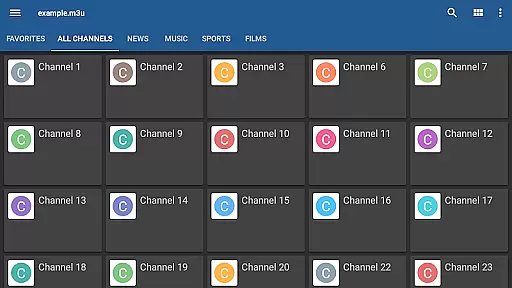
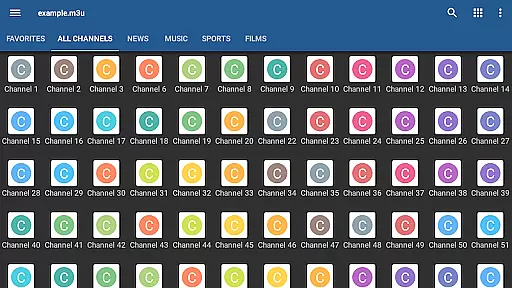
Users can choose between grid, list, or tile views for TV channels, enhancing accessibility and personal preference settings. With EPG support in XMLTV and JTV formats, viewers get accurate scheduling information. Parental controls and the choice between internal/external video players further enrich the user experience, making it versatile for all age groups.
Video format compatibility is a crucial feature for any video player, ensuring that users can access content in various formats without technical hindrances. IPTV Pro excels in this area by supporting M3U and XSPF playlists, which are commonly used for internet television and radio broadcasts.
The application's ability to handle multicast streams with a UDP proxy further enhances its compatibility, allowing users to view content delivered over local network protocols. This makes IPTV Pro not only versatile but also suitable for advanced setups like set-top boxes or dedicated media servers.
Moreover, the app provides options for grid, list, or tile views of TV channels, catering to user preferences while maintaining consistent playback quality. With support for EPG in XMLTV and JTV formats, IPTV Pro ensures that scheduling information is accurately displayed regardless of the source format.
By offering both internal and external video player options, IPTV Pro gives users the flexibility to choose their preferred playback method. This dual capability significantly improves cross-compatibility with different devices and operating systems, making it an ideal choice for those seeking a comprehensive IPTV experience.
While IPTV Pro does not focus on traditional AI-powered editing features like video trimming or effects, it incorporates intelligent functionalities that enhance the viewing experience. The app's extended playlist history is a prime example, using smart algorithms to remember user preferences and streamline channel selection.
Parental control features demonstrate another form of intelligent content management, allowing administrators to restrict access based on predefined criteria. This automated content filtering helps maintain appropriate viewing environments without constant manual supervision.
The auto-play last channel option showcases how IPTV Pro utilizes user behavior patterns to create a seamless viewing experience. By remembering the last viewed channel and automatically resuming playback, the app eliminates unnecessary navigation steps.
Additionally, the app's ability to adapt between internal and external video players based on content requirements represents a form of intelligent decision-making. This automatic player selection ensures optimal performance across different devices and network conditions, providing users with the best possible viewing experience without manual intervention.
Ad-free experience
Auto-play last channel
Extended playlist history
Multiple video player options
Parental control features
No built-in channels
Requires separate UDP proxy
Complex setup for beginners
Third-party content dependency
Limited native language support

The smartest M3U IPTV Player your playlists have ever seen.
 4.5
4.5
You can play SWF format file!
2.50
Tik & Story Saver-Download ALL social media videos, photos & reels no watermark.
4.80
Create & edit videos with AI
4.30
This app was created to edit the metadata of music files.
4.20
Cast movies, tv shows and live streams to Chromecast, Roku, DLNA, Fire TV & more
4.60
Screen recorder with audio to take live videos & Screenshot in high quality!
4.70
Video player with 4K & 1080P support, popup play, background play and subtitle.
4.20
Enjoy your favorite videos and channels with the official YouTube app.
3.90
Create photo video with music & template. AI video maker for stunning slideshow.
4.60
Cast to Chromecast, Xbox, Fire Stick, Roku, DLNA, Smart TV & No Feature Limited!
4.50
AirMirror Receiver - Screen mirroring/cast web videos to Android TV by AirPlay.
4.40
Video Downloader is an utility that can save videos and music from web sites
4.20
Explore the largest library of free GIFs, Stickers & Memes - or create your own!
3.90
HD video & music player - All format support with floating & PIP mode!
3.80
Live TV, anywhere in your home
3.80
Kodi media center, a free and open source cross-platform entertainment hub
3.60
Connect EasyCap or UVC devices for recording and broadcast video/audio stream
3.60
Client application for NextPVR software
3.00

User Reviews