

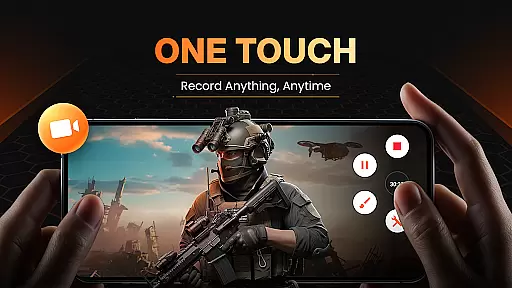
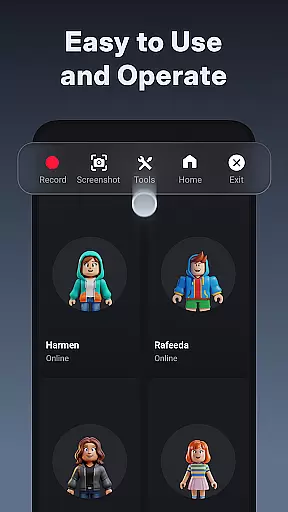
XRecorder is a versatile screen recording application designed for capturing high-quality video content on Android devices. The app offers advanced features such as internal audio recording, facecam functionality, and customizable floating controls.
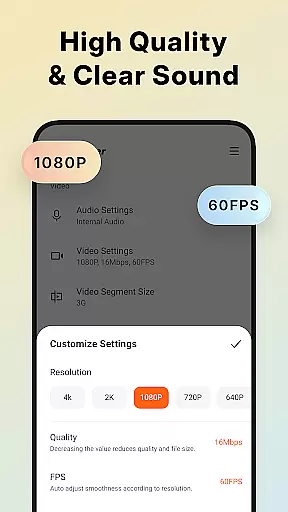
With support for resolutions up to 1080p and frame rates up to 60FPS, XRecorder ensures smooth and clear recordings. It also includes editing tools like trimming, cropping, and adding music or filters, making it ideal for creating professional-looking videos.
This application is particularly useful for gamers who want to record their gameplay without time limits or watermarks. Its intuitive interface and powerful features make it an essential tool for anyone looking to produce engaging video content.
XRecorder stands out with its comprehensive feature set tailored for both casual users and content creators. One of its key strengths is the ability to record internal audio without background noise, available on Android 10 and above.
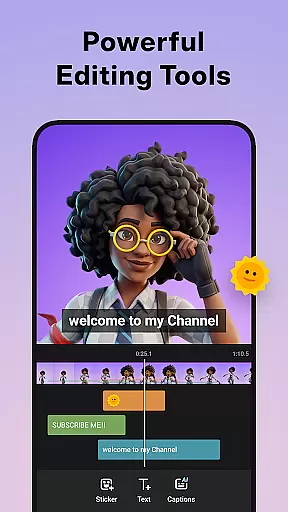
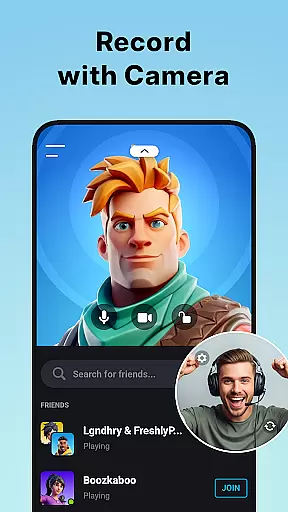
The app provides multiple editing tools including video trimming, cropping, rotating, and speed adjustment. Users can add music, stickers, and stylish filters to personalize their recordings. The facecam feature allows simultaneous recording of reactions, enhancing viewer engagement.
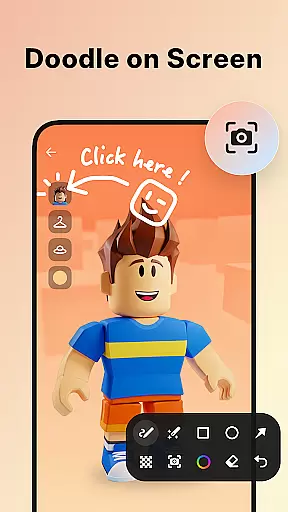
Additional notable features include YouTube & RTMP live streaming capabilities, custom floating window options, and a trash bin function for recovering deleted files. These features collectively enable users to create professional-grade content while maintaining creative control over their projects.
Video Recorder - XRecorder offers extensive video format compatibility, ensuring users can record and export videos in a wide range of resolutions and frame rates.
The app supports recording in Full HD with custom settings that include resolutions from 240p to 1080p, frame rates up to 60FPS, and bitrates reaching 12Mbps. This flexibility allows content creators to tailor their video quality to specific platform requirements or personal preferences.
With the option to adjust resolution, quality, and FPS, users are empowered to optimize their recordings for various purposes, whether it's for professional video editing or casual sharing on social media platforms.
This versatility in video format compatibility ensures that XRecorder stands out as an adaptable tool for both amateur and professional video producers, providing them with the means to produce high-quality content without limitations.
XRecorder incorporates AI-powered editing features that enhance the post-production process, making video editing more accessible and efficient for users.
Among its suite of editing tools, the app includes automated options such as trimming, cutting, and splitting videos, which simplify the editing process. Users can also leverage AI to add music, apply stylish filters, and incorporate fun stickers and text, allowing for creative personalization of their content.
The integration of speed control and the ability to save drafts for continuous editing further streamline workflow, enabling creators to fine-tune their videos at their own pace.
By harnessing these intelligent editing capabilities, XRecorder not only accelerates the editing process but also opens up new possibilities for creativity, ensuring that users can produce polished and engaging videos with ease.
User-friendly interface
High-quality recording
No watermark
Advanced editing tools
Live streaming support
Android 10 required for some features
Occasional performance issues
Limited iOS compatibility
Ads in free version
Complex settings for beginners

?100% FREE! Download & save videos? safely in this app. All formats supported.
 4.60
4.60
Create photo video with music & template. AI video maker for stunning slideshow.
4.60
VLC Remote lets you control your VLC Media Player on Mac, PC or Linux.
4.60
Capture images & record videos for USB Camera, Webcam, Microscopes, Endoscopes
3.80
Video player with powerful streaming playback and various convenient features.
2.10
AirMirror Receiver - Screen mirroring/cast web videos to Android TV by AirPlay.
4.40
Browser for Sony TV to stream web videos, online movies and live tv
3.20
A Simple app to download Video & Music from the Internet.
4.70
AI Video Editor with Music, Filter, Slideshow, Effect, Merge & Trim Video.
4.80
An easy-to-use and all-round screen recorder with audio
4.80
Seamlessly connect and control your smart devices, anytime, anywhere with ease.
4.60
Viddo: Generate Action Figure, AI Anime, AI kiss, AI hug Video from image & text
4.40
Turn your phone into a wireless camera!
4.20
Online Videos Player
3.90
Manage your IPTV live channels and VOD playlists (no playlist included)
3.80
AirMirror is Receiver for Screen Mirroring and Casting from Apple Devices.
3.60
Watch full episodes of your favorite Cartoon Network and Cartoonito shows!
3.50
Client application for NextPVR software
3.00
Powerful HD video player with support for all formats & subtitles.
4.2


User Reviews