

AZ Screen Recorder is a versatile screen recording app that allows users to capture high-quality videos of their device screens with audio. The app offers multiple features including screen recording, video editing, live streaming, and image editing capabilities.
One of the standout features of AZ Screen Recorder is its ability to record screen activity with both internal audio and microphone input, making it ideal for creating tutorials, gameplay videos, or capturing video calls. Additionally, the app provides tools for editing recorded videos such as trimming, merging, adding music, subtitles, and compressing files.
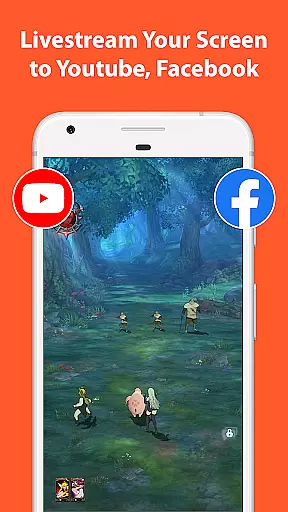
The app also supports live streaming to platforms like YouTube and Facebook, enabling users to broadcast their screens in real-time. With easy-to-use controls and customizable settings, AZ Screen Recorder caters to various needs from casual users to professional content creators.
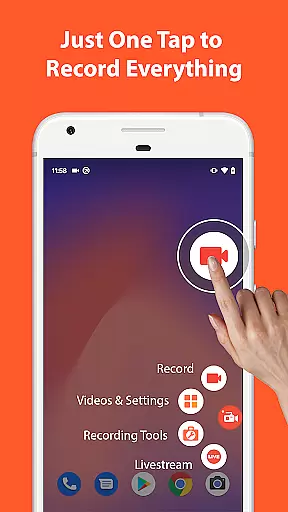
AZ Screen Recorder stands out due to its comprehensive set of features tailored for both casual and advanced users. The primary feature is the screen recording functionality, which allows users to start and stop recordings easily using control buttons, pause and resume at will, and even shake the device to stop recording.
Beyond basic recording, the app includes advanced options such as recording with internal audio or through the microphone, displaying the user's face via a floating window (facecam), and drawing on the screen during recording. It also supports exporting videos directly to a computer over Wi-Fi.
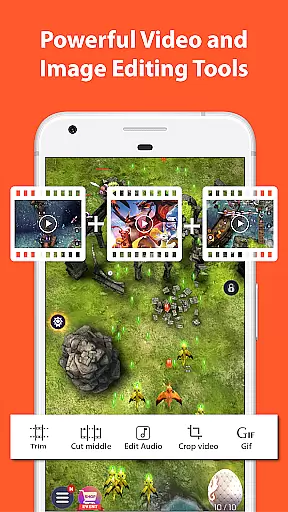
In addition to recording, AZ Screen Recorder offers robust video editing tools. Users can trim and merge videos, remove unwanted sections, add background music and subtitles, extract frames, crop and rotate videos, and compress them to save space. These features ensure that users can refine their content without needing additional software.
Video format compatibility is a crucial feature for any video recording and editing application. AZ Screen Recorder excels in this area by supporting a wide range of video formats, ensuring that users can record, edit, and share videos without worrying about format restrictions.
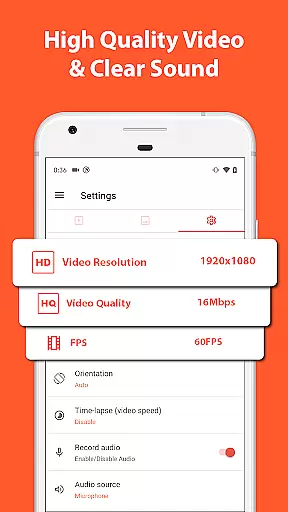
The app allows screen recording in various resolutions including HD, FullHD, 2K, and even 4K for select devices. This versatility ensures that whether you're capturing high-quality gameplay or recording important video calls, the output will meet your quality expectations.
Besides resolution options, the app also supports different frame rates such as 24fps, 30fps, and 60fps. This flexibility enables content creators to choose the best settings for their specific needs, whether it's smooth slow-motion playback or optimized file sizes for quick sharing.
In addition to recording capabilities, AZ Screen Recorder includes a comprehensive video editor. This feature allows users to trim, merge, add music, subtitles, and perform other essential edits, all while maintaining the original video quality and format integrity.
AI-powered editing features are revolutionizing how users interact with video editing tools. AZ Screen Recorder incorporates intelligent editing functionalities that streamline the video production process, making professional-quality edits accessible to everyone.
One standout feature is the automatic facecam integration, which uses AI to detect and display your face in a floating window during recordings. This enhances personal engagement in videos, especially useful for tutorials and live streams.
The app also employs AI algorithms to optimize video compression without sacrificing quality. Users can significantly reduce file sizes for easier storage and sharing, while still retaining crisp visuals and clear audio tracks.
Furthermore, the intelligent editing suite includes automated tools for cropping, rotating, and extracting frames from videos. These AI-driven features save time and effort, enabling users to focus on creative aspects rather than technical details when producing their video content.
User-friendly interface
High-quality recording
No watermark
No time limit
Versatile editing tools
Some features require Android 10
4K recording limited to certain devices
Ads in free version
Premium features need purchase
Occasional bugs reported


Powerful, professional, versatile teleprompter. Developed by an active film crew
 4.00
4.00
Search & download videos from net with all video downloader, auto-detect & safe.
4.60
Capture images & record videos for USB Camera, Webcam, Microscopes, Endoscopes
3.80
IPTV Player - Watch live TV from m3m & m3u8 playlist, stream IPTV on mobile
3.30
IPTV Loader, loads your own Playlist. DOES NOT CONTAIN ANY LIST OR CHANNELS
4.60
Add date and time watermark to photos and videos
4.50
Browser for Samsung TV to stream webvideos, online movies and livestreams in HD
4.10
Fast private browser with secure, seamless access & supported video downloads!
4.00
Create, Publish & Maximize
4.70
Play ALL formats in 4K & HD. Video downloader, MP3 player, Chromecast & more.
4.80
GENRAL PRO - General Pro is the best video player that fully supports all formats.
4.70
Browser + Remote for Roku to stream webvideos, online movies and livestreams
4.60
This app was created to edit the metadata of music files.
4.20
Powerful video player with advanced hardware acceleration and subtitle supports
4.20
All in one multi protocols stream receiver for AirPlay, Cast and DLNA.
3.60
Download videos easily & play them all in one smart, powerful video manager.
3.40
A full editing room to accompany your Insta360 cameras and handheld gimbals.
3.30
You can play SWF format file!
2.50
Powerful HD video player with support for all formats & subtitles.
4.5

User Reviews