

VLC Remote is a powerful and user-friendly Android application designed to control VLC media player on your computer. With its intuitive interface, this app allows you to effortlessly manage your multimedia experience from the comfort of your couch.
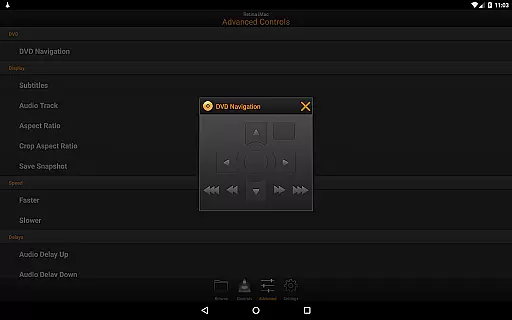
One standout feature is the free setup helper that automatically configures VLC, enabling seamless connectivity between your Android device and computer with just a few button clicks. Whether you want to play files directly from your computer, adjust volume, switch tracks, or control DVD playback, VLC Remote provides comprehensive control over all these functions.
This app is particularly useful for home entertainment setups where you can relax on the sofa while still having full command over your media library. The ability to browse and play any file from your computer adds significant convenience, making it an essential tool for enhancing your viewing and listening experience.
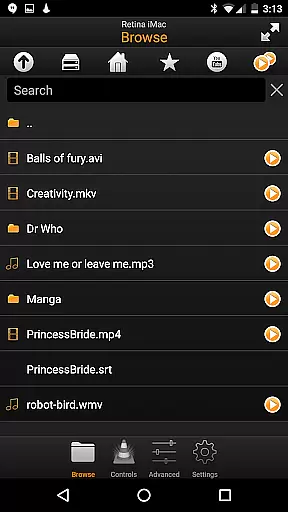
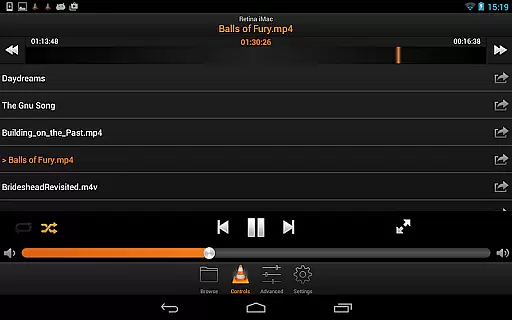
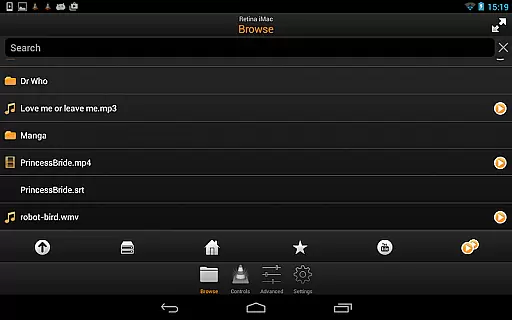
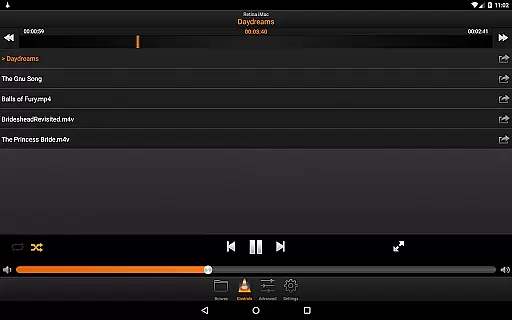
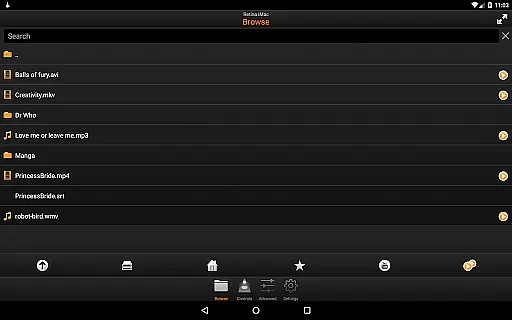
VLC Remote offers a wide array of features that make it stand out in the realm of video players and editors. Firstly, it provides complete browsing control, allowing users to access and play any file stored on their computers directly through the app. This eliminates the need to physically interact with the computer during movie nights or music sessions.
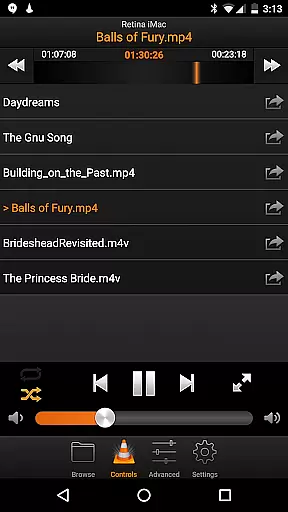
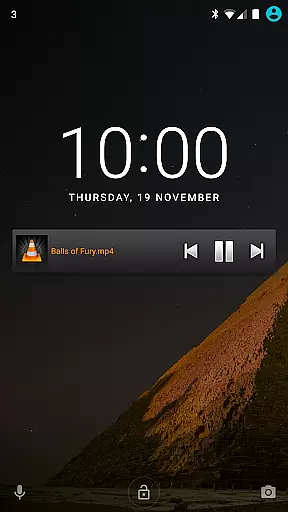
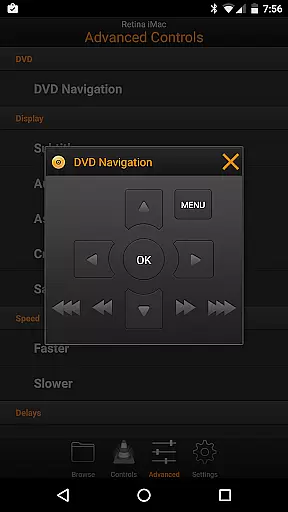
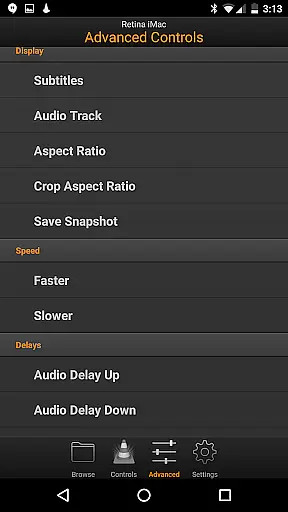
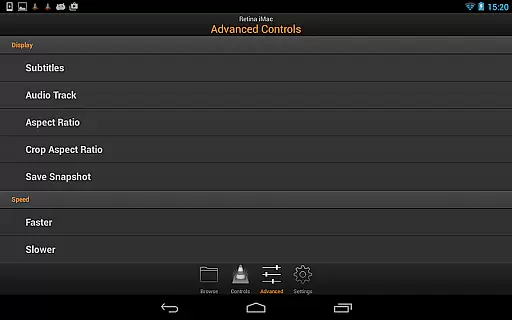
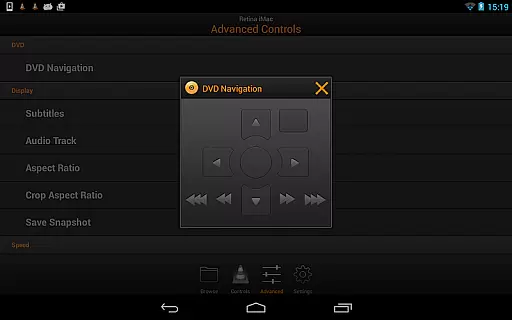
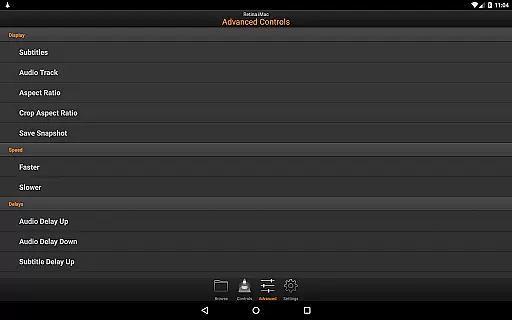
In addition to basic playback controls like volume adjustment, position tracking, and track switching, VLC Remote also includes advanced functionalities such as DVD controls, subtitle management, aspect ratio adjustments, audio track selection, and delay settings. These capabilities ensure that users have granular control over every aspect of their media consumption.
Another innovative feature is the ability to turn fullscreen mode on and off remotely, which enhances the overall user experience by providing flexibility without interrupting the flow of entertainment. Furthermore, the app supports external drives, giving users access to a broader range of content sources. Overall, VLC Remote's robust feature set makes it an indispensable companion for anyone looking to elevate their multimedia setup.
One of the standout features of VLC Remote is its extensive video format compatibility. This ensures that users can control playback of virtually any video file type directly from their Android device.
The application supports all popular formats including MP4, AVI, MKV, and more. This wide-ranging compatibility eliminates the need for format conversion, making the user experience seamless and efficient.
With VLC Remote, you can browse and play any file from your computer's library without worrying about format issues. The app automatically detects supported files, allowing you to enjoy your media without interruptions.
This level of format support not only enhances convenience but also saves time, as users no longer need to pre-process files before playback. Whether you're controlling a DVD or streaming a video file, VLC Remote ensures smooth and uninterrupted control.
While VLC Remote does not focus on traditional video editing, it incorporates AI-powered features that enhance the playback and control experience significantly. These smart features allow users to manipulate playback settings with minimal effort.
For instance, the app uses intelligent algorithms to automatically configure VLC on your computer, ensuring optimal settings for remote control. This setup helper simplifies the initial configuration process, making it accessible even to non-technical users.
Additionally, VLC Remote offers advanced controls such as subtitle synchronization, aspect ratio adjustments, and audio track selection. These features are powered by smart detection algorithms that adapt to the content being played.
By leveraging these AI-driven capabilities, VLC Remote provides users with a sophisticated yet user-friendly interface for managing their video playback experience, setting it apart from conventional remote control applications.
User-friendly interface
Automatic configuration
Comprehensive control options
Seamless connectivity
Advanced playback features
Limited to VLC player
Requires initial setup
No iOS version available
Dependent on network stability
Occasional connection issues

Video Downloader is an utility that can save videos and music from web sites
 4.20
4.20
Create & edit videos with AI
4.30
High-Quality USB Camera Viewer & HDMI Display
4.70
Seamlessly connect and control your smart devices, anytime, anywhere with ease.
4.60
Fast & Private Video Downloader App. Save all videos easily from the Internet.
4.40
Powerful Video Editor & Photo Editing App —— Quick Edits & Stunning Effects!
4.30
Add date and time watermark to photos and videos
4.50
Flud is a simple and beautiful BitTorrent client for Android.
4.80
Make videos you’re proud to share with Edits, a video editor for creators.
4.70
Support 1000+ Video Format, Subtitle Download, mp3 & Background Play, Cast On TV
4.60
Fast & Private HD Video Downloader with Built-in Proxy Browser and Video Player.
4.50
Movie maker & video editing app with AI effects and green screen
4.30
This app was created to edit the metadata of music files.
4.20
Powerful, professional, versatile teleprompter. Developed by an active film crew
4.00
Make your own Animations, Video and Photo Edits, Visual Effects, and more!
4.00
Cast to Smart TV, Fire TV. Cast video, photo - Fast & Stable!
3.90
Watch full episodes of your favorite Cartoon Network and Cartoonito shows!
3.50
This app is an emulator of some specific IPTV boxes
3.50
You can play SWF format file!
2.50

User Reviews