

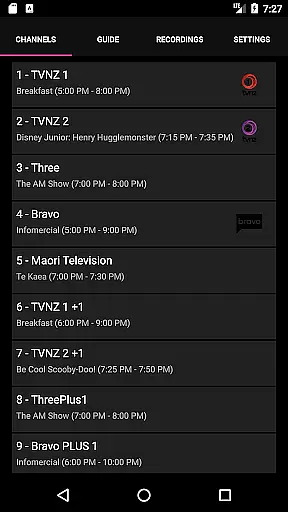
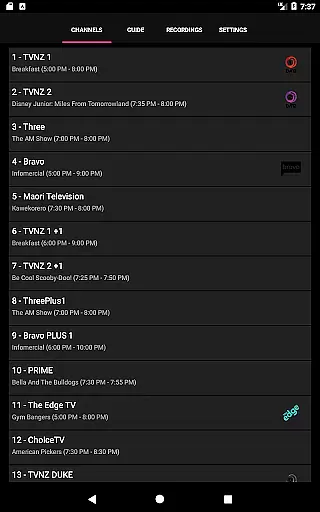
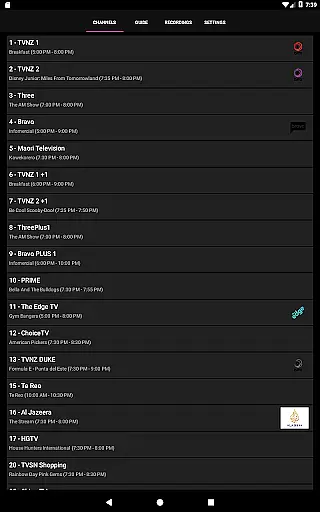
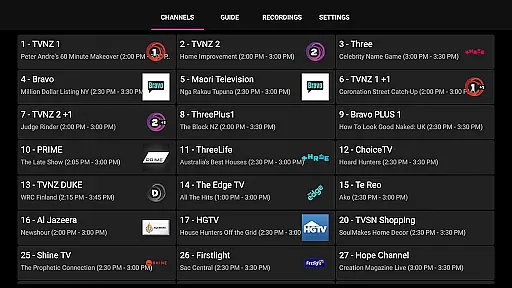
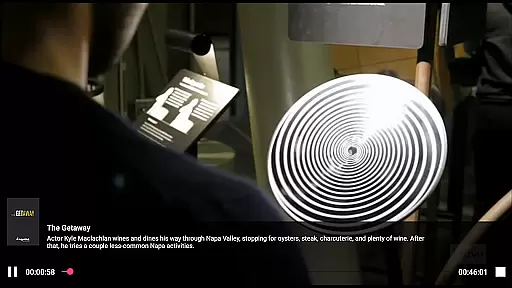
NextPVR is a versatile client application designed for users who want to extend their NextPVR media center experience to mobile devices. This app allows you to seamlessly interact with your NextPVR setup, provided you have version 4.1.0 or higher installed on your network. With this app, you can watch Live TV from anywhere, access the TV Guide, manage recording schedules, and view recorded content directly on your mobile device.
The app bridges the gap between your Windows PC running NextPVR and your mobile device, offering convenience and flexibility. Whether you're at home or on the go, you can stay connected to your media center, ensuring you never miss your favorite shows. Its intuitive interface makes managing your TV experience straightforward and efficient.
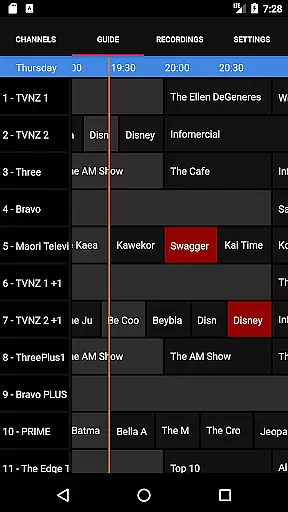
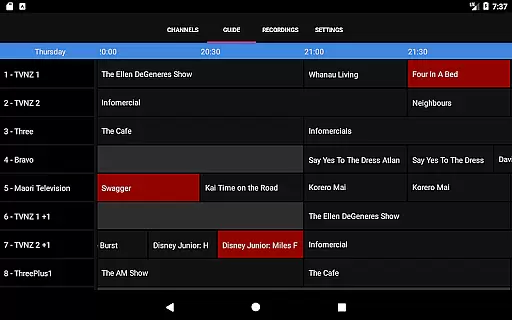
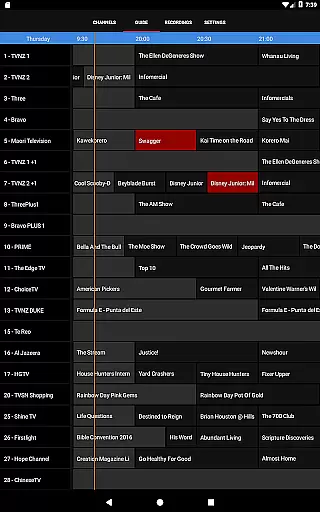
NextPVR offers a comprehensive set of features that enhance your TV viewing experience. The app provides full control over your NextPVR setup, including Live TV streaming, which lets you watch broadcasts in real-time from your mobile device. You can also access an electronic TV Guide, giving you a clear overview of programming schedules and helping you plan your viewing.
Another standout feature is the ability to manage your recording schedule remotely. You can schedule and edit recordings with ease, ensuring you capture all your preferred content without being tied to your home setup. Additionally, the app allows you to browse and watch recorded shows, making it a complete solution for managing your media library from anywhere.
Video format compatibility is a crucial feature for any video player, ensuring that users can enjoy content in various formats without technical hindrances. NextPVR stands out by supporting a wide array of video codecs and containers, making it versatile for different user needs.
The app facilitates seamless playback of both common and high-definition video formats. This includes but is not limited to MP4, AVI, MKV, and MOV files, which are frequently used in digital media. Such comprehensive support allows users to access their media library without the need for format conversion.
For users, this means an uninterrupted viewing experience with the ability to play recordings and live TV across different devices and quality settings. It ensures that regardless of the source or recording equipment used, the content will be compatible with the NextPVR application.
This level of compatibility underscores NextPVR's commitment to delivering a robust media solution, enhancing user satisfaction by removing barriers related to video playback. The versatility in format support empowers users to focus on enjoying their content rather than worrying about technical limitations.
AI-powered editing features represent the cutting edge of video editing technology, enabling users to enhance their video content with minimal effort. While primarily known as a media player, NextPVR incorporates intelligent editing capabilities that streamline the post-production process for users.
These features leverage machine learning algorithms to automate tasks such as scene detection, color correction, and audio enhancement. By analyzing video content, the app can suggest optimal editing points, adjust lighting for better visibility, and balance sound levels to produce professional-quality results.
For users, this translates into time savings and improved output quality without requiring advanced editing skills. The AI assistance simplifies complex processes, making video editing accessible to novices while still offering valuable tools for experienced editors.
NextPVR's integration of AI-powered editing features exemplifies its dedication to providing a comprehensive media solution. By combining traditional playback functionalities with innovative editing tools, the app enhances the overall user experience, catering to a broad spectrum of media enthusiasts.
User-friendly interface
Live TV streaming
Remote recording management
Comprehensive TV guide
Free to use
Requires NextPVR setup
Windows PC dependent
No standalone functionality
Limited to ATSC/DVB tuners
Network reliant

Auto video maker with music & exclusive filters. Video editing made simple.
 4.50
4.50
HD Video player all format, HD Videos, Cast & Subtitle. No annoying ads.
4.60
Snaptubè Video Downloader app allows to download videos and music in Snaptube. .
4.60
Fast video downloader & private browser. Save HD clips to watch offline.
4.40
Full HD Video mp3 Player, MP4 player play 1080p, File manager, Video Downloader
4.40
Stream high quality video from your camera over NDI protocol
4.1
All format media Player, no need video converter any more!
4.00
IPTV Loader, loads your own Playlist. DOES NOT CONTAIN ANY LIST OR CHANNELS
4.60
Make videos you’re proud to share with Edits, a video editor for creators.
4.70
Play ALL formats in 4K & HD. Video downloader, MP3 player, Chromecast & more.
4.80
Find, download, and play torrents with the official BitTorrent® Pro app
4.70
Search & download videos from net with all video downloader, auto-detect & safe.
4.60
Cast to Chromecast, Xbox, Fire Stick, Roku, DLNA, Smart TV & No Feature Limited!
4.50
AirMirror Receiver - Screen mirroring/cast web videos to Android TV by AirPlay.
4.40
Fast private browser with secure, seamless access & supported video downloads!
4.00
Watch full episodes of your favorite Cartoon Network and Cartoonito shows!
3.50
Browser for Sony TV to stream web videos, online movies and live tv
3.20
Mix with Virtual DJ directly from your phone or tablet !
3.10
Powerful HD video player with support for all formats & subtitles.
4.1


User Reviews