

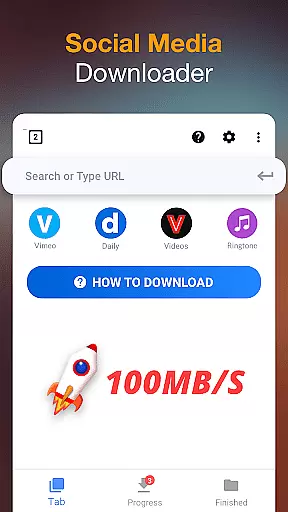
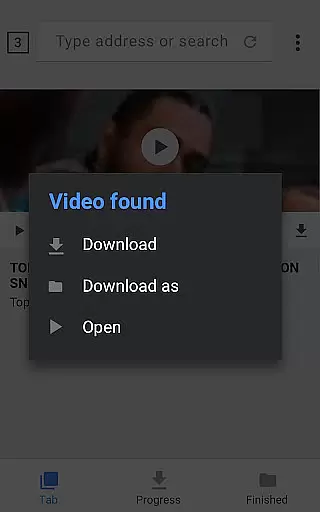
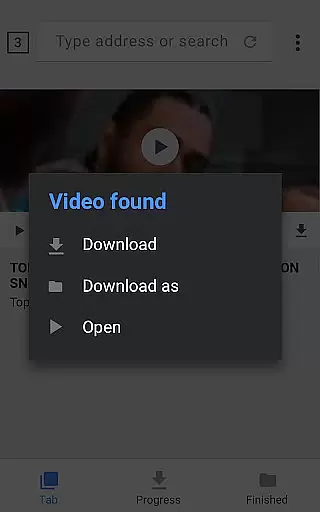
Video Downloader is a versatile tool designed to simplify the process of downloading videos and music from the Internet directly onto your device. With support for all formats, this 100% free application auto-detects videos, enabling one-click downloads. Its powerful download manager allows users to pause and resume downloads, operate in the background, and handle multiple files simultaneously.
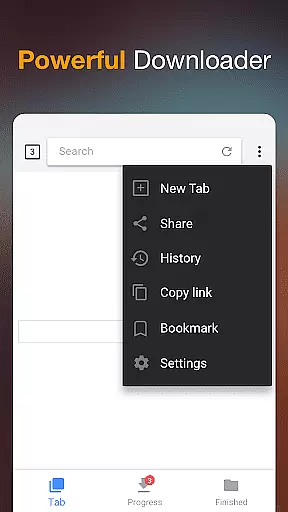
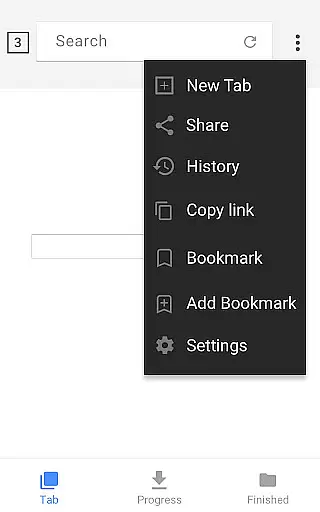
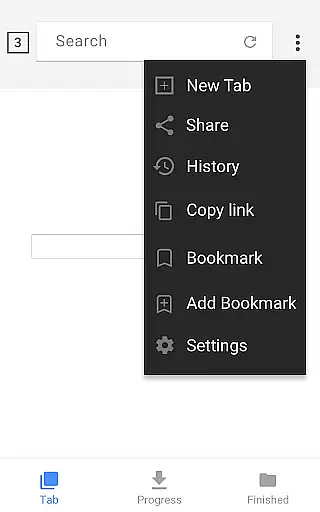
The app's built-in browser lets you browse videos, while the integrated player supports offline playback. Security features include password-protected folders for saved files, ensuring your content remains private. Suitable for users who need fast, reliable downloads, Video Downloader offers HD video support, large file compatibility, and bookmarks for favorite websites, making it an essential tool for managing digital media efficiently.
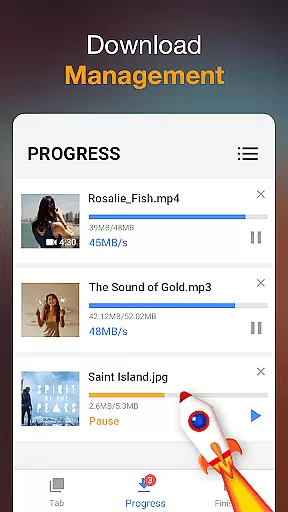
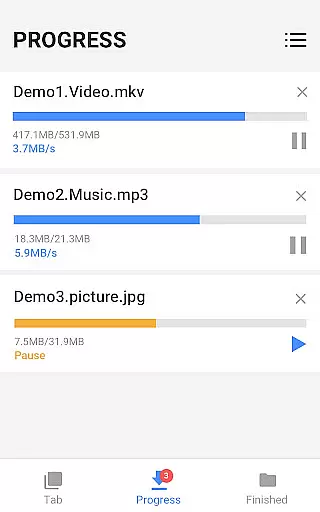
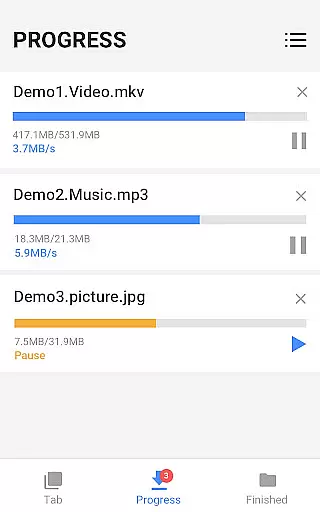
Video Downloader stands out with its comprehensive feature set tailored for seamless media management. The built-in browser not only detects videos automatically but also supports various formats like mp3, mp4, avi, and more, allowing flexible downloading options. The powerful download manager provides full control over the download process, including pausing, resuming, and removing downloads, alongside supporting simultaneous downloads and background operations.
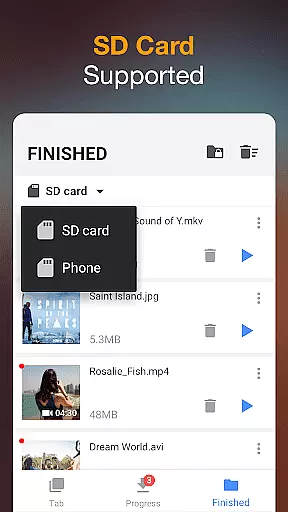
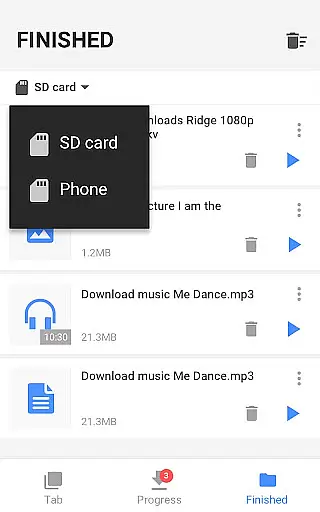
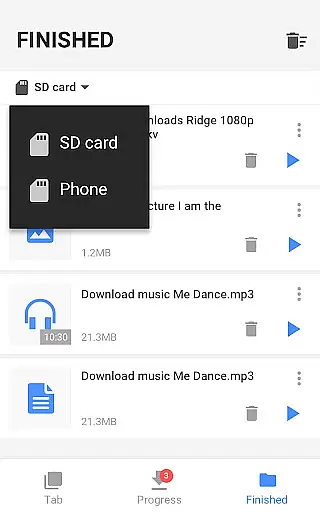
Advanced functionalities include SD card support for expanded storage, fast download speeds, and progress tracking via the download bar. Additionally, the app ensures security by offering password-protected folders for downloaded files. Whether downloading videos, music, or documents, users benefit from high-speed performance, HD quality downloads, and the ability to manage large files effortlessly, enhancing both productivity and entertainment experiences.
Video format compatibility is a crucial feature for any video player and editor application. The Video Downloader app excels in this area by supporting all major video formats including mp3, m4a, mp4, m4v, mov, avi, wmv, and more.
This extensive format support ensures that users can download and play videos from various sources without worrying about compatibility issues. Whether it's a high-definition movie or a simple audio file, the app handles them all with ease.
The built-in browser allows users to browse and auto-detect videos across websites, making it convenient to download videos in different formats. This versatility enhances user experience as they can seamlessly switch between formats based on their needs.
Moreover, the powerful download manager not only supports multiple simultaneous downloads but also provides options to pause, resume, and remove downloads. This comprehensive approach to video format compatibility makes Video Downloader a top choice for users seeking flexibility and convenience.
AI-powered editing features are transforming the way users interact with video content. The Video Downloader app incorporates advanced AI capabilities to enhance the video downloading and editing experience.
One of the standout features is the auto-detection of videos, which simplifies the process of finding and downloading content. Users can preview videos before downloading, ensuring they get exactly what they need without wasting storage space.
In addition to basic editing tools, the app offers smart features like background downloading and the ability to save files in password-protected folders. These functionalities provide an extra layer of security and privacy, which is particularly beneficial for users who handle sensitive content.
The integration of AI doesn't stop there; the app also supports fast download speeds and HD video downloads, making it a robust solution for both casual viewers and professionals. With these AI-powered editing features, Video Downloader sets itself apart as a versatile tool for managing and enjoying digital media.
User-friendly interface
Fast download speeds
Multiple format support
Powerful download manager
Offline playback capability
Limited advanced editing tools
No cloud integration
Occasional detection issues
Ads in free version
Requires manual updates





Video player, file manager for all formats, 4K/HD media player supports subtitle
 4.30
4.30
Client application for NextPVR software
3.00
Video player with powerful streaming playback and various convenient features.
2.10
An easy-to-use and all-round screen recorder with audio
4.80
Movie maker & video editing app with AI effects and green screen
4.30
Powerful Video Editor & Photo Editing App —— Quick Edits & Stunning Effects!
4.30
Cast to Smart TV, Fire TV. Cast video, photo - Fast & Stable!
3.90
Powerful video player with advanced hardware acceleration and subtitle supports
4.20
Capture the moment and Cut
3.40
GENRAL PRO - General Pro is the best video player that fully supports all formats.
4.70
Find, download, and play torrents with the official BitTorrent® Pro app
4.70
Seamlessly connect and control your smart devices, anytime, anywhere with ease.
4.60
HD video maker with no watermark, no ads & vlog maker with music, PIP, text
4.50
Photo and Music Video Creator into Stunning Videos—Effortlessly
4.40
KineMaster, Your Ultimate Video Editor!
4.40
Web Browser for LG TV to stream webvideos, online movies and livestreams in HD
4.20
Browser for Samsung TV to stream webvideos, online movies and livestreams in HD
4.10
Stream Web Videos to Chromecast, Samsung, LG, Sony, Roku, Fire TV, DLNA + more
4.00
Capture images & record videos for USB Camera, Webcam, Microscopes, Endoscopes
3.80
User Reviews