

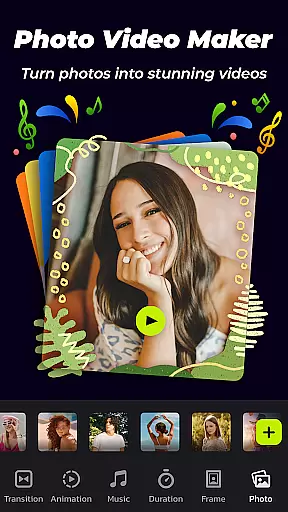
Photo Video Maker with Music - InSlide is a versatile video editing tool designed for creating engaging photo slideshows, music albums, and presentations. This app allows users to transform their photos and videos into professional-looking content by adding music, transitions, animations, and frames.
The application stands out with its user-friendly interface and powerful customization options. Whether you're looking to create holiday greetings, record life memories, or quickly put together a presentation, InSlide provides all the necessary tools. Its rich content library, regularly updated, ensures that users have access to the latest design elements.
With compatibility across multiple platforms including YouTube, TikTok, Facebook, and Instagram, this app is perfect for anyone wanting to share their creations with a wider audience while maintaining high-quality standards.
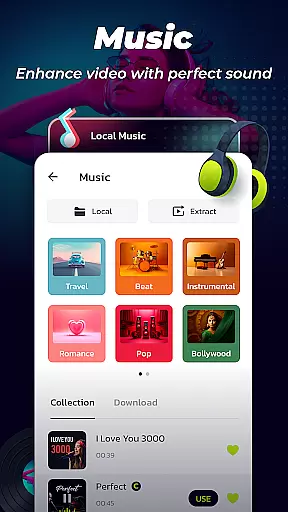
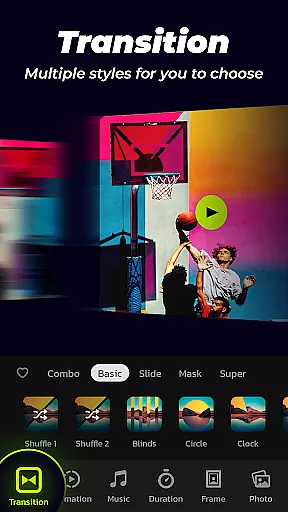
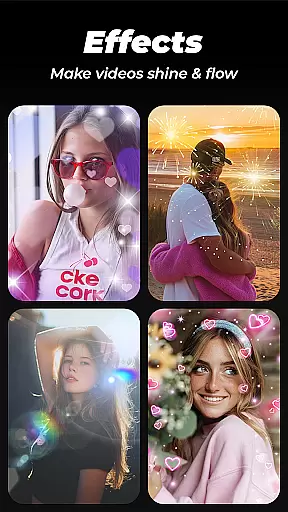
Photo Video Maker offers an extensive set of features tailored for creative expression. One of its key strengths is the ability to add music tracks from a wide range of genres, including Pop, Bollywood, and Love, or upload custom audio files. The app also includes a variety of transition effects that can be applied with a single click, streamlining the editing process.
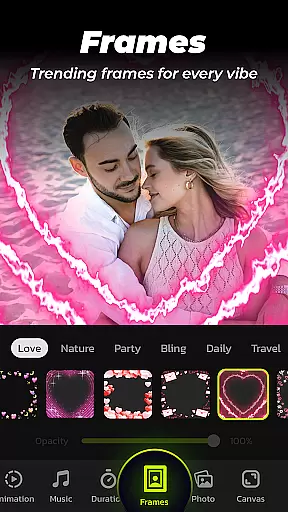
In addition to music and transitions, users can choose from multiple photo frames categorized by themes such as family, travel, and romance. These frames help enhance the visual appeal of slideshows. The app further allows customization of transition durations between 0.5 to 8 seconds, ensuring smooth visual flow.
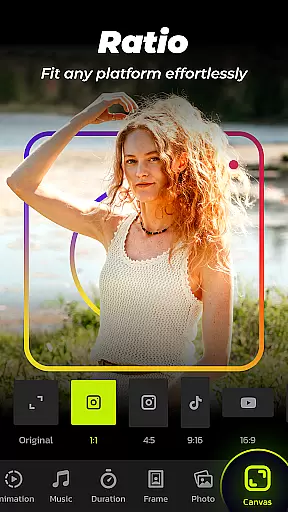
Resolution selection is another standout feature, offering five export options ranging from 480P to 2K. This flexibility caters to different sharing needs, whether it's for easy distribution or premium visual quality. Moreover, the aspect ratio adjustment feature ensures seamless uploads to various social media platforms.
Photo Video Maker with Music - InSlide stands out for its versatile video format compatibility, ensuring that users can create and export videos in a variety of resolutions. The app supports five resolution options, ranging from 480P to 2K, allowing creators to tailor their output based on their specific needs.
This flexibility is crucial for content creators who wish to share their videos across different platforms such as YouTube, TikTok, Facebook, Instagram, WhatsApp, and Twitter. Each platform may have its own requirements for video quality and aspect ratio, and InSlide's ability to adjust these settings ensures seamless sharing and optimal presentation.
Moreover, the app's capability to customize transition durations between photos, ranging from 0.5 seconds to 8 seconds, adds another layer of control over the final video output. This feature not only enhances the visual flow of the slideshow but also allows users to keep their presentations within desired time frames without compromising on smoothness or quality.
InSlide incorporates AI-powered editing features that significantly enhance the video creation process. One standout feature is the easy one-click transition effect, which eliminates the need for manual selection of transitions. This saves time and effort while ensuring professional-grade visual effects in every slideshow.
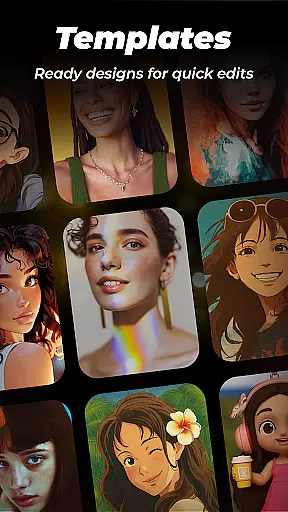
The app also boasts an abundant and well-organized content library that is continuously updated. This includes categorized frames themed around family, lovers, travel, and more, enabling users to easily match their slideshow content with appropriate designs. Additionally, users can add music from a wide range of online styles or upload their own tracks, further personalizing their creations.
With InSlide's intuitive interface, even beginners can create stunning videos in just four easy steps. From importing multiple photos at once to assembling them into professional-looking videos, the app streamlines the entire process. Furthermore, advanced customization options like adjusting aspect ratios and transparency levels empower users to refine their projects to perfection.
User-friendly interface
Extensive music library
One-click transitions
Customizable frame options
High-resolution exports
Limited advanced editing
Fewer animation styles
No offline support
Paid premium features
Occasional bugs


Video Trimmer, Video to MP3 Converter. Extract music from video, Easy & Fast.
 4.80
4.80
Capture images & record videos for USB Camera, Webcam, Microscopes, Endoscopes
3.80
AirMirror is Receiver for Screen Mirroring and Casting from Apple Devices.
3.60
AirMirror Receiver - Screen mirroring/cast web videos to Android TV by AirPlay.
4.40
GENRAL PRO - General Pro is the best video player that fully supports all formats.
4.70
All in one HD video downloader & player for multiple formats with full privacy
4.70
Cast to Smart TV, Fire TV. Cast video, photo - Fast & Stable!
3.90
Find, download, and play torrents with the official BitTorrent® Pro app
4.70
Enjoy your favorite videos and channels with the official YouTube app.
3.90
An easy-to-use and all-round screen recorder with audio
4.80
Download Hub, easy and private way to download and enjoy your videos offline
4.80
Video Player - Unlimited features, 30 days money back guarantee.
4.60
Powerful Video Editor & Photo Editing App —— Quick Edits & Stunning Effects!
4.30
Powerful video player with advanced hardware acceleration and subtitle supports
4.20
Browser for Samsung TV to stream webvideos, online movies and livestreams in HD
4.10
Powerful, professional, versatile teleprompter. Developed by an active film crew
4.00
All format media Player, no need video converter any more!
4.00
AI Video Editor:AI Music, Text to Video,Text to Speech,Auto Caption,Video Effect
4.00
A full editing room to accompany your Insta360 cameras and handheld gimbals.
3.30

User Reviews