

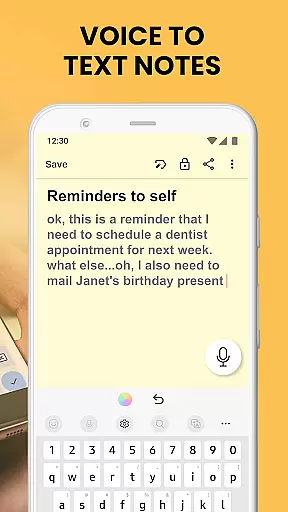
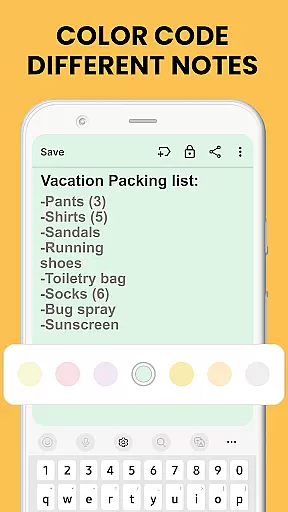
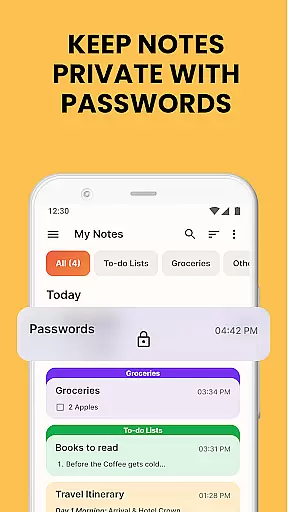
Notes Launcher is a productivity app designed to streamline note-taking and task management. The app allows users to create quick notes or to-do lists with a simple swipe from the home screen, making it an ideal tool for capturing thoughts on the go. With features like text formatting tools, color-coding, and lockable notes, users can organize their information effectively while maintaining privacy.
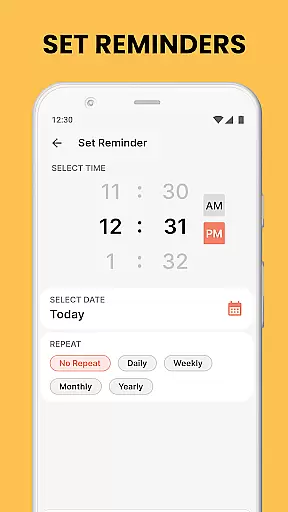
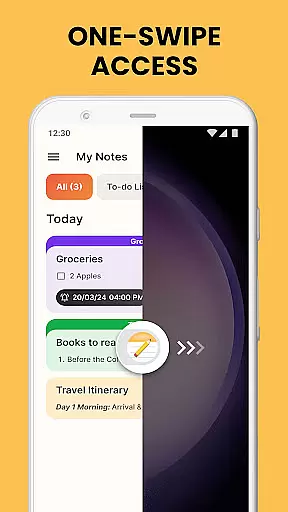
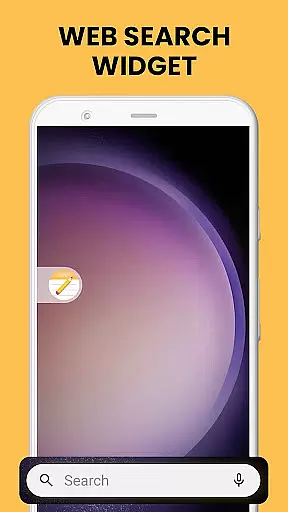
In addition to its core functionality, Notes Launcher offers added benefits such as one-swipe access, home screen widgets, and customizable wallpapers. These features enhance user experience by providing quick access to essential tools and personalization options. Whether you're managing work tasks or planning your weekend, Notes Launcher helps keep everything organized and easily accessible.
Notes Launcher stands out with its comprehensive set of features tailored for productivity enthusiasts. One of its key highlights is the ability to create notes and checklists instantly by swiping right from the home screen. This seamless access ensures that users never miss an important idea or task. Additionally, the rich-text editor provides tools for formatting text, creating lists, and customizing fonts, allowing users to structure their notes effectively.
The app also includes advanced organizational features such as color-coding, categorization, and sorting filters. Users can prioritize tasks by assigning colors, group related notes under custom categories, and sort them based on modification dates or creation order. Furthermore, the intuitive search function enables quick retrieval of specific notes, while sharing capabilities allow collaboration through email and social media platforms.
Effective task management is essential for productivity, and Notes Launcher excels in this area. The app provides a comprehensive suite of tools designed to help users organize their tasks efficiently.
With features like note-taking, checklists, and text formatting tools, the app allows users to create structured and visually appealing task lists. Users can format their notes with different font sizes, bullet points, and colors, making it easier to prioritize and categorize tasks.
Additionally, the app offers sorting and search functionalities that enhance task retrieval. Users can sort their notes by modification date or creation order and use the intuitive search feature to quickly find specific tasks using keywords.
This robust task management system ensures that users can maintain an organized workflow, leading to increased productivity and better time management.
In today's interconnected world, reliable cross-device synchronization is crucial for maintaining seamless productivity. Notes Launcher addresses this need by ensuring that all user data is consistently updated across multiple devices.
The app supports real-time synchronization, which means any changes made on one device are immediately reflected on all others. This feature is particularly beneficial for users who switch between their phone, tablet, and computer throughout the day.
Furthermore, Notes Launcher employs secure cloud storage to safeguard user data during the synchronization process. This not only ensures data integrity but also provides users with peace of mind knowing their information is protected.
By offering dependable cross-device synchronization, Notes Launcher empowers users to access and update their notes from anywhere, at any time, without worrying about data loss or inconsistencies.
User-friendly interface
Quick note creation
Advanced organization tools
Secure note locking
Customizable home screen
Home screen layout changes
Limited widget customization
No cloud sync in free version
Occasional ads
Basic features require exploration


Client for Nextcloud Deck
 4.60
4.60
Easily read and manage all your PDF files
4.10
A simple, portable logger for POTA, SOTA, Field Day, and more
4.1
Secure, fast, open-source, Remote Desktop Client for Windows and Linux with SSH
4.60
Secure, open-source, SPICE and SSH Remote Desktop for QEMU KVM virtual machines
4.00
This small app MUST BE INSTALLED after purchase, else license won't work
4.40
Access your phone's notifications, calls, apps, photos & texts on your PC
3.90
AT&T Internet customers can use this app to personalize their Wi-Fi network.
4.40
Browse and view your photos and videos from the phone with photo & video hide.
4.10
Native client for Forgejo and Gitea
5.00
Direct Chat without saving contacts & Dual WA Account on Single Device
4.70
aCalendar+ makes your day, week and month
4.70
A beautiful digital clock with autostart and many other functions
4.70
The Pro Version of Android's tiniest Notepad app. Just 0.3MB but feature-packed!
4.60
Functional QR scanner and barcode reader that requires little storage space.
4.60
A simple Whisper AI keyboard for reliable speech transcription and rewording
4.60
Secure your apps with lock screens, use custom themes and different features.
4.40 4.20
4.20
Activate Two Factor Authentication (2FA or Multi OTP), Password manager and more
4.10

User Reviews